You have just a few seconds to make an impression with a business card, and size is the first thing that matters. Get it wrong, and your design may be cropped, awkward to carry, or feel unbalanced before it’s even read. This guide covers the exact business card sizes for 2026, including standard dimensions, international formats, bleed and safe zones, pixel specs, and practical tips to help you quickly and correctly choose the right fit.
Standard Business Card Size
The standard business card size in the United States and Canada is 3.5 × 2 inches (88.9 × 50.8 mm).
This is the size that has been the industry default for decades, and for good reason. It fits neatly into a wallet alongside credit cards, slides into cardholders, and stacks cleanly in a desk organizer. It also fits into the pockets of most business card-scanning apps without any cropping or adjustments.
For reference, a standard credit card measures 3.375 × 2.125 inches. Business cards are intentionally just slightly smaller, making them easy to carry without bending or folding.
Here is the standard business card size across the most common unit systems:
| Unit | Width | Height |
|---|---|---|
| Inches | 3.5″ | 2″ |
| Millimeters | 88.9 mm | 50.8 mm |
| Centimeters | 8.9 cm | 5.1 cm |
International Business Card Sizes
If you do business across borders, it pays to know that card sizes vary by region. Handing someone in Japan a US-sized card that doesn’t fit their cardholder sends a subtle but real message of inattention. Here is a full breakdown of standard business card dimensions by country.
| Country / Region | Width | Height | Notes |
|---|---|---|---|
| USA & Canada | 3.5″ (88.9 mm) | 2″ (50.8 mm) | Most widely used globally |
| UK | 3.346″ (85 mm) | 2.165″ (55 mm) | ISO 7810 ID-1 format |
| Europe (EU) | 3.346″ (85 mm) | 2.165″ (55 mm) | Same as the UK; matches the credit card standard |
| Australia | 3.54″ (90 mm) | 2.165″ (55 mm) | Slightly wider than the EU |
| Japan | 3.582″ (91 mm) | 2.165″ (55 mm) | “Meishi” format; presentation matters greatly |
| China | 3.543″ (90 mm) | 2.165″ (55 mm) | Very similar to the Australian standard |
| India | 3.5″ (88.9 mm) | 2″ (50.8 mm) | Follows the US standard in most industries |
| Brazil | 3.346″ (85 mm) | 2.165″ (55 mm) | Follows the European standard |
Business Card Dimensions (With Bleed & Safe Area)
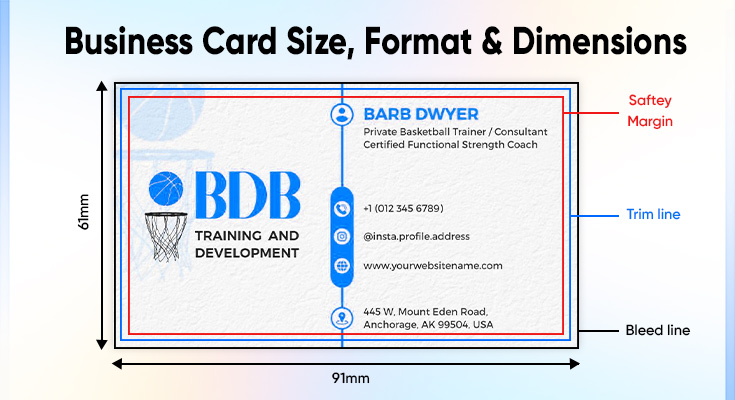
Understanding the finished size of your card is only part of the picture. Before you send a file to print, you need to understand three zones: the bleed area, the trim line, and the safe zone.
The Three Print Zones Explained
Trim line (finished size): This is where the printer cuts your card. For a US standard card, this is 3.5 × 2 inches. Every element you want to appear on the final card must be within this boundary.
Bleed area (print area): Any background color, pattern, or image that extends to the edge of your card needs to be extended slightly beyond the trim line. This extra area, typically 1/8 inch (3 mm) on all sides, is called bleed. It accounts for slight variations in cutting. Without bleed, a card with a colored background can end up with thin white borders where the cut landed a fraction off-center.
Safe zone (text/logo area): Equally important is keeping your critical content, such as name, phone number, email, and logo, inside the safe zone. This is 1/8 inch (3 mm) inward from the trim line. Any text or logo placed outside the safe zone risks being clipped during cutting.
Standard Business Card Dimensions With Bleed:
| Zone | Width | Height | Notes |
|---|---|---|---|
| Safe zone (text/logo area) | 3.25″ (82.6 mm) | 1.75″ (44.5 mm) | Keep all critical content inside |
| Finished / trim size | 3.5″ (88.9 mm) | 2″ (50.8 mm) | Where the printer cuts |
| Bleed area (with 1/8″ bleed) | 3.75″ (95.25 mm) | 2.25″ (57.15 mm) | Extend backgrounds to this size |
Different Business Card Sizes & Shapes
The standard 3.5 × 2 inch rectangle is the default, but it is far from the only option. Here is a rundown of the most common alternative sizes and shapes, including when each makes sense.
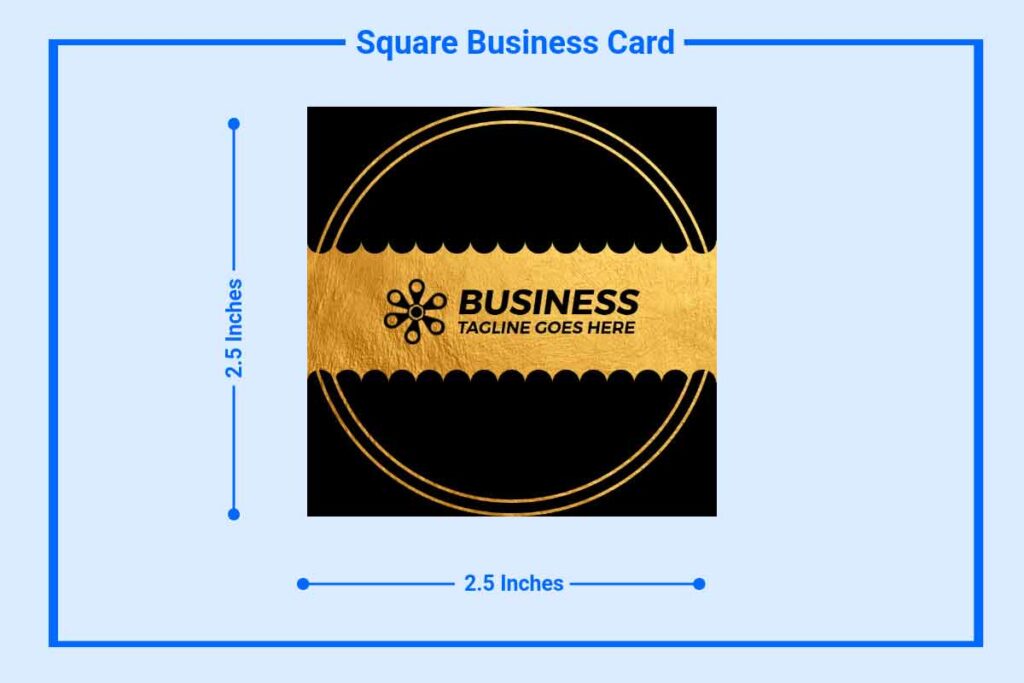
Square Business Cards
Size: 2.5 × 2.5 inches (63.5 × 63.5 mm)
Square cards feel intentional and creative. The equal-sided format works especially well if your logo is square or if your brand identity is built around symmetry. They stand out immediately in a stack of rectangular cards.
The trade-off is wallet compatibility; square cards do not fit in most standard cardholders or wallet slots. Use them for high-value moments like conferences or client meetings rather than mass handouts.
Best for: Designers, photographers, creative agencies, and luxury brands.
Mini Business Cards
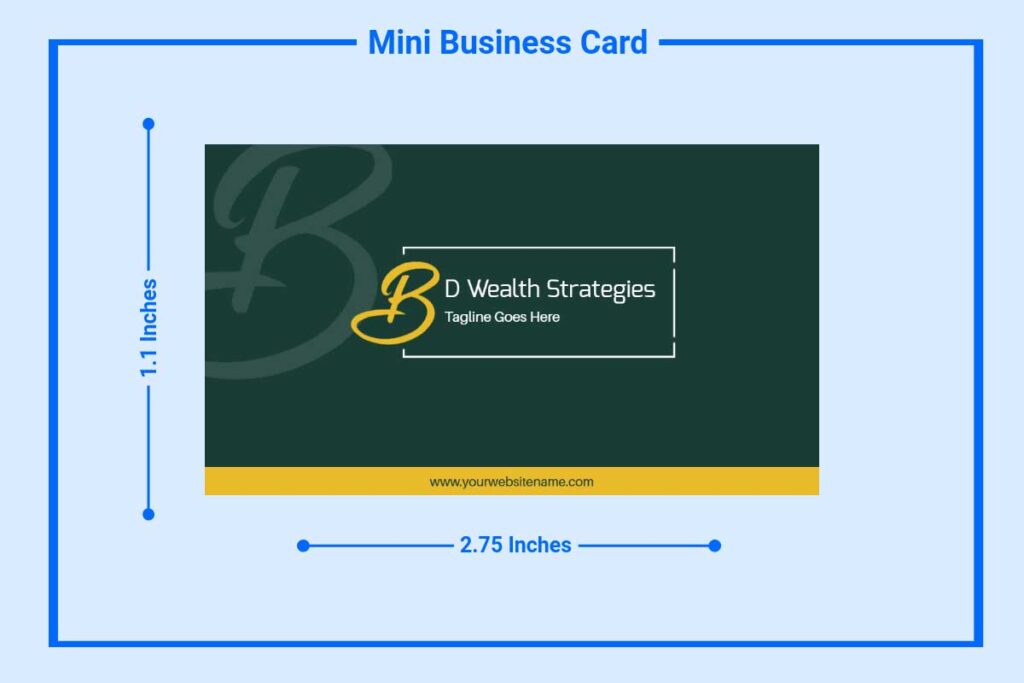
Size: 2.75 × 1.1 inches (70 × 28 mm)
Mini cards are roughly half the height of a standard card. They are slim, modern, and memorable, especially when paired with packaging inserts, loyalty programs, or products where a full-size card feels oversized. The small footprint demands a minimal, clean design.
Best for: E-commerce brands, boutiques, loyalty cards, and packaging inserts.
Folded (Tent) Business Cards
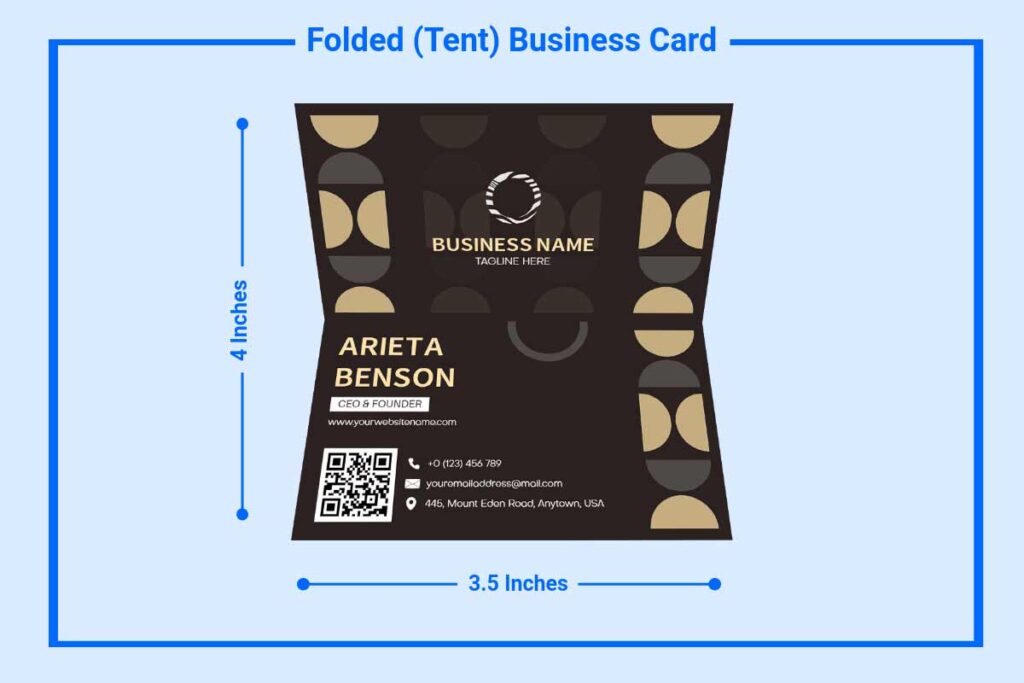
Flat size: 3.5 × 4 inches (with bleed: 3.75 × 4.25 inches). Folded size: 3.5 × 2 inches
Folded cards double your printable area. When folded, they sit at the standard business card footprint, but open to reveal extra content: a short bio, a menu snippet, a list of services, or a QR code. They work like a mini brochure.
Best for: Consultants, freelancers, hospitality, and anyone who needs more space than a standard card allows.
Rounded Corner Business Cards
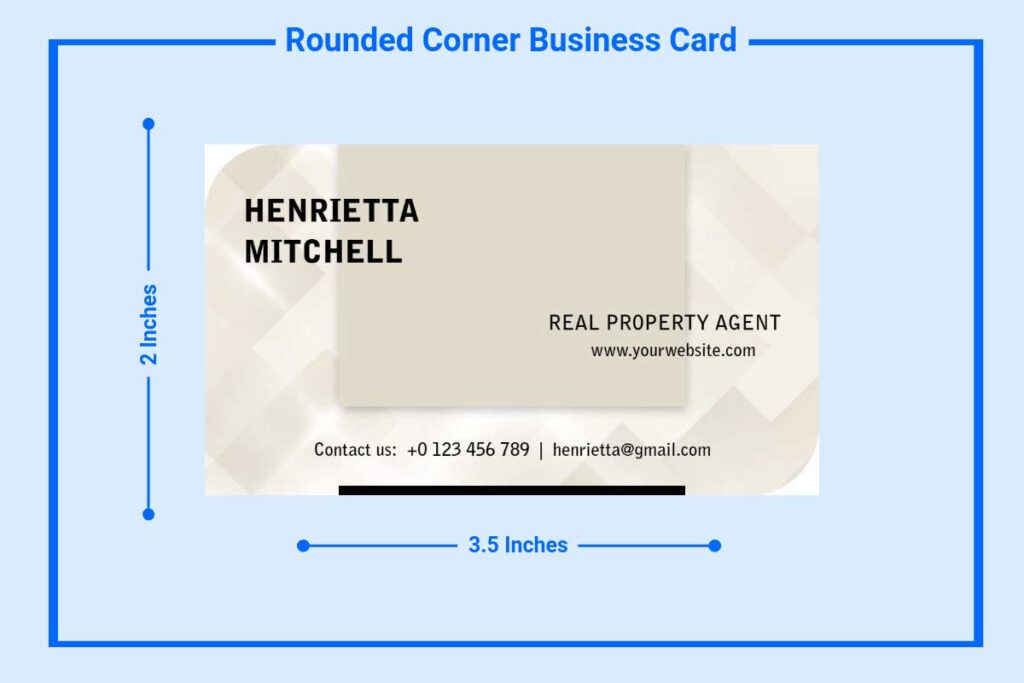
Size: 3.5 × 2 inches (same finished size as standard)
Rounded corners are a finish upgrade, not a size change. They soften the look of a card and feel noticeably different in the hand. Most print shops offer a corner radius of 3–5 mm. The card still fits in all standard wallets and cardholders.
Best for: Any brand wanting a softer, more approachable feel without sacrificing compatibility.
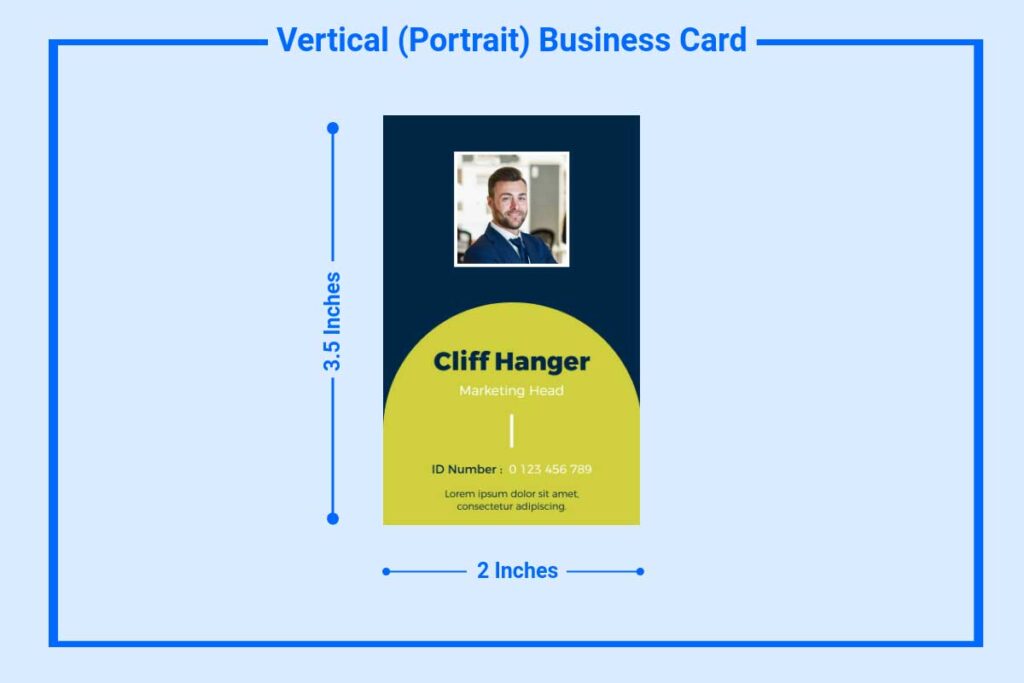
Vertical (Portrait) Business Cards
Size: 2 × 3.5 inches (same dimensions, rotated 90°)
Vertical cards use the same dimensions as a standard horizontal card but are oriented in portrait mode. They tend to feel fresh and distinctive, particularly popular with tech startups, designers, and creative professionals. Associations: horizontal cards feel traditional (law, finance, real estate); vertical cards feel modern and forward-looking.
Best for: Startups, tech companies, designers, and any brand that wants to stand out from a traditional industry feel.
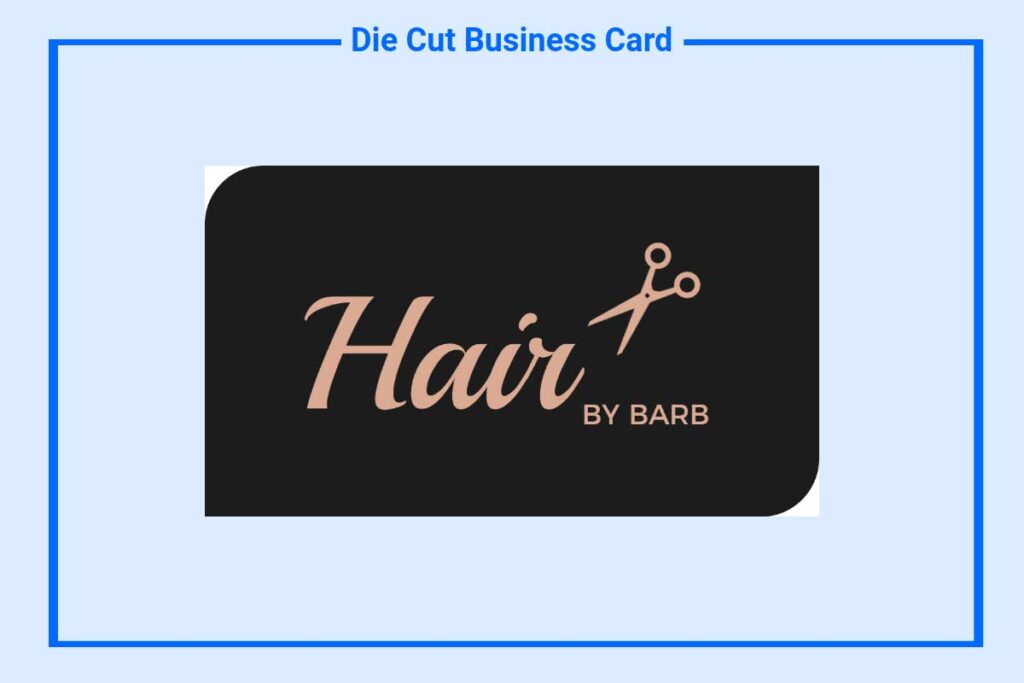
Die-Cut Business Cards
Size: Custom (any shape)
Die-cut cards are printed and then cut into a custom shape, a guitar pick for a music producer, a house shape for a real estate agent, a coffee cup for a café. They are the most memorable format available and the most expensive. Best reserved for special events or premium client interactions.
Best for: Niche industries where the shape can reinforce the brand concept.
Learn more: The standard 3.5 × 2 inch rectangle is the default, but it is far from the only option. To explore more variations, check out different types of business cards.
Business Card Size in Pixels
When designing a business card in Photoshop, Canva, or any pixel-based design tool, you need to work in pixels at the correct resolution, not just finished dimensions. The gold standard for print-ready files is 300 DPI (dots per inch).
Business Card Pixel Dimensions at 300 DPI:
| Zone | Pixels (W × H) | Notes |
|---|---|---|
| Safe zone | 975 × 525 px | Keep text and logos here |
| Finished / trim size | 1050 × 600 px | Final card size |
| With bleed (3.75 × 2.25″) | 1125 × 675 px | Set your document to this size |
At 300 DPI, the formula is simple: multiply inches by 300.
- 3.5 inches × 300 = 1050 px (width)
- 2 inches × 300 = 600 px (height)
Never design a print business card at 72 DPI. Images and text that look sharp on screen at low resolution will appear blurry and pixelated when printed. Always start at 300 DPI.
Business Card File Format & Layout
The file format you send to your printer affects the quality of the final card. Here is what you need to know about both color setup and file formats.
CMYK vs RGB
This is one of the most common and most costly mistakes new designers make.
RGB (Red, Green, Blue) is the color model used by screens. It produces vibrant, luminous colors that look great on a monitor.
CMYK (Cyan, Magenta, Yellow, Black) is the color model used by printers. When you send an RGB file to a printer, the software automatically converts the colors, and that conversion is often imperfect. Bright digital blues can shift to dull purples. Vibrant oranges can look muddy. Your brand colors might not survive the translation.
Recommended File Formats:
| Format | Type | Recommended For |
|---|---|---|
| PDF (print-ready) | Vector / Raster | Best overall — preserves vector quality, supports CMYK, includes crop marks and bleed |
| AI (Adobe Illustrator) | Vector | Ideal for logo-heavy designs; fully scalable |
| EPS | Vector | Compatible with most printers; good fallback if AI is unavailable |
| TIFF | Raster | Acceptable for raster designs at 300+ DPI; large file size |
| PNG | Raster | Acceptable for digital proofs; not preferred for print |
| JPEG | Raster | Avoid for print — lossy compression degrades fine text and edges |
Deliver a print-ready PDF with bleed marks, crop marks, and CMYK color. This is the format almost every professional printer prefers.
Browse a collection of ready-to-use business card templates to quickly create professional designs for any industry.
Print vs Digital Business Card Sizes
Business cards are no longer purely physical. Digital business cards shared via QR code, NFC tap, or a link have grown significantly in adoption. Here is how the sizing and format considerations differ.
Print Business Card Size
For physical cards, all the specifications covered so far apply: standard finished size of 3.5 × 2 inches, 300 DPI resolution, bleed at 3.75 × 2.25 inches, and CMYK color mode. Paper stock and finish choices also affect how the card is perceived. Thicker cards (18–32pt) feel more premium, while standard weight (14–16pt) is fine for high-volume handouts.
Digital Business Card Format
Digital business cards do not have a fixed “size” the way print cards do; they are viewed on screens of all shapes and sizes. However, there are practical design considerations:
Profile image/card preview: Many digital card platforms (HiHello, Blinq, Dot) display a card thumbnail that mirrors a horizontal 3.5 × 2 ratio. Designing with this proportion in mind ensures your digital card looks intentional on all platforms.
QR code size: If you are printing a QR code on a physical card that links to your digital profile, the QR code needs to be at minimum 0.75 × 0.75 inches (19 × 19 mm) to scan reliably. Smaller than this, and scanning becomes unreliable, especially on older phone cameras.
Resolution for shared card graphics: If you share your card as an image file (via email, WhatsApp, etc.), design at 1050 × 600 px at a minimum. For retina/high-DPI screens, 2100 × 1200 px (at 2×) is ideal.
Print vs Digital: Quick Comparison
| Feature | Print Business Card | Digital Business Card |
|---|---|---|
| Standard size | 3.5 × 2 inches | No fixed size (ratio-based) |
| Resolution | 300 DPI minimum | 72–150 DPI for screen |
| Color mode | CMYK | RGB |
| File format | PDF, AI, EPS | PNG, JPEG, or platform-specific |
| Bleed needed | Yes (0.125″ on all sides) | No |
| Best use case | Networking events, in-person meetings | Remote networking, contactless sharing |
Tips for Choosing the Right Business Card Size
With all these options available, how do you decide? Here are practical questions to guide your choice.
Consider your industry. Traditional sectors, such as law, finance, real estate, and medicine, nearly always use the standard horizontal 3.5 × 2-inch format. Deviating from this in a conservative field can read as unprofessional rather than creative. In contrast, design, tech, hospitality, and creative fields have much more room to experiment with shape and format.
Consider your logo shape. A wide, horizontal logo is naturally at home on a standard landscape card. A square or circular logo might be better served by a square card format. A tall, narrow logo works well on a vertical card. Let the logo guide the orientation.
Consider wallet compatibility. If your card needs to be carried daily by clients or prospects, choose a format that fits in a standard wallet without modification. Square, folded, and die-cut cards are memorable but impractical for everyday carrying. Standard and rounded-corner cards are the most portable.
Consider print volume and budget. Standard-sized cards on standard stock are the cheapest format per unit. Die-cut, square, duplex, and specialty-finish cards carry higher minimums and higher per-unit costs. If you hand out hundreds of cards at trade shows, standard size is almost always the right economic choice. If you give out fewer cards in high-value client moments, investing in a premium format delivers better ROI.
Consider international use. If you attend international conferences or work with clients in Europe, Japan, or Australia, consider producing two versions of your card, one in the US standard format and one in the local regional size. It is a small investment that signals genuine cultural awareness.
Consider your content. If you have a lot to communicate, services, social handles, a tagline, a QR code, a double-sided standard card gives you the most usable real estate at the lowest cost. A folded card is an option, too, but adds cost and bulk. If your card needs to carry only your name and one contact method, a mini card could work beautifully.
Learn more: If you’re starting from scratch, you can also follow a step-by-step guide on how to make a business card to ensure your design is both practical and professional.
Frequently Asked Questions
The standard business card size in the US and Canada is 3.5 × 2 inches (88.9 × 50.8 mm). In Europe and the UK, the standard is 85 × 55 mm. In Japan, the meishi standard is 91 × 55 mm.
At 300 DPI (the recommended resolution for print), a standard US business card is 1050 × 600 pixels for the finished size and 1125 × 675 pixels including the bleed area. At 72 DPI (screen only, not for print), it would be 252 × 144 pixels.
Bleed is the extra area, typically 0.125 inches (3 mm) on all sides, that extends beyond the finished card size. Any background color or image that reaches the edge of your card must extend into the bleed area to prevent white borders appearing after cutting. The bleed size for a US standard card is 3.75 × 2.25 inches.
The safe zone is the area 0.125 inches (3 mm) inside the trim line, the area where all critical content (text, logo, contact information) should sit. For a US standard card, the safe zone is 3.25 × 1.75 inches. Content placed outside the safe zone risks being cut off.
A standard US card is 3.5 × 2 inches (88.9 × 50.8 mm). A European card is 3.346 × 2.165 inches (85 × 55 mm), slightly narrower and slightly taller. Both fit in their respective regional wallets and cardholders.
Technically, yes, die-cut and custom-format cards can be almost any shape or size. However, significantly deviating from regional standards affects wallet compatibility, print cost, and how easily recipients can store and retrieve your card. Always weigh the creative benefit against the practical impact.
Final Thoughts
Business card size may seem small, but it directly impacts how your card looks, feels, and functions. The standard 3.5 × 2-inch format is a reliable choice, but details like bleed, DPI, and print settings are what make it truly professional. Set up your design correctly from the start to ensure your final card looks exactly as intended. Once you finalize the ideal dimensions, you can also make your own business card online with customized branding, fonts, and layouts.