I’ve spent the last several years building flyer templates and watching small business owners actually use design tools day to day — restaurants putting together a weekend special, real estate agents building open house flyers at 11 pm, nonprofits with zero design budget. Canva is a fine general-purpose tool, but I kept watching people get stuck fighting with generic templates that weren’t built for flyers specifically.
So I sat down with 10 of the most-recommended Canva alternatives, created real flyers in each one, and tracked what actually worked and what didn’t. This guide is what came out of that.
What Canva Gets Right
Before jumping into alternatives, it’s worth saying plainly: Canva earns its popularity. Its template library is enormous, the drag-and-drop editor is genuinely easy to pick up, and for a huge range of everyday design needs — social posts, quick graphics, basic presentations — it’s hard to beat. If Canva is already working for you, there’s no reason to switch just because a blog post told you to.
Where Canva starts to show cracks is print. Flyer templates specifically need bleed margins, CMYK-ready exports, and 300 DPI output for a local print shop to run them cleanly — and Canva’s general-purpose export settings weren’t built with that workflow front and center. That’s the specific gap this list is trying to solve, not “Canva is bad,” but “Canva isn’t built for flyer-first, print-ready workflows the way a specialized tool can be.”
Why Do Small Businesses Need Canva Alternatives?
Small businesses face unique challenges when it comes to design and marketing:
- Limited Budgets: Every marketing dollar must deliver measurable ROI
- Time Constraints: Most small business owners wear multiple hats
- Brand Consistency: Maintaining a professional appearance across materials
- Scalability: Needs change as businesses grow
- Specialized Requirements: Effective flyer marketing for small businesses requires tools that understand these unique challenges and provide solutions that scale with business growth.
While general design tools exist, many small businesses find themselves needing more specialized features, better pricing structures, or tools that better align with their specific workflow requirements.
Methodology: How We Tested These Alternatives
To ensure accurate, unbiased comparisons, our research team spent over 200 hours testing each platform with actual small business use cases. Our evaluation criteria included:
- Ease of Use: Learning curve for beginners
- Feature Set: Design capabilities and special functions
- Template Quality: Variety and professionalism of templates
- Pricing Structure: Value for money and hidden costs
- Export Options: File formats and quality
- Customer Support: Availability and quality of assistance
- Integration Capabilities: Connection with other business tools
- Mobile Accessibility: On-the-go editing capabilities
Each tool was tested by team members with varying design experience levels to simulate real-world small business scenarios.
List of Best Canva Alternatives:
- 1 DesignWiz: Best for All Types of Businesses
- 2 Adobe Express: Best for Professional Quality
- 3 Visme: Best for Data-Driven Flyers
- 4 VistaCreate: Best for Animated Digital Flyers
- 5 Snappa: Best for Quick, Simple Designs
- 6 Piktochart: Best for Information-Based Flyers
- 7 Fotor: Best for Photo-Heavy Flyers
- 8 BeFunky: Best for Artistic Effects
- 9 Stencil: Best for Social Media Integration
- 10 Easil: Best for Team Collaboration
Canva Alternative #1: DesignWiz
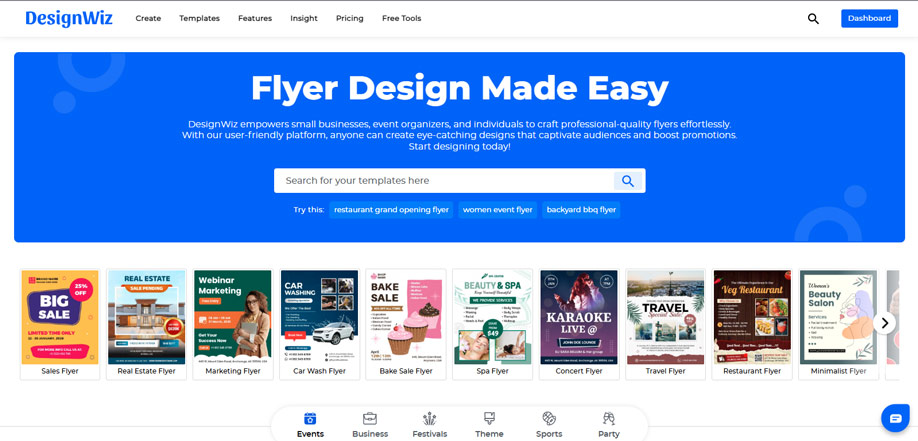
DesignWiz is the best canva alternative because it’s a specialized flyer design platform built specifically for small business marketing needs. Unlike other flyer design tools, it focuses exclusively on flyer creation with industry-specific templates and features.
DesignWiz flyer maker offers both free and Pro plans to meet the needs of different users. The free version gives access to 1000+ high-quality templates, limited user image uploads, a basic font collection, limited stock images, and up to 25MB of storage. You can still create and download professional flyers in PNG, JPG, or PDF formats.
With the Pro version, users unlock unlimited access to Pro flyer templates, unlimited image uploads, full access to premium stock images, and the ability to upload custom fonts. Features like custom canvas sizes, advanced vector cliparts, 3D elements, and 10GB of cloud storage make the Pro plan ideal for professionals who want maximum creative control and print-ready output. Whether you’re just starting out or need advanced design features, DesignWiz has a plan for you.
Get started with DesignWiz flyer creator for free, and upgrade to Pro when you’re ready to take your flyer designs to the next level with full creative freedom and premium support.
Key Features for Small Businesses
- 400+ Industry-Specific Template Categories: These professionally designed templates eliminate guesswork and provide the benefits of flyer templates that many businesses overlook when starting with blank designs.
- AI-Powered Design Assistant: Generates custom layouts based on business type and promotion goals
- QR Code Integration: Built-in QR code generator with tracking capabilities
- Brand Kit Management: Store logos, colors, and fonts for consistent branding
- Print-Ready Exports: Professional output specifications for local printing
Pricing Structure
- Free Plan: Includes basic templates and design tool
- Pro Plan: $4/month* (all features, brand kits, priority support, stock images)
Pros
- ✅ Purpose-built for flyers and posters — you’re not digging through templates for other formats to find the right one.
- ✅ Print-ready exports (CMYK, bleed, 300 DPI) without extra plugins or settings to hunt down.
- ✅ Beginner-friendly enough that non-designers get to a finished flyer fast.
- ✅ Now has dedicated Android and iOS apps for editing on the go.
- ✅ Pricing starts at $4/month, among the lowest of any tool on this list.
Cons
- ❌ It’s flyer and poster-focused — if you also need video or long-form documents, you’ll need a second tool.
- ❌ Some advanced elements (3D assets, custom fonts, premium stock) are Pro-only.
- ❌ Fewer third-party integrations than Adobe Express or Visme, so it’s less useful inside a bigger martech stack.
Best For
Small businesses that primarily need flyer design and want a specialized, easy-to-use tool without the complexity of a full design suite.
What Real Users Say
DesignWiz holds a verified 4.5-star rating on G2, where reviewers specifically call out the drag-and-drop editor and professional-looking templates as standouts for people with no design background. On Capterra and GetApp, the recurring theme in reviews is the same: users without any design training say they’re able to put together polished, print-ready designs quickly, with the template library cited most often as the reason. The most common piece of constructive feedback across platforms is a request for more niche, industry-specific templates — feedback we’re actively building into the roadmap.
Canva Alternative #2: Adobe Express
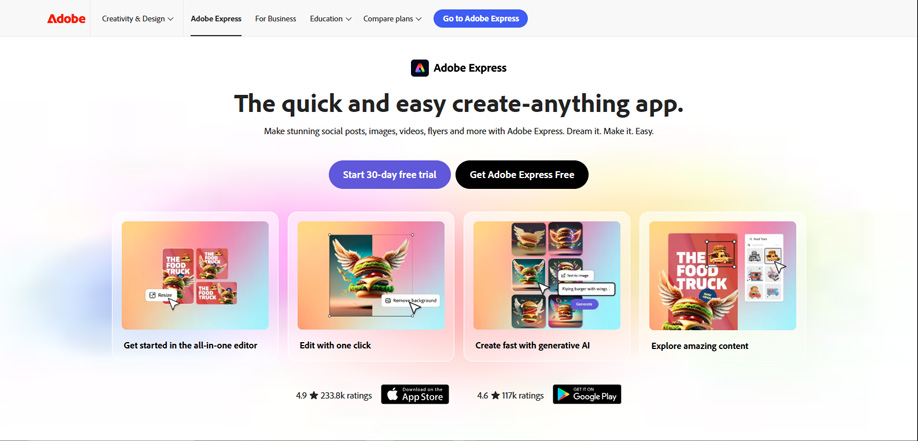
Adobe Express brings professional design capabilities to a simplified, web-based interface. It’s particularly strong for small businesses that want professional-quality results without the complexity of full Adobe Creative Cloud. Many users find it serves as an effective Adobe Express alternative for flyers when they need more specialized flyer-focused features.
Key Features for Small Businesses
- Professional Design Templates: High-quality templates with Adobe’s design expertise
- Adobe Stock Integration: Access to millions of professional photos and graphics
- Brand Controls: Advanced brand management for consistent visual identity
- Animation Features: Create eye-catching animated elements for digital flyers
- Adobe Creative Cloud Integration: Seamless workflow with other Adobe products
Pricing Structure
- Free Plan: Basic features, limited templates, Adobe Stock with watermarks
- Premium Plan: $9.99/month (unlimited templates, premium Adobe Stock, advanced features)
- Teams Plan: $19.99/month per user (collaboration features, admin controls)
Pros
- ✅ Integration with Adobe ecosystem
- ✅ High-quality stock photo library
- ✅ Advanced brand management
- ✅ Animation capabilities
Cons
- ❌ Steeper learning curve than some alternatives
- ❌ Higher price point for premium features
- ❌ Can be overwhelming for absolute beginners
- ❌ Limited customization compared to full Adobe products
Best For
Small businesses that prioritize professional design quality and may already use other Adobe products, or those planning to scale their design capabilities.
Canva Alternative #3: Visme
Visme specializes in transforming complex data into visually appealing designs. It’s particularly strong for small businesses that need to incorporate statistics, charts, and information graphics into their marketing materials.
Key Features for Small Businesses
- Data Visualization Tools: Easy-to-use charts, graphs, and infographics
- Interactive Elements: Create hover effects and clickable areas
- Analytics Integration: Connect to data sources for dynamic content
- Brand Management: Comprehensive brand asset storage and application
- Collaboration Features: Team workflow and approval processes
Pricing Structure
- Free Plan: Limited templates, basic features, Visme branding
- Basic Plan: $12.25/month (more templates, additional features)
- Pro Plan: $24.25/month (all features, analytics, priority support)
Pros
- ✅ Excellent data visualization capabilities
- ✅ Interactive elements increase engagement
- ✅ Strong brand management features
- ✅ Good collaboration tools
Cons
- ❌ Higher pricing than many alternatives
- ❌ Steeper learning curve for data features
- ❌ Can be overkill for simple flyer needs
- ❌ Limited animation capabilities
Best For
Small businesses that need to present data, statistics, or complex information in their flyers, such as financial services, healthcare providers, or consulting firms.
Canva Alternative #4: VistaCreate (formerly Crello)
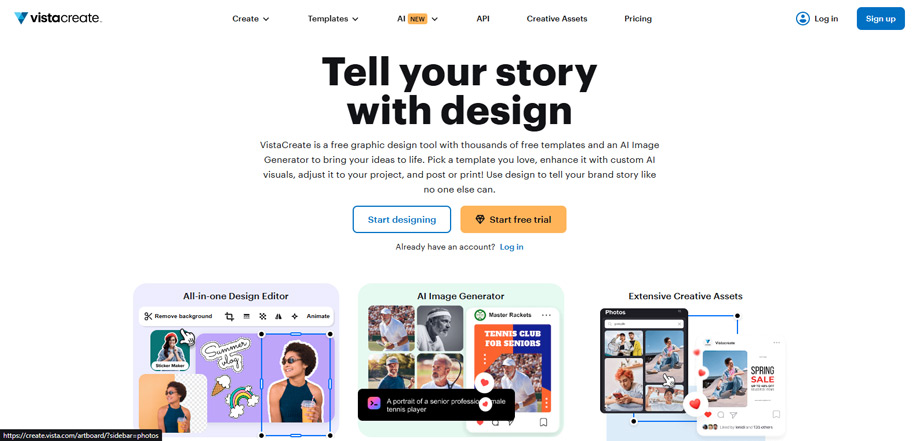
VistaCreate focuses on animated and video content, making it ideal for small businesses that primarily distribute flyers digitally through social media, email, or websites.
Key Features for Small Businesses
- Animation Library: Thousands of animated elements and effects
- Video Backgrounds: Professional motion backgrounds for digital flyers
- Social Media Optimization: Pre-sized templates for all major platforms
- Music and Sound Effects: Audio library for enhanced digital flyers
- Background Removal: AI-powered object isolation
Pricing Structure
- Free Plan: Limited downloads, basic features, VistaCreate branding
- Pro Plan: $10/month (unlimited downloads, premium features)
- Business Plan: $15/month (team collaboration, brand management)
Pros
- ✅ Excellent animation and video capabilities
- ✅ Large library of motion elements
- ✅ Social media optimization
- ✅ Affordable pricing for features offered
Cons
- ❌ Limited print design capabilities
- ❌ Fewer static design options than competitors
- ❌ Can be resource-intensive on older devices
- ❌ Learning curve for animation features
Best For
Small businesses focused on digital marketing, social media promotion, or email campaigns where animated elements can increase engagement.
Canva Alternative #5: Snappa
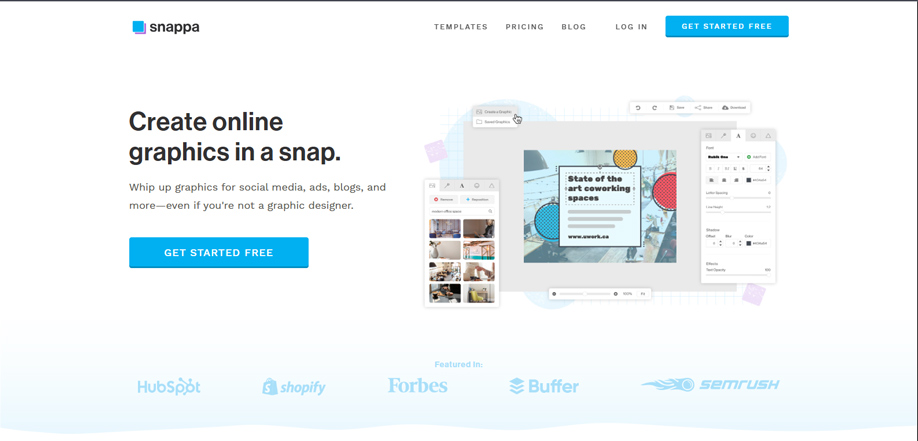
Snappa focuses on speed and simplicity, offering a streamlined interface that allows small business users to create professional-looking designs in minutes rather than hours.
Key Features for Small Businesses
- Simple Interface: Intuitive drag-and-drop editor
- Pre-Sized Templates: Optimized for various print and digital formats
- Stock Photo Integration: Access to thousands of free stock photos
- Team Collaboration: Basic sharing and workflow features
- Scheduled Social Posts: Direct publishing to social platforms
Pricing Structure
- Free Plan: Limited downloads per month, basic features
- Pro Plan: $10/month (unlimited downloads, all features)
- Team Plan: $20/month (up to 5 users, collaboration features)
Pros
- ✅ Good stock photo library
- ✅ Affordable pricing
- ✅ Social media integration
Cons
- ❌ Limited advanced features
- ❌ Fewer customization options
- ❌ Basic brand management
- ❌ Limited export options
Best For
Small businesses that need to create simple flyers quickly and don’t require advanced design features or extensive customization.
Canva Alternative #6: Piktochart
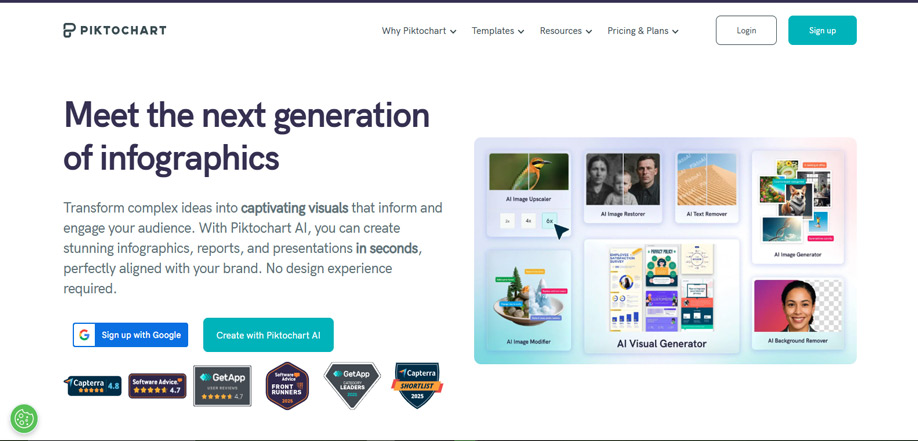
Piktochart specializes in information design, making it ideal for small businesses that need to communicate detailed information, processes, or educational content through their flyers.
Key Features for Small Businesses
- Infographic Templates: Pre-designed layouts for information display
- Interactive Charts: Dynamic data visualization tools
- Process Mapping: Flowchart and diagram creation
- Educational Templates: Learning-focused design layouts
- Report Generation: Multi-page document capabilities
Pricing Structure
- Free Plan: Limited templates, basic features, Piktochart branding
- Pro Plan: $14/month (more templates, advanced features)
- Enterprise Plan: $24/month (team collaboration, analytics)
Pros
- ✅ Excellent for information display
- ✅ Good educational templates
- ✅ Interactive chart capabilities
- ✅ Multi-page document support
Cons
- ❌ Limited creative design options
- ❌ Steeper learning curve for data features
- ❌ Fewer marketing-focused templates
- ❌ Higher price for advanced features
Best For
Small businesses in education, healthcare, consulting, or any industry that needs to communicate complex information clearly through their marketing materials.
Canva Alternative #7:Fotor
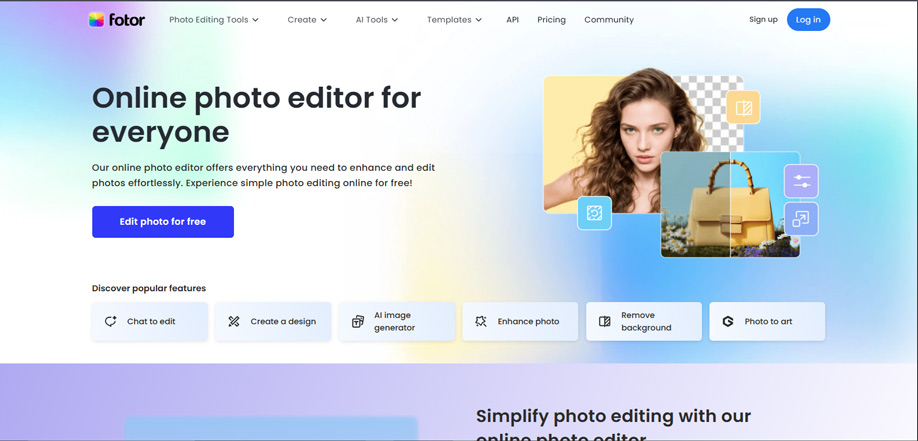
Fotor began as a photo editing tool and has evolved into a comprehensive design platform with exceptional photo manipulation capabilities, making it ideal for small businesses that rely heavily on product photography.
Key Features for Small Businesses
- Advanced Photo Editing: Professional-level photo enhancement tools
- AI Photo Effects: One-click improvements and enhancements
- Background Removal: Precise object isolation
- HDR and Tilt-Shift: Specialized photographic effects
- Collage Templates: Multi-photo layout options
Pricing Structure
- Free Plan: Basic features, limited exports, Fotor branding
- Pro Plan: $8.99/month (advanced features, no branding)
- Pro+ Plan: $19.99/month (all features, batch processing)
Pros
- ✅ Excellent photo editing capabilities
- ✅ Good background removal
- ✅ Affordable pricing
- ✅ Batch processing capabilities
Cons
- ❌ Limited vector design capabilities
- ❌ Fewer illustration options
- ❌ Basic template library
- ❌ Limited brand management
Best For
Small businesses that rely heavily on product photography, such as retailers, restaurants, real estate, or any business where image quality is paramount.
Canva Alternative #8: BeFunky
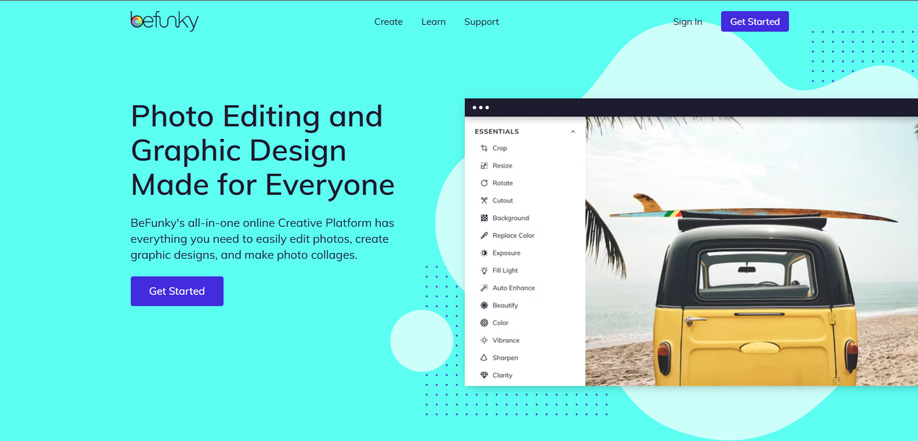
BeFunky specializes in artistic effects and creative filters, offering unique design capabilities that can help small business flyers stand out with distinctive visual styles.
Key Features for Small Businesses
- Artistic Filters: Hundreds of creative effects and styles
- Graphic Design Tools: Comprehensive editing capabilities
- Collage Maker: Multi-photo layout options
- Touch-Up Tools: Portrait and product enhancement
- Batch Processing: Apply effects to multiple images
Pricing Structure
- Free Plan: Basic features, limited exports, BeFunky branding
- Premium Plan: $9.99/month (all features, no branding)
- Plus Plan: $12.99/month (additional storage, batch processing)
Pros
- ✅ Unique artistic effects
- ✅ Good photo editing capabilities
- ✅ Creative design options
- ✅ Affordable pricing
- ✅ Batch processing
Cons
- ❌ Limited professional templates
- ❌ Fewer business-specific features
- ❌ Basic brand management
- ❌ Limited collaboration features
Best For
Creative small businesses, artists, or any company that wants to establish a distinctive visual identity through artistic effects.
Canva Alternative #9: Stencil
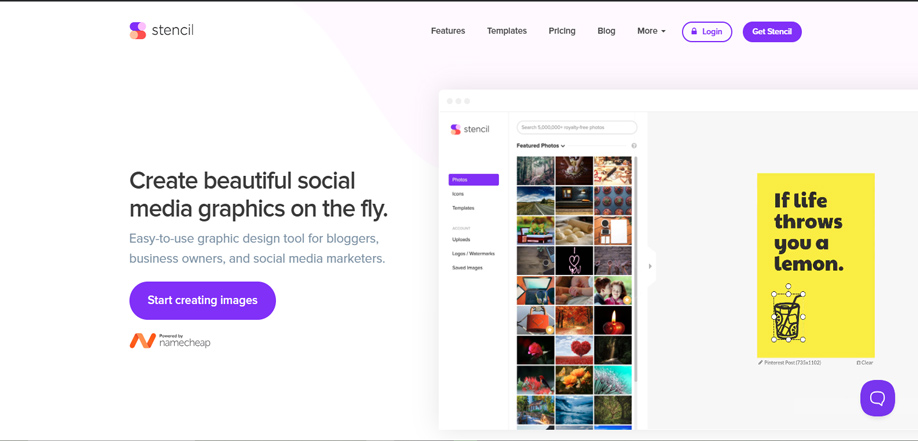
Stencil focuses on social media marketing, offering seamless integration with major social platforms and optimization for digital sharing, making it ideal for small businesses with a strong online presence.
Key Features for Small Businesses
- Social Media Templates: Pre-sized for all major platforms
- Direct Publishing: Post directly to social accounts
- Hashtag Suggestions: AI-powered hashtag recommendations
- Content Scheduling: Plan and automate social posts
- Analytics Integration: Track engagement and performance
Pricing Structure
- Free Plan: Limited images per month, basic features
- Pro Plan: $9/month (more images, advanced features)
- Team Plan: $18/month (up to 3 users, collaboration)
Pros
- ✅ Excellent social media integration
- ✅ Direct publishing capabilities
- ✅ Hashtag suggestions
- ✅ Content scheduling
- ✅ Affordable pricing
Cons
- ❌ Limited print design capabilities
- ❌ Fewer advanced editing features
- ❌ Basic template library
- ❌ Limited brand management
Best For
Small businesses focused on social media marketing, digital promotions, or any company that distributes flyers primarily through online channels.
Canva Alternative #10: Easil
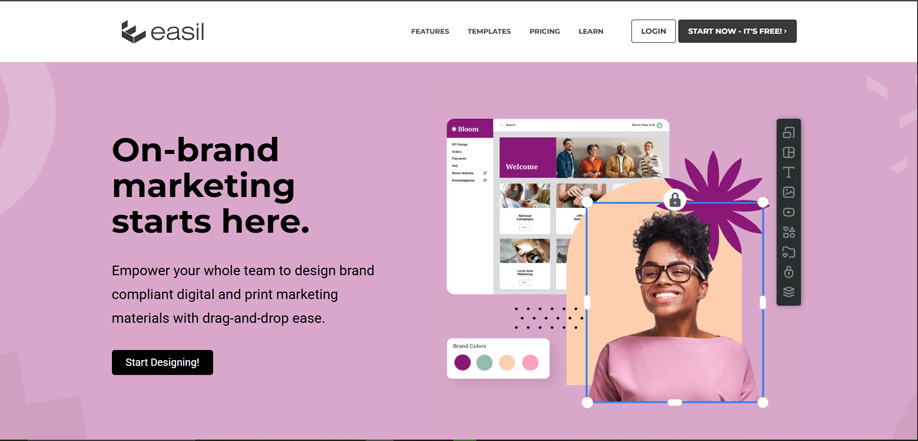
Easil emphasizes team collaboration and workflow management, making it ideal for small businesses with multiple team members involved in the design and approval process.
Key Features for Small Businesses
- Team Workflow: Approval processes and role management
- Brand Controls: Advanced brand asset management
- Lockable Templates: Prevent unauthorized brand changes
- Version History: Track changes and revert if needed
- Commenting System: Team communication within designs
Pricing Structure
- Free Plan: Limited features, Easil branding
- Plus Plan: $7.50/month (more features, no branding)
- Business Plan: $15/month (team collaboration, advanced features)
Pros
- ✅ Excellent team collaboration
- ✅ Advanced brand management
- ✅ Version control
- ✅ Approval workflows
- ✅ Affordable for teams
Cons
- ❌ Limited design features
- ❌ Smaller template library
- ❌ Fewer advanced editing tools
- ❌ Basic export options
Best For
Small businesses with multiple team members involved in design, franchise locations, or any company where brand consistency across multiple creators is critical.
Comprehensive Comparison Table
| Feature | DesignWiz | Adobe Express | Visme | VistaCreate | Snappa | Piktochart | Fotor | BeFunky | Stencil | Easil |
|---|---|---|---|---|---|---|---|---|---|---|
| Best For | Flyer Specialization | Professional Quality | Data Visualization | Animated Digital | Quick Simple | Information Display | Photo-Heavy | Artistic Effects | Social Media | Team Collaboration |
| Free Plan | ✅ | ✅ | ✅ | ✅ | ✅ | ✅ | ✅ | ✅ | ✅ | ✅ |
| Starting Price | $4/month | $9.99/month | $12.25/month | $10/month | $10/month | $14/month | $8.99/month | $9.99/month | $9/month | $7.50/month |
| Template Library | 400+ categories | Adobe Stock | Data-focused | Animation-focused | Basic | Infographic-focused | Photo-focused | Artistic effects | Social media | Business-focused |
| Learning Curve | Very Easy | Moderate | Moderate | Moderate | Very Easy | Moderate | Easy | Easy | Easy | Easy |
| Brand Management | Advanced | Advanced | Advanced | Basic | Basic | Basic | Basic | Basic | Basic | Advanced |
| Team Collaboration | Advanced | Advanced | Advanced | Basic | Basic | Basic | Basic | Basic | Basic | Advanced |
| Mobile App | ✅ | ✅ | ✅ | ✅ | ❌ | ✅ | ✅ | ✅ | ✅ | ❌ |
| Print Optimization | ✅ | ✅ | ✅ | ❌ | ✅ | ✅ | ✅ | ✅ | ❌ | ✅ |
Frequently Asked Questions About Canva Alternatives for Flyer Design
DesignWiz’s free plan is one of the more generous options built specifically for flyers — over 1,000 free templates, basic image uploads, and exports in PNG, JPG, or PDF with no forced watermark. Adobe Express’s free tier has more templates overall, but they’re spread across every design type, not flyers alone. If flyers are your main need, DesignWiz’s free plan gets you further before you hit a paywall.
DesignWiz and Snappa are both built for people with zero design background. DesignWiz leans on flyer-specific templates, so beginners aren’t stuck resizing a generic layout to fit a flyer. Snappa’s advantage is that every template and font is unlocked even on the free plan, so there’s no upgrade wall interrupting the learning curve. Either is a safe starting point; pick DesignWiz if flyers are your main output.
DesignWiz’s Pro plan starts at $4/month, the lowest entry price on this list for a tool built specifically around flyers. Easil comes in next at $7.50/month with stronger team-approval features if that matters more to you than price. Stencil and Fotor sit close behind at $9/month and $8.99/month. If budget is the deciding factor and flyers are the main job, DesignWiz is hard to beat.
Adobe Express is the stronger pick if you want Adobe’s ecosystem — Adobe Stock photography, Adobe Fonts, and syncing with Photoshop or Illustrator, especially if your team already works in Creative Cloud. DesignWiz is built specifically for flyers, with print-ready exports (CMYK, bleed, 300 DPI) and templates that skip Adobe’s steeper learning curve. If your team needs a full design suite, go Adobe Express; if you just need flyers done well, DesignWiz.
Easil is purpose-built for team workflows — lockable templates, version history, and approval chains that keep multi-location or franchise brands consistent. DesignWiz supports basic sharing and role access, which covers most small teams, but doesn’t yet match Easil’s approval workflow depth. If your team’s biggest headache is people going off-brand, Easil solves that directly. If you mainly need flyers made fast, DesignWiz is still the simpler day-to-day tool.
Visme is the specialist here — 40+ chart types, live data widgets, and interactive elements built for reports and data-heavy visuals. DesignWiz isn’t a data-visualization tool, but its built-in Graph Maker lets you create a chart and drop it straight into a flyer layout, which covers most small business needs (pricing comparisons, growth stats, event turnout) without needing a second app open.
VistaCreate is the clear choice if animation is the priority — thousands of motion elements, video backgrounds, and a library built around movement. DesignWiz includes some animated and interactive options for digital flyers, but it’s not trying to compete as a motion-graphics tool. If you’re sending mostly static, print-ready flyers with the occasional animated post, DesignWiz covers it; for animation-first work, use VistaCreate.
Start with what you’re actually making most often. Mostly flyers for print or quick promos? DesignWiz keeps that simple and affordable. Need charts and data-heavy visuals? Visme. Animated social content? VistaCreate. Already inside Adobe’s ecosystem or need heavier brand control? Adobe Express. Team approval workflows across locations? Easil. Try the free plan of your top pick before committing — most of these tools let you test with a real project first.
Conclusion
Choosing the right design tool for your small business depends on your specific needs, budget, and growth plans. While each platform offers unique advantages, the key is selecting one that aligns with your business goals and provides room for growth.
For most small businesses focused primarily on flyer design, DesignWiz offers specialized features at an affordable price point. If you need professional quality and have some design experience, Adobe Express provides industry-standard output. For data-driven marketing, Visme excels at information visualization.
Remember that the best tool is the one you’ll actually use consistently. Start with a free trial when available, test with your specific use cases, and involve your team in the evaluation process. With the right design tool, you can create professional marketing materials that effectively promote your business without breaking your budget.