freshchat icon chat icon loading icon

Menu Maker

Create a custom menu for restaurants, cafés, and service businesses with our easy-to-use menu maker. Design menus that attract customers, highlight your best offerings, and stand out with beautiful layouts and simple customization options.
3-days free trial
2000+ free templates
Cancel anytime
restaurant-menu-design

Stunning Menu Designs for Every Business

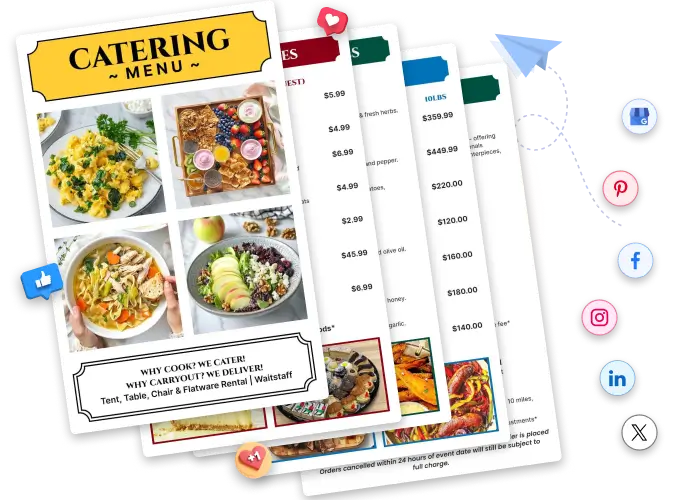
Showcase the products and services you offer with thoughtfully crafted menu designs featuring professional layouts, clear name and pricing sections, balanced color contrast, stock images, icons, graphics, and more.
all_svg
All
bbq_svg
BBQ
dinner_svg
Dinner
bakery_svg
Bakery
food_truck_svg
Food Truck
boba_svg
Boba
juice_svg
Juice
catering_svg
Catering
chicken_svg
Chicken
cafe_svg
Cafe

How to Make a Menu Card Instantly

Running a service or food business is difficult, but designing a menu doesn’t have to be. Let your item or offering speak for itself. With our easy-to-use tools, you can simply make a menu online for free to highlight your offerings for different seasons or occasions.

1. Choose a template that resonates

Browse a wide library of professionally crafted menu templates. Pick one that matches your brand's personality - whether it's a cozy café, restaurant, or catering business.

2. Customize the design

All is in your hands. Swap colors, adjust fonts, rearrange layouts, and change backgrounds. Every element is editable, so your menu looks exactly the way you envisioned.

3. Add items with prices

Type in your dishes, services, or offerings alongside descriptions and prices. Organize them into sections like starters, mains, or specials to help customers navigate your menu with ease.

4. Include Logo & photos

Upload your business logo and high-quality food or product photos to build trust and appetite.

5. Review before Finalize

Check for spelling errors, confirm prices are up to date, and preview how the menu looks at print or screen size. A polished menu reflects a polished business.

6. Download & Print

Export your finished menu as a PDF, PNG, or JPG — ready to print in-house or send to a professional printer. You can also share it digitally via a link or QR code for online menus.
kids-and-spa-menu-templates

Create a Memorable Menu Instantly

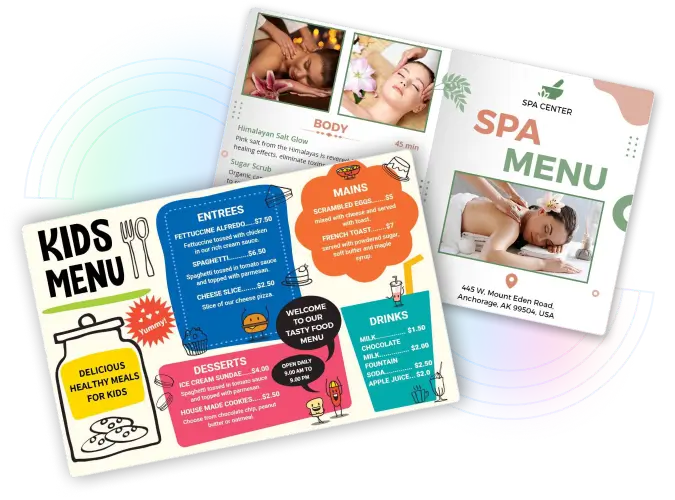
  • Your menu is not just about presenting foods and items; it’s about communicating the values and creating memorable dining experiences. Whether you're crafting a sleek and modern menu for an upscale restaurant, a cozy and inviting design for a café, or a vibrant and playful layout for a family-friendly diner, start with our free menu maker and turn your offering list into a captivating menu.
gorditas-and-dessert-menu-templates

Highlight Your Signature Item Easily

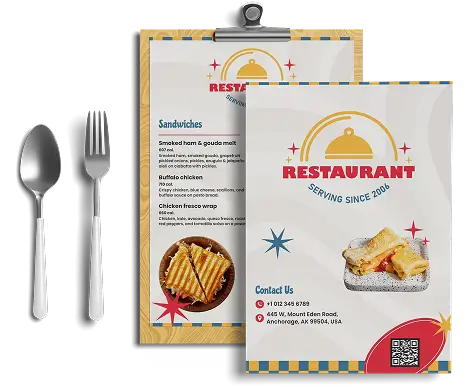
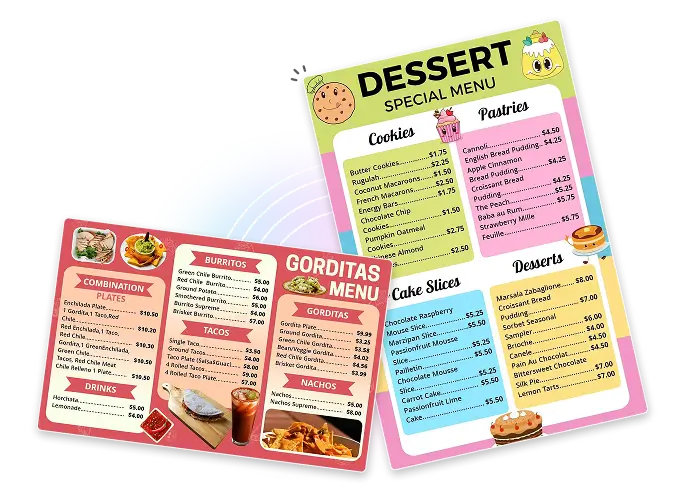
  • Show off your best items with visuals that make customers hungry on the spot. Upload your own food photos to give your menu an authentic, appetizing look by pairing every item with a short description that makes it impossible to skip. Arrange your signature dishes at the top so they grab attention right away. A good presentation builds excitement and pushes customers toward a decision faster.
catering-and-food-delivery-menu-templates

Digitalize Your Menu Design

  • With the power of a digital menu maker, you can add a touch of digitalization to your menu by incorporating a QR code that lets customers scan it straight from their table and move to the menu instantly. digital experience that updates in real time. Update prices, items, or offers anytime without reprinting a single copy. Go fully digital and give every customer a smooth, modern ordering experience.

Trusted by Thousands

Tata Consultancy Services
Boston Consulting
AT&T
Avelo Airlines
Procter & Gamble
Ministry Of Health, Malaysia
Veterans Affairs
Detroit Government
New York University
Texas A&M University
Decathlon America
Warby Parker
Tata Consultancy Services
Boston Consulting
AT&T
Avelo Airlines
Procter & Gamble
Ministry Of Health, Malaysia
Veterans Affairs
Detroit Government
New York University
Texas A&M University
Decathlon America
Warby Parker

Why Use DesignWiz for Menu Creation

Customizable Menu Designs

A collection of professional menu designs that can be customized to fit your cuisine and aesthetic.

Simple Editor

No design experience needed. Drag, drop, and edit your menu in minutes with our beginner-friendly editor.

Preview with mockups

See exactly how your menu looks in real life before downloading with realistic print and display mockups.

Connect & Share

Share your menu via a direct link or connect it to an editable QR code with our sharing tools.

Smart Editing Tools

Resize, align, and adjust every element automatically with intelligent design tools that save you time.

Print-ready export

Download your finished menu in high-resolution PDF or PNG format, ready to print without any extra editing.

Frequently Asked Questions (FAQs)

Clear section headings, readable fonts, appetising food photography, and a logical flow from starters to desserts all play a role. Highlight your best-sellers or high-margin items with visual emphasis.
DesignWiz’s menu creator tool handles both in one place. Design your menu once, then export it as a print-ready PDF for physical menus or share a live digital link for online and QR code access. Update your digital menu instantly anytime prices or items change, without reprinting a single page.
Yes, free to start, start designing your menu immediately with access to core templates and the drag-and-drop editor. Premium features like advanced asset libraries and high-resolution print exports are available on paid plans, but a professional, shareable menu costs nothing to create.
You can create different types of menus, including Static menu, à la carte menu, prix fixe menu, cyclical menu, children's menu, digital QR code menus, and more.
The most common sizes are A4 (210x297mm) for full restaurant menus, A5 (148x210mm) for compact café or drinks menus, and DL (99x210mm) for single-page takeaway or bar menus. Larger formats like A3 work well for wall-mounted or display menus. Ensure your design is always correctly formatted before it reaches the printer.
This tool allows you to design professional menus quickly without needing advanced design skills. It offers ready-made templates, drag-and-drop editing, and customizable layouts that help you save time and effort while creating a polished design. Plus, you can update your menu anytime, download it in high-resolution formats, and share it digitally whenever needed.

Get More Menu Design Ideas

Explore our blog to discover practical guidance on menu card design ideas, layout tips, and creative inspiration for different industries.