Running a small business means more than delivering a good product or service. People need to discover your business, understand what you offer, and know what to do next. That can mean promoting a weekend sale, filling weekday appointments, introducing a new service, or inviting people to an event.
You don’t need to market everywhere or create every kind of promotional material. You need a clear goal, a message customers understand, and a practical way to reach them.
This guide walks you through a manageable marketing process: understand your customers, choose a goal, pick the right channels and materials, create your promotion, share it, and learn from the response.
1. What Is Small Business Marketing, and Why Does It Matter?
Small business marketing helps potential customers discover your business, understand why your offer matters, and decide whether to contact, visit, book, or buy from you. It can include local visibility, referrals, social media, search, email, paid advertising, and printed promotions.
Even a great business can lose opportunities when customers cannot find accurate details, understand an offer, or take the next step. Effective marketing closes those gaps. It can help you introduce a service, announce availability, encourage inquiries, and stay in touch with existing customers.
Start here: Think of one thing your customers may not know about your business today. Is it a new product, an available appointment, a special offer, or simply how to contact you? That is a possible starting point for your next promotion.
Can you market a business without a marketing team?
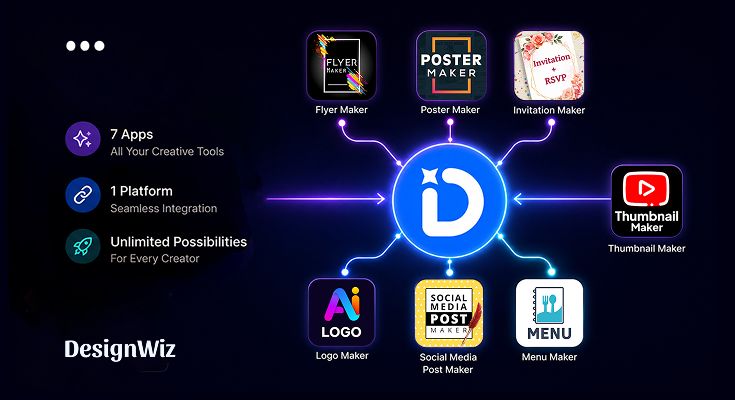
Yes. You can manage everyday marketing without hiring a dedicated team. The key is having the right tools to create, organize, and publish your promotions consistently. With DesignWiz, you can create marketing materials such as flyers, posters, banners, menus, invitations, brochures, logos, and ads and more using editable templates. Simply customize the text, images, colors, and branding to make each design your own.
You can also schedule your designs for social media publishing, helping you plan promotions in advance and maintain a consistent online presence without manually posting every time. From creating promotional materials to scheduling social media content, DesignWiz helps you handle everyday marketing tasks in one place, so you can focus more on running your business and serving customers.
2. Understand Your Customers Before You Start Marketing
Before choosing a channel or creating a flyer, identify who you want to reach and what they need to know.
Look at recent customer questions, reviews, calls, messages, and purchases. Notice why customers choose you, what makes them hesitate, and how they discover businesses like yours.
A five-minute customer exercise
Complete these sentences for one customer group:
- My customer is: for example, people living near my bakery who order birthday cakes.
- They want : a cake that suits their event and budget.
- They need to know : flavors, starting prices, lead time, and how to order.
- They might hesitate because : they are unsure whether their preferred date is available.
- They are likely to find us through : local search, recommendations, or social media.
Now turn the answers into a marketing message. Instead of a generic “Best cakes in town,” the bakery could explain its custom cake options, ordering notice, and inquiry process.
Action: Choose one customer group for your first campaign. A message designed for everyone often fails to answer anyone’s specific questions.
3. Set a Clear Marketing Goal and Choose What to Promote
A useful marketing goal names the customer action you want and a period in which you will assess it. Common goals include more appointment inquiries, event registrations, store visits, product orders, or repeat purchases.
For example, a salon might aim for 20 additional qualified weekday appointment inquiries next month. This is an illustrative target, not a forecast or guarantee.
Build your promotion around one offer
Answer six questions before creating anything:
- What are you promoting? A service, product, event, offer, or business update.
- Who is it for? Your chosen customer group.
- Why should they care? The specific benefit or useful information.
- What must they know? Price, date, location, availability, or important conditions.
- What should they do next? Book, call, visit, register, or order.
- When will you evaluate it? Set a review date.
Example: A salon promoting weekday appointments could lead with the service and available days, include any accurate offer terms, and direct customers to a booking page. It does not need to list every treatment the salon provides.
How will you know if it worked?
Match the metric to the goal:
| Business goal | Useful measure |
|---|---|
| Get appointment inquiries | Qualified calls, messages, or booking requests |
| Promote an event | Registrations or confirmed RSVPs |
| Sell a product | Orders or sales attributable to the promotion |
| Bring people to a store | Offer redemptions or customers mentioning the campaign |
| Build local awareness | Relevant profile visits, direction requests, or inquiries, interpreted cautiously |
Clicks and views can help diagnose reach, but they are not the same as sales. Keep track of the effort and cost involved, too.
4. Choose the Right Marketing Channels for Your Small Business
Choose channels based on where your customers look for information and what action you want them to take. You rarely need to use all of them.
| If your goal is to… | Consider starting with… | Example |
|---|---|---|
| Reach nearby customers | Google Business Profile, storefront signage, community promotion | A café promoting a weekend special |
| Show products or services | Relevant social media channels and a clear product/service page | A bakery showing custom cakes |
| Capture existing demand | A useful website, local search visibility, or search ads | A repair service explaining how to book |
| Bring back customers | Permission-based email or direct customer communication | A shop announcing a new arrival |
| Fill an event | Event page, invitations, local partners, and relevant social posts | A community workshop |
| Reach a defined new audience | A small paid-ad test with a clear destination | A service business testing a local offer |
Local marketing
For businesses serving a particular area, accurate Google Business Profile information, local partnerships, referrals, storefront signs, and permitted flyer distribution can be valuable. Keep opening hours, service areas, contact details, and photographs current. Do not assume that broad advertising is better than reaching the right neighborhood.
Social media marketing
Use channels your customers actually use. A bakery might show product photographs and ordering details on Instagram; a consultant may find professional conversations on LinkedIn more relevant. Mix useful explanations, customer questions, real updates, and occasional promotions. Two helpful posts each week can be more sustainable than daily posts with little value.
Website and search
Make it easy to find services, prices or pricing guidance where appropriate, location, hours, and a way to contact or book. Clear service pages and answers to common questions often matter more than publishing large volumes of generic content. Search visibility takes work and is not guaranteed.
Email and customer communication
Email can help businesses with repeat customers announce relevant updates, events, or offers. Contact people who have appropriately agreed to receive marketing, respect preferences, and comply with applicable identification and unsubscribe requirements.
Paid advertising
Before paying, confirm the audience, offer, budget, creative, landing destination, and measurement plan. Start with a controlled test. A clear ad cannot fix an unclear offer or broken booking page. Evaluate inquiries or sales where possible, not just impressions.
Offline promotion
Flyers, posters, postcards, business cards, event displays, and partnerships can work when customers encounter your business in person. Decide where materials will be placed before printing, and get permission where required.
Action: Pick one primary channel and, if useful, one supporting channel. Choose based on customer behavior—not because a platform is popular.
5. What Marketing Materials Does Your Small Business Actually Need?
You do not need every design format. Choose materials according to the job they must do for your customer.
| Customer outcome | Useful materials | When they make sense |
|---|---|---|
| Get attention for an offer | Flyers, posters, banners, social posts, digital ads | Sales, openings, new products, limited-time offers |
| Explain products or services | Brochures, menus, price lists, product graphics, short videos | Customers need details before deciding |
| Help customers contact or trust you | Business cards, service pages, genuine testimonials, case studies | Networking, consultations, higher-consideration services |
| Get people to attend | Event flyers, invitations, posters, event-page graphics | Workshops, open houses, fundraisers, community events |
| Stay connected after a purchase | Relevant email graphics, postcards, thank-you cards | Repeat customers and relationship-building |
Choose the material based on where it will appear
A flyer can communicate an offer in a handout, local notice, or digital share. A poster needs a message readable from a distance. A social post must make sense on a phone screen. A brochure has room for more detail when a customer needs to compare options. A menu or price list should prioritize accuracy and readability.
Example: a restaurant’s new lunch special
- Use an in-store poster so existing visitors notice it.
- Share a social post with the dish, availability, price, and ordering details.
- Update the relevant menu or website information so customers can confirm details.
The restaurant does not need a new logo, certificate, invoice template, or presentation to promote that lunch special. Those formats have other business uses, but they should not distract from the campaign’s goal.
Action: For your next promotion, choose only the one or two materials that help customers discover, understand, or act on your message.
6. How to Create Marketing Materials Without Design Experience
You do not need design experience or a dedicated designer to create marketing materials for your business. With DesignWiz, you can turn your marketing idea into a ready-to-use flyer, poster, social media graphic, or other promotional material in a few steps.
Step 1: Choose What You Want to Create
Open DesignWiz and select the type of marketing material you need, such as a flyer for a sale, a poster for an event, or a social media graphic for a new product.
Step 2: Customize Your Design
Replace the sample text and images with your business details. Adjust colors, fonts, and logos to match your branding. With DesignWiz Brand Kit, you can reuse saved brand elements across designs.
Step 3: Download or Share
Download your finished marketing material in a supported format for digital or print use. You can also share your design through supported social-sharing options or publish it as a web page with a shareable link.
Example: A salon owner can choose a service-promotion template, add available appointment details, customize it with the salon’s branding, and prepare a poster for reception and a social graphic to reach local customers.
7. Where and How to Promote Your Marketing Materials
A finished design is not the end of a campaign. It has to reach the right people and give them a practical way to respond.
Match the message to the channel
For social media, write a caption that explains the offer and points to the correct link or contact method. For printed materials, choose permitted places your intended customers are likely to visit. For a website or business profile, make sure the promoted product, event, or service has accurate supporting information.
Make responding easy
Depending on the campaign, include a booking link, phone number, ordering page, registration form, address, or a tested QR code. On print materials, a QR code can direct people to more details, but it should not replace essential information such as the event date or business name.
A simple distribution example
Imagine a neighborhood bakery promoting custom birthday cakes:
- Website: Update the cake-ordering page with flavors, lead times, examples, and inquiry instructions.
- Social media: Share a product photograph and a clear message pointing to the ordering page.
- In store: Place a small poster near the counter where existing customers can see it.
- Follow-up: Record relevant inquiries and ask new customers how they heard about the service.
This is more useful than posting the same graphic everywhere without checking whether people can order.
Action: Before publishing, open every destination link yourself and test the customer journey on a phone.
8. Measure Your Results and Improve the Next Promotion
You do not need a complicated dashboard to learn from a small campaign. Keep a simple record of what you promoted, where you shared it, how much you spent, and what customers did.
| Track | Example |
|---|---|
| Promotion | Weekday salon appointments |
| Channels | Instagram post and reception poster |
| Dates | First two weeks of the month |
| Cost | Ad spend, printing, and time spent |
| Customer response | Qualified inquiries and bookings |
| Learning | Which message or channel led to useful responses |
When possible, use distinct links, offer codes, or a “How did you hear about us?” question to understand the source of inquiries. These methods are imperfect, so avoid treating every sale as conclusively caused by one post.
After the campaign, ask: Did customers understand the offer? Did they reach the booking or ordering step? Which channel brought useful responses? What should change next time?
Action: Keep what worked, fix one problem, and repeat. Marketing improves through practical learning, not simply producing more designs.
9. Small Business Marketing Checklist
Before launching your next promotion, confirm:
- [ ] I know which customers I want to reach.
- [ ] I have one clear marketing goal.
- [ ] My offer and important details are accurate.
- [ ] I have chosen channels relevant to those customers.
- [ ] I am creating only the materials this campaign needs.
- [ ] My message is readable and has a clear next step.
- [ ] Links, QR codes, contact details, and booking pages work.
- [ ] I know what customer response I will measure.
- [ ] I have a date to review results and improve the next campaign.
Conclusion: Start with One Promotion You Can Actually Run
Small business marketing works best when each activity has a purpose. Understand who you want to reach, choose one business outcome, create a clear message, place it where those customers will see it, and learn from what happens next.
You do not need to launch a large campaign to begin. A restaurant can promote one special, a salon can fill a few available slots, and an event organizer can make registration easier to find.
Ready to create the materials for your next promotion? Explore DesignWiz flyer templates or poster templates and customize a design around your real offer, audience, and next step.