


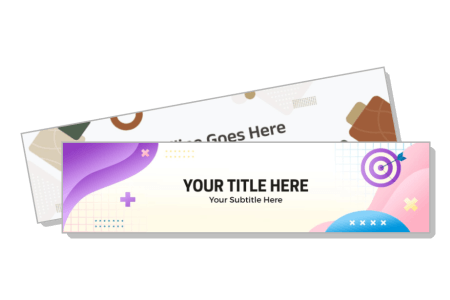
LinkedIn Banner Templates
LinkedIn banner templates for job seekers updating their profile, freelancers showcasing their niche, and business owners building brand presence — 743+ layouts ready to customize.




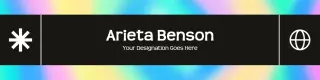









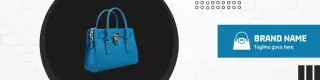



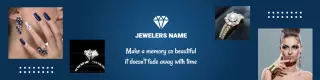







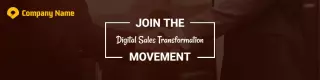
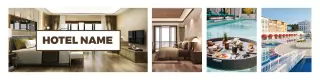





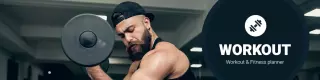






How to make a LinkedIn banner
No design skills needed. Pick a 1584 x 396 pixel layout, add your job title and brand colors, clear the left-side profile photo zone, then download a PNG and upload directly to your LinkedIn profile.
1. Pick a layout
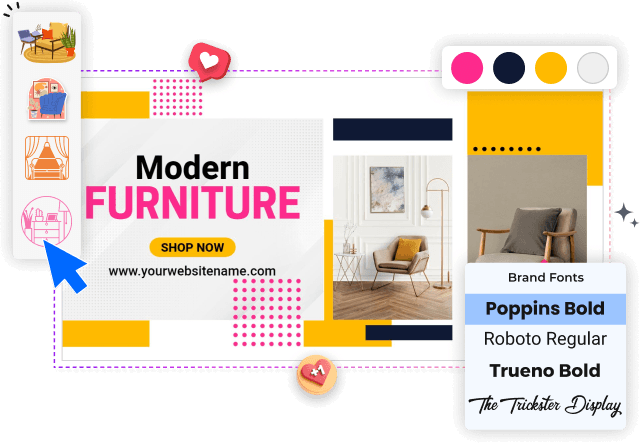
Pick a LinkedIn banner layout sized for the 1584 x 396 pixel profile header — look for wide landscape templates with a left-side text zone that clears the circular profile photo overlap area.
2. Add your identity
Add your professional identity — enter your current job title, tagline, or service headline. Keep text to one or two lines so it reads clearly on both desktop and mobile LinkedIn profile views.
3. Adjust brand colors
Adjust brand colors and visuals — replace the template color scheme with your personal or company brand colors, and swap any background image or abstract shapes to match your professional tone.
4. Download and upload
Download your finished banner as PNG at full resolution, then upload it to your LinkedIn profile by going to Edit Profile and selecting the Background Photo option to complete the update.
Trusted by Thousands
 Tata Consultancy Services
 Boston Consulting
 AT&T
AT&T
 Avelo Airlines
 Procter & Gamble
 Ministry Of Health, Malaysia
 Veterans Affairs
 Detroit Government
 New York University
 Texas A&M University
 Decathlon America
 Warby Parker
Tata Consultancy Services
Boston Consulting
AT&T
Avelo Airlines
Procter & Gamble
Ministry Of Health, Malaysia
Veterans Affairs
Detroit Government
New York University
Texas A&M University
Decathlon America
Warby Parker
Warby Parker
Tata Consultancy Services
Boston Consulting
AT&T
Avelo Airlines
Procter & Gamble
Ministry Of Health, Malaysia
Veterans Affairs
Detroit Government
New York University
Texas A&M University
Decathlon America
Warby Parker



Other Banner templates
Who uses LinkedIn banner templates?
LinkedIn banner templates are used by professionals across industries who want their profile header to communicate more than a blank blue background. The LinkedIn banner sits directly above a profile photo and headline — viewed by every recruiter, potential client, or connection who visits. Most users need a 1584x396px layout they can update with their name, role, tagline, or brand identity and download as PNG in minutes without touching a design tool.
Job seekers actively looking for work — update their LinkedIn banner with their job title, target industry, and a contact prompt so recruiters can see a clear, professional profile header at a glance.
Freelancers and independent consultants — replace placeholder text with their specialty, tagline, and a call-to-action phrase, then save as PNG and upload directly to their LinkedIn profile page.
Small business owners and startup founders — add a company logo, a short value proposition, and their website URL to create a LinkedIn banner that doubles as a brand awareness touchpoint.
Corporate professionals and senior managers — pick a clean, minimal LinkedIn banner layout and add their current role and company name to position themselves credibly to clients and partners.
Coaches, trainers, and career consultants — customize a LinkedIn banner with a service headline and credentials line so potential clients understand their offering before reading the bio.
Recruiters and HR professionals — add a company tagline and open roles message to their LinkedIn banner header, helping job seekers identify hiring opportunities before clicking through.
Marketing professionals and content creators — swap in seasonal messaging or a product launch tagline and download a fresh PNG to update their LinkedIn banner quickly between campaigns.
Over 743 professionals have used DesignWiz to create LinkedIn banner designs.
Free vs paid — LinkedIn banner templates
Free LinkedIn banner templates
Create and customize a LinkedIn banner design for your personal profile at no cost.
Access a full range of layouts built for the 1584x396px profile header format.
Download your banner as a watermarked PNG to test before committing to a paid plan.
Commercial use allowed — freelancers and business owners can use free-tier banners for client-facing profiles.
Paid plan — watermark-free LinkedIn banner files
Remove the watermark and download a clean PNG ready for direct LinkedIn upload — under 5 dollars per month.
Export your LinkedIn banner at full resolution for crisp display on both desktop and mobile profile views.
Update and re-download your banner file as often as you need when your role, title, or campaign changes.
For a personal LinkedIn profile refresh, the free plan covers most use cases. Upgrade to paid when you need a clean, watermark-free PNG that looks fully professional to recruiters and connections visiting your profile.