freshchat icon chat icon loading icon

Share this template anywhere.

business service promotion banner with world map and coffee template

Business Banner Templates

Business banner templates — used by 743+ businesses for storefront signage, trade show displays, and outdoor brand promotions. Pick a ready-made layout, swap in your logo and text, then export a print-ready file.


Create your own

{"270002":{"name":"bright-blue-background-with-business-growth-ideas-banner-template-hxmbmy4a95c6ed.jpg","webp_name":"bright-blue-background-with-business-growth-ideas-banner-template-hxmbmy4a95c6ed.webp","height":396,"width":1584}} 270002
Bright Blue Background with Business Growth Ideas Banner Template
1584 x 396 px

business
growth
Show all keywords
Bright Blue Background with Business Growth Ideas Banner Template
{"921080":{"name":"modern-blue-curved-design-highlighting-services-for-your-business-banner-template-kbumxwcf6cc767.jpg","webp_name":"modern-blue-curved-design-highlighting-services-for-your-business-banner-template-kbumxwcf6cc767.webp","height":500,"width":1500}} 921080
Modern Blue Curved Design Highlighting Services for Your Business Banner Template
1500 x 500 px

business
services
Show all keywords
Modern Blue Curved Design Highlighting Services for Your Business Banner Template
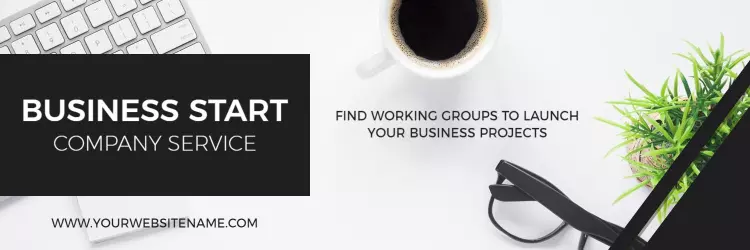
{"353927":{"name":"professional-workspace-with-coffee-and-plants-business-banner-template-6rhe9ccf1b7945.jpg","webp_name":"professional-workspace-with-coffee-and-plants-business-banner-template-6rhe9ccf1b7945.webp","height":500,"width":1500}} 353927
Professional Workspace with Coffee and Plants Business Banner Template
1500 x 500 px

business
startup
Show all keywords
Professional Workspace with Coffee and Plants Business Banner Template
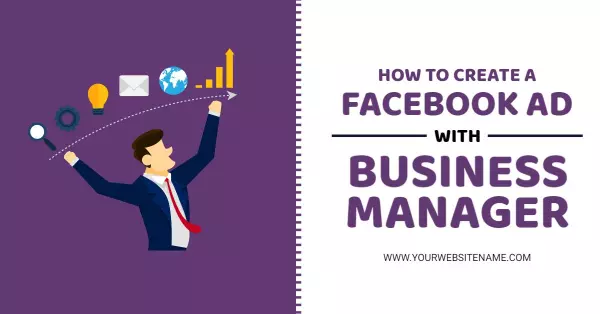
{"558781":{"name":"how-to-utilize-business-manager-for-effective-facebook-ads-banner-template-ah05hja54db8b9.jpg","webp_name":"how-to-utilize-business-manager-for-effective-facebook-ads-banner-template-ah05hja54db8b9.webp","height":628,"width":1200}} 558781
How to Utilize Business Manager for Effective Facebook Ads Banner Template
1200 x 628 px

facebook
ad
Show all keywords
How to Utilize Business Manager for Effective Facebook Ads Banner Template
{"795041":{"name":"modern-business-conference-with-yellow-highlights-banner-template-7rkcc1a496c4bc.jpg","webp_name":"modern-business-conference-with-yellow-highlights-banner-template-7rkcc1a496c4bc.webp","height":628,"width":1200}} 795041
Modern Business Conference with Yellow Highlights Banner Template
1200 x 628 px

business
social
Show all keywords
Modern Business Conference with Yellow Highlights Banner Template
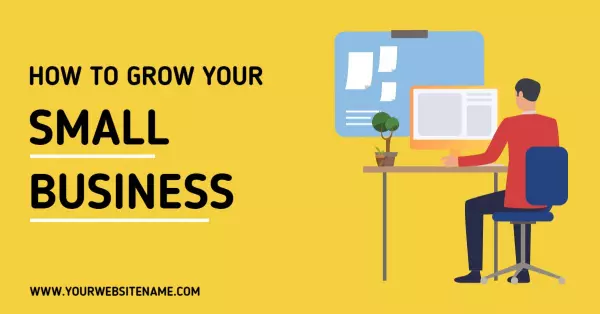
{"910455":{"name":"growing-a-small-business-with-workspace-setup-tips-banner-template-7l7fs9a3fb7783.jpg","webp_name":"growing-a-small-business-with-workspace-setup-tips-banner-template-7l7fs9a3fb7783.webp","height":628,"width":1200}} 910455
Growing a Small Business with Workspace Setup Tips Banner Template
1200 x 628 px

small
business
Show all keywords
Growing a Small Business with Workspace Setup Tips Banner Template
{"837890":{"name":"professional-team-collaboration-in-modern-office-business-banner-template-ftrfeza3eedc2b.jpg","webp_name":"professional-team-collaboration-in-modern-office-business-banner-template-ftrfeza3eedc2b.webp","height":628,"width":1200}} 837890
Professional Team Collaboration in Modern Office Business Banner Template
1200 x 628 px

business
marketing
Show all keywords
Professional Team Collaboration in Modern Office Business Banner Template
{"993096":{"name":"affordable-homes-for-your-family-green-business-banner-template-62cup6a346a685.jpg","webp_name":"affordable-homes-for-your-family-green-business-banner-template-62cup6a346a685.webp","height":628,"width":1200}} 993096
Affordable Homes for Your Family Green Business Banner Template
1200 x 628 px

affordable
homes
Show all keywords
Affordable Homes for Your Family Green Business Banner Template

How to make a business banner

No design skills needed. Pick a banner layout sized for your display location, add your logo and headline, set your brand colors, then export a print-ready PDF for your banner vendor in minutes.

Corporate Growth Poster
1.

1. Choose a layout

Choose a horizontal or vertical pull-up layout matching your display location — a 6-foot wide horizontal banner suits storefronts, while a 33-inch pull-up works for trade show booths.

2.

2. Add logo and headline

Upload your company logo and replace the placeholder headline with your commercial message — keep to 8 words or fewer so the banner reads clearly at 20 feet from viewers across the space.

3.

3. Set brand colors

Set background and text colors to your brand palette, ensuring high contrast between headline text and background so the business name remains legible in outdoor lighting conditions.

4.

4. Export for print

Export as a high-resolution PDF at 150 dpi minimum, then send the file to your commercial print vendor — most business banner printers accept this format for same-day or next-day production.

Trusted by Thousands

Tata Consultancy Services
Boston Consulting
AT&T
Avelo Airlines
Procter & Gamble
Ministry Of Health, Malaysia
Veterans Affairs
Detroit Government
New York University
Texas A&M University
Decathlon America
Warby Parker
Tata Consultancy Services
Boston Consulting
AT&T
Avelo Airlines
Procter & Gamble
Ministry Of Health, Malaysia
Veterans Affairs
Detroit Government
New York University
Texas A&M University
Decathlon America
Warby Parker
High performer asia
Front runners
High performer small business

Other Banner templates

Who uses business banner templates?

Business banner templates give retail stores, offices, and service businesses a fast path to large-format display signage — without hiring a graphic designer. A business banner is most commonly printed at 6 feet wide for storefront windows or 33 inches wide for trade show pull-ups, then mounted the same week a promotion or event launches. Most business owners update the logo, headline text, and brand colors, then send the file directly to a print shop as a high-resolution PDF.

Retail store owners

Retail store owners use business banner templates to announce seasonal sales, new product lines, and grand opening promotions at their storefronts. They need a wide horizontal or pull-up layout that holds a short headline, logo, and contact detail — then prints at a local print shop the same week. Use Bright Blue Background with Business Growth Ideas Banner Template to get started.

Trade show exhibitors

Companies at trade shows and industry expos use business banner templates to create branded pull-up displays for their booth. They update the company name, tagline, and services list, then export a 33-inch-wide PDF for a banner printing vendor before the event opens. Use Modern Blue Curved Design Highlighting Services for Your Business Banner Template to get started.

Restaurants and cafes

Restaurant and cafe owners use business banner templates for sidewalk and window displays promoting seasonal menus and weekend hours. They swap in a logo or dish photo, match brand colors, and send a 6-foot horizontal PDF to print. Use Professional Workspace with Coffee and Plants Business Banner Template to get started.

Corporate event organizers

Corporate event teams use business banner templates to brand conference entrances and registration areas. They add the company logo, event name, and date — keeping text to one bold headline so it reads clearly from 20 feet across the conference floor. Use Modern Business Conference with Yellow Highlights Banner Template to get started.

Service businesses

Salons, auto repair shops, and gyms use business banner templates to display promotions in front windows and parking areas. They list one key offer and a phone number, then print a vertical pull-up banner for the reception area or front entrance. Use Growing a Small Business with Workspace Setup Tips Banner Template to get started.

Real estate offices

Real estate offices use business banner templates to advertise listings and open houses at property sites and office storefronts. They add the agent name, contact number, and a property photo, then print a horizontal banner to mount on a fence or exterior wall. Use How to Utilize Business Manager for Effective Facebook Ads Banner Template to get started.

Schools and training centers

Schools, training academies, and learning centers use business banner templates for enrollment campaigns, graduation displays, and event signage. They update the institution name and date, keep text minimal for outdoor reading distance, and export a PDF for same-week print production. Use Professional Team Collaboration in Modern Office Business Banner Template to get started.

Over 743 businesses have used DesignWiz to create business banners.

Create Your Banner Now!

Frequently Asked Questions (FAQs)

Business banner size depends on where it will be displayed. A horizontal storefront banner is typically 6 feet wide by 2 feet tall, while a vertical pull-up for trade shows runs 33 inches wide by 80 inches tall. Retractable stands often use 24 by 63 inches. Confirm dimensions with your print vendor before exporting.

A business banner should carry one primary message — a promotion, event name, or brand tagline. Include your logo, a short headline of 8 words or fewer, and a single call to action such as a phone number or web address. Avoid dense text blocks; banners are read quickly from a distance.

Use two fonts at most — one bold display font for the headline and one clean sans-serif for supporting details. Keep high contrast between text and background. Place your logo consistently at the top or bottom. Avoid clip art or low-resolution images, which print blurry at large banner sizes.

PDF is the standard format for commercial banner printing. Export at a minimum of 150 dpi — most print vendors require this for sharp output at large format. PNG works for digital display or email banner placements. Always confirm file specs with your print shop before sending the final file.

A business banner should have as little text as possible. The main headline should be 8 words or fewer so it reads clearly from 20 feet away. Supporting details like a phone number or web address can appear smaller at the bottom. One message per banner is the standard professional practice.

High-contrast color combinations work best — dark text on a light background or light text on a dark background. Stick to your brand colors for recognition. Avoid more than three colors in a single banner design. Yellow, red, and white on dark backgrounds are among the most readable in outdoor light.

A pull-up banner (also called a retractable or roll-up banner) is mounted on a self-standing frame that retracts into a base for portability — used at trade shows and events. A flat banner is printed on vinyl or fabric and hung or mounted at a fixed location such as a storefront or fence.

Order your business banner at least 5 to 7 business days before your display date to allow for production and shipping. Rush orders are available at most print vendors for 1 to 2 day turnaround at additional cost. File your print-ready PDF early to avoid revision delays near your deadline.

Most business banners are printed on vinyl or fabric and designed for a single campaign message, so they are not easily updated after printing. If you plan to reuse a banner frame, design the artwork with a replaceable insert or use a digital display banner that can be swapped electronically.

DesignWiz offers ready-made business banner templates through a web-based desktop platform with drag-and-drop customization. Templates include horizontal storefront layouts, vertical pull-up designs, and trade show formats — all sized for commercial print output. Upload your logo, edit the headline text, and export a 150 dpi PDF ready for your print vendor in minutes.

Business banners require a minimum of 150 dpi for commercial print quality at large format. Some print vendors accept 100 dpi for very large outdoor banners (10 feet wide or more) where viewing distance increases. For pull-up and storefront banners viewed from 3 to 10 feet away, 150 to 300 dpi ensures sharp output.

DesignWiz is a web-based desktop tool for creating business banners without design experience. It provides pre-sized templates for horizontal storefronts and vertical pull-ups, drag-and-drop text and logo editing, and brand color customization. Export your finished banner as a print-ready PDF at 150 dpi. No software installation required — works in any desktop browser.

DesignWiz exports business banner templates as PDF files at print-ready resolution — suitable for commercial banner printing vendors. The web-based platform also offers PNG export for digital use. After editing your template on the desktop platform, select your export format from the download menu. PDF is recommended for all physical print orders.
Start Designing with AI
Can’t find the perfect design? Create instantly with AI.