freshchat icon chat icon loading icon
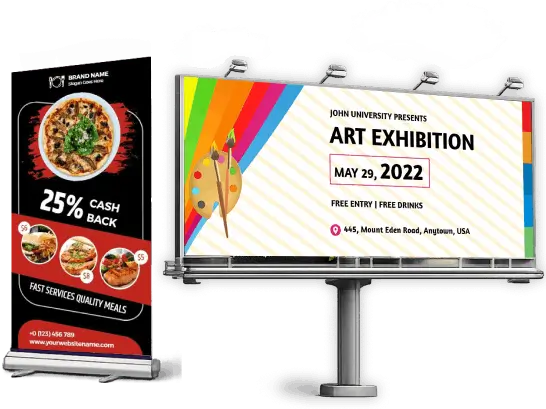
pizza-restaurant-and-art-exhibition-banner

What is a Banner?

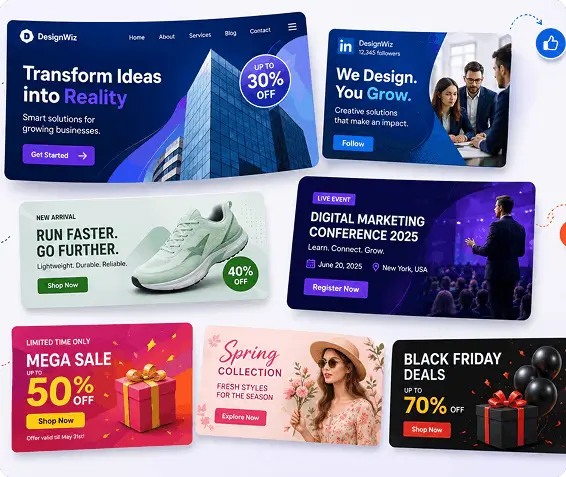
A banner is a long strip of paper or digital material displaying a logo, personal identity, message, and advertisement. It is an essential marketing tool used to promote brands, products, services, or events, driving traffic to digital or physical platforms.
Create Your Own Banner
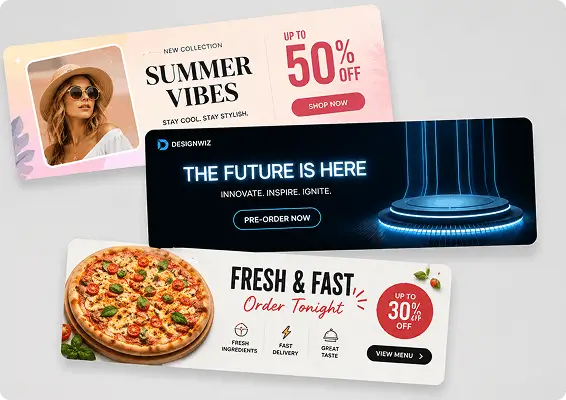
summer-vibes-fashion-sale-tech-product-launch-and-pizza-promo-banners

Purpose of Banner

  • Promotion: Banners are commonly used to promote products, services, sales, or special offers by highlighting key information in a visually appealing way.
  • Brand Visibility: They help businesses display their brand name, logo, and message clearly, making the brand more recognizable to the audience.
  • Event Announcements: Banners are effective for announcing events such as product launches, webinars, conferences, or seasonal campaigns.
  • Call-to-Action: A well-designed banner guides viewers to take action, such as visiting a website, signing up, or exploring an offer.
designwiz-corporate-branding-and-multipurpose-marketing-banners

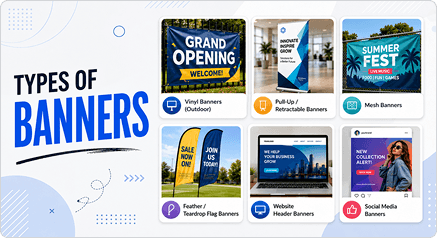
Types of Banner

  • Banners are designed in different formats depending on their purpose and platform. Common types include:
  • Website banners: Used on websites to highlight offers, announcements, or important information.
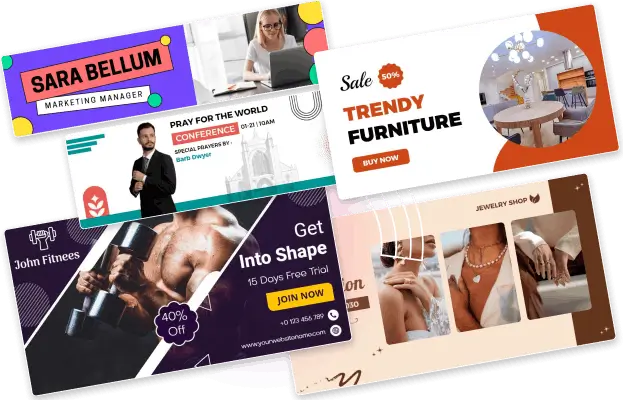
  • Social media banners: Designed for platforms like LinkedIn, YouTube, and Twitter (X) to represent a brand or campaign.
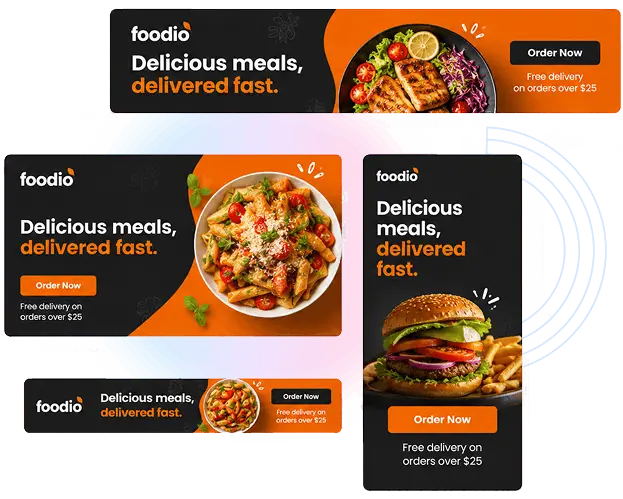
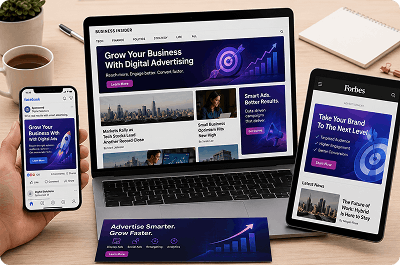
  • Advertising banners: Used in online ads or display networks to promote products or services.
  • Event banners: Created to promote events such as workshops, sales campaigns, or business launches.
  • Promotional banners: Focused on showcasing discounts, limited-time deals, or special offers.

Benefits of Banners for Marketing

Easy to Notice:

Bold visuals, clear headlines, and simple layouts help capture attention quickly and deliver the message at a glance.

High Visibility:

Banners work well across websites, social media, and advertising platforms, helping your message reach a larger audience.

tasty-bites-delicious-food-hanging-banner

Cost-Effective:

Creating banners is an affordable way to promote products, services, events, or announcements without heavy marketing costs.

Quick to Create:

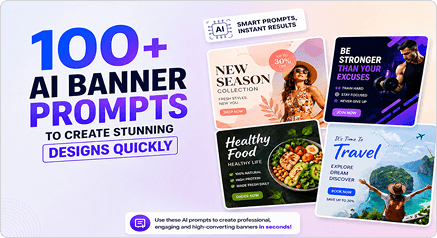
With ready-made templates and AI tools, banners can be designed in minutes while still looking professional and impactful.
How to Promote a Banner?

digital-advertising

Digital Advertising

  • Google Display Ads: Run your banner across millions of websites using Google's display network to reach your exact target audience.
  • Social Media Ads: Promote banners as paid ads on Facebook, Instagram, and LinkedIn for precise demographic targeting.
  • Retargeting Campaigns: Show your banner to users who have already visited your site and bring them back to convert.
website-and-email-placement

Website and Email Placement

  • Homepage hero banner: Place your banner above the fold on your website where every visitor sees it first.
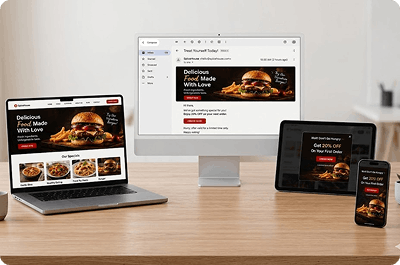
  • Email newsletters: Embed your banner at the top of email campaigns to drive clicks directly from the inbox.
  • Blog sidebars: Display banners alongside high-traffic blog posts to capture readers already engaged with your content.
  • Popup banners: Trigger a timed or exit-intent banner popup to capture attention before visitors leave.
physical-and-outdoor-promotion

Physical and Outdoor Promotion

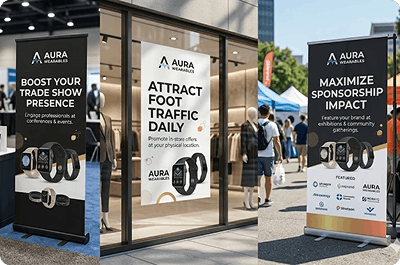
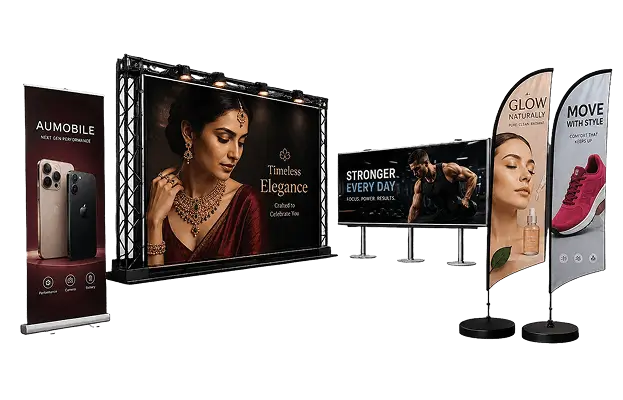
  • Roll-up displays: Stand your banner at trade shows, conferences, and retail locations where your audience gathers in person.
  • Storefronts and windows: Mount printed banners at your physical location to attract foot traffic and promote offers.
  • Event sponsorships: Feature your banner at sponsored events, exhibitions, and community gatherings for maximum visibility.
social-media-and-content-channels

Social Media and Content Channels

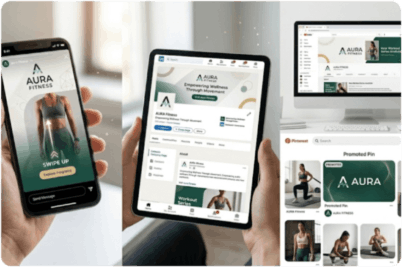
  • Instagram and Facebook stories: Share your banner as a story with a swipe-up link, driving traffic directly to your offer.
  • LinkedIn banners: Use your banner as a LinkedIn page cover to reinforce your brand every time someone visits your profile.
  • Pinterest promoted pins: Pin your banner to relevant boards and promote it to reach users actively searching your niche.
  • YouTube channel art: Display your banner as channel art to brand your video presence and communicate your latest campaigns.

Banner Size Guide

banner-size-guide

Common Banner Dimensions

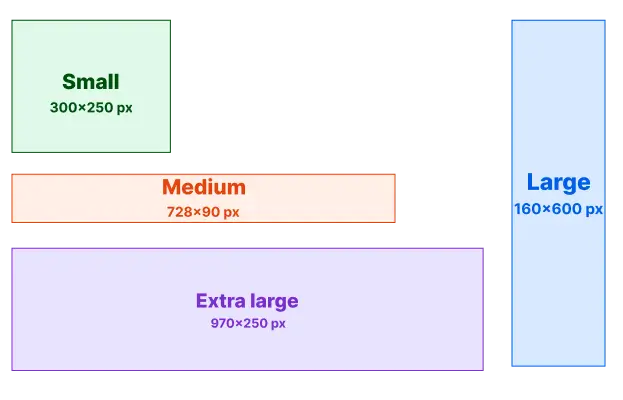
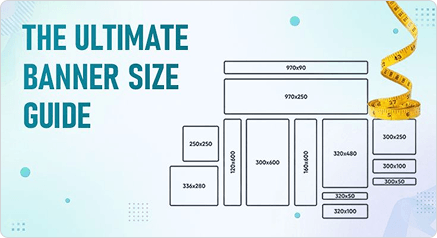
Every platform has its own sizing rules. Using the wrong dimensions means your banner gets cropped, distorted, or rejected entirely.
  • Small (300×250px): The most widely served web ad size. Works across desktop, mobile, and almost every ad network without resizing.
  • Medium (728×90px): Sits at the top or bottom of web pages. High visibility, ideal for brand awareness campaigns and website headers.
  • Large (160×600px): Runs vertically alongside content. Stays visible as users scroll, making it perfect for sustained messaging throughout a long page.
  • Extra large (970×250px): Dominates the top of high-traffic pages. Maximum visual impact for major campaign launches and product announcements.
choosing-the-right-banner-size

Choosing the Right Banner Size

The right size depends on where your banner lives, who sees it, and what action you want them to take.
  • Campaign goal: Use smaller formats for quick click-through promotions. Go larger when you need visual impact, brand storytelling, or detailed product messaging.
  • Platform requirements: Google, Facebook, Instagram, and LinkedIn each have specific size rules. Always design for the platform-specific.
  • Device targeting: Mobile users need compact, thumb-friendly banners. Desktop audiences can handle wider, more detailed layouts with more visual information.
design-considerations-poster

Print Banner Sizes

Print banners demand precision. Wrong dimensions mean wasted print runs, poor quality, or banners that don't fit their display space.
  • Roll-up banner (850×2000mm): The industry standard for exhibitions, trade shows, and retail environments. Tall format maximizes visibility from a distance.
  • Pop-up banner (2000×2000mm): Square format that works as a backdrop for photoshoots, product launches, and branded event spaces.
  • Outdoor banner (1200×400mm): Wide horizontal format suited for fencing, building facades, and high-traffic outdoor locations.
  • Feather banner (600×1800mm): Tall flag-style format that moves with the wind, drawing attention at outdoor events, forecourts, and roadside promotions.
choosing-the-right-restaurant-menu-poster

Tips for selecting the right banner size

Getting the size right is the difference between a banner that commands attention and one that gets ignored.
  • Viewing distance: Outdoor and large-venue banners need bigger text and bolder visuals. Close-up displays, such as trade show stands, can carry more detail.
  • Display location: Match your size to the physical or digital space available. Oversized banners that overflow their space lose impact instantly.
  • Content volume: More text needs more space. If your message is complex, choose a larger format. If it's a single strong statement, smaller sizes work harder.
  • Always add bleed: For print banners, add 3–5mm bleed on all sides so no white edges appear after cutting. DesignWiz handles this automatically at export.

How to Design an Effective Banner?

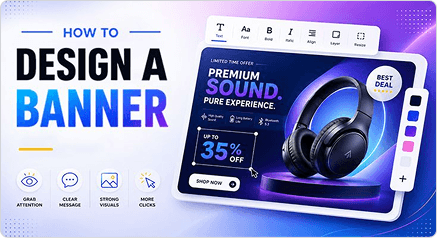
1. Define Your Purpose

Decide what the banner must achieve — drive clicks, build awareness, promote an offer, or announce an event. Every design decision flows from this single answer.

2. Know Your Audience

Design for the person seeing it, not the person making it. Understand your audience's age, interests, and expectations, then build visuals and messaging that speak directly to them.

3. Write a Catchy Headline

Your headline is your banner's entire pitch in one line. Make it bold, benefit-driven, and impossible to ignore.

4. Choose a Bold Color Palette

Stick to two or three brand colours with strong contrast. Avoid palettes that blend into the background of the platform where your banner will appear.

5. Use Attractive Visuals

Choose high-resolution photos, illustrations, icons, or backgrounds that instantly communicate your message. Your visual should do half the selling before anyone reads a word.

6. Pick Easy-to-Read Fonts

Fancy fonts that nobody can read at a glance are wasted space. Use one bold display font for your headline and one clean, legible font for supporting text. Readability always wins over decoration.

7. Add a Clear Call to Action

Tell people exactly what to do next — Shop now, Book today, Get started, Learn more. A CTA without urgency or specificity loses clicks. Make it stand out visually and place it where the eye lands last.

8. Test before You Publish

Preview your banner at the actual display size before it goes live. Check that text is legible, images are sharp, and the CTA is visible. What looks good at 100% zoom may fail at real-world scale.

Start Creating Professional Banners

Designing banners made easy using our professionally designed templates tailored to your needs, and editing tools that help you promote your brand or offers in a visually appealing way.

Banner Design Tips & Trends

Discover the latest banner design trends, practical tips, and how to create visuals that grab attention.