freshchat icon chat icon loading icon

Share this template anywhere.

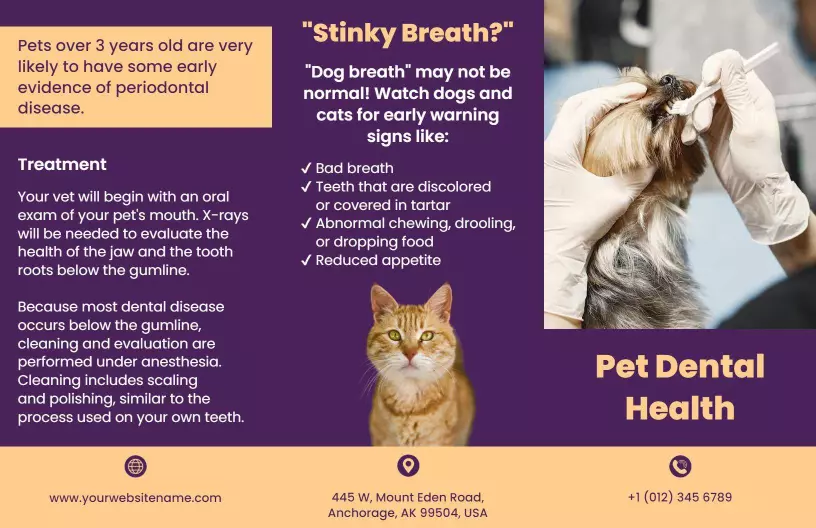
pet dental health flyer with treatment and signs details template

Dental Brochure Templates

Dental brochure templates — used by 8,500+ dental professionals — cover tri-fold and bi-fold layouts for service menus, treatment guides, new-patient welcome packets, and oral care tip sheets.
Create your own

{"635924":{"name":"purple-pet-dental-health-care-tips-and-treatment-brochure-template-m064vl98843c36.jpg","webp_name":"purple-pet-dental-health-care-tips-and-treatment-brochure-template-m064vl98843c36.webp","height":1056,"width":1632}} 635924
Purple Pet Dental Health Care Tips and Treatment Brochure Template
1632 x 1056 px

pet
dental
Show all keywords
Purple Pet Dental Health Care Tips and Treatment Brochure Template
{"635924":{"name":"modern-pink-dental-course-admission-information-brochure-template-h7b6sr7bb1b240.jpg","webp_name":"modern-pink-dental-course-admission-information-brochure-template-h7b6sr7bb1b240.webp","height":1056,"width":1632}} 635924
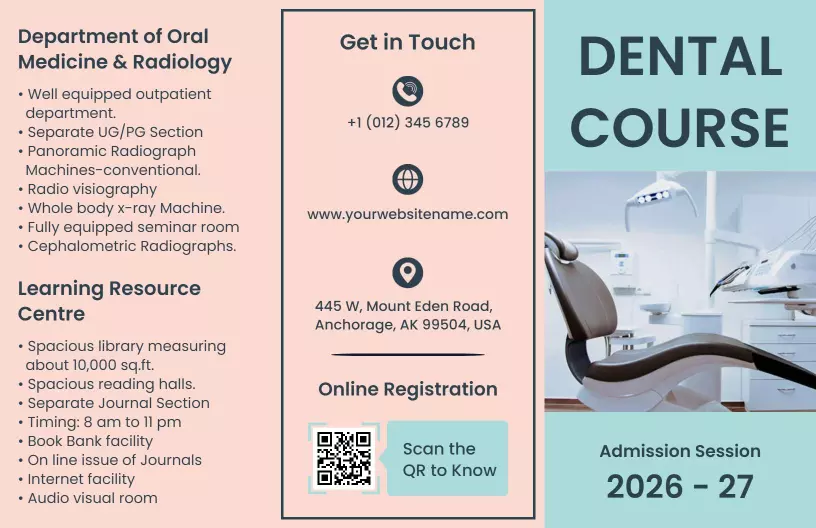
Modern Pink Dental Course Admission Information Brochure Template
1632 x 1056 px

dental
course
Show all keywords
Modern Pink Dental Course Admission Information Brochure Template
{"875658":{"name":"bright-blue-dental-care-services-and-appointment-brochure-template-xv4d1d188de66c.jpg","webp_name":"bright-blue-dental-care-services-and-appointment-brochure-template-xv4d1d188de66c.webp","height":1056,"width":1632},"253928":{"name":"bright-blue-dental-care-services-and-appointment-brochure-template-xv4d1d188de66c-253928.jpg","webp_name":"bright-blue-dental-care-services-and-appointment-brochure-template-xv4d1d188de66c-253928.webp","height":1056,"width":1632}} 875658,253928
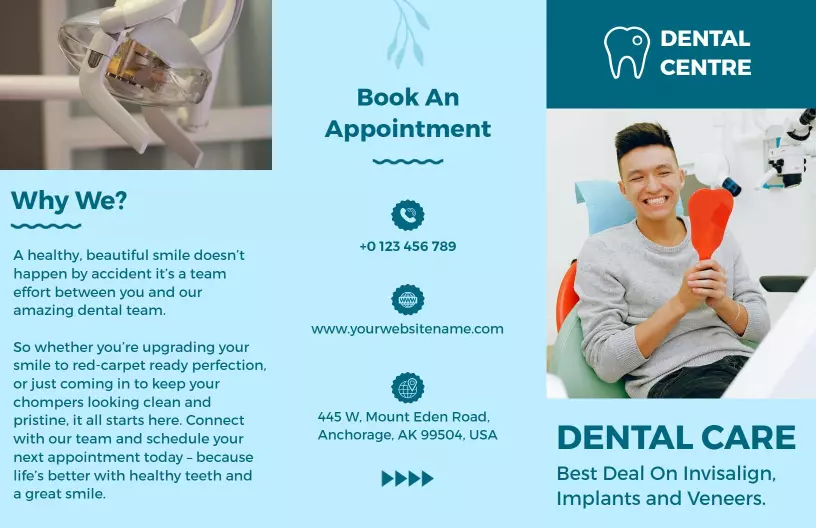
Bright Blue Dental Care Services and Appointment Brochure Template
1 of 2
Bright Blue Dental Care Services and Appointment Brochure Template
1632 x 1056 px

dental
care
Show all keywords
Bright Blue Dental Care Services and Appointment Brochure Template
{"854616":{"name":"patient-centric-dental-care-services-and-testimonials-brochure-template-2jpor918452f6d.jpg","webp_name":"patient-centric-dental-care-services-and-testimonials-brochure-template-2jpor918452f6d.webp","height":1056,"width":1632},"319017":{"name":"patient-centric-dental-care-services-and-testimonials-brochure-template-2jpor918452f6d-319017.jpg","webp_name":"patient-centric-dental-care-services-and-testimonials-brochure-template-2jpor918452f6d-319017.webp","height":1056,"width":1632}} 854616,319017
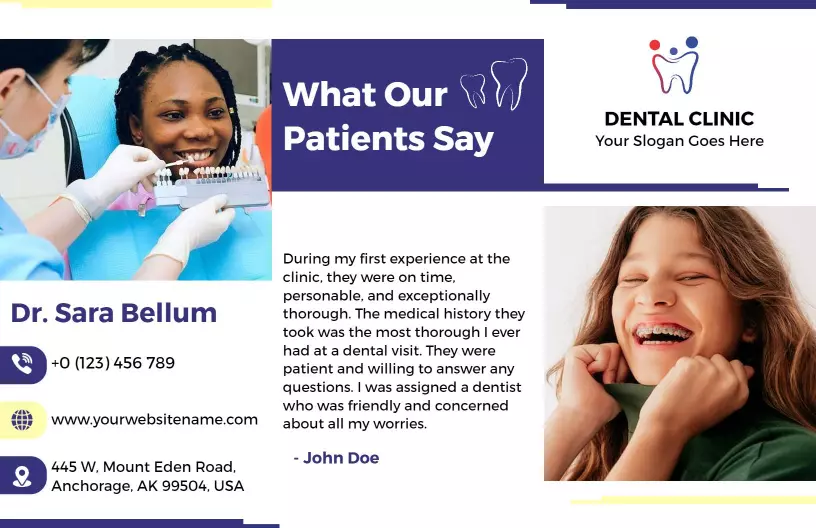
Patient-Centric Dental Care Services and Testimonials Brochure Template
1 of 2
Patient-Centric Dental Care Services and Testimonials Brochure Template
1632 x 1056 px

dental
clinic
Show all keywords
Patient-Centric Dental Care Services and Testimonials Brochure Template
{"85063":{"name":"dental-sealants-effectiveness-and-care-guide-brochure-template-vqwpy10e773c78.jpg","webp_name":"dental-sealants-effectiveness-and-care-guide-brochure-template-vqwpy10e773c78.webp","height":1056,"width":1632},"620045":{"name":"dental-sealants-effectiveness-and-care-guide-brochure-template-vqwpy10e773c78-620045.jpg","webp_name":"dental-sealants-effectiveness-and-care-guide-brochure-template-vqwpy10e773c78-620045.webp","height":1056,"width":1632}} 85063,620045
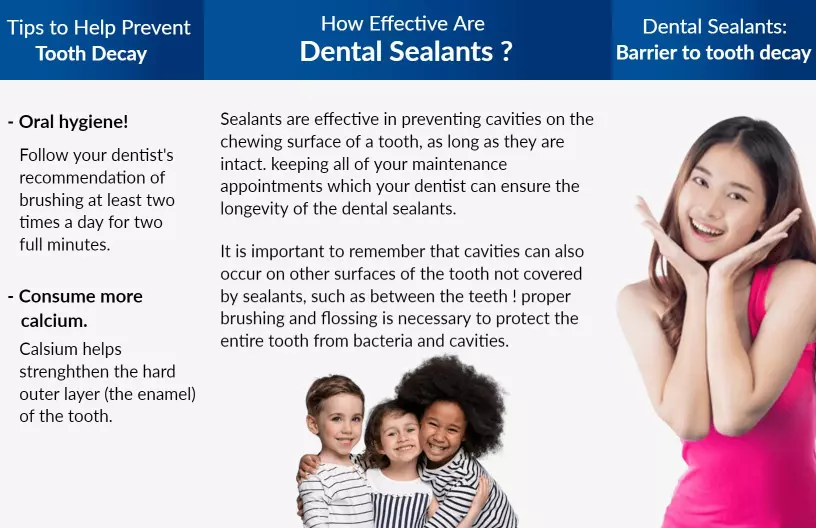
Dental Sealants Effectiveness and Care Guide Brochure Template
1 of 2
Dental Sealants Effectiveness and Care Guide Brochure Template
1632 x 1056 px

dental
sealants
Show all keywords
Dental Sealants Effectiveness and Care Guide Brochure Template

How to make a dental brochure

No design skills needed — select a dental brochure layout, fill each panel with your clinic details and services list, swap in your imagery, and export a print-ready PDF for your waiting room or dental print supplier.

Corporate Growth Poster
1.

1. Select your layout

Select a tri-fold or bi-fold dental brochure layout that matches your clinic type — general practice needs a services panel, pediatric office needs child-friendly fonts and visual tone.

2.

2. Fill each panel

Fill each panel in order: cover with clinic name and logo, inside panels with services list and treatment descriptions, back panel with address, phone number, and appointment booking details.

3.

3. Add your imagery

Replace stock images with your dental clinic's photography or select tooth-graphic icons and clean clinical imagery from the template library to match your practice's visual brand identity.

4.

4. Export and print

Export as a print-ready PDF with bleeds so your dental print shop gets clean fold lines and no white edges on any panel — download at 300 DPI to keep all images sharp on the finished brochure.

Trusted by Thousands

Tata Consultancy Services
Boston Consulting
AT&T
Avelo Airlines
Procter & Gamble
Ministry Of Health, Malaysia
Veterans Affairs
Detroit Government
New York University
Texas A&M University
Decathlon America
Warby Parker
Tata Consultancy Services
Boston Consulting
AT&T
Avelo Airlines
Procter & Gamble
Ministry Of Health, Malaysia
Veterans Affairs
Detroit Government
New York University
Texas A&M University
Decathlon America
Warby Parker
High performer asia
Front runners
High performer small business

Other Brochure templates

Who uses dental brochure templates?

Dental brochure templates are used by general dentists, pediatric practices, orthodontists, and oral surgery clinics to explain procedures and services to patients in a format that fits a waiting room display rack. A tri-fold dental brochure typically covers three panels: a services overview, a treatment explanation, and contact or booking details — a structure that works specifically for clinical settings where patients read while waiting. Staff print a batch after updating the dentist's name, address, and phone number, then stock the front desk or mail them to new-patient leads.

General dental practices — Dentists update the tri-fold layout with their clinic name, address, listed services, and appointment booking phone number, then print copies for the front desk. Patients pick one up while waiting, which helps front-desk staff spend less time answering basic intake questions. Use Bright Blue Dental Care Services and Appointment Brochure Template to get started.

Pediatric dentist offices — Child-focused dental clinics use brochures to explain first-visit procedures, tooth-brushing habits for different age groups, and what parents should expect during a cleaning. The brochure format lets staff fold and hand one to each family at checkout without a verbal explanation. Use Purple Pet Dental Health Care Tips and Treatment Brochure Template to get started.

Orthodontic practices — Orthodontists give tri-fold brochures during consultations to outline treatment options, braces versus aligners, and monthly payment plans. The panel layout keeps multi-step information readable for patients to review at home, which cuts down on follow-up phone calls to the front office. Use Patient-Centric Dental Care Services and Testimonials Brochure Template to get started.

Dental schools and training programs — University dental programs and hygiene schools produce bi-fold brochures for open house events that outline admission requirements, required clinical hours, tuition ranges, and program accreditation. Staff hand them out at campus career fairs and include them in mailed application packets. Use Modern Pink Dental Course Admission Information Brochure Template to get started.

Community health clinics — Federally qualified health centers and nonprofit dental outreach programs print dental brochures to explain sealant programs, fluoride treatments, and free or low-cost care eligibility to uninsured patients. The brochure fold format is compact enough to distribute at school health fairs. Use Dental Sealants Effectiveness and Care Guide Brochure Template to get started.

Oral care product brands — Consumer dental brands use bi-fold brochures at pharmacy displays and health expos to explain whitening kit instructions, electric toothbrush features, and sensitivity treatment comparisons across product lines. A printed panel layout gives shoppers something to review and take home before purchasing. Use all dental brochure layouts to get started.

Over 8,552 dental professionals and healthcare organizations have used DesignWiz to create dental brochures.

Free vs paid — what's included

Free plan

Access to dental brochure layouts — no credit card required to start designing your clinic materials

Download your dental brochure design with a watermark included — suitable for in-office proofing before committing to a print run

Commercial use allowed — create brochures for your dental clinic or patient health program at no cost

Paid plan — under 5 dollars per month

Watermark-free dental brochure files — print-shop-ready PDF at 300 DPI, clean on every panel

Under 5 dollars per month — covers all downloads for a dental clinic running multiple brochure versions across service lines

If your dental clinic needs clean, watermark-free files for a professional print run, upgrading to the paid plan removes the watermark and delivers a print-shop-ready PDF.

Create Your Brochure Template Now!

Frequently Asked Questions (FAQs)

A dental brochure should cover your clinic name, address, phone number, and appointment booking details on the back panel. Inside panels work best with a services list — cleanings, fillings, whitening, or orthodontic options — plus a brief explanation of what each procedure involves. A patient FAQ panel addressing common concerns like pain during cleanings or what to expect on a first visit helps reduce anxiety before the appointment. Keep text short per panel — each tri-fold panel has limited space, so prioritize the most-asked questions.

A tri-fold dental brochure divides into six panels — the cover, three inside panels, and a back panel — with each panel serving a distinct purpose. The cover should show your clinic name and a clean visual; the first inside panel can introduce your team or the practice philosophy; the middle two panels list your core dental services with short descriptions; the back panel carries your contact details and a call to action like scheduling a visit. Avoid using all six panels for dense text — break content with icons or a single image to guide the eye.

Clean blues and whites are the standard for dental office brochures because they signal cleanliness, trust, and a clinical environment that patients already associate with dental care. Soft greens work well for practices emphasizing holistic or family-friendly care. Avoid bright reds or high-contrast neon palettes, which can feel alarming in a healthcare context. Use your clinic's existing logo colors as the anchor if you have a brand identity — consistency between your signage, business cards, and brochure builds recognition. Limit your palette to two or three colors to keep panels from looking cluttered.

Making a dental brochure starts with deciding your fold type — tri-fold is the standard for waiting room racks, while bi-fold works better for detailed treatment guides with more text per panel. Next, map your content to panels before designing: list what goes on each of the six panels so you do not overcrowd any one section. Then apply your clinic colors and logo, insert your services list and contact information, and add one or two relevant images. Once the layout is complete, export as a PDF with bleeds so the print shop can cut cleanly without white edges.

The standard printable size for a dental brochure is 8.5 by 11 inches in landscape orientation for a tri-fold, which folds into three equal panels of roughly 3.67 inches wide each. This size fits standard waiting room display racks and is the most common format requested by dental print suppliers in the US. For international clinics, A4 (210 by 297 millimeters) is the equivalent standard. Bi-fold brochures use the same sheet but fold in half, giving each panel more vertical space for detailed procedure explanations. Export with a 0.125-inch bleed on all sides.

Start by swapping the placeholder clinic name, address, and phone number on the template's back panel — these three fields alone make the brochure specific to your practice. Then update the services list on the inside panels to reflect what your clinic actually offers, removing any services that do not apply and adding any that are not listed. Replace any stock dental photography with images from your own clinic if available, or keep the template images if they match your visual tone. Finally, adjust the font and accent colors to align with your existing logo or signage color scheme.

For new patient outreach, a dental clinic brochure works best when it focuses on reducing first-visit anxiety rather than listing every service. Lead with a brief welcome message from the dentist, then explain what a new patient appointment involves step by step — check-in, x-rays, cleaning, and consultation. Include insurance accepted and payment plan options on one panel. Adding a patient testimonial quote and a before-and-after smile photo can build trust with someone choosing a dentist for the first time. Close with a clear call to action and your clinic phone number or website.

Export your dental brochure as a PDF with bleed marks included — most dental print shops require a 0.125-inch bleed on all four sides so the design extends to the edge of the paper after cutting. Use 300 DPI resolution for any images embedded in the file to prevent blurry output on the printed panel. Embed all fonts rather than outlining them if your print shop accepts embedded fonts, or convert fonts to outlines if requested. Check the fold line positions before sending — tri-fold panels must be exactly equal width or the printed brochure will not fold flat.

Short paragraphs and bullet points make a dental clinic brochure easier to read than blocks of dense text — most patients scan rather than read line by line in a waiting room. Use a font size of at least 10 points for body text, and 14 or larger for headings so the brochure is readable for older patients. Group related content within the same panel rather than splitting one topic across two panels, which can confuse the reading flow. White space between sections prevents visual crowding and helps patients find specific information like the address or phone number quickly.

A standard dental brochure uses six panels — three on the front and three on the back of a single sheet folded twice. The tri-fold format is the most common choice for dental clinics because it fits standard literature display racks found in most waiting rooms. A bi-fold layout uses four panels (one sheet folded once) and works better when you need larger text size or more image space per panel, such as for a pediatric dental practice using illustrations. For detailed content like treatment cost comparisons or multi-procedure guides, a six-panel layout gives you enough space per section.

DesignWiz offers dental brochure templates through their web-based desktop platform, with ready-made tri-fold and bi-fold layouts designed specifically for dental clinics, pediatric practices, and oral health programs. The platform includes drag-and-drop editing, so you can replace placeholder clinic names, services lists, and contact details without any design experience. Templates are organized by dental specialty and visual style, and all layouts export as PDF files with bleed marks suitable for professional printing. Each template is fully customizable — adjust colors, fonts, and images to match your clinic branding before downloading.

DesignWiz provides free dental brochure templates through their web-based desktop platform — no credit card required to start. Free-tier users can access tri-fold and bi-fold dental layouts, edit all text panels including the services list, clinic name, and contact information, and download a watermarked version suitable for proofing. The free plan also allows commercial use, so dental clinics can legally distribute printed copies. To remove the watermark and get a clean, print-shop-ready PDF for professional printing, an upgrade to the paid plan is available at under 5 dollars per month.

DesignWiz is a web-based desktop platform that lets dental clinic staff create printable brochure templates without any graphic design experience. The platform offers pre-built dental brochure layouts in tri-fold and bi-fold formats, with editable panels for services, patient information, clinic contact details, and imagery. Editing is done through a drag-and-drop interface — click any text block to update it with your clinic name, address, or treatment descriptions. Completed designs export as print-ready PDF files with bleed marks, ready to send directly to a dental print supplier or local print shop.
Start Designing with AI
Can’t find the perfect design? Create instantly with AI.