Share this template anywhere.

freshchat icon chat icon loading icon

How to Convert Your Flyer Image into a Video
(Step-by-Step)

1

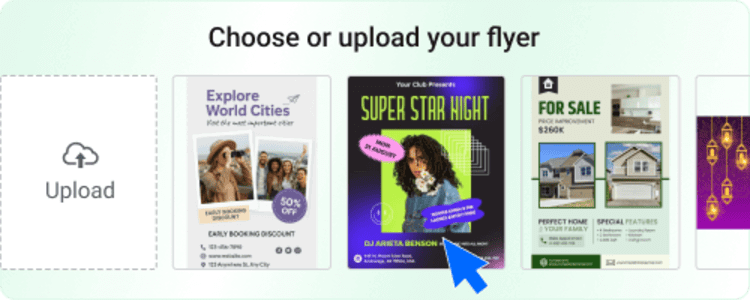
Upload Your Image

Select any flyer image (JPG, PNG, or poster design).
template-selection-banner

1

2

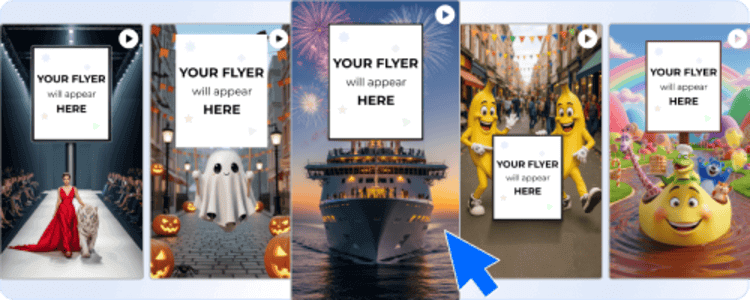
Choose a Video Style

Pick from trending templates and animation effects.
flyer-background-options

2

3

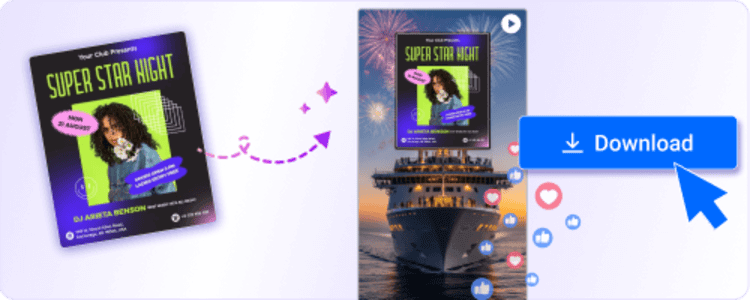
Generate & Download

Get your ready-to-share video flyer instantly.
event-poster-to-digital-ad

3

Whether you’re promoting an event, sale, or new launch — this tool helps your brand stand out visually and emotionally.

Trusted by Thousands

Tata Consultancy Services
Boston Consulting
AT&T
Avelo Airlines
Procter & Gamble
Ministry Of Health, Malaysia
Veterans Affairs
Detroit Government
New York University
Texas A&M University
Decathlon America
Warby Parker
Tata Consultancy Services
Boston Consulting
AT&T
Avelo Airlines
Procter & Gamble
Ministry Of Health, Malaysia
Veterans Affairs
Detroit Government
New York University
Texas A&M University
Decathlon America
Warby Parker

Why Convert an Image to a Video Flyer?

Static images are easy to overlook in today’s fast-scrolling digital world. Video flyers, on the other hand, capture attention instantly.
 Here’s why thousands of marketers and business owners are switching to AI-powered video flyers:

Higher Engagement:

Video flyers get up to 3x more clicks than static posts.

AI Animation Styles:

Add dynamic text, transitions, and effects automatically.

Platform-Ready:

Perfect for Instagram, YouTube Shorts, TikTok, and Facebook ads.

Instant Results:

Create in under 30 seconds — no software or design skills needed.

Frequently Asked Questions (FAQs)

Designwiz supports all popular formats including JPG, JPEG, and PNG. For the best results, use a high-resolution flyer image with clear text and contrast— this helps the AI generate smooth and crisp animations.
Usually less than 30 seconds. The AI instantly applies animations, motion effects, and transitions to your flyer — no rendering queues or manual editing needed.
Not at all. The Designwiz AI tool is built for non-designers and busy marketers. Just upload your flyer, select your preferred animation style, and your video flyer will be ready instantly — no timeline, layers, or editing tools required.
Absolutely. You can use your video flyers for ads, marketing campaigns, social media promotions, or business events — as long as you own the rights to the original flyer image or template you uploaded.
Designwiz currently supports images up to 10MB in size. For optimal quality, use flyers with a minimum resolution of 1080×1080 px. Lower-quality images may appear slightly pixelated when animated.
Follow these quick tips:
  • Use a clean, centered layout with fewer elements.
  • Keep your headline large and readable.
  • Avoid clutter — empty space helps motion stand out.
  • Choose bright contrast colors for animations to pop.
  • Preview your result before downloading to fine-tune timing.
No watermark is added for premium users. Free users may see a small watermark, which can be removed by upgrading your plan.

Explore Our Blog for AI Design Tips

Stay updated with the latest trends and tips in AI-driven design by visiting the Designwiz blog. Discover how to make the most of AI tools, improve your marketing materials, and keep your brand ahead of the curve.