freshchat icon chat icon loading icon

Share this template anywhere.

elementary school brochure template for registration and admissions

School Brochure Templates

School brochure templates — 5,000+ layouts used by K-12 offices, preschool directors, and private school admissions teams to share program details, tuition information, and enrollment deadlines.
Create your own

{"256426":{"name":"colorful-elementary-school-registration-information-brochure-template-c807lk1862c50f.jpg","webp_name":"colorful-elementary-school-registration-information-brochure-template-c807lk1862c50f.webp","height":816,"width":1056}} 256426
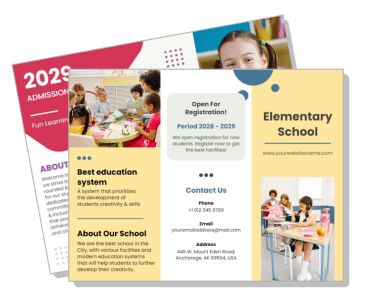
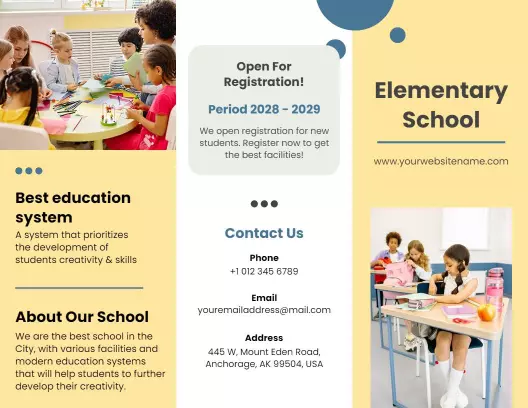
Colorful Elementary School Registration Information Brochure Template
1056 x 816 px

elementary
school
Show all keywords
Colorful Elementary School Registration Information Brochure Template
{"873920":{"name":"fun-learning-kids-school-admission-and-registration-brochure-template-l92ia016a817de.jpg","webp_name":"fun-learning-kids-school-admission-and-registration-brochure-template-l92ia016a817de.webp","height":816,"width":1056},"599497":{"name":"fun-learning-kids-school-admission-and-registration-brochure-template-l92ia016a817de-599497.jpg","webp_name":"fun-learning-kids-school-admission-and-registration-brochure-template-l92ia016a817de-599497.webp","height":816,"width":1056}} 873920,599497
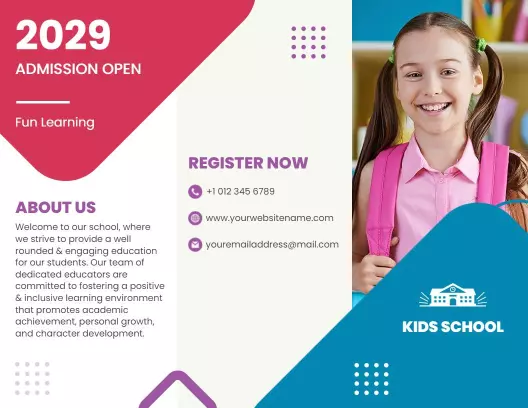
Fun Learning Kids School Admission and Registration Brochure Template
1 of 2
Fun Learning Kids School Admission and Registration Brochure Template
1056 x 816 px

admission
2029
Show all keywords
Fun Learning Kids School Admission and Registration Brochure Template
{"594631":{"name":"engaging-preschool-learning-and-activities-school-brochure-template-430xp8dec15ea5.jpg","webp_name":"engaging-preschool-learning-and-activities-school-brochure-template-430xp8dec15ea5.webp","height":816,"width":1056},"957156":{"name":"engaging-preschool-learning-and-activities-school-brochure-template-430xp8dec15ea5-957156.jpg","webp_name":"engaging-preschool-learning-and-activities-school-brochure-template-430xp8dec15ea5-957156.webp","height":816,"width":1056}} 594631,957156
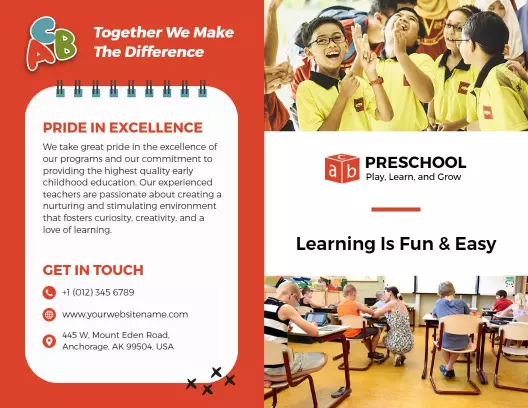
Engaging Preschool Learning and Activities School Brochure Template
1 of 2
Engaging Preschool Learning and Activities School Brochure Template
1056 x 816 px

preschool
education
Show all keywords
Engaging Preschool Learning and Activities School Brochure Template
{"771311":{"name":"junior-school-enrollment-information-and-admission-brochure-template-4vq78id8d251c4.jpg","webp_name":"junior-school-enrollment-information-and-admission-brochure-template-4vq78id8d251c4.webp","height":816,"width":1056}} 771311
Junior School Enrollment Information and Admission Brochure Template
1056 x 816 px

school
enrollment
Show all keywords
Junior School Enrollment Information and Admission Brochure Template
{"398834":{"name":"engaging-school-learning-benefits-home-schooling-brochure-template-2xpnogdaaf9e47.jpg","webp_name":"engaging-school-learning-benefits-home-schooling-brochure-template-2xpnogdaaf9e47.webp","height":816,"width":1056},"120272":{"name":"engaging-school-learning-benefits-home-schooling-brochure-template-2xpnogdaaf9e47-120272.jpg","webp_name":"engaging-school-learning-benefits-home-schooling-brochure-template-2xpnogdaaf9e47-120272.webp","height":816,"width":1056}} 398834,120272
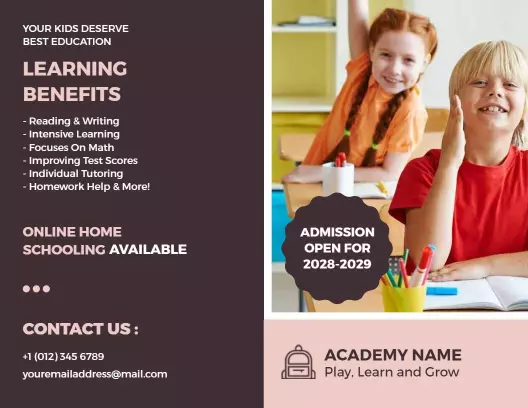
Engaging School Learning Benefits Home Schooling Brochure Template
1 of 2
Engaging School Learning Benefits Home Schooling Brochure Template
1056 x 816 px

education
learning
Show all keywords
Engaging School Learning Benefits Home Schooling Brochure Template
{"174149":{"name":"bright-green-primary-school-facilities-and-learning-brochure-template-jt1em3d8fd0b16.jpg","webp_name":"bright-green-primary-school-facilities-and-learning-brochure-template-jt1em3d8fd0b16.webp","height":816,"width":1056}} 174149
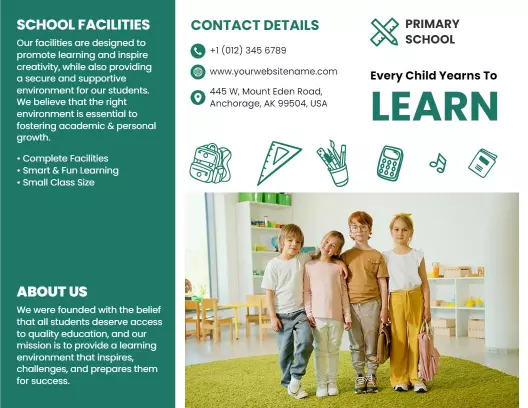
Bright Green Primary School Facilities and Learning Brochure Template
1056 x 816 px

primary
school
Show all keywords
Bright Green Primary School Facilities and Learning Brochure Template
{"592898":{"name":"creative-art-school-activities-and-enrollment-information-brochure-template-9f3goud8ff93c0.jpg","webp_name":"creative-art-school-activities-and-enrollment-information-brochure-template-9f3goud8ff93c0.webp","height":816,"width":1056}} 592898
Creative Art School Activities and Enrollment Information Brochure Template
1056 x 816 px

art
school
Show all keywords
Creative Art School Activities and Enrollment Information Brochure Template
{"811044":{"name":"bright-yellow-child-school-admission-and-facilities-brochure-template-g43ns4d776e3b9.jpg","webp_name":"bright-yellow-child-school-admission-and-facilities-brochure-template-g43ns4d776e3b9.webp","height":816,"width":1056}} 811044
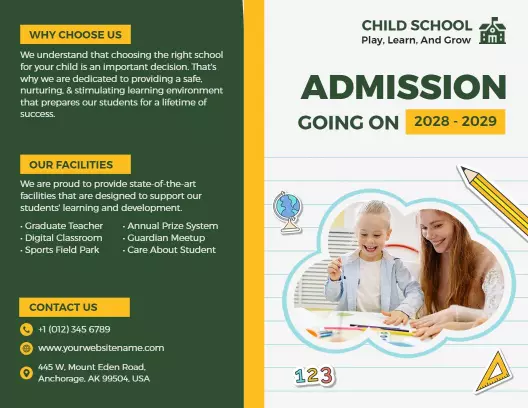
Bright Yellow Child School Admission and Facilities Brochure Template
1056 x 816 px

school
admission
Show all keywords
Bright Yellow Child School Admission and Facilities Brochure Template

How to make a school brochure

No design skills needed — select a school brochure layout, fill in your enrollment details and campus photos, adjust colors to match your institution, and export a print-ready PDF in minutes.
Corporate Growth Poster
1.

1. Select a layout

Select a tri-fold or bi-fold layout matching your school's information volume — tri-fold works best for admissions packets covering grade levels, tuition, and facility details across six panels.

2.

2. Enter school details

Enter your school name, enrollment deadline, grade levels, and tuition range on the cover and inside panels — these are the details families look for first when comparing school options.

3.

3. Add photos and branding

Swap placeholder images with campus photos and update the color scheme to match your school's institution colors, then add your school logo to the cover panel for a professional, branded result.

4.

4. Export and distribute

Export as a print-ready PDF with bleeds included for professional print-shop production, or save as a PDF to email directly to families who submitted a school inquiry or registration form.

Trusted by Thousands

Tata Consultancy Services
Boston Consulting
AT&T
Avelo Airlines
Procter & Gamble
Ministry Of Health, Malaysia
Veterans Affairs
Detroit Government
New York University
Texas A&M University
Decathlon America
Warby Parker
Tata Consultancy Services
Boston Consulting
AT&T
Avelo Airlines
Procter & Gamble
Ministry Of Health, Malaysia
Veterans Affairs
Detroit Government
New York University
Texas A&M University
Decathlon America
Warby Parker
High performer asia
Front runners
High performer small business

Other Brochure templates

Who uses school brochure templates?

School admissions offices, program coordinators, and educational leaders use school brochure templates to present structured program information to families making enrollment decisions. Unlike a flyer, a school brochure holds several panels of detail — curriculum overview, tuition schedules, grade levels, and contact information — all in one printable document. Most school staff need a ready-made layout they can update with their institution's specifics and print for distribution at open houses, fairs, and community events.

K-12 school admissions offices — use school brochure templates to present grade-level programs, enrollment requirements, and tuition schedules to prospective families at open house nights. They customize the layout with their school logo, campus photos, and deadline dates, then print tri-fold copies. Use Colorful Elementary School Registration Information Brochure Template to get started.

Preschool directors — use school brochure templates to explain their learning philosophy, age groups, daily schedule, and registration steps to parents researching early childhood programs. A tri-fold layout holds tuition ranges and contact details without feeling cluttered. Use Engaging Preschool Learning and Activities School Brochure Template to get started.

Private school marketing coordinators — distribute school brochures at local fairs, send them to families on inquiry lists, and leave copies at pediatricians' offices. They customize panels with scholarship details, extracurricular programs, and campus tour dates to drive admissions inquiries. Use Fun Learning Kids School Admission and Registration Brochure Template to get started.

Homeschool co-op organizers — use school brochure templates to summarize their cooperative's curriculum options, meeting days, grade bands, and membership fees. A bi-fold format suits families who want to review program details at home before committing to enrollment. Use Engaging School Learning Benefits Home Schooling Brochure Template to get started.

Vocational and trade school recruiters — hand out school brochures at career expos to showcase programs, certification timelines, and job placement rates. They update each panel with start dates and application deadlines, then print batches for distribution at high school guidance offices. Use Junior School Enrollment Information and Admission Brochure Template to get started.

Over 5,183 schools and education programs have used DesignWiz to create school brochures.

Free vs paid — what's included

Free plan

Design and download school brochure templates at no cost — covers single-school enrollment brochures and program overviews.

Access to customizable tri-fold and bi-fold layouts for school admissions, open houses, and program announcements.

Export school brochure designs as PDF or PNG — suitable for print or email distribution to prospective families.

Requires account signup; downloaded school brochures include a DesignWiz watermark.

Paid plan — under 5 dollars per month

Remove the watermark from every school brochure download — delivers a clean, professional file ready for print-shop production.

Print-ready 300 DPI PDF output for school brochures distributed at admissions fairs, guidance offices, and parent nights.

Unlimited school brochure downloads across all enrollment cycles and program updates.

For most school staff printing small batches, the free plan covers routine brochure needs — upgrade to paid when a school brochure is going to a commercial print shop or needs to present a fully professional image to prospective families.

Create Your Brochure Template Now!

Frequently Asked Questions (FAQs)

A school brochure template should include the school name and logo on the cover, a brief mission or program overview, grade levels or age groups served, tuition or fee information, and enrollment or registration deadlines. Inside panels work well for curriculum highlights, facilities, extracurricular activities, and staff credentials. The back panel should always carry the school's address, phone number, website, and a clear call to action directing parents to schedule a visit or submit an inquiry form.

A tri-fold format works best when a school has a lot of structured information to share, such as multiple grade bands, separate tuition tiers, or a list of facilities. It creates six distinct panels, each carrying a focused section of content. A bi-fold works better for simpler overviews — preschool programs, single-program arts schools, or short enrollment announcements. If families will be scanning the brochure quickly at a fair, tri-fold sections keep information scannable and organized without overwhelming the reader.

A professional school brochure starts with your institution's official colors and logo on every panel. Use consistent fonts — one for headings and one for body text — and keep body copy under 100 words per panel so it reads cleanly. Replace all placeholder images with actual campus photos showing classrooms, outdoor spaces, and students in learning environments. Align all text blocks to the grid, leave adequate white space between sections, and ensure the back panel carries complete contact information. Print at 300 DPI with bleeds for a sharp, clean final result.

Admissions-focused school brochure designs benefit from a clear hierarchy: a compelling headline on the cover, program highlights on the inside panels, and enrollment steps with a deadline on the back. Use real student or campus photography rather than generic stock images — families respond more positively to authentic visuals. Include one or two short parent or student testimonials if space allows. A visible enrollment deadline and a specific next step, such as attending an open house or completing an online form, significantly increase response rates from prospective families who pick up the brochure.

A school brochure convinces parents to enroll by leading with outcomes rather than just features. Instead of listing subjects, explain what students accomplish — graduation rates, college acceptance outcomes, or career placement figures for vocational programs. Address the questions parents typically have about school safety, teacher qualifications, and after-school care directly in the brochure panels. Keep language clear and jargon-free since families from different backgrounds will read it. End with a direct, specific enrollment step and a deadline date to create urgency without appearing pushy.

For open house events, school brochures work best when they serve as a take-home reference rather than a presentation piece. Design the inside panels to mirror the tour stops families will walk through — classrooms, library, sports facilities, labs. Include a printed campus map or QR code linking to a virtual tour. Add a detachable back panel or a clear section with the school's contact details and a short registration interest form families can submit on-site or mail back. Dated brochures with the open house schedule printed on the cover also double as event programs.

DesignWiz offers school brochure templates through their web-based desktop platform at no cost after a free account signup. The platform provides customizable tri-fold and bi-fold layouts designed for school admissions, program overviews, and enrollment announcements. Users can update text, swap in campus photos, adjust colors to match institution branding, and export a PDF for printing. Free downloads include a watermark. A paid plan removes the watermark for a clean, print-shop-ready file. DesignWiz is accessible on desktop browsers only and does not require software installation.

DesignWiz is built for users without design experience — school staff can open a ready-made school brochure template, replace text and images in each panel, and download a print-ready PDF without adjusting margins or layout settings manually. The drag-and-drop editor on their web-based desktop platform allows direct editing of each tri-fold or bi-fold panel. Templates are pre-formatted with school-appropriate typography and layout structures. Staff can update institution colors, upload a school logo, and swap placeholder images with campus photography in a single editing session.

Organize a school brochure with the cover panel carrying your school name, logo, and a single compelling headline. Panel 2 should introduce the school's mission or key program benefit. Panels 3 and 4 hold the detail-heavy content — grade levels, curriculum overview, facilities, or program list. Panel 5 works well for tuition and enrollment information since families often flip to pricing before reading everything else. The back panel should always carry full contact details, the enrollment deadline, and the next step you want families to take, such as scheduling a campus visit.

DesignWiz offers school admission brochure templates designed for K-12 and preschool enrollment contexts through their desktop web platform. Templates include pre-structured panels for program information, tuition ranges, grade level breakdowns, and enrollment timelines. Users customize each panel directly in the browser editor by replacing placeholder text, uploading a school logo and campus photos, and adjusting colors to match institution branding. Templates export as PDF for print production or digital distribution to families via email. No prior design experience is needed to produce a print-ready admissions brochure.

The standard size for a school brochure template is 8.5 by 11 inches for a tri-fold, which folds into three panels of approximately 3.67 inches each. A bi-fold uses an 11 by 8.5 inch sheet that folds in half. Both formats are compatible with standard office printers and commercial print shops. For schools distributing internationally, A4 at 210 by 297 millimeters is the equivalent standard size. Always export school brochures as PDF with bleeds included when sending to a print shop to avoid white borders appearing at panel edges after trimming.

Designing a school brochure on a limited budget is achievable without hiring a designer or purchasing software. Use a ready-made school brochure template that already handles layout, typography, and panel structure — your effort goes into replacing placeholder content with your school's actual information. Photograph your campus and classrooms with a smartphone in good natural light instead of paying for professional photography. Print a small test batch at a local copy shop before committing to a full print run. For digital distribution via email, a high-quality PNG or PDF export requires no print costs at all.

School brochure designs perform better with authentic, location-specific images rather than stock photography. Use photos of your actual classrooms, outdoor spaces, science labs, art rooms, or sports facilities so parents can visualize the environment their child would be in. If school policy allows, include photos of students engaged in learning activities with appropriate consent on file. Avoid posed group photos with forced smiles — candid learning moments read as more genuine to prospective families. For cover images, a wide-angle exterior shot of the school building or a welcoming entrance creates a strong first impression.

DesignWiz provides free school brochure templates that users can customize and download through their web-based desktop platform after creating a free account. Templates cover common school admissions and program formats including tri-fold and bi-fold layouts. Free downloads are fully editable — update text, upload campus photos, and adjust colors before exporting as a PDF for printing. Free plan downloads include a DesignWiz watermark on the exported file. Upgrading to the paid plan, priced under 5 dollars per month, removes the watermark and produces a clean, professional-grade PDF suitable for commercial print shops.

A standard tri-fold school brochure has six panels — three on the front face and three on the back when unfolded. When folded, the viewer sees the cover panel first, then opens to a three-panel inside spread, then flips to the back for contact and enrollment information. A bi-fold school brochure has four panels — two per side when unfolded. Tri-fold is the more common format for school admissions because the six panels give enough space to cover programs, facilities, tuition, and enrollment steps without the brochure feeling overcrowded or requiring very small text.
Start Designing with AI
Can’t find the perfect design? Create instantly with AI.