freshchat icon chat icon loading icon

Share this template anywhere.

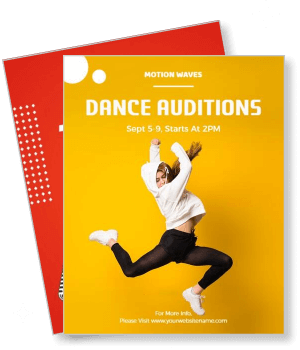
motion waves dance audition design with date and time information template

Auditions Flyer Templates

DesignWiz Auditions Flyer Templates help you attract talented performers for your casting call. List role requirements, audition dates, venue details, and prep instructions in minutes.
Flyer and poster maker is an amazing app. I have used few other apps similar to this but its easy to use interface and availability of many templates are superb. I thank developers for such a wonderful app. I think this app is helpful for designers of various levels. I like it. — Sehrish Fatima
4.6/5 (From 380k reviews)

Create your own

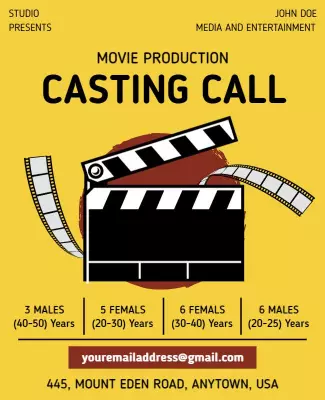
{"770262":{"name":"movie-production-casting-call-auditions-flyer-template-307slw9e8bfa9e.jpg","webp_name":"movie-production-casting-call-auditions-flyer-template-307slw9e8bfa9e.webp","height":800,"width":650}} 770262
Movie Production Casting Call Auditions Flyer Template
650 x 800 px

Casting
performing
Show all keywords
Movie Production Casting Call Auditions Flyer Template
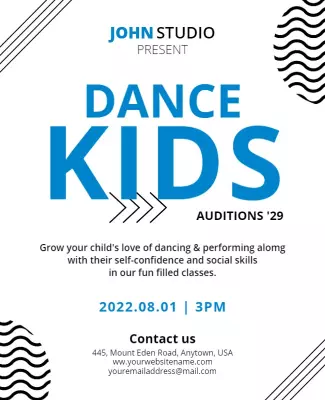
{"859966":{"name":"kids-dance-auditions-announcement-flyer-template-vvaqgobcdfc244.jpg","webp_name":"kids-dance-auditions-announcement-flyer-template-vvaqgobcdfc244.webp","height":800,"width":650}} 859966
Kids Dance Auditions Announcement Flyer Template
650 x 800 px

dance
audition
Show all keywords
Kids Dance Auditions Announcement Flyer Template
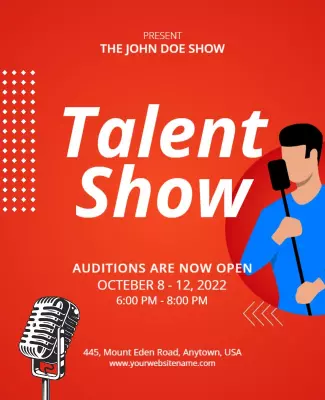
{"410794":{"name":"open-auditions-talent-show-announcement-flyer-template-2mybyabb4aadf9.jpg","webp_name":"open-auditions-talent-show-announcement-flyer-template-2mybyabb4aadf9.webp","height":800,"width":650}} 410794
Open Auditions Talent Show Announcement Flyer Template
650 x 800 px

talent
show
Show all keywords
Open Auditions Talent Show Announcement Flyer Template
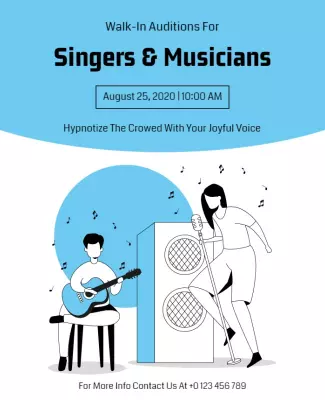
{"944374":{"name":"walk-in-auditions-for-musicians-flyer-template-uybd62a30629e2.jpg","webp_name":"walk-in-auditions-for-musicians-flyer-template-uybd62a30629e2.webp","height":800,"width":650}} 944374
Walk in Auditions for Musicians Flyer Template
650 x 800 px

auditions
music
Show all keywords
Walk in Auditions for Musicians Flyer Template

How to customize an auditions flyer

No design skills needed. Pick a layout, add your role requirements and audition details, adjust the colors, then export for print or digital posting.

Corporate Growth Poster
1.

1. Pick a layout

Pick a layout that fits what you are casting - theater, film, or music auditions. Confirm the page size works for bulletin boards or social posts and has room for role listings and key dates.

2.

2. Add casting details

Add the production name, character roles with requirements, audition date, and prep instructions. Keep role descriptions short and use consistent formatting so performers scan quickly.

3.

3. Use one hero visual

Use one hero image - a theater logo, production artwork, or stage photo. Keep the layout clean and let role listings and the audition date stand out. Leave breathing room so nothing feels cramped.

4.

4. Check print settings

Set margins to 0.125" for print, keep role descriptions and dates inside safe areas, and export at 300 DPI CMYK. Preview at actual size so the audition date is readable from across the room.

5.

5. Export and share

Export a print-ready PDF plus square and portrait PNGs for social media. Test that text is readable on a phone. Post on casting sites, theater social pages, school bulletins, and local arts groups.

Trusted by Thousands

Tata Consultancy Services
Boston Consulting
AT&T
Avelo Airlines
Procter & Gamble
Ministry Of Health, Malaysia
Veterans Affairs
Detroit Government
New York University
Texas A&M University
Decathlon America
Warby Parker
Tata Consultancy Services
Boston Consulting
AT&T
Avelo Airlines
Procter & Gamble
Ministry Of Health, Malaysia
Veterans Affairs
Detroit Government
New York University
Texas A&M University
Decathlon America
Warby Parker
High performer asia
Front runners
capterra-reward-best-value

Other Flyer templates

Auditions Flyer Templates Design Ideas and Examples

Pick a layout based on what you are casting - theater roles, film and TV parts, or music and dance performers. DesignWiz offers auditions flyer templates in bold casting call styles, clean role listing layouts, and event announcement designs so you can start with something that fits your production instead of building from scratch. Use these ideas to decide what role requirements to emphasize, how to organize audition details, and what call-to-action works best. When you need more options beyond your first pick, browse flyer templates for the full collection.

Theater and stage auditions

Lead with the show title and a tagline that sets the tone for the production. List each role with a short character description and any specific requirements such as age range, vocal range, or movement ability. Include the audition date, time slots, location, and what performers should prepare (monologue, song, sides). For theater audition flyer examples, start from film acting audition announcement flyer template and swap in your show title, character roles, and audition date.

Film and TV casting calls

Feature the project title, production company, and a brief logline so actors understand the project scope. List character breakdowns including age, gender, ethnicity, and any special skills needed (accents, stunts, instruments). Add submission instructions, headshot and resume requirements, and the deadline to apply. For casting call inspiration, adapt film production audition call flyer template and update with the project title, character breakdowns, and submission deadlines.

Music and dance auditions

Announce the ensemble or company name and the type of performers you are looking for (singers, dancers, instrumentalists). Include repertoire requirements, vocal part or dance style needs, and what to wear or bring. Add the location, date, and sign-up method. For music and dance audition flyer ideas, adapt online singing audition contest flyer template and replace with the company name, repertoire requirements, and audition schedule.

Create Your Auditions Flyer Now!

Frequently Asked Questions (FAQs)

Your production or company name, what you are casting for (show title, project name, ensemble), role descriptions with age ranges and requirements, audition date and time, location or platform, what performers should prepare, and submission instructions or contact information. Add a deadline for applying and any age restrictions. Keep the most important details - what, when, where, and how to prepare - near the top so performers can quickly decide if the opportunity fits them.

Letter size (8.5x11") is the standard for bulletin boards at theaters, studios, and schools. A3 size (11.7x16.5") works for larger display boards and lobby signage. For digital posting on social media and casting websites, create a square version (1080x1080 px). Print at 300 DPI CMYK with 0.125" bleed. Keep the title and date large enough to read from a few feet away so performers can spot relevant opportunities quickly.

Start with the project title and a one-line description of the production or show. List each role separately with the character name, age range, gender, vocal range if applicable, and a short character description. Mention any special skills needed such as accents, dance styles, or instruments. Keep descriptions concise and avoid jargon that might discourage less experienced performers from auditioning. End with what to prepare and how to sign up.

Yes, if you require a headshot and resume, state it clearly on the flyer. Write something like Bring headshot and resume stapled back to back or Email headshot and resume to email by date. If you accept digital submissions, specify the file format and size limits. For open calls that do not require headshots, say No headshot needed - just show up ready to perform to encourage more people to attend.

Use a bold headline with the show title or casting call type in large, high-contrast text. Limit colors to two or three so the flyer is easy to scan. Use spacing to separate role listings, date, and preparation instructions. Add a visual element like a production logo, theater mask, or stage photo that signals what the project is about. Keep the most critical information - date, location, role types - readable from a distance.

Use a consistent format for each role: Character Name - Age Range, Gender, Vocal Range (if singing). Follow with one line describing the character. Example: MAMA MORTON - 40s-60s, Female, Alto/Belt. Powerful, no-nonsense nightclub owner with a hidden warmth. Keep each role to two lines so the flyer stays scannable. If you have many roles, group them by type (leads, ensemble, understudies) and use bullet points or a clean table layout.

Start with a letter size master at 300 DPI with 0.125" bleed for print posting. Then create a square version for Instagram and Facebook feed posts, a portrait version for Stories and TikTok, and a landscape version for casting websites and email blasts. Keep the project title, role types, and date consistent across all versions. Export digital files at 72 DPI RGB as PNGs so they load quickly and look sharp on every platform.

Post flyers 3-4 weeks before the audition date for theater and stage productions. For film and TV projects, post 4-6 weeks ahead to give casting directors time to review submissions. For school and community productions, 2-3 weeks is usually enough since the audience is more local. Post a reminder one week before the audition and another 1-2 days ahead. For digital posts, increase frequency as the deadline approaches.

State clearly what performers should prepare: type and length of monologue (comedic, dramatic, contemporary, classical), specific song cuts (32 bars, full song) with key and style, sides or scenes to read, or any dance combination to learn. Specify whether they should bring sheet music in the correct key, a backing track on a device, or if an accompanist will be provided. Keep instructions short and specific so everyone arrives equally prepared.

Put the date in bold or a larger font near the top of the flyer. List time slots clearly such as Sign-in begins at 6:00 PM, Auditions run 6:30-9:30 PM. Include the full street address, building name, and room number. Add parking instructions and public transit options if the venue is hard to find. For digital callbacks, include the video platform link and time zone. Put this information in the same spot on every flyer so performers know where to look.
Describe what you want to create with AI