freshchat icon chat icon loading icon

Share this template anywhere.

modern banner design template with placeholders for title and subtitle

LinkedIn Banner Templates

LinkedIn banner templates for job seekers updating their profile, freelancers showcasing their niche, and business owners building brand presence — 743+ layouts ready to customize.

Create your own

{"787943":{"name":"professional-family-doctor-with-blue-background-linkedin-banner-template-5igghn95ea8fb1.jpg","webp_name":"professional-family-doctor-with-blue-background-linkedin-banner-template-5igghn95ea8fb1.webp","height":396,"width":1584}} 787943
Professional Family Doctor with Blue Background LinkedIn Banner Template
1584 x 396 px

family
doctor
Show all keywords
Professional Family Doctor with Blue Background LinkedIn Banner Template
{"423273":{"name":"colorful-geometric-design-featuring-marketing-manager-linkedin-banner-template-5gylx88c4a9340.jpg","webp_name":"colorful-geometric-design-featuring-marketing-manager-linkedin-banner-template-5gylx88c4a9340.webp","height":396,"width":1584}} 423273
Colorful Geometric Design Featuring Marketing Manager LinkedIn Banner Template
1584 x 396 px

linkedin
banner
Show all keywords
Colorful Geometric Design Featuring Marketing Manager LinkedIn Banner Template
{"299123":{"name":"artistic-watercolor-portrait-with-hand-painting-linkedin-banner-template-59vfoc88d89d3d.jpg","webp_name":"artistic-watercolor-portrait-with-hand-painting-linkedin-banner-template-59vfoc88d89d3d.webp","height":396,"width":1584}} 299123
Artistic Watercolor Portrait with Hand Painting LinkedIn Banner Template
1584 x 396 px

artistic
watercolor
Show all keywords
Artistic Watercolor Portrait with Hand Painting LinkedIn Banner Template
{"332989":{"name":"colorful-classroom-setting-for-educators-linkedin-banner-template-46x7jy7af2930d.jpg","webp_name":"colorful-classroom-setting-for-educators-linkedin-banner-template-46x7jy7af2930d.webp","height":396,"width":1584}} 332989
Colorful Classroom Setting for Educators LinkedIn Banner Template
1584 x 396 px

education
teacher
Show all keywords
Colorful Classroom Setting for Educators LinkedIn Banner Template
{"640462":{"name":"bold-red-and-black-design-for-professional-linkedin-banner-template-44s0es6cd17c7d.jpg","webp_name":"bold-red-and-black-design-for-professional-linkedin-banner-template-44s0es6cd17c7d.webp","height":396,"width":1584}} 640462
Bold Red and Black Design for Professional LinkedIn Banner Template
1584 x 396 px

professional
linkedin
Show all keywords
Bold Red and Black Design for Professional LinkedIn Banner Template
{"547394":{"name":"innovative-technology-solutions-on-purple-gradient-linkedin-banner-template-3qnnyha11d6364.jpg","webp_name":"innovative-technology-solutions-on-purple-gradient-linkedin-banner-template-3qnnyha11d6364.webp","height":396,"width":1584}} 547394
Innovative Technology Solutions on Purple Gradient LinkedIn Banner Template
1584 x 396 px

technology
innovation
Show all keywords
Innovative Technology Solutions on Purple Gradient LinkedIn Banner Template
{"198830":{"name":"innovative-software-labs-team-collaborating-on-project-linkedin-banner-template-29i3gb9fde410d.jpg","webp_name":"innovative-software-labs-team-collaborating-on-project-linkedin-banner-template-29i3gb9fde410d.webp","height":396,"width":1584}} 198830
Innovative Software Labs Team Collaborating on Project LinkedIn Banner Template
1584 x 396 px

software
technology
Show all keywords
Innovative Software Labs Team Collaborating on Project LinkedIn Banner Template
{"342325":{"name":"professional-handshake-in-orange-and-aqua-now-hiring-linkedin-banner-template-1yp12e96bc85f9.jpg","webp_name":"professional-handshake-in-orange-and-aqua-now-hiring-linkedin-banner-template-1yp12e96bc85f9.webp","height":396,"width":1584}} 342325
Professional Handshake in Orange and Aqua Now Hiring LinkedIn Banner Template
1584 x 396 px

now
hiring
Show all keywords
Professional Handshake in Orange and Aqua Now Hiring LinkedIn Banner Template
{"472731":{"name":"professional-marketing-consultancy-with-geometric-shapes-banner-template-1n5w7l8907eae2.jpg","webp_name":"professional-marketing-consultancy-with-geometric-shapes-banner-template-1n5w7l8907eae2.webp","height":396,"width":1584}} 472731
Professional Marketing Consultancy with Geometric Shapes Banner Template
1584 x 396 px

consultancy
marketing
Show all keywords
Professional Marketing Consultancy with Geometric Shapes Banner Template
{"498578":{"name":"airline-promotion-with-blue-background-and-model-plane-linkedin-banner-template-0vfkag4faed10f.jpg","webp_name":"airline-promotion-with-blue-background-and-model-plane-linkedin-banner-template-0vfkag4faed10f.webp","height":396,"width":1584}} 498578
Airline Promotion with Blue Background and Model Plane LinkedIn Banner Template
1584 x 396 px

airline
promotion
Show all keywords
Airline Promotion with Blue Background and Model Plane LinkedIn Banner Template
{"800635":{"name":"bold-yellow-lightning-design-for-electronics-linkedin-banner-template-0pvr2a89a3683a.jpg","webp_name":"bold-yellow-lightning-design-for-electronics-linkedin-banner-template-0pvr2a89a3683a.webp","height":396,"width":1584}} 800635
Bold Yellow Lightning Design for Electronics LinkedIn Banner Template
1584 x 396 px

electronics
technology
Show all keywords
Bold Yellow Lightning Design for Electronics LinkedIn Banner Template

How to make a LinkedIn banner

No design skills needed. Pick a 1584 x 396 pixel layout, add your job title and brand colors, clear the left-side profile photo zone, then download a PNG and upload directly to your LinkedIn profile.
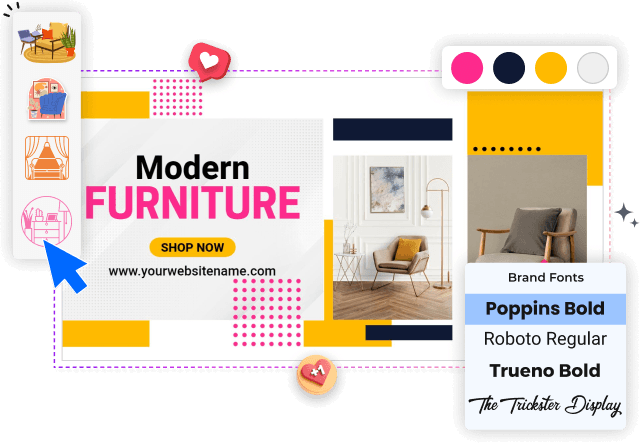
modern-furniture-banner-editor-interface
1.

1. Pick a layout

Pick a LinkedIn banner layout sized for the 1584 x 396 pixel profile header — look for wide landscape templates with a left-side text zone that clears the circular profile photo overlap area.

2.

2. Add your identity

Add your professional identity — enter your current job title, tagline, or service headline. Keep text to one or two lines so it reads clearly on both desktop and mobile LinkedIn profile views.

3.

3. Adjust brand colors

Adjust brand colors and visuals — replace the template color scheme with your personal or company brand colors, and swap any background image or abstract shapes to match your professional tone.

4.

4. Download and upload

Download your finished banner as PNG at full resolution, then upload it to your LinkedIn profile by going to Edit Profile and selecting the Background Photo option to complete the update.

Trusted by Thousands

Tata Consultancy Services
Boston Consulting
AT&T
Avelo Airlines
Procter & Gamble
Ministry Of Health, Malaysia
Veterans Affairs
Detroit Government
New York University
Texas A&M University
Decathlon America
Warby Parker
Tata Consultancy Services
Boston Consulting
AT&T
Avelo Airlines
Procter & Gamble
Ministry Of Health, Malaysia
Veterans Affairs
Detroit Government
New York University
Texas A&M University
Decathlon America
Warby Parker
High performer asia
Front runners
capterra-reward-best-value

Other Banner templates

Who uses LinkedIn banner templates?

LinkedIn banner templates are used by professionals across industries who want their profile header to communicate more than a blank blue background. The LinkedIn banner sits directly above a profile photo and headline — viewed by every recruiter, potential client, or connection who visits. Most users need a 1584x396px layout they can update with their name, role, tagline, or brand identity and download as PNG in minutes without touching a design tool.

Job seekers actively looking for work — update their LinkedIn banner with their job title, target industry, and a contact prompt so recruiters can see a clear, professional profile header at a glance.

Freelancers and independent consultants — replace placeholder text with their specialty, tagline, and a call-to-action phrase, then save as PNG and upload directly to their LinkedIn profile page.

Small business owners and startup founders — add a company logo, a short value proposition, and their website URL to create a LinkedIn banner that doubles as a brand awareness touchpoint.

Corporate professionals and senior managers — pick a clean, minimal LinkedIn banner layout and add their current role and company name to position themselves credibly to clients and partners.

Coaches, trainers, and career consultants — customize a LinkedIn banner with a service headline and credentials line so potential clients understand their offering before reading the bio.

Recruiters and HR professionals — add a company tagline and open roles message to their LinkedIn banner header, helping job seekers identify hiring opportunities before clicking through.

Marketing professionals and content creators — swap in seasonal messaging or a product launch tagline and download a fresh PNG to update their LinkedIn banner quickly between campaigns.

Over 743 professionals have used DesignWiz to create LinkedIn banner designs.

Free vs paid — LinkedIn banner templates

Free LinkedIn banner templates

Create and customize a LinkedIn banner design for your personal profile at no cost.

Access a full range of layouts built for the 1584x396px profile header format.

Download your banner as a watermarked PNG to test before committing to a paid plan.

Commercial use allowed — freelancers and business owners can use free-tier banners for client-facing profiles.

Paid plan — watermark-free LinkedIn banner files

Remove the watermark and download a clean PNG ready for direct LinkedIn upload — under 5 dollars per month.

Export your LinkedIn banner at full resolution for crisp display on both desktop and mobile profile views.

Update and re-download your banner file as often as you need when your role, title, or campaign changes.

For a personal LinkedIn profile refresh, the free plan covers most use cases. Upgrade to paid when you need a clean, watermark-free PNG that looks fully professional to recruiters and connections visiting your profile.

Frequently Asked Questions (FAQs)

The recommended LinkedIn banner size is 1584 x 396 pixels with an aspect ratio of 4:1. LinkedIn compresses uploaded images, so starting at the full recommended dimensions gives you the sharpest result. On mobile devices, LinkedIn crops the banner to a center strip of approximately 1128 x 191 pixels, so keep critical text and logos away from the far left and far right edges. A minimum file size of 3MB is accepted, but larger files at full resolution produce noticeably cleaner text and edges on desktop profile views.

Your LinkedIn banner should communicate who you are and what you do at a glance. Effective banners include your current job title or professional focus, a short tagline or value statement, and optionally a contact prompt or website URL. Avoid crowding the left side where your profile photo overlaps the banner. Recruiters and connections typically spend two to three seconds scanning a profile header, so prioritize one clear message over listing multiple credentials. A clean background with strong contrast behind text improves readability across all device sizes.

A professional LinkedIn banner uses consistent typography, a restrained color palette of two to three colors, and adequate white space so the layout does not feel cluttered. Align your banner colors and fonts with your personal brand or the company you represent. Avoid using stock photo backgrounds with heavy patterns that compete with your text. Simple geometric shapes, clean gradients, or a solid brand-color background with well-spaced text consistently perform better than complex visuals. Keeping the design minimal also ensures it renders clearly at the compressed resolution LinkedIn applies on upload.

LinkedIn overlays your circular profile photo in the bottom-left corner of your banner, covering roughly 200 to 250 pixels from the left edge. To avoid covering important content, keep your text, logo, and key design elements in the center-right area of your banner layout. When designing, treat the left 300 pixels as a safe-zone buffer. Most LinkedIn banner templates are already built with this overlap in mind, with text blocks and focal elements positioned toward the center or right of the canvas.

For text on a LinkedIn banner at 1584 x 396 pixels, use a headline font size of at least 60 to 80 points to ensure readability when the banner is displayed at reduced sizes on mobile. Supporting text such as a tagline or contact detail should be 30 to 40 points. Avoid using more than two font weights in a single banner — a bold headline paired with a regular-weight subline is the most readable combination. Sans-serif fonts at these sizes hold their clarity better than script or decorative typefaces when compressed by LinkedIn.

A LinkedIn banner works best with three to five design elements — a background (color, gradient, or image), a headline text block, an optional subline or tagline, a logo or icon if applicable, and one decorative element such as a shape or line. Adding more than five distinct elements creates visual clutter that reduces the professional impact at the narrow banner height of 396 pixels. Think of the banner as a billboard headline rather than a brochure — the goal is immediate recognition, not information delivery.

Yes — using your personal or business brand colors in your LinkedIn banner creates a cohesive visual identity across your profile, website, and other professional materials. When a recruiter or client visits your profile after seeing your content or emails, a consistent color scheme reinforces recognition and credibility. If you do not have defined brand colors, choose two complementary colors that reflect your industry tone — blue and grey for corporate or tech roles, warm tones for creative or consulting fields, and high-contrast combinations for visibility on both light and dark displays.

PNG is the best format for LinkedIn banners because it preserves sharp text edges and avoids the compression artifacts that JPG introduces at wide image dimensions. LinkedIn recommends PNG or JPG, but JPG compression at 1584 pixels wide can blur text and degrade gradient quality. Export your banner as PNG at full resolution before uploading. File size should be under 8MB per LinkedIn guidelines. If your design uses a photographic background rather than flat colors or gradients, JPG at high quality is an acceptable alternative since the compression is less visible on photographic content.

Update your LinkedIn banner whenever your professional situation changes significantly — a new job title, a career pivot, a product or service launch, or a shift in your personal brand focus. For active job seekers, updating every one to two months keeps the profile feeling current. Coaches and consultants often refresh their banner alongside new offerings or seasonal campaigns. For most professionals in stable roles, reviewing and updating the banner once or twice a year is sufficient to maintain a current, relevant profile header that reflects where you are professionally at that point.

Yes — LinkedIn banners are an effective and underused space to promote services directly on your personal profile. Freelancers, consultants, and business owners commonly include a short service description, a website URL, or a call-to-action phrase like Currently Accepting Clients or Book a Free Call. Since every person who visits your profile sees the banner immediately, it functions as a persistent micro-advertisement at no cost. Keep the promotional message to one clear statement so it does not overwhelm the professional tone that LinkedIn visitors expect from a profile header.

DesignWiz offers LinkedIn banner templates built specifically for the 1584 x 396 pixel profile header format through their web-based desktop platform. Templates cover a range of professional styles including minimal, abstract, gradient, and brand-color layouts — all customizable with drag-and-drop editing. You can update text, swap colors, adjust fonts, and upload a logo without any design experience. Once your banner is ready, export it as a PNG and upload directly to your LinkedIn profile under the Edit Background Photo option. Templates are available on the free tier with a watermarked download.

DesignWiz provides a web-based desktop editor for creating LinkedIn banners without design experience. The platform includes pre-built templates sized correctly at 1584 x 396 pixels, with drag-and-drop customization for text, colors, fonts, and images. No software installation is required — the editor runs in a browser. You can add your headline, tagline, logo, and brand colors to a ready-made layout, then download the finished banner as PNG for immediate upload to LinkedIn. The platform also includes an AI generator for users who want a fully designed banner from a text description.

Yes — DesignWiz allows you to create and customize LinkedIn banner templates at no cost on the free plan. Free-tier users get access to a range of layouts, full drag-and-drop editing, and a watermarked PNG download. The watermark is removed by upgrading to a paid plan, which is available for under 5 dollars per month. For users who only need a LinkedIn banner occasionally or want to preview the design before committing, the free plan covers the full creation and editing workflow — the only limitation is the watermark on the exported file.

Most LinkedIn banner templates on DesignWiz are already set to the correct 1584 x 396 pixel canvas size, so no manual resizing is needed — just select a LinkedIn banner template and the canvas dimensions are pre-configured. If you are working in a general design tool and need to resize manually, set the canvas width to 1584 pixels and height to 396 pixels before starting. Avoid scaling up a smaller canvas after designing, as this reduces image quality. Always design at the target resolution or larger, then export at 1584 x 396 for the sharpest result on LinkedIn.
Describe what you want to create with AI