freshchat icon chat icon loading icon

Share this template anywhere.

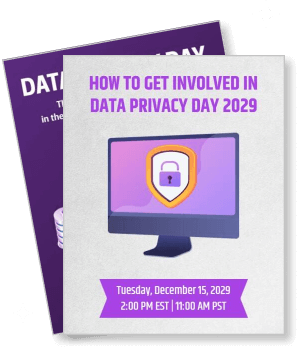
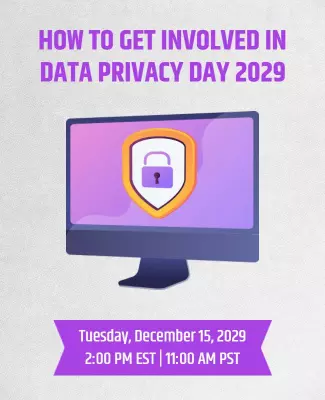
how to get involved data privacy day 2029 event invitation with shield template

Data Privacy Day Poster Templates

DesignWiz Data Privacy Day Poster Templates help you promote online safety and data protection awareness fast with ready made layouts, plus simple editing for security icons, privacy tips, and campaign details.
Create your own

{"146496":{"name":"modern-gradient-data-privacy-awareness-celebration-poster-template-m8ma7y4ed6563e.jpg","webp_name":"modern-gradient-data-privacy-awareness-celebration-poster-template-m8ma7y4ed6563e.webp","height":800,"width":650}} 146496
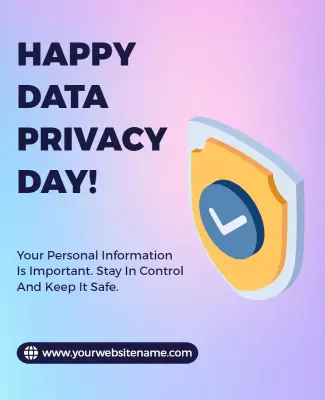
Modern Gradient Data Privacy Awareness Celebration Poster Template
650 x 800 px

data
privacy
Show all keywords
Modern Gradient Data Privacy Awareness Celebration Poster Template
{"146496":{"name":"modern-green-data-privacy-awareness-campaign-poster-template-wdl9vz4f357d5a.jpg","webp_name":"modern-green-data-privacy-awareness-campaign-poster-template-wdl9vz4f357d5a.webp","height":800,"width":650}} 146496
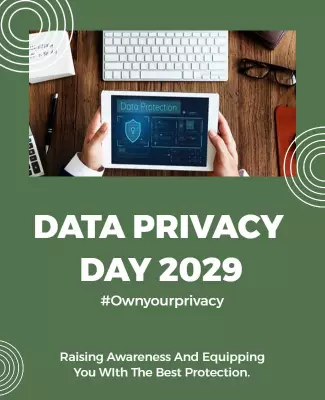
Modern Green Data Privacy Awareness Campaign Poster Template
650 x 800 px

data
privacy
Show all keywords
Modern Green Data Privacy Awareness Campaign Poster Template
{"146496":{"name":"digital-security-theme-for-data-privacy-day-poster-template-3h1x315010eba2.jpg","webp_name":"digital-security-theme-for-data-privacy-day-poster-template-3h1x315010eba2.webp","height":800,"width":650}} 146496
Digital Security Theme for Data Privacy Day Poster Template
650 x 800 px

data
privacy
Show all keywords
Digital Security Theme for Data Privacy Day Poster Template
{"146496":{"name":"modern-data-privacy-awareness-campaign-poster-template-o41t474ecb3912.jpg","webp_name":"modern-data-privacy-awareness-campaign-poster-template-o41t474ecb3912.webp","height":800,"width":650}} 146496
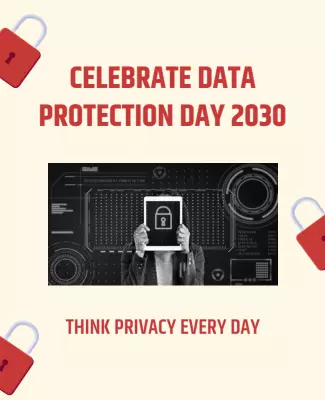
Modern Data Privacy Awareness Campaign Poster Template
650 x 800 px

data
protection
Show all keywords
Modern Data Privacy Awareness Campaign Poster Template
{"146496":{"name":"modern-digital-security-awareness-event-poster-template-bw8xgt52a42a8b.jpg","webp_name":"modern-digital-security-awareness-event-poster-template-bw8xgt52a42a8b.webp","height":800,"width":650}} 146496
Modern Digital Security Awareness Event Poster Template
650 x 800 px

data
privacy
Show all keywords
Modern Digital Security Awareness Event Poster Template

How to customize a Data Privacy Day poster

No design skills needed. Select a layout, add security icons and privacy tips, adjust colors for a professional awareness look, then export a poster you can print or share in minutes.

Corporate Growth Poster
1.

1. Pick a layout

Pick a Data Privacy Day poster layout that fits your awareness campaign and audience. Set page size to poster or letter first. Add the event name, date, and host organization for viewers.

2.

2. Add security icons

Add security icons like shields, padlocks, and digital network graphics that promote online data safety. Use blue and green tones with clean layouts for a professional awareness look.

3.

3. Add campaign details

Include campaign details like workshop schedule, webinar timing, venue location, and registration link. Add a call to action encouraging viewers to protect their personal data online.

4.

4. Add awareness message

Write a short awareness message that promotes data protection and responsible digital habits. Use clear and actionable language so the poster educates viewers about online privacy.

5.

5. Export and share

Export the poster as a high resolution PDF for printing and a PNG or JPG for social media. Test the print version at actual size. Share the digital file in community groups and online.

Trusted by Thousands

Tata Consultancy Services
Boston Consulting
AT&T
Avelo Airlines
Procter & Gamble
Ministry Of Health, Malaysia
Veterans Affairs
Detroit Government
New York University
Texas A&M University
Decathlon America
Warby Parker
Tata Consultancy Services
Boston Consulting
AT&T
Avelo Airlines
Procter & Gamble
Ministry Of Health, Malaysia
Veterans Affairs
Detroit Government
New York University
Texas A&M University
Decathlon America
Warby Parker
High performer asia
Front runners
High performer small business

Other Poster templates

Data Privacy Day Poster Templates Design Ideas and Examples

Customize security icons, privacy messages, and campaign details to match your awareness program, school event, or workplace initiative, then keep the layout clean so viewers can find privacy tips and event info in seconds. DesignWiz offers Data Privacy Day poster templates across multiple styles, so you can start from a ready made layout and edit it for your campaign. Use these ideas to decide what to feature on each section, then browse poster templates when you want more options beyond your first pick.

Awareness campaign and workplace posters

Announce the Data Privacy Day campaign with the event date, workshop schedule, and a list of key privacy topics such as password safety, secure browsing, and data protection. Use shield icons, padlock graphics, and blue tones to create a professional and trustworthy look. Keep the privacy tips in a clean section so employees and community members can apply them easily. For a modern starting point, try the modern gradient data privacy awareness celebration poster template and update the campaign details and privacy messages for your program.

School and educational awareness posters

Feature the school name, internet safety workshop schedule, and student privacy tips alongside Data Privacy Day information. Use bright green and blue tones with digital security graphics to create an engaging and educational look that appeals to students and parents. Include simple reminders about protecting personal information online. For a colorful and student focused layout, adapt the modern green data privacy awareness campaign poster template and replace the content with your school event and internet safety tips.

Digital security event and webinar posters

Promote a Data Privacy Day webinar, digital security workshop, or online safety training that teaches participants how to protect their personal data. Use technology themed graphics, lock icons, and network visuals to create a modern and informative design. Keep the registration link, webinar timing, and speaker details clear so attendees can join easily. For a tech focused layout, try the digital security theme for Data Privacy Day poster template and add your event details and privacy awareness message.

Create Data Privacy Day Poster Now!

Frequently Asked Questions (FAQs)

A clear Data Privacy Day poster includes the event title, celebration date (January 28), venue or platform details, and the organizing organization name. Add information about workshops, webinars, or awareness sessions happening during the campaign. Include a short privacy tip or data protection reminder that reinforces the importance of online safety.

Standard poster size (18 x 24 inches) works well for displaying in offices, schools, and community centers. Letter size (8.5 x 11 inches) is suitable for handouts and bulletin boards. For digital sharing on social media and company intranet, export a vertical version optimized for phone screens. Keep the same information order in both versions for consistent recognition.

Blue and green are the most common colors for Data Privacy Day posters because they represent trust, security, and digital safety. Combine them with white backgrounds and dark text for a clean and professional appearance. Use accent colors like cyan or teal for headings and security icons. Avoid overly bright colors that can make the poster feel less serious.

Feature security icons like shields, padlocks, and checkmarks as the main visual elements. Add digital network graphics, device illustrations, and data protection symbols for a complete cybersecurity theme. Include icons representing strong passwords, secure browsing, and two-factor authentication. Keep visuals clean and modern so the privacy message remains the primary focus.

List the campaign schedule in a simple vertical format with workshop names, webinar timings, speaker details, and registration links. Use bold headers for each program segment so attendees can scan quickly. Include any special sessions or activities happening during Data Privacy Day. Keep the schedule on the lower half so the headline and main visuals remain the primary focus.

Yes, start with a print layout and create a digital version by exporting as PDF or high resolution image. Adjust the digital version for mobile screens by checking that the privacy tips and event schedule remain readable without zooming. Keep the same information order in both versions so viewers get a consistent experience. Use the digital version in email newsletters and social media campaigns.

Write a short message such as Protect your data, protect your rights or Stay safe online this Data Privacy Day. Include a line about the importance of safeguarding personal information and practicing good digital habits. Keep the message clear and actionable so viewers understand what steps they can take. Place the message near the top or center of the poster for maximum visibility.

Place the event date and venue in the lower third of the poster so they are easy to find without distracting from the main visuals and awareness message. Use a bold font size that remains readable from a distance. Include the full venue name, webinar link, or platform details for easy access. Add a QR code linking to the registration page if applicable.

Use padlock icons, shield graphics, and network visuals as background elements or decorative borders to instantly convey the cybersecurity theme. Place a strong headline about data protection at the top or center of the poster. Add icons representing secure passwords, encrypted data, and safe browsing to reinforce the message. Keep the security elements balanced so they enhance rather than overpower the campaign details.

Use high resolution security icons and digital graphics with clean backgrounds. Limit fonts to two one for the headline and one for body text. Keep colors within a professional palette of blue, green, white, and dark gray. Use consistent margins and whitespace to separate campaign details from decorative elements. Check that all privacy tips are accurate and the event schedule is correct before printing or sharing.
Start Designing with AI
Can’t find the perfect design? Create instantly with AI.