


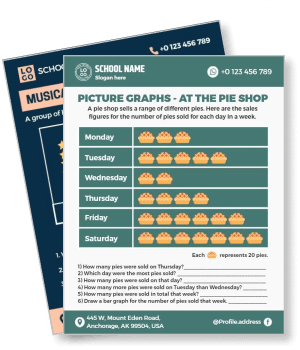
Pictograph Poster Templates
DesignWiz Pictograph Poster Templates help teachers and educators present data and survey information fast with ready made layouts and simple editing for icon symbols, category labels, and visual comparison worksheets.
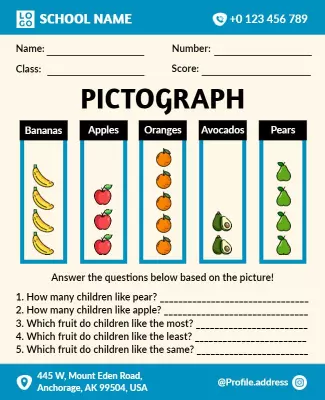
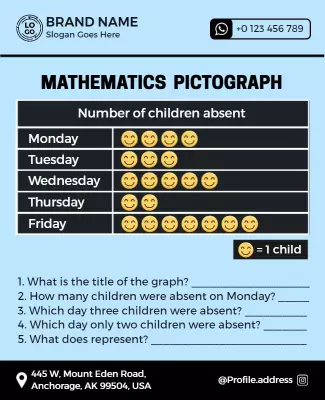
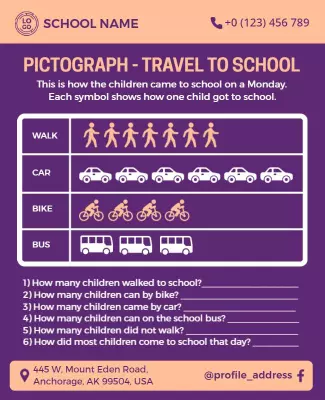

How to customize a pictograph poster
No design skills needed. Choose a layout, add data and icon symbols, adjust colors and fonts, then export a file you can print or share in minutes.

1. Pick a layout
Pick a pictograph poster layout that fits your lesson or data topic, then set the poster size. Add the survey headline and icon key so students understand the data and comparisons at a glance.
2. Add data and icon information
Add survey question, data categories, icon symbols, and a key or legend that explains each symbol. Keep wording simple and clear so students read the pictograph and interpret the results.
3. Use colorful icons and visuals
Use colorful icons or picture symbols that represent each data category clearly. Keep the design playful and engaging with high contrast between icons and the background for readability.
4. Check print settings
Confirm margins and safe area, keep the data key and survey details away from edges, and export at 300 DPI print quality. Preview the poster at actual size so icons and text look sharp.
5. Export and share
Export a print ready PDF for classroom walls and bulletin boards plus a digital version for online learning platforms. Reuse the same layout for new data topics and interactive lesson plans.
Trusted by Thousands
 Tata Consultancy Services
 Boston Consulting
 AT&T
AT&T
 Avelo Airlines
 Procter & Gamble
 Ministry Of Health, Malaysia
 Veterans Affairs
 Detroit Government
 New York University
 Texas A&M University
 Decathlon America
 Warby Parker
Tata Consultancy Services
Boston Consulting
AT&T
Avelo Airlines
Procter & Gamble
Ministry Of Health, Malaysia
Veterans Affairs
Detroit Government
New York University
Texas A&M University
Decathlon America
Warby Parker
Warby Parker
Tata Consultancy Services
Boston Consulting
AT&T
Avelo Airlines
Procter & Gamble
Ministry Of Health, Malaysia
Veterans Affairs
Detroit Government
New York University
Texas A&M University
Decathlon America
Warby Parker



Other Poster templates
Pictograph Poster Templates Design Ideas and Examples
Customize colors, picture icons, and data categories to match your lesson topic, then keep the layout clear and engaging so students can read the pictograph and interpret the results in seconds. DesignWiz offers pictograph posters across math and data lessons, survey and comparison activities, and themed and seasonal worksheets, so you can start from a ready made layout and edit it for your class. Use these ideas to decide headline style, icon placement, and what to emphasize for your students, then browse poster templates when you want more options beyond your first pick.
Math and data pictograph lessons
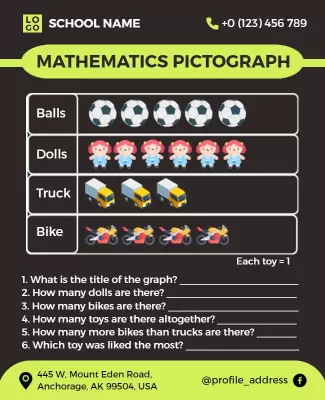
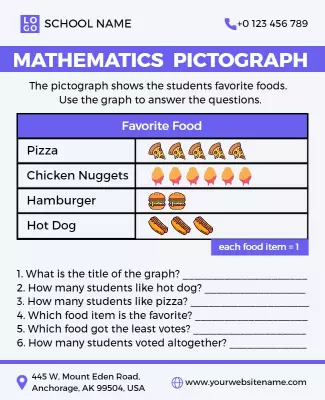
Use clear educational layouts and bright colors with picture symbols and number scales to communicate data and counting concepts. Add the survey question, categories, icon key, and observation prompts. For math lesson examples, start from colorful educational mathematics pictograph lesson poster template and swap the data categories and icon symbols.
Survey and comparison pictograph activities
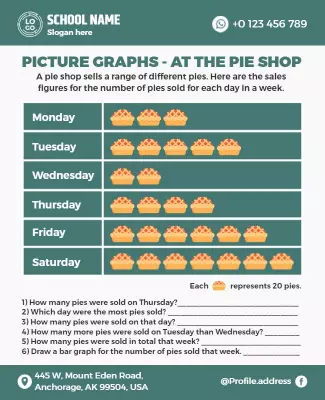
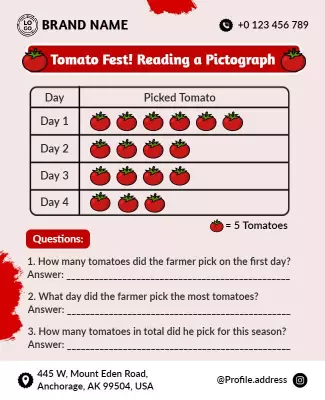
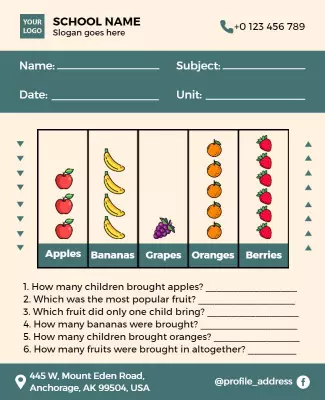
Lead with a survey question about student preferences or classroom data, use colorful comparison icons and category labels, and include structured sections for data collection, symbol counting, and result analysis. Keep wording simple and student friendly. For a survey activity poster, adapt colorful educational pictograph fruit survey poster template and adjust the survey question and category items.
Themed and seasonal pictograph worksheets
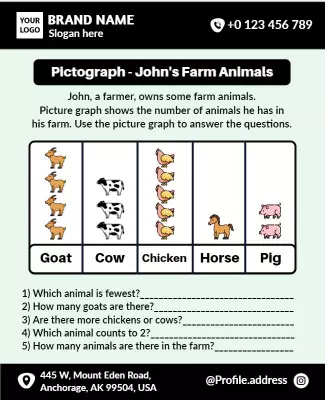
Feature a fun themed headline about animals, seasons, or favorite items, use playful colors and themed picture symbols, and include practical details like category matching, count comparison, and a legend or key. Keep the tone fun and educational. For a themed pictograph poster, adapt educational pictograph of farm animals for kids poster template and adjust the theme and category icons.