freshchat icon chat icon loading icon

Share this template anywhere.

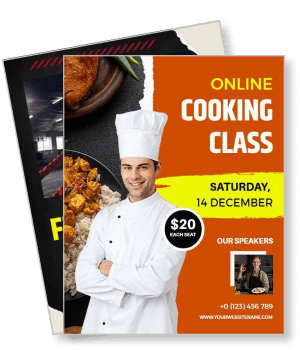
online cooking class with chef and event details template

Online Classes Poster Templates

DesignWiz Online Classes Poster Templates help tutors and educators promote virtual courses with ready-made layouts, plus simple editing for class details, schedules, and enrollment information.
Create your own

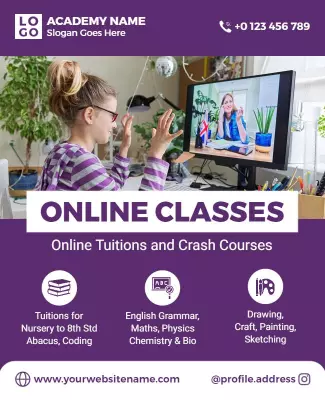
{"173319":{"name":"vibrant-purple-online-tuition-classes-and-courses-poster-template-yyptb68629e7f2.jpg","webp_name":"vibrant-purple-online-tuition-classes-and-courses-poster-template-yyptb68629e7f2.webp","height":800,"width":650}} 173319
Vibrant Purple Online Tuition Classes and Courses Poster Template
650 x 800 px

online
classes
Show all keywords
Vibrant Purple Online Tuition Classes and Courses Poster Template
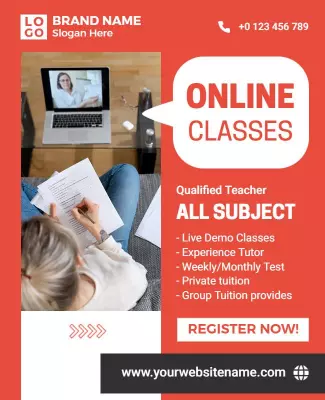
{"399043":{"name":"dynamic-red-online-classes-promotional-poster-template-silr6j8e745273.jpg","webp_name":"dynamic-red-online-classes-promotional-poster-template-silr6j8e745273.webp","height":800,"width":650}} 399043
Dynamic Red Online Classes Promotional Poster Template
650 x 800 px

online
classes
Show all keywords
Dynamic Red Online Classes Promotional Poster Template
{"264291":{"name":"colorful-fun-online-english-class-for-kids-poster-template-dald0d6e7a48e9.jpg","webp_name":"colorful-fun-online-english-class-for-kids-poster-template-dald0d6e7a48e9.webp","height":800,"width":650}} 264291
Colorful Fun Online English Class for Kids Poster Template
650 x 800 px

english
online
Show all keywords
Colorful Fun Online English Class for Kids Poster Template
{"264291":{"name":"vibrant-orange-online-cooking-class-promotion-poster-template-q0bsg66e7ff1a3.jpg","webp_name":"vibrant-orange-online-cooking-class-promotion-poster-template-q0bsg66e7ff1a3.webp","height":800,"width":650}} 264291
Vibrant Orange Online Cooking Class Promotion Poster Template
650 x 800 px

online
cooking
Show all keywords
Vibrant Orange Online Cooking Class Promotion Poster Template
{"264291":{"name":"dynamic-black-online-fitness-classes-promotional-poster-template-9h4e206ef73d52.jpg","webp_name":"dynamic-black-online-fitness-classes-promotional-poster-template-9h4e206ef73d52.webp","height":800,"width":650}} 264291
Dynamic Black Online Fitness Classes Promotional Poster Template
650 x 800 px

fitness
online
Show all keywords
Dynamic Black Online Fitness Classes Promotional Poster Template
{"460476":{"name":"modern-blue-online-english-class-coaching-poster-template-iutxt08e5f4a41.jpg","webp_name":"modern-blue-online-english-class-coaching-poster-template-iutxt08e5f4a41.webp","height":800,"width":650}} 460476
Modern Blue Online English Class Coaching Poster Template
650 x 800 px

online
class
Show all keywords
Modern Blue Online English Class Coaching Poster Template
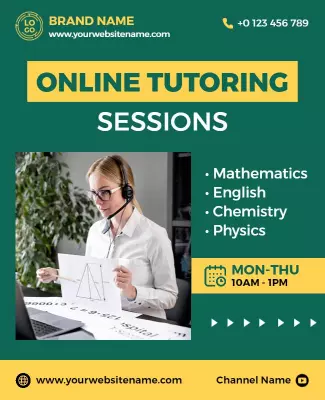
{"287212":{"name":"vibrant-green-online-tutoring-sessions-educational-poster-template-3pk2pp8e454b55.jpg","webp_name":"vibrant-green-online-tutoring-sessions-educational-poster-template-3pk2pp8e454b55.webp","height":800,"width":650}} 287212
Vibrant Green Online Tutoring Sessions Educational Poster Template
650 x 800 px

online
tutoring
Show all keywords
Vibrant Green Online Tutoring Sessions Educational Poster Template
{"250552":{"name":"modern-green-online-course-learning-poster-template-0l4v47862c1cd6.jpg","webp_name":"modern-green-online-course-learning-poster-template-0l4v47862c1cd6.webp","height":800,"width":650}} 250552
Modern Green Online Course Learning Poster Template
650 x 800 px

online
course
Show all keywords
Modern Green Online Course Learning Poster Template

How to customize an online classes poster

No design skills needed. Choose a layout, add your course details, adjust colors and fonts, then export a file you can print or share online in minutes.

Corporate Growth Poster
1.

1. Pick a layout

Choose a poster layout that fits your course subject and audience. Set the page size based on where you will share it. Pick a style that keeps the headline and key details visible at a glance.

2.

2. Add course details

Add the course title, instructor name, schedule, and enrollment details. Keep wording short and group related info so students find what they need. Highlight deadlines to encourage action.

3.

3. Use one hero visual

Use one strong photo or graphic that represents the subject. Keep contrast high and limit colors to two or three. Leave space around the headline so the poster stays readable on screens or print.

4.

4. Check export settings

Confirm margins and safe areas, keep text away from edges, and export at print quality. Preview at actual size so nothing looks soft or cropped. Check digital exports on a phone screen.

5.

5. Export and share

Export a print ready PDF and a share image version, then test both on different devices. Reuse the same course details in captions or posts so the message stays consistent across all channels.

Trusted by Thousands

Tata Consultancy Services
Boston Consulting
AT&T
Avelo Airlines
Procter & Gamble
Ministry Of Health, Malaysia
Veterans Affairs
Detroit Government
New York University
Texas A&M University
Decathlon America
Warby Parker
Tata Consultancy Services
Boston Consulting
AT&T
Avelo Airlines
Procter & Gamble
Ministry Of Health, Malaysia
Veterans Affairs
Detroit Government
New York University
Texas A&M University
Decathlon America
Warby Parker
High performer asia
Front runners
High performer small business

Other Poster templates

Online Classes Poster Templates Design Ideas and Examples

Customize colors, photos, and wording to match your course subject, then keep the layout consistent so students can spot the essentials in seconds. DesignWiz offers 100+ online classes poster templates across academic, skill-based, and hobby categories, so you can start from a ready made layout and edit it for your program. Use these ideas to decide headline style, photo placement, and what to emphasize for your audience, then browse poster templates when you want more options beyond your first pick.

Tutoring and academic courses

Use a clean layout with subject icons, a bold headline for the grade or exam level, and clear enrollment details so parents can act fast. Add tutor qualifications, batch timings, and a contact line for inquiries. For tutoring poster examples, start from vibrant purple online tuition classes and courses poster template and swap the subjects, batch details, and contact info.

Skill-based workshops

Lead with the skill name, use a lifestyle photo that shows the activity in action, and keep the schedule and registration link easy to find. Add level indicators for beginner or advanced and include a short instructor bio for credibility. For a skill workshop poster, adapt vibrant orange online cooking class promotion poster template and adjust the colors, photos, and class format details.

Fitness and hobby classes

Use energetic colors, action photos, and a short headline that states the class type and benefit. Include schedule details, skill level, and a sign up link so visitors can register without extra steps. For a fitness class poster, start from dynamic black online fitness classes promotional poster template and update the class name, timing, and instructor photo.

Create Online Classes Poster Now!

Frequently Asked Questions (FAQs)

An effective online classes poster includes the course name, instructor details, start date, class schedule, platform information, and enrollment instructions. Add the target audience and skill level so students know if the course fits their needs. Include a contact method and a clear call to action like Enroll Now or Register Today. Keep the most important details at the top and use short sections for easy scanning.

The best size depends on where you plan to share it. For social media, use a square 1080 x 1080 px format or a vertical 1080 x 1920 px for stories. For printing, standard sizes like 8.5 x 11 inches or A4 work well for bulletin boards. For larger display prints, use 18 x 24 or 24 x 36 inches. Always check the platform requirements before exporting to avoid cropping issues.

Use a bold headline that states the course name or benefit clearly. Choose high contrast colors so text is readable from a distance. Limit fonts to two styles and keep the layout uncluttered. Add a strong visual like a photo of the instructor or an icon related to the subject. Place the enrollment deadline or call to action in a prominent spot so viewers notice it immediately.

Use photos when you want to show the instructor, the learning environment, or students in action. Use graphics and icons when the subject is abstract or when photos are low resolution. Icons work well for listing subjects, features, or benefits in a clean way. If you use photos, make sure they are high resolution and relevant to the course topic you are promoting.

Blue and green are popular for education posters because they convey trust, growth, and calmness. Purple works well for creative or premium courses. Red and orange can create urgency for enrollment deadlines. Use one main color for the background or header and a contrasting color for the headline and call to action. Avoid using too many colors as it can make the poster look busy and unprofessional.

Keep the headline short and focused on the main benefit or course name. Use bullet points for key features like class topics, schedule, and pricing. Write in an active voice and address the reader directly. Avoid long paragraphs since posters are meant for quick scanning. End with a clear instruction like Sign Up Today or Visit Our Website for enrollment details.

Yes, but you may need to adjust the size and resolution for each format. For print, use CMYK color mode with 300 DPI resolution and add bleed margins of 0.125 inches. For digital use, use RGB color mode and 72 DPI. Keep the main content in the center safe area so it works across both formats without getting cropped or distorted.

Generate a QR code that links to your enrollment page or course website. Place it near the bottom or in a corner so it does not distract from the main message. Make the QR code large enough to scan easily, at least 2 cm or 1 inch in size. Add a short instruction like Scan to Enroll so viewers know what to do with the code.

The headline should be the largest element, typically 60 to 90 points depending on the poster size. Subheadings should be 36 to 48 points, and body text should be at least 24 points for good readability. For large print posters at 24 x 36 inches, use larger sizes. Test readability by viewing the poster from a distance or on a phone screen before finalizing your design.

Share your poster on social media platforms like Instagram, Facebook, and LinkedIn where your target audience is active. Post it in relevant online groups and communities. Print copies for local bulletin boards, libraries, and community centers. Include the poster in email newsletters and on your course website. Use different sizes for different platforms and track which channels bring the most enrollment.
Start Designing with AI
Can’t find the perfect design? Create instantly with AI.