freshchat icon chat icon loading icon

Share this template anywhere.

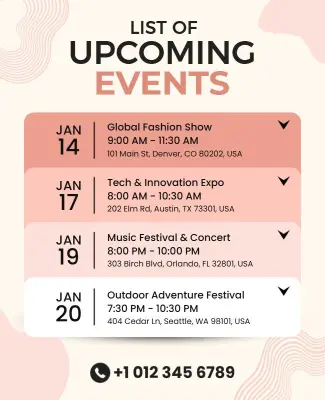
upcoming events list fashion show tech expo music festival outdoor adventure template

Upcoming Event Poster Templates

DesignWiz Upcoming Event Poster Templates help event planners, organizations, and community groups promote conferences, music nights, festivals, and seasonal gatherings with ready made layouts that are easy to customize and share across print and digital channels.
Create your own

{"916623":{"name":"upcoming-events-schedule-poster-template-pszhe950e4c8ab.jpg","webp_name":"upcoming-events-schedule-poster-template-pszhe950e4c8ab.webp","height":800,"width":650}} 916623
Upcoming Events Schedule Poster Template
650 x 800 px

list
of
Show all keywords
Upcoming Events Schedule Poster Template
{"993642":{"name":"upcoming-international-conference-events-poster-template-fsgkoc839f1a82.jpg","webp_name":"upcoming-international-conference-events-poster-template-fsgkoc839f1a82.webp","width":325,"height":400}} 993642
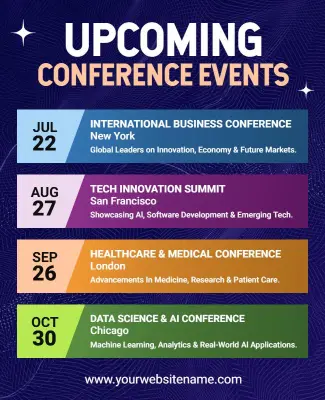
Upcoming International Conference Events Poster Template
325 x 400 px

conferences
upcoming
Show all keywords
Upcoming International Conference Events Poster Template
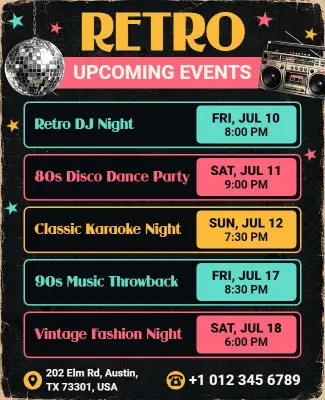
{"338232":{"name":"retro-themed-upcoming-events-poster-template-nz8kjf7b5dec2d.jpg","webp_name":"retro-themed-upcoming-events-poster-template-nz8kjf7b5dec2d.webp","width":325,"height":400}} 338232
Retro Themed Upcoming Events Poster Template
325 x 400 px

retro
upcoming
Show all keywords
Retro Themed Upcoming Events Poster Template
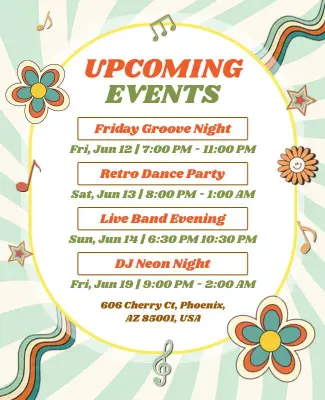
{"650257":{"name":"groovy-upcoming-music-event-night-details-poster-template-s4ebnz70f0aa8d.jpg","webp_name":"groovy-upcoming-music-event-night-details-poster-template-s4ebnz70f0aa8d.webp","width":325,"height":400}} 650257
Groovy Upcoming Music Event Night Details Poster Template
325 x 400 px

groovy
upcoming
Show all keywords
Groovy Upcoming Music Event Night Details Poster Template
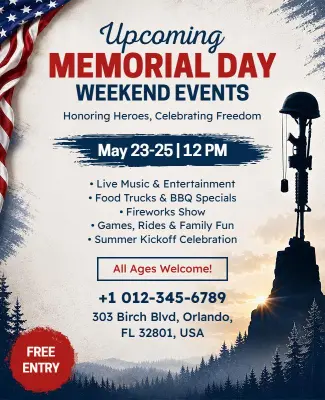
{"859851":{"name":"memorial-day-weekend-upcoming-events-celebration-poster-template-7ep25260d723d8.jpg","webp_name":"memorial-day-weekend-upcoming-events-celebration-poster-template-7ep25260d723d8.webp","width":325,"height":400}} 859851
Memorial Day Weekend Upcoming Events Celebration Poster Template
325 x 400 px

upcoming
events
Show all keywords
Memorial Day Weekend Upcoming Events Celebration Poster Template

How to customize an upcoming event poster

No design skills needed. Choose an event layout, add your date and venue details, adjust colors and images, then export a print ready poster in minutes.

Corporate Growth Poster
1.

1. Pick a layout

Choose an event poster layout that matches your event type and audience, whether it is a professional conference, music night, or community gathering. Set the poster size before adding content.

2.

2. Add event details

Add the event name, date and time, venue address, ticket price or free entry note, and a short description. Keep the event name the largest element so attendees find the headline immediately.

3.

3. Choose a hero visual

Select a hero image of the venue, speaker, performer, or a themed graphic that represents the event mood. Use high resolution images that are sharp and clear at the final print size.

4.

4. Apply colors and fonts

Apply your brand or event color palette across the background, headline, and accent elements. Limit to two or three colors and use high contrast between text and background for readability.

5.

5. Export for print and web

Confirm the resolution is set to 300 DPI for print with 3mm bleed and crop marks. Export a separate RGB digital version sized for social media to match your event promotion channels.

Trusted by Thousands

Tata Consultancy Services
Boston Consulting
AT&T
Avelo Airlines
Procter & Gamble
Ministry Of Health, Malaysia
Veterans Affairs
Detroit Government
New York University
Texas A&M University
Decathlon America
Warby Parker
Tata Consultancy Services
Boston Consulting
AT&T
Avelo Airlines
Procter & Gamble
Ministry Of Health, Malaysia
Veterans Affairs
Detroit Government
New York University
Texas A&M University
Decathlon America
Warby Parker
High performer asia
Front runners
High performer small business

Other Poster templates

Upcoming Event Poster Templates Design Ideas and Examples

Customize colors, event photos, dates, and venue details to match your event theme, then keep the layout clean so attendees can find the essentials in seconds. DesignWiz offers upcoming event posters across conferences, music entertainment, and community seasonal events, so you can start from a ready made layout and edit for your specific occasion. Use these ideas to decide headline style, information hierarchy, and what to emphasize for your audience, then browse poster templates when you want more options beyond your first pick.

Conference and professional event posters

Lead with the event name and date in bold typography, list the speaker or session highlights underneath, and include registration details or a QR code. Use a clean color palette and plenty of white space so the information reads clearly at a distance. For a professional event layout, start from upcoming international conference events poster template and swap the headline, schedule, and venue details.

Music and entertainment event posters

Use a dramatic or retro background with glowing or neon style typography for the artist name and event date. Add the lineup, venue name, and ticket link in a secondary position so the hero visual stays dominant. For a music event announcement, adapt groovy upcoming music event night details poster template and replace the artist photo, color scheme, and event schedule.

Community and seasonal event posters

Open with a warm or festive hero image that matches the season, place the event date and location prominently, and include a brief description of what attendees can expect. Keep the tone inviting and the layout simple so it works for both print posting and social sharing. For a community gathering promotion, customize memorial day weekend upcoming events celebration poster template and update the theme, date, and event details to match your occasion.

Create Your Poster Template Now!

Frequently Asked Questions (FAQs)

Every event poster needs the event name as the largest element, the date and start time, the full venue address, and a ticket or RSVP link. Add a short description of what attendees can expect, such as special guests, activities, or featured content. Include a QR code linking to the registration page for instant access. For free events, state free entry clearly. For ticketed events, show the price range and where to buy. Keep the most important details at the top of the visual hierarchy so people get the key information in the first few seconds.

Standard event poster sizes include 18x24 inches for community bulletin boards and indoor wall placement, 24x36 inches for high visibility outdoor promotion, and A3 or A2 for counter displays and indoor venues. For digital promotion on social media, use 1080x1350 pixels for Instagram and 1200x628 pixels for Facebook. Always set print files to 300 DPI with 3mm bleed on all sides. Keep critical text at least 5mm inside the trim line so nothing is cut off during printing and framing.

Use a single hero image or graphic that immediately communicates the event type and mood. Limit your color palette to two or three colors that match the event theme. Use bold sans-serif fonts for the headline and keep supporting text in a clean readable size. Reserve white space around the key details so they are not competing with background elements. Add a clear call to action such as register now, get tickets, or save the date. Preview the poster at actual display size and from a distance to confirm it grabs attention.

Use a high resolution photo of the speaker, performer, venue, or past event to build trust and give attendees a visual preview. Graphics and illustrations work well for themed events, festivals, or childrens activities where a stylized look fits the tone. Avoid low resolution or stretched images that make the poster look unprofessional. If you use multiple images, keep the same editing style and lighting across all of them. For corporate events, a clean photo of the speaker or venue is usually more effective than abstract graphics.

Share print posters three to four weeks before the event so they reach audiences while people are still planning their schedules. Distribute them in high traffic areas such as coffee shops, community centers, libraries, and local businesses. For digital posters, start sharing on social media and email four to six weeks ahead with a first post that announces the date and a follow up two weeks before with ticket details. Post a final reminder two to three days before the event to capture last minute attendees.

Yes, use a schedule style layout that lists multiple dates and times in a single poster. Place the overall event series name as the headline, then list each date, time, and location in a consistent grid or list format below. Keep the design elements the same across all instances and change only the date specific information. This works well for recurring events like concert series, workshop programs, and seasonal event calendars. Save the template as a master file so you can update dates quickly for each new season.

Choose colors that match the mood and type of your event. Warm colors like red, orange, and yellow signal energy and excitement for concerts, festivals, and parties. Cool colors like blue, purple, and green convey professionalism for corporate events, conferences, and workshops. Neutral backgrounds with a single bright accent color help important details like the date and ticket link stand out. Use high contrast between text and background for readability. Test the poster in grayscale to confirm the contrast is strong enough for all viewing conditions.

Set the event name in a bold font at least 48pt or larger. Keep supporting text at a minimum of 18pt with generous line spacing. Place text over solid backgrounds or dark overlays rather than directly over busy images. Use no more than two font styles one for the headline and one for body text to avoid visual clutter. Leave at least 30 percent of the poster as white space around the key information. Print a small test version or view it at arms length on screen to confirm everything is legible before distributing.

Place the QR code in the bottom third of the poster where it is accessible but does not compete with the headline or date. Leave clear space around the code, at least half an inch on each side, so it scans reliably. Add a short label above the code such as scan to register, get tickets, or learn more. Test the QR code at the actual print size and from the distance viewers will scan it. Include a fallback URL in text format near the code for users who cannot scan. Avoid placing the code over dark or patterned backgrounds.

Use your brand color palette as the primary set and add one accent color that matches the event theme. Place your logo in the top or bottom corner at a consistent size across all event posters. Use your brand fonts for headings and body text to maintain recognition. Keep the same poster layout structure for recurring events so your audience recognizes your materials instantly. Create a poster template file with your brand elements locked in place, then duplicate it for each new event so you only need to update the event specific details without rebuilding the design.
Start Designing with AI
Can’t find the perfect design? Create instantly with AI.