freshchat icon chat icon loading icon

Share this template anywhere.

fire recovery meeting invitation farmers ranchers support registration information template

Zoom Meeting Poster Templates

DesignWiz Zoom Meeting Poster Templates help virtual event organizers and webinar hosts promote online sessions fast with ready-made layouts and simple editing for meeting links, schedules, and speaker details.
Create your own

{"280443":{"name":"modern-blue-webinar-invitation-for-educational-meeting-poster-template-85zedm42d3ec09.jpg","webp_name":"modern-blue-webinar-invitation-for-educational-meeting-poster-template-85zedm42d3ec09.webp","height":800,"width":650}} 280443
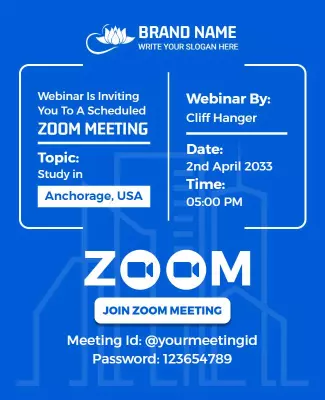
Modern Blue Webinar Invitation for Educational Meeting Poster Template
650 x 800 px

webinar
online
Show all keywords
Modern Blue Webinar Invitation for Educational Meeting Poster Template
{"280443":{"name":"vibrant-blue-zoom-meetings-training-guide-poster-template-xqwenb43170d09.jpg","webp_name":"vibrant-blue-zoom-meetings-training-guide-poster-template-xqwenb43170d09.webp","height":800,"width":650}} 280443
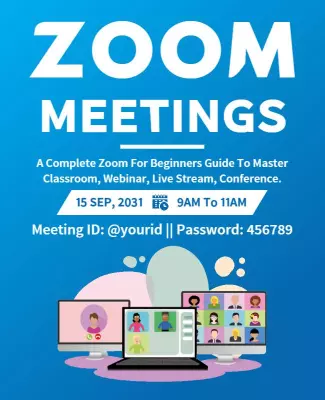
Vibrant Blue Zoom Meetings Training Guide Poster Template
650 x 800 px

zoom
meetings
Show all keywords
Vibrant Blue Zoom Meetings Training Guide Poster Template
{"280443":{"name":"inviting-blue-zoom-meeting-for-community-friendship-poster-template-qmujvp4293dfa9.jpg","webp_name":"inviting-blue-zoom-meeting-for-community-friendship-poster-template-qmujvp4293dfa9.webp","height":800,"width":650}} 280443
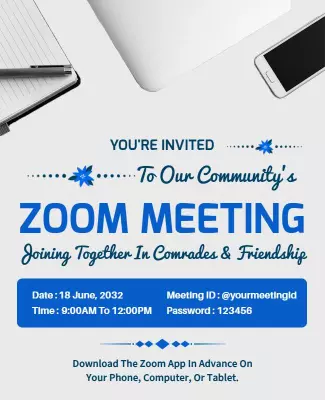
Inviting Blue Zoom Meeting for Community Friendship Poster Template
650 x 800 px

zoom
meeting
Show all keywords
Inviting Blue Zoom Meeting for Community Friendship Poster Template
{"280443":{"name":"informative-orange-fire-recovery-meeting-support-poster-template-5ll62d42f25c88.jpg","webp_name":"informative-orange-fire-recovery-meeting-support-poster-template-5ll62d42f25c88.webp","height":800,"width":650}} 280443
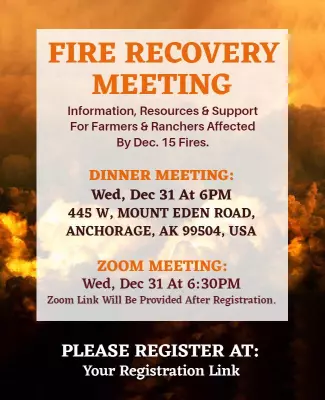
Informative Orange Fire Recovery Meeting Support Poster Template
650 x 800 px

fire
recovery
Show all keywords
Informative Orange Fire Recovery Meeting Support Poster Template
{"280443":{"name":"vibrant-colorful-virtual-business-opportunity-zoom-meet-poster-template-0dnc1y42c45c50.jpg","webp_name":"vibrant-colorful-virtual-business-opportunity-zoom-meet-poster-template-0dnc1y42c45c50.webp","height":800,"width":650}} 280443
Vibrant Colorful Virtual Business Opportunity Zoom Meet Poster Template
650 x 800 px

business
opportunity
Show all keywords
Vibrant Colorful Virtual Business Opportunity Zoom Meet Poster Template

How to customize a zoom meeting poster

No design skills needed. Choose a layout, add your event details and digital theme, adjust colors and fonts, then export a file you can share in minutes.

Corporate Growth Poster
1.

1. Pick a layout

Choose a zoom meeting poster layout that fits your webinar type, then set the poster size. Add the meeting title and date so the hierarchy stays clear for digital screens and phone viewing.

2.

2. Add event details

Add webinar title, date, start time, time zone, meeting link or registration, and host name. Keep wording clear and direct so participants know when to join, how to access, and what to prepare.

3.

3. Use one hero visual

Use one strong digital visual like a webinar interface icon or video call graphic, keep contrast high between text and background, and limit colors to clean professional tones with one accent.

4.

4. Check digital settings

Confirm the social platform dimensions, keep the meeting title and link away from edges, and export at high resolution. Preview the poster on phone so text, icons, and links look sharp.

5.

5. Export and share

Export a digital ready PDF or PNG for email and social media, then test the link is clickable and the QR code scans. Reuse the same layout for recurring meetings to always stay consistent.

Trusted by Thousands

Tata Consultancy Services
Boston Consulting
AT&T
Avelo Airlines
Procter & Gamble
Ministry Of Health, Malaysia
Veterans Affairs
Detroit Government
New York University
Texas A&M University
Decathlon America
Warby Parker
Tata Consultancy Services
Boston Consulting
AT&T
Avelo Airlines
Procter & Gamble
Ministry Of Health, Malaysia
Veterans Affairs
Detroit Government
New York University
Texas A&M University
Decathlon America
Warby Parker
High performer asia
Front runners
High performer small business

Other Poster templates

Zoom Meeting Poster Templates Design Ideas and Examples

Customize colors, icons, and meeting details to fit your session theme, then keep the layout clean so participants can find the meeting link and time in seconds. DesignWiz offers zoom meeting posters across webinar invites, corporate town halls, and community networking themes, so you can start from a ready made layout and edit it for your event. Use these ideas to decide headline style, icon placement, and what to emphasize for your audience, then browse poster templates when you want more options beyond your first pick.

Webinars and educational sessions

Use clean professional typography, a clear headline with the webinar topic, and one digital visual like a video call icon or laptop graphic so the poster communicates an online learning environment. Add the date, time, time zone, speaker name, and registration link. For webinar zoom meeting poster examples, start from modern blue webinar invitation for educational meeting poster template and swap the session description and speaker details.

Virtual town halls and corporate meetings

Lead with the meeting purpose and host name, keep colors aligned with brand guidelines, and use structured sections for agenda, date, and access link. Add the dial in options and a contact person for technical support. For a corporate virtual event zoom meeting poster, adapt vibrant colorful virtual business opportunity zoom meet poster template and adjust the agenda timeline and access instructions.

Community and networking events

Feature a welcoming headline about connection and participation, use warm and inclusive visuals with diverse imagery, and include practical details like date, time, platform link, and host introduction. Keep the tone friendly so both new and returning members feel encouraged to attend. For a community zoom meeting poster, adapt inviting blue zoom meeting for community friendship poster template and adjust the event description and registration information.

Create Zoom Meeting Poster Now!

Frequently Asked Questions (FAQs)

A clear zoom meeting poster includes the session title, date, start time, time zone, and the meeting link or registration URL. Add the host or speaker name, a short description of the topic or agenda, and any dial in options for participants who cannot use the app. If the session has a capacity limit or requires pre registration, mention that so attendees plan ahead. Keep the same layout for recurring meetings so returning participants recognize them quickly.

Choose format based on where the audience will see the poster. A digital poster works best for social media, email newsletters, messaging apps, and website promotions where the meeting link can be clicked directly. A printable poster suits office notice boards and in person venue signs that direct attendees to an online session. Keep the same core details in both but optimize the digital version for phone screens and the print version for larger display sizes.

Start with 1080x1350 pixels vertical format for Instagram and Facebook feed posts where the poster displays full screen. A 1200x628 pixels horizontal format works well for LinkedIn posts and email newsletter banners. For sharing in messaging apps like WhatsApp or Slack, use a square 1080x1080 pixel format so the poster displays cleanly without cropping. Always keep the meeting link and QR code in the safe area so nothing gets cut off on different platforms.

Blurry zoom meeting posters usually come from low resolution source images, stretching small icons, or exporting at the wrong quality for digital use. Use sharp graphics and avoid enlarging small elements. For digital sharing on social media and email, export at the platform recommended resolution so the platform does not upscale and cause blur. For PDF distribution, use high quality export settings and confirm the file size is manageable for email attachment limits.

Use high contrast between text and background colors and reserve a clean area for the meeting title and link. Limit fonts to two bold styles and keep the session time and date large enough to read on a phone screen. Avoid thin fonts on dark backgrounds and placing text directly over busy imagery like abstract patterns or photo collages. Use spacing to separate the title, host name, date, and registration link for a clear visual flow.

Use one short direct headline like virtual town hall or webinar registration open, then switch to clear event details. Place the date and time with time zone first, then the topic description, then the registration link or meeting ID so participants find what they need. Add a line about what attendees will learn or gain from the session. Keeping wording direct helps zoom meeting posters communicate purpose and drive registration without confusion.

Share zoom meeting posters on the platforms where your audience already engages. Company social media pages, team messaging channels, email newsletters, and event listing websites are common locations. For internal team meetings, share in Slack or Microsoft Teams channels where team members check regularly. For public webinars, share on LinkedIn, Twitter, and relevant community groups. Adding the poster to the event registration page also helps attendees visualize the session before they sign up.

Keep the layout structure and change the session title, date, time, and meeting link. Swap the headline and digital icons while keeping the same placement for date, time, host name, and registration details. Replace background colors to match different purposes like training sessions or team meetings. This approach lets you reuse zoom meeting poster templates for different events and audiences without starting over each time.

Most unprofessional virtual event poster examples fail on font choice and information hierarchy. Too many decorative fonts, low contrast text, and crowded layouts make the session details difficult to scan. Another common issue is missing essential information like the time zone or meeting link. Use consistent margins, limit fonts to two clear styles, and keep one main digital visual so the layout feels clean and easy to read at a glance.

A free zoom meeting poster can still look polished when the layout is clean and the digital theme is applied with restraint. Use one strong graphic like a webinar icon or video call visual, keep a professional color palette, and limit fonts to two clean styles. Avoid busy patterns that distract from the message and keep the session title and date prominent. Use consistent spacing and align elements to a simple grid for a finished and professional look.
Start Designing with AI
Can’t find the perfect design? Create instantly with AI.