


Lunch Menu Templates
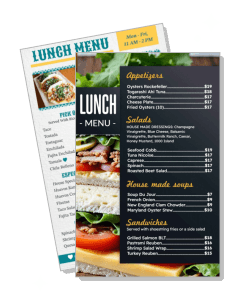
Lunch menu templates for cafes, school cafeterias, restaurants, and takeout counters. Build a clear midday menu for sandwiches, salads, entrees, and specials, then print or share a file that is easy to scan on the wall or on a phone.
How to make a lunch menu
Start with a layout that matches your midday service style, then organize sandwiches, salads, bowls, and specials into clear sections customers can scan quickly.

1. Pick the right layout
Choose a one-page layout if your lunch list is short and changes often. Use a larger menu if you need more room for daily specials, appetizers, or school meal sections.
2. Group the menu by lunch type
Separate sandwiches, salads, bowls, soups, and specials so guests can find the meal they want without scanning a crowded page. If you serve breakfast too, keep it in a different section.
3. Add prices and notes
Place the price beside each item and add short notes for ingredients, sides, or vegetarian options when needed. Keep item names concise so the menu stays easy to read from a table, counter, or phone.
4. Check readability
Use simple fonts, clear spacing, and high contrast. Test on print and mobile. Save print menus as PDF (300 DPI) and digital menus as PNG.
5. Export and share
Save a PDF for print and a PNG for digital use. Use the print file for counter signs, table menus, and cafeteria handouts. Use the image version for QR ordering, social posts, and mobile viewing.
Trusted by Thousands
 Tata Consultancy Services
 Boston Consulting
 AT&T
AT&T
 Avelo Airlines
 Procter & Gamble
 Ministry Of Health, Malaysia
 Veterans Affairs
 Detroit Government
 New York University
 Texas A&M University
 Decathlon America
 Warby Parker
Tata Consultancy Services
Boston Consulting
AT&T
Avelo Airlines
Procter & Gamble
Ministry Of Health, Malaysia
Veterans Affairs
Detroit Government
New York University
Texas A&M University
Decathlon America
Warby Parker
Warby Parker
Tata Consultancy Services
Boston Consulting
AT&T
Avelo Airlines
Procter & Gamble
Ministry Of Health, Malaysia
Veterans Affairs
Detroit Government
New York University
Texas A&M University
Decathlon America
Warby Parker



Other Menu templates
Lunch menu templates for cafes, schools, and midday service
Lunch menu templates help food teams present sandwiches, salads, bowls, soups, and daily specials in a format customers can read quickly during a busy lunch rush. DesignWiz keeps the layout focused on fast scanning, readable pricing, and organized categories, which matters when the menu is used in a cafe, cafeteria, counter service line, or digital takeout page.
Cafes and casual lunch counters
Cafes need menus that keep sandwiches, salads, soups, and sides easy to compare without crowding the page. Put the most ordered items first and use short descriptions that help guests decide fast. The sandwiches and fresh salads layout works well when you want a balanced lunch menu that feels clean and simple.
School cafeterias and campus dining
School lunch menus need clear sections, simple item names, and practical structure so students, parents, and staff can read them quickly. Keep entrees, sides, and healthy options separated, and make daily specials or rotating meals easy to spot. The school lunch layout works well when the page needs to support education-focused meal planning.
Restaurants with heavier midday service
Restaurants serving lunch in a rush need menus that organize entrees, bowls, wraps, and specials so guests can decide before the line moves. Keep combo offers and add-ons close to the main item so the menu stays efficient for dine-in and takeout. Use the starters and main dishes layout when you need a structured lunch page with a stronger food-service feel.
Lunch menus for globally inspired specials
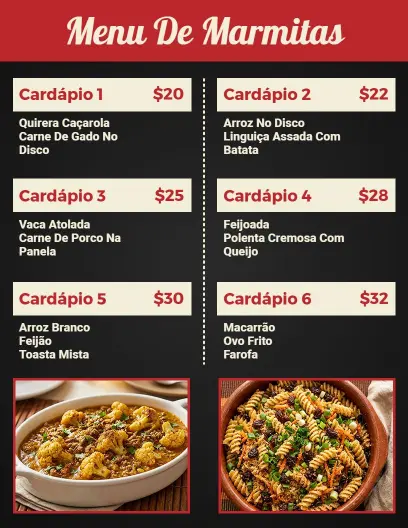
Some lunch menus need more variety than sandwiches and salads alone. If your midday menu includes burritos, tacos, quesadillas, rice bowls, or other regional dishes, use a layout that keeps those items grouped without making the menu hard to scan. The burritos, tacos, and quesadillas layout is useful when your lunch service needs a more casual, flavor-forward presentation.
Lunch pages work best when they help guests choose quickly, support daily updates, and keep the midday menu focused on what people actually order between late morning and early afternoon.