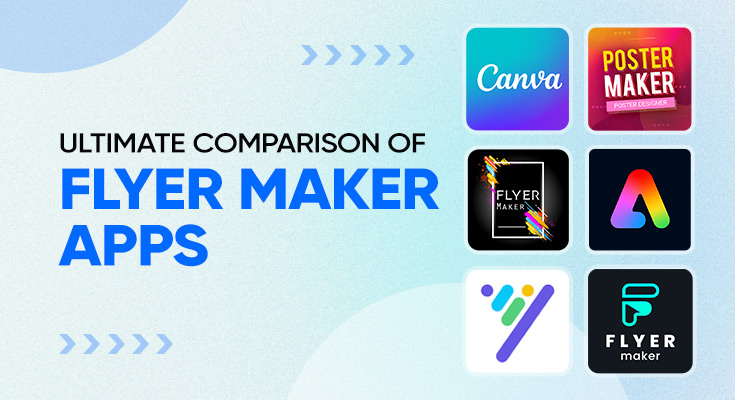
You need a flyer fast, but staring at a blank screen with no idea where to start wastes valuable time. That’s exactly what the top flyer maker apps solve. Pick a template, swap in your details, and export a polished flyer in under 20 minutes, no designer needed.
The problem is that there are dozens of flyer design tools out there, and not all of them are worth your time. So we tested 7 of the most popular professional flyer creation tools of 2026 and ranked them by features, pricing, and ease of use so you don’t have to.
TL;DR — QUICK ANSWER
The top flyer maker app depends on your skill level. Beginners need drag-and-drop simplicity and ready-made templates. Advanced users need AI tools, QR codes, and background removal. Most apps are free to start, with premium plans up to $15/month.
Why Choosing the Right Flyer Design Tool Matters
Not all professional flyer creation tools are created equal. The wrong one will waste your time with a frustrating interface, watermark your downloads, or lock key features behind an expensive paywall.
The right top flyer maker apps will:
- Cut your design time from hours to minutes
- Give you templates that match your industry or event type
- Let you download in the right format (print, web, or social)
- Scale with you as your needs grow from simple event flyers to full marketing campaigns
A flyer creation tools overview like this one helps you skip the trial-and-error phase and go straight to the tool that fits your exact situation.
7 Top Flyer Maker Apps Compared (2026)
Here’s a detailed look at each major flyer creation tools overview, what it does well, who it’s built for, and where it falls short.
1. Flyer Maker, Poster Maker – Top Pick
Best for: Advanced users, business marketing & AI-powered design
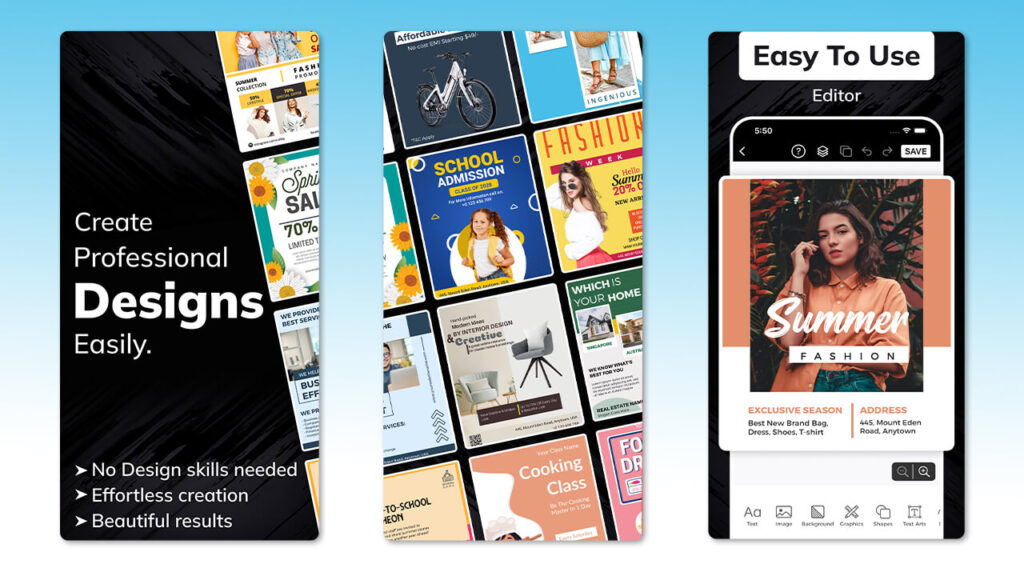
This is the most feature-complete app in the entire comparison. Where most tools make you choose between simplicity and power, this one delivers both a clean mobile interface packed with professional-grade tools that would otherwise require desktop software.
Features:
- 30,000+ customizable templates across every industry
- Built-in AI flyer design generator concepts based on your inputs
- QR code generator links directly to your website, ticket page, or menu
- Background remover for clean product and portrait images
- Animated flyer export for social media
- Full typography and color customization
- Suitable for both print and digital formats
Pricing:
- Free plan with solid template access
- The premium plan at $4.99, it unlocks AI tools, background remover, and a full template library.
- No hidden watermarks on downloads
Ease of Use: ⭐⭐⭐⭐⭐ Slightly more feature-rich than a basic app, but the interface is well-organized, so it never feels overwhelming. Beginners can stick to templates and basic edits. Advanced users can go deeper with AI tools, QR codes, and animation, all accessible from the same clean screen. The learning curve is gentle even for first-time designers.
Verdict: professional flyer creation tools for anyone who creates flyers regularly. The AI generator alone saves hours of work per week, and the 30,000+ template library means you’ll never run out of starting points. If you only download one app from this list, make it this one.
Ready to start designing?
Download a flyer maker app today and go from blank page to polished result in under 5 minutes, no design degree required.
2. Flyer Maker, Poster Maker – Lefpro
Best for: Quick mobile flyer creation on the go
Lefpro is a mobile-first app built for users who want to design on their phones quickly without any complexity.
Features:
- 5,000+ templates with sticker and element library
- Basic text editing and color customization
- Directly share to social media from within the app
- Simple layer controls
Pricing:
- Free plan available with ads
- Premium plan approximately $4–6/month (removes ads, unlocks more templates)
Ease of Use: ⭐⭐⭐⭐⭐ Extremely beginner-friendly. The interface is stripped back to the essentials: pick a template, edit, export. There’s almost no learning curve, which makes it ideal for non-designers who just need something fast.
Verdict: Great for quick, no-fuss mobile flyers. Not the right choice if you need advanced features or print-quality exports.
3. Canva
Best for: Social media flyers & brand consistency
Canva is the most recognized name in the design world for a reason. It strikes a near-perfect balance between power and simplicity, making it the go-to choice for beginners and small teams alike.
Features:
- Thousands of templates across every category
- Drag-and-drop editor with real-time preview
- Brand Kit to save your logo, colors, and fonts
- Basic AI tools (Magic Write, background remover on Pro)
- Direct social media publishing and scheduling
- Available on web, iOS, and Android
Pricing:
- Free plan has good template access, limited downloads
- Canva Pro approximately $15/month (or $120/year)
- Canva Teams approximately $10/person/month
Ease of Use: ⭐⭐⭐⭐⭐ One of the easiest tools in this list. The interface is clean, well-labeled, and forgiving for first-time users. You can create a decent flyer within your first 10 minutes of opening the app, no tutorial needed.
Verdict: good for beginners. The free plan is genuinely usable, and the Pro tier is worth it if you’re designing frequently.
4. Desygner – Flyer & Poster Maker
Best for: Watermark-free downloads without paying
Desygner is often recommended as a Canva alternative, particularly for users who want clean downloads without committing to a paid plan.
Features:
- Millions of free stock images and icons
- PDF import and editing (rare among competitors)
- Brand management tools
- Basic drag-and-drop editor
Pricing:
- Free plan has no watermarks on downloads (a big advantage)
- Premium is approximately $9.95/month for full template and asset access
Ease of Use: ⭐⭐⭐⭐ Clean and accessible. The editor is slightly less polished than Canva, but still easy to navigate for beginners. The PDF editing feature adds a small learning curve if you’re using it for the first time.
Verdict: Best choice if you need watermark-free downloads on a free plan. Not as feature-rich as the top picks, but a solid, honest tool for basic promotional design.
5. Adobe Express
Best for: Brand-focused marketing materials
Adobe Express is the professional’s choice, built for people who care about design quality, typography control, and brand consistency above everything else.
Features:
- Premium template quality with Adobe-standard aesthetics
- Access to Adobe Fonts library (thousands of professional typefaces)
- Brand Kits with strict color and font management
- Background remover and basic AI tools
- Animated posts and video support
- Tight integration with Adobe Creative Cloud
Pricing:
- Free plan limited templates and assets
- Premium approximately $9.99/month (included free with Creative Cloud subscriptions)
Ease of Use: ⭐⭐⭐⭐ More structured than beginner tools, but still accessible. Users familiar with any Adobe product will feel right at home. First-time users may need 20–30 minutes to get comfortable with the layout and terminology.
Verdict: The best option for marketers and brand managers who need polished, consistent results. The free plan is limited, but if you already pay for Adobe Creative Cloud, it’s included at no extra cost.
6. Poster Maker: Flyer Maker – Mobi App
Best for: Fast banners and promotional ads
Mobi App’s poster maker is optimized for one thing: speed. If you need a promotional flyer or banner in under 5 minutes with minimal decision-making, this delivers.
Features:
- Fast-loading template library
- Banner and ad format support
- Basic text and color editing
- Direct export to social media
Pricing:
- Free plan with ads
- Pro plan approximately $3–5/month
Ease of Use: ⭐⭐⭐⭐⭐ The simplest interface in this list. Almost no customization options, which is actually a feature, as it keeps decision fatigue low and creation time fast.
Verdict: Good for repetitive, simple promotional content like weekly sale posts or event reminders. Not suitable for detailed or print-ready designs.
7. Flyers, Poster Maker, Design – Fulera Devs
Best for: High-quality flyer design with a top-rated user experience
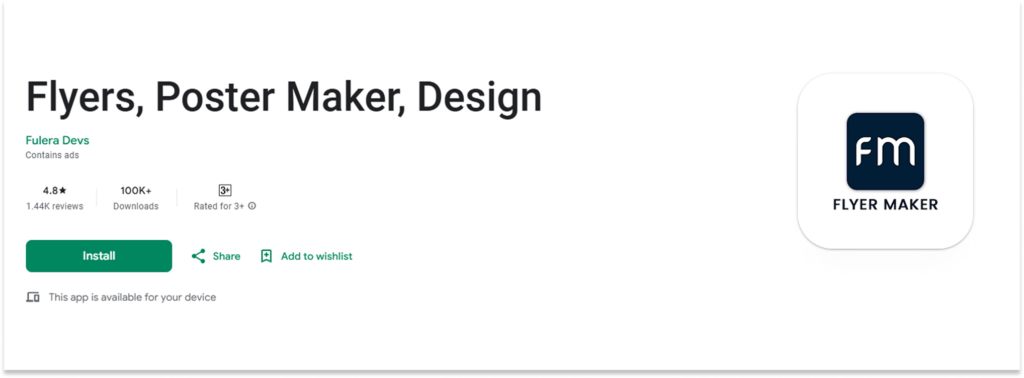
What makes this rating especially impressive is that it’s earned with a smaller but clearly very satisfied user base, meaning the app consistently delivers on its promise. If ratings and user satisfaction matter to you when choosing a tool, this one immediately stands out.
Features:
- Wide range of flyer and poster templates across multiple categories
- Business, beauty, fitness, real estate, and event flyer templates
- Clean and intuitive design canvas
- Custom text, colors, and font editing
Pricing:
- Free plan with ads
- In-app purchases for premium templates and features
Ease of Use: ⭐⭐⭐⭐⭐ Extremely clean and straightforward interface. The template categories are well-organized, making it easy to find the right design quickly. Even first-time users report getting comfortable within minutes, which is likely why the app maintains such a consistently high rating.
Verdict: If user satisfaction and design quality are your top priorities, this is the app to try. The 4.8-star rating speaks louder than any feature list; real users love it, and that’s the most honest recommendation of all.
Flyer Maker App Features Comparison Table
Here’s a side-by-side flyer maker app features list to help you compare at a glance:
| Logo | App | Key Features | Starting Price |
|---|---|---|---|
 |
Flyer Maker | 30,000+ templates, AI generator, QR code, background remover, animated flyers | Free / ~$4.99/month |
 |
Lefpro | 5,000+ templates, stickers, mobile-first | Free / ~$5/month |
 |
Canva | Thousands of templates, brand kit, social publishing | Free / $15/month |
 |
Desygner | Millions of assets, no-watermark free plan, PDF editing | Free / $9.95/month |
 |
Adobe Express | Adobe fonts, premium templates, brand kits, Creative Cloud integration | Free / $9.99/month |
 |
Mobi Flyer App | Fast creation, banner formats, minimal UI | Free / ~$4/month |
 |
Flyers, Poster Maker | Wide template range, business & event focused | Free/in-app purchases |
Takeaway: The app ranked #3 in this list offers the most complete feature set 30,000+ templates, AI generation, QR codes, background removal, and animated flyers all in one place. For users who want one tool that handles everything, it’s the standout choice among flyer creation tools.
How People Use Flyer Apps to Solve Real Problems?
Use Case 1: The Restaurant Owner Who Needed a Weekly Special Flyer
Maya runs a small restaurant and used to pay a local designer ₹1,500 every time she wanted to promote a weekend special. After switching to the best flyer maker apps, she now creates her own weekly promotional design in about 10 minutes.
She picks a food-themed template, drops in her dish photo, edits the text, and shares it directly to WhatsApp and Instagram. Her design costs dropped to zero, and her posts actually look more consistent because she sticks to the same color scheme and typography every week.
Use Case 2: The Event Organizer Juggling Multiple Venues
Rajan organizes cultural events across 3 cities and needs to create separate flyers for each venue, the same event, different dates, and locations. He used to create each one from scratch. Now he uses a flyer maker app with template duplication.
He creates one master flyer, duplicates it three times, swaps only the venue details, and exports all three in under 5 to 10 minutes. The QR code feature lets him link each flyer directly to its online ticket page, a detail that has noticeably improved his ticket sales.
How to Use Flyer Maker Apps: A Step-by-Step Guide for Beginners
If you’ve never used top flyer maker apps before, here’s exactly how the process works. Most apps follow this same basic flow:
- Download and open the app.
Install the flyer maker app from the Play Store or App Store. Create a free account. Most apps don’t require payment to get started.
- Choose your flyer category.
Browse by event type (sale, party, real estate, food, fitness, etc.). Pick a category that matches your need. This filters templates to the most relevant options.
- Select a template
Pick a design you like. Focus on the layout and visual hierarchy, don’t worry about colors or fonts yet, as those are easy to change.
- Edit the text
Replace placeholder text with your own event name, date, venue, price, or call-to-action. Keep your main headline short and impactful.
- Add your image or logo.
Upload a product photo, event image, or your brand logo. Use the background remover (if available) to isolate products cleanly.
- Customize colors and typography.
Match your brand palette or event theme. Stick to 2–3 colors for a clean promotional design and one or two font styles for readability.
- Add a QR code (optional but recommended)
Link to your website, menu, ticket page, or WhatsApp a QR code on a flyer that bridges print and digital in a way that significantly boosts engagement.
- Download and share
Export in the right format, PNG or JPG for social media, PDF for print. Share directly to WhatsApp, Instagram, or email from within the app.
Powerful AI Tools to Take Your Flyer Design Further
Once you have your flyer maker app, these built-in AI tools can take your designs to the next level — faster and smarter.
AI Flyer Generator
Quickly design professional, customized flyers with advanced AI technology.
AI Background Removal For Flyers
Instantly erase and replace image backgrounds with precision and ease.
Flyer To AI Video
Grab more views and share your flyer faster by converting it into a video.
AI Image Generator
Create stunning images from text in seconds to use directly in your flyers.
Best Practices for Flyer Design: Tips That Actually Work
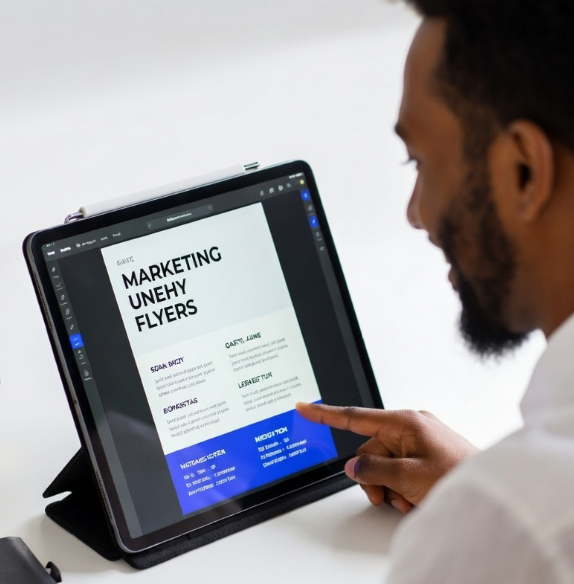
Knowing which app to use is only half the battle. The other half is knowing how to design well inside it. In any flyer design tools comparison, the apps that get the best results aren’t always the most feature-packed; they’re the ones used with the right design principles in mind. Here are four practical tips that work regardless of which tool you choose.
Design Layout: Keep It Focused
First and foremost, a good marketing flyer communicates one primary message. As tempting as it is, resist the urge to cram in every detail. Instead, use a clear visual hierarchy. Your most important information (event name, offer, or headline) should be the largest element on the page. Supporting details like location and time, on the other hand, should be noticeably smaller.
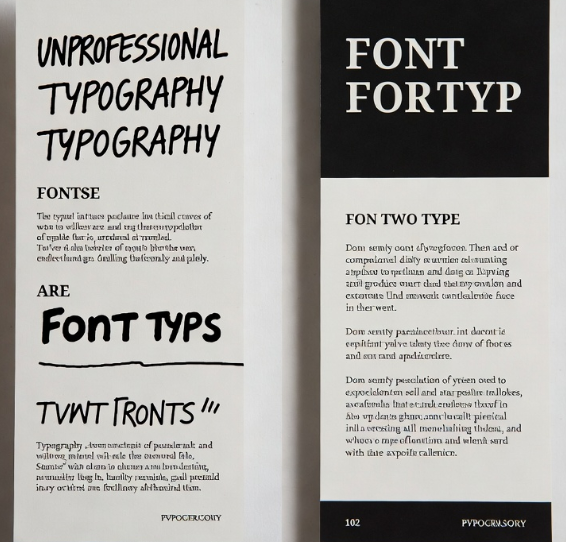
Typography: Two Fonts Maximum
Similarly, using more than two font styles on a flyer creates immediate visual clutter. To avoid this, pair a bold display font for your headline with a clean, readable body font for supporting text. Fortunately, most flyer design tools already offer font pairings that work well together, so simply use them rather than experimenting on your own.
Call-to-Action: Make It Obvious
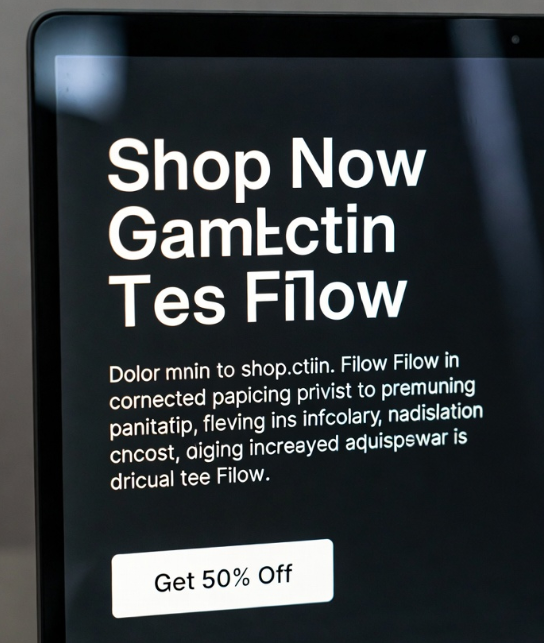
Just as important as your headline is your call-to-action. Every promotional design needs a clear CTA: “Shop Now,” “Book Your Spot,” “Get 50% Off This Weekend.” Without one, even a beautifully designed flyer fails to convert. With that in mind, your CTA should stand out visually through either a contrasting button color or noticeably larger text. Furthermore, place it near the bottom of the flyer where the reader’s eye naturally finishes.
Colors: Match Emotion to Purpose
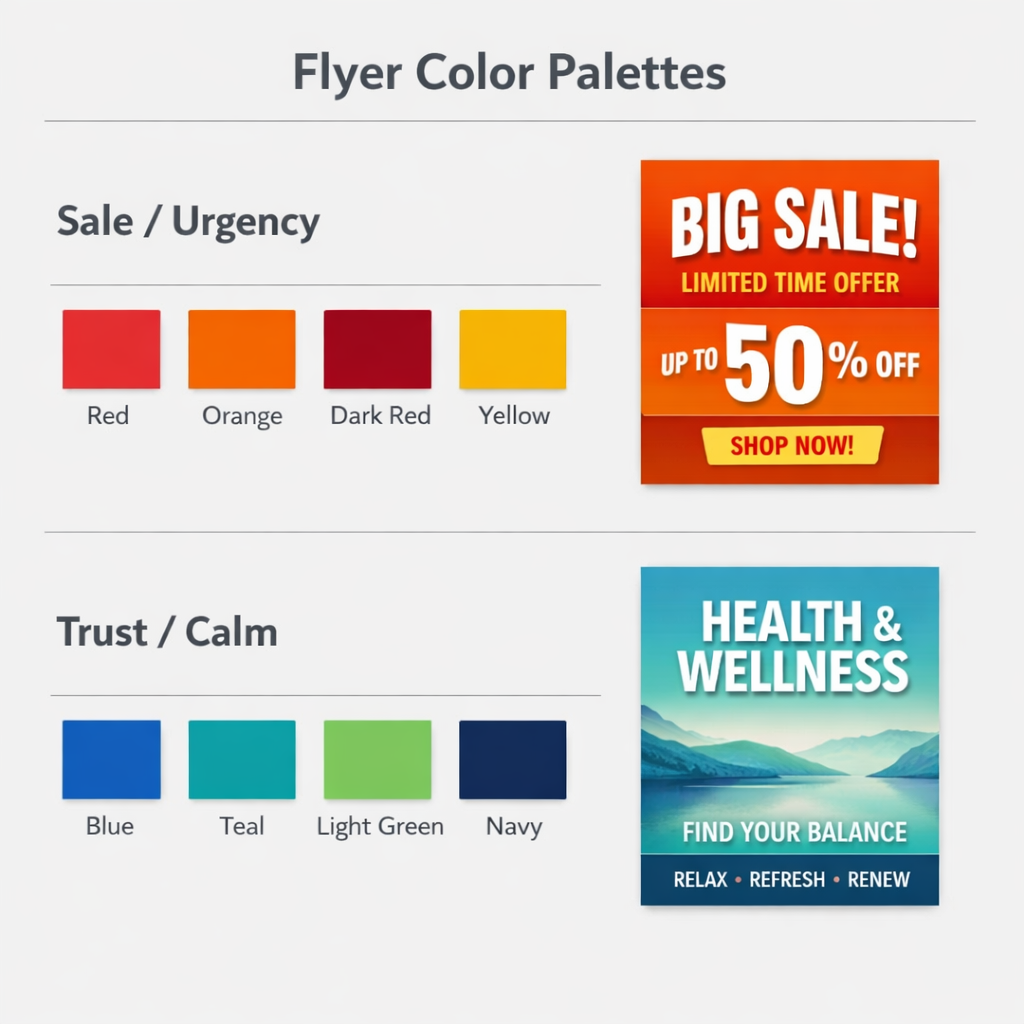
Last but not least, never underestimate the power of color. In fact, color choices affect how people feel about your flyer before they read a single word. For example, bright reds and oranges signal urgency, making them ideal for sales and limited-time offers. Blues and greens, by contrast, communicate trust and calm, which works well for health services or professional businesses.
Quick Design Checklist: One clear message per flyer. Bold headline, readable body text. Maximum 2 fonts. 2–3 brand colors. One strong CTA. QR code if you have a landing page. Download in the right resolution for your output channel (screen vs. print).
Common Flyer Design Mistakes to Avoid
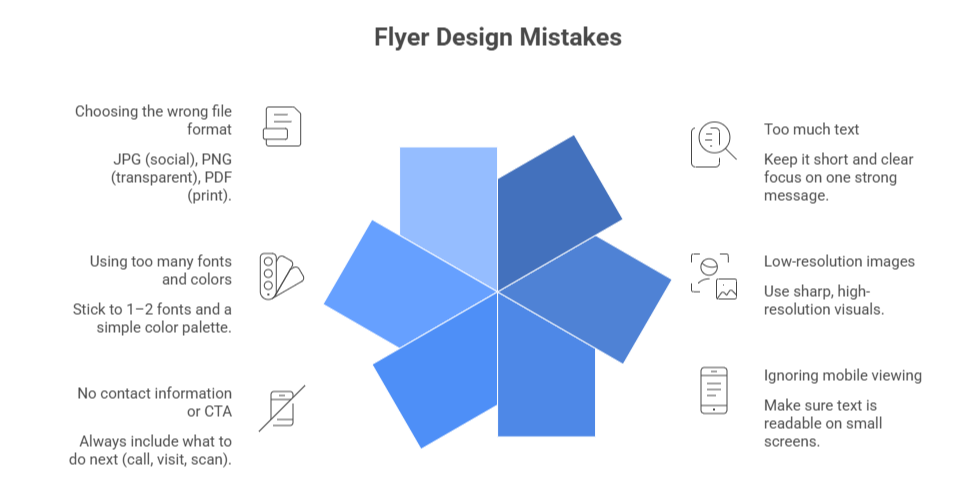
Too much text. Flyers are skimmed, not read. Cut your copy by half, then cut it again. If someone needs 3 sentences to understand what you’re offering, your headline isn’t clear enough.
Low-resolution images. Blurry photos make even a great template look unprofessional. Use images at least 1500px wide for digital flyers and higher for print. The background remover in advanced apps works best with sharp, well-lit images.
Ignoring mobile viewing. Most people will see your flyer on a phone screen. Preview your design at phone size before exporting, and check that text is readable without zooming.
No contact information or CTA. A beautiful flyer that gives people no next step is a missed opportunity. Always include at minimum a phone number, website, or QR code.
Using too many fonts and colors. This is the most common mistake beginners make. It makes a flyer look amateurish instantly. When in doubt, use the template’s default font and color scheme.
Choosing the wrong file format. JPG for social sharing, PNG for transparency, PDF for print. Most flyer maker apps let you choose on export; always double-check before sending to a printer.
Frequently Asked Questions
For complete beginners, any app with a large template library and a drag-and-drop editor is a good starting point. Look for one that doesn’t require design experience and offers pre-made layouts for common use cases like events, sales, or restaurant promotions. The best option should have enough templates that you’re never designing from a blank canvas.
Most apps in this comparison offer a free tier with access to a core set of templates and basic editing features. Premium plans typically ranging from free to around $10–15/month unlock more templates, AI tools, no-watermark downloads, and advanced export options. For occasional personal use, the free tier is usually sufficient.
Among the apps compared here, the tools with the largest template libraries offer 30,000+ designs covering virtually every industry, from real estate and fitness to food, events, and retail. This level of variety matters when you’re creating flyers regularly and don’t want your designs to look repetitive.
Yes. Most modern flyer creation tools support PDF export in print resolution (300 DPI). Check the export settings before downloading, look for a “print quality” or “high resolution” option. Also, make sure your uploaded images are high-resolution to avoid blurry results on printed materials.
The most important features are: a large, categorized template library; drag-and-drop editing; the ability to upload your own images and logo; multiple export formats; and no watermark on downloaded files. Advanced users should also look for AI design assistance, background removal, QR code generation, and animated export support.
Yes, most of the apps in this list are available on both platforms. Before downloading, check the app’s current ratings and update date on your respective store to ensure it’s actively maintained. A cross-platform app also makes it easier to share design templates with team members using different devices.
Final Thoughts: Which App Should You Choose?
After comparing all seven tools, one thing becomes immediately clear: the right app depends entirely on what you need. Beginners will do well with any drag-and-drop editor and a solid template library. However, if you’re a business owner or event organizer creating flyers regularly, you’ll need something far more capable, and that’s exactly where the app ranked #3 pulls ahead.
With 30,000+ templates, AI generation, QR codes, background removal, and animated export all in one place, it’s simply the most complete solution in this comparison. That said, the top flyer maker app is ultimately the one that fits your workflow. So rather than overthinking it, download a free version, create a test flyer, and see what feels natural. Most people find their favorite within the very first session.