freshchat icon chat icon loading icon
employee-of-the-month-hanging-framed-certificate-mockup

What is a Certificate?

A certificate is an official document that confirms a specific fact, achievement, qualification, or truth. In professional and academic settings, it serves as a tangible acknowledgment of a person’s effort, skill mastery, or participation. Beyond simple paperwork, a high-quality certificate creates an emotional connection, making recipients feel valued while enhancing the authority of the issuing institution. 
Create Your Own Certificate
the-true-purpose-of-a-certificate

The True Purpose of a Certificate

  • Validation: Proves an individual has successfully met specific criteria or standards.
  • Motivation: Encourages continuous learning, performance boosts, and milestone completion.
  • Retention: Strengthens loyalty within corporate teams, educational courses, and membership clubs.
types-of-certificates

Types of Certificates

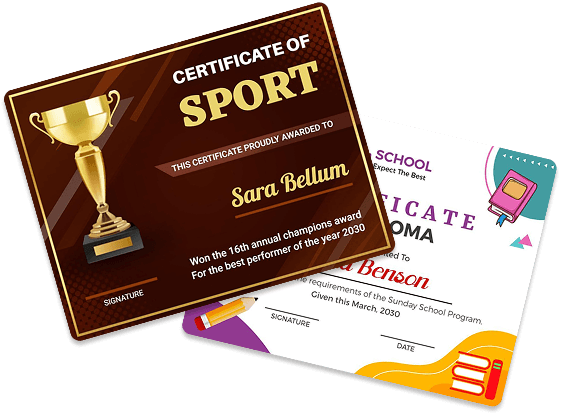
  • Award Certificates: Designed to recognize exceptional performance, breakthroughs, or unique milestones. Common examples include "Employee of the Month" or "Most Valuable Player" awards. These focus heavily on bold imagery, luxury borders, and high-impact honor titles.
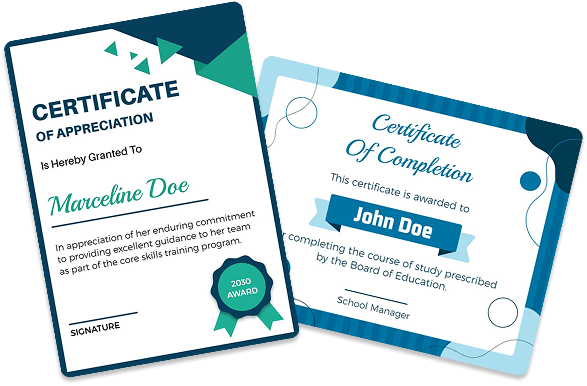
  • Completion & Passing Certificates: Issued when a student or employee successfully finishes a course, workshop, or training program. These require a highly formal structure, often including course codes, credit hours, and official licensing information.
  • Appreciation Certificates: A versatile, informal certificate style used to say "thank you." Organizations deploy these to appreciate volunteers, event speakers, or community members for their dedicated time and unpaid contributions.

Standard Certificate Dimensions Guide

Choosing the correct canvas size before designing ensures your final product looks sharp and fits standard display frames perfectly.
Certificate
Type
Best
Orientation
Dimensions
(Inches)
Dimensions
(Millimeters)
Common
Use Cases
US Letter Landscape 11.0" x 8.5" 279.4 x 215.9 mm Corporate Awards, Diplomas, Employee Milestones
A4 Standard Landscape 11.7" x 8.3" 297.0 x 210.0 mm Academic Degrees, International Certifications
Square Small Balanced 8.0" x 8.0" 203.2 x 203.2 mm Social Media Badges, Digital Micro-Credentials

US Letter

  • Best Orientation: Landscape
  • Dimension (in): 11.0" x 8.5"
  • Dimension (mm): 279.4 x 215.9 mm

Common Use Cases:

Corporate Awards, Diplomas, Employee Milestones

A4 Standard

  • Best Orientation: Landscape
  • Dimension (in): 11.7" x 8.3"
  • Dimension (mm): 297.0 x 210.0 mm

Common Use Cases:

Academic Degrees, International Certifications

Square Small

  • Best Orientation: Balanced
  • Dimension (in): 8.0" x 8.0"
  • Dimension (mm): 203.2 x 203.2 mm

Common Use Cases:

Social Media Badges, Digital Micro-Credentials
certificate-of-appreciation-and-certificate-of-completion

Technical Print Requirements:

  • Print Resolution: Always set your canvas to 300 DPI (Dots Per Inch) to guarantee ultra-sharp, crisp text lines.
  • Color Profile: Select CMYK color modes for files headed to physical printers and RGB for certificates shared online.
  • Safe Zone Margins: Maintain a safety margin of at least 0.5 inches (12.7 mm) from all borders to prevent clipping signatures or seals.

How to Design a Certificate in 8 Steps

Follow this foundational design framework to build beautiful, authoritative documents from scratch.

1. Set Your Canvas

Open your editor and choose your target dimensions (e.g., US Letter Landscape).

2. Establish Visual Hierarchy

Position your main title ("Certificate of Achievement") boldly at the top center.

3. Pick Executive Fonts

Pair a classic serif font (like Baskerville or Garamond) for titles with a clean, readable sans-serif (like Arial or Open Sans) for details.

4. Insert the Recipient Name

Make the recipient's name the largest, most prominent focal point on the page.

5. Write Explicit Context

Add a clear description line explaining exactly why the certificate is being awarded.

6. Incorporate Branding Elements

Upload your company logo, institution crest, or verified security watermarks.

7. Create Signature Lines

Place clean placeholder lines at the bottom for authorized managers, instructors, or executives to sign.

8. Add a Metadata Stamp

Include a unique certificate ID number, verification URL, or issue date for security and tracking.
Strategic Distribution: Physical vs. Digital

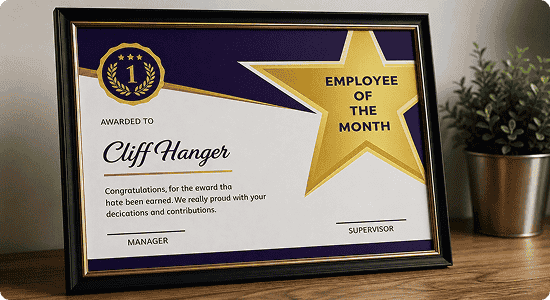
employee-of-the-month-framed-certificate-mockup

Physical Presentation

  • Paper Stock: Print on heavy, textured paper (250-300 GSM) such as parchment, linen, or premium cardstock.
  • Finishing Touches: Use metallic gold foil stamping or embossed seals to maximize perceived prestige.
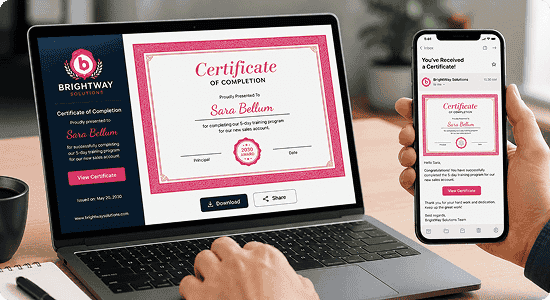
digital-certificate-of-completion-laptop-and-mobile-display

Digital Distribution

  • File Formats: Save final files as flattened, high-resolution PDFs to prevent unauthorized layout changes.
  • Social Optimization: Ensure layouts scale perfectly for LinkedIn posts so recipients can proudly show off their credentials online.