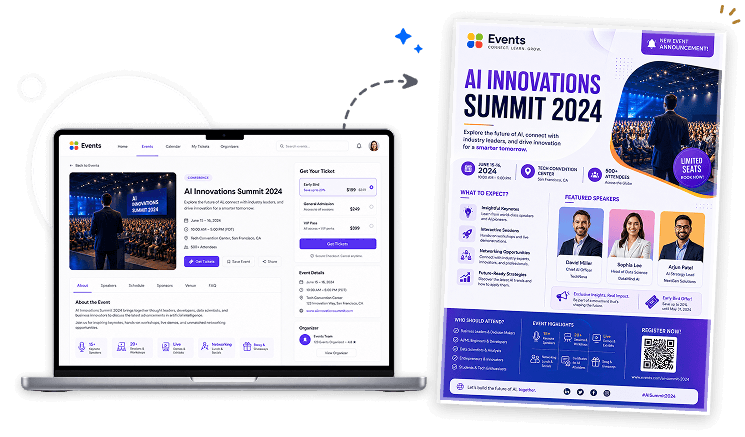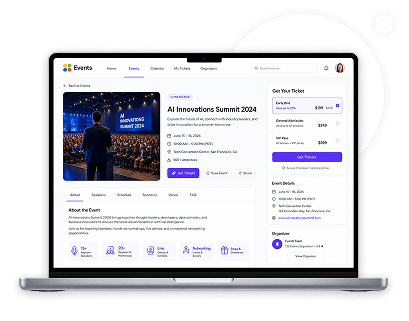
Event page on laptop mockup
AI-Powered Generator

Event Page to Flyer Generator

Turn any event page into a professional event flyer in minutes. Paste your event page URL, let AI extract your event information, generate a flyer instantly, then download and publish it anywhere.

Inspire me
Upload
Please upload an image to remove the background.
15/15 credits available
Each generation will consumed 15 credit.
Upgrade to get more credits and exclusive PRO features.
Credit will reset every month

Your URLs are only used for extraction and are not stored permanently.
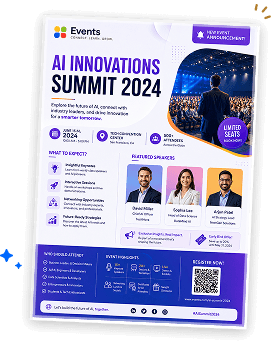
Generated event flyer mockup
Event page to flyer mockup

Create a Flyer from Your Event Page in 4 Simple Steps

Your event page already contains the details attendees need. Instead of manually recreating your event information, simply paste your event page URL and let AI transform it into a professionally designed event flyer.

1. Paste Your Event Page URL

Enter the URL of your public event page, registration page, or event website.

2. AI Extracts Event Information

The system analyzes your event page and identifies important details such as the event name, date, venue, schedule, description, speakers, organizers, ticket information, & registration details.

3. Generate Your Flyer

AI automatically organizes your event information into a professional flyer designed to promote your event effectively.

4. Download & Publish

Download your event flyer in high quality and publish it across social media, event websites, email campaigns, community groups, or print marketing materials.

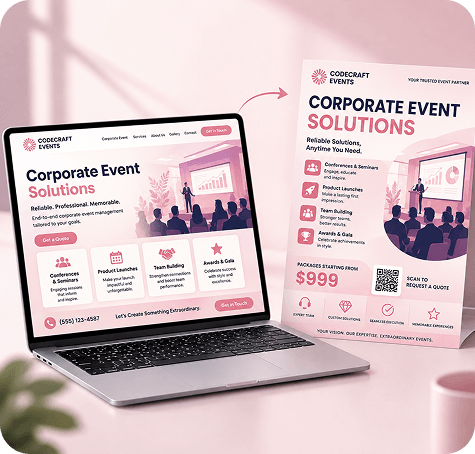
codecraft-events-corporate-event-website-flyer-mockup

Why Use an Event Page to Flyer Generator?

An Event Page to Flyer Generator simplifies event promotion by converting your existing event page into a professional flyer. Simply paste your event page URL, and AI automatically transforms your event information into an attractive flyer that helps increase event awareness and encourage registrations.
Whether you're promoting a conference, workshop, seminar, webinar, concert, fundraiser, or community event, you can create professional event flyers quickly while keeping your event information accurate and consistent.

Automatically Extract Event Information

AI analyzes your event page and identifies the key information needed to build a professional event flyer automatically.

Event Name

Use your event title as the primary headline of the flyer.

Event Banner & Images

Extract available event visuals to create engaging promotional materials.

Event Date & Time

Clearly display when your event takes place.

Venue or Location

Show where attendees can join your event, whether in person or online.

Event Description

Highlight what attendees can expect from your event.

Event Schedule

Present available agenda, sessions, or activity timelines.

Speakers or Organizers

Include featured speakers, hosts, organizers, or presenters whenever available.

Registration Information

Display registration links, ticket information, or RSVP details.

Call-to-Action

Generate promotional messaging such as Register Now, Reserve Your Seat, Join the Event, or Book Your Spot.

See Event Flyers Created from Real Event Pages

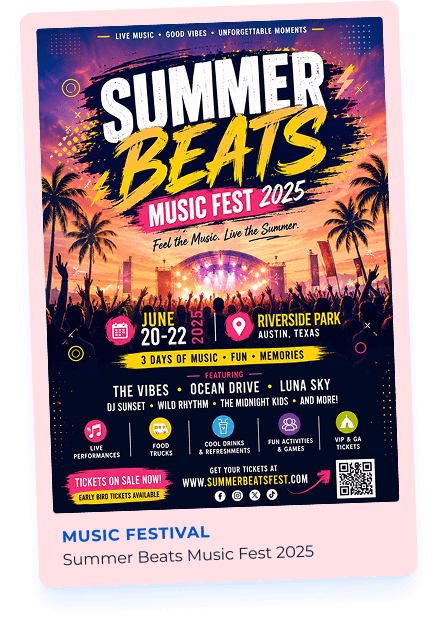
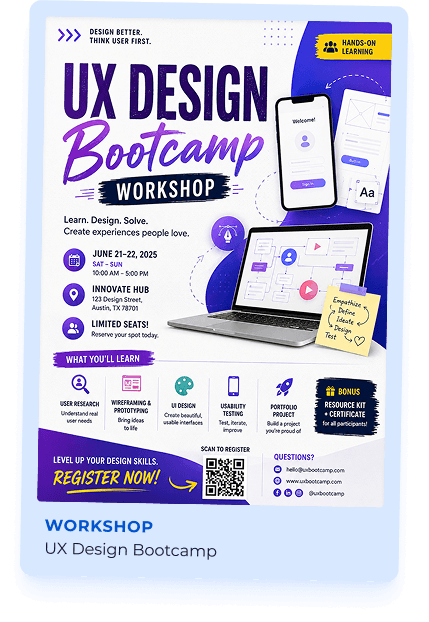
Explore professionally designed event flyer examples generated from conferences, webinars, workshops, festivals, seminars, fundraisers, and community events. Each flyer is automatically created using information extracted from the original event page to help organizers promote events more effectively.

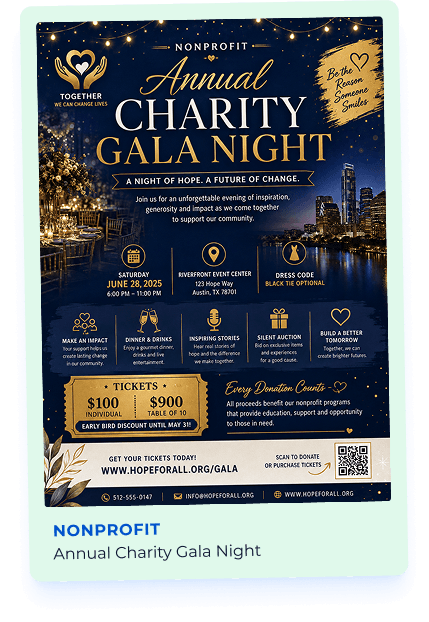
Summer Beats Music Fest flyer example UX Design Bootcamp workshop flyer example Annual Charity Gala Night flyer example

Perfect for Event Organizers

Whether you're hosting a local gathering or a large-scale conference, generating flyers directly from your event page helps simplify your event marketing.

Event Organizers Conference Hosts Webinar Creators Workshop Coordinators Training Providers Educational Institutions Community Organizations Nonprofit Organizations Event Management Companies Corporate Event Teams Festival Organizers Marketing Agencies Churches & Religious Organizations Sports Clubs Music & Entertainment Promoters

Why Generate Event Flyers with DesignWiz?

Create professional event flyers directly from your existing event pages. AI extracts your event information and generates promotional flyer designs that help you attract more attendees across digital and offline marketing channels.

Automatic Event Information Extraction

Generate flyers using the information already available on your event page.

No Manual Content Copying

Paste your event page URL and let AI organize your event details automatically.

Professional Event Flyer Layouts

Generate clean, attractive flyers designed specifically for event promotion.

Works with Public Event Pages

Generate flyers from publicly accessible event pages and registration websites.

Fast Flyer Generation

Create event marketing materials within minutes instead of designing from scratch.

High-Quality Downloads

Download event flyers suitable for online promotion and professional printing.

Ready to Publish

Share your flyers across social media, event websites, email newsletters, messaging apps, community groups, or print them for local promotions.

Built for Event Marketing

Perfect for conferences, workshops, webinars, seminars, concerts, festivals, exhibitions, networking events, fundraisers, and community gatherings.

We can’t create this design as it violates our content policy.

freshchat icon chat icon loading icon

Frequently Asked Questions (FAQs)

An Event Page to Flyer Generator automatically converts your event page into a professionally designed event flyer using AI.
Paste your public event page URL and click Generate Flyer. AI analyzes your event page and creates a professional flyer using your event information.
The generator can extract information such as the event name, images, date, time, venue, description, schedule, speakers, organizers, registration details, and promotional content available on your event page.
The generator works with publicly accessible event pages, registration websites, conference websites, webinar landing pages, and business event pages.
No. AI automatically generates a professional event flyer using the information available on your event page.
Yes. You can generate additional event flyers from the same event page whenever you'd like different flyer styles for your promotions.
No. The generator only reads publicly available information from your event page to create your flyer. It never modifies your original event page.
You can publish your flyer on social media, event websites, email campaigns, community forums, messaging apps, digital advertisements, or print it for local event promotions.