


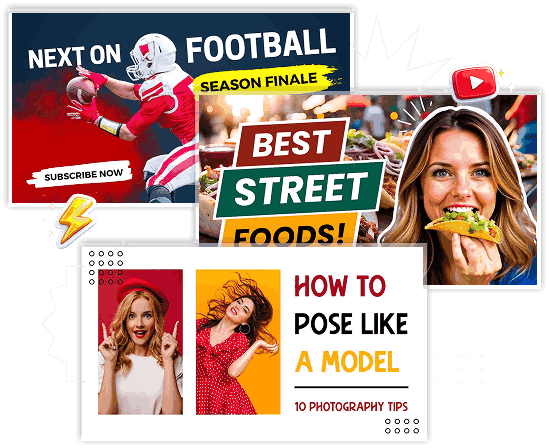
A YouTube thumbnail is the preview image viewers see before clicking on a video. It acts as the video's visual headline, giving viewers a quick idea of what to expect. An effective YouTube thumbnail design combines compelling visuals, readable text, and strong branding to encourage more people to watch your content.

Different content requires different thumbnail styles. Popular categories include:

Gaming thumbnails are bold, energetic, and visually exciting. They often feature gameplay screenshots, game characters, expressive reactions, vibrant colors, and large text highlighting achievements, challenges, or updates. These designs help gaming videos stand out in a highly competitive niche.

Tutorial thumbnails focus on clarity and learning. They usually include clean layouts, descriptive titles, screenshots, icons, or step-by-step visuals that quickly communicate what viewers will learn. Simple and readable designs work best for educational content.

Educational thumbnails are designed to build trust and communicate value. They typically use professional colors, clean typography, charts, diagrams, or subject-related visuals that appeal to students, teachers, and lifelong learners looking for informative content.
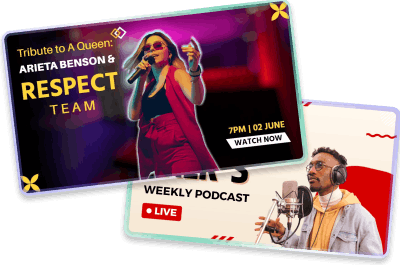
Podcast thumbnails highlight the host, guest speakers, microphones, or studio settings. They often use consistent branding, bold typography, and recognizable visual elements to make each episode instantly identifiable across the channel.

Business thumbnails are clean, professional, and brand-focused. They commonly feature business professionals, charts, graphs, logos, or product visuals combined with strong headlines that communicate topics such as marketing, finance, entrepreneurship, or productivity.

Product review thumbnails place the featured product at the center of attention. Close-up product images, comparison graphics, ratings, and expressive facial reactions help viewers quickly understand what is being reviewed before clicking.

Technology thumbnails showcase gadgets, software, AI tools, smartphones, laptops, or innovative products. High-quality product images, futuristic colors, glowing effects, and bold text help create excitement around the latest tech updates and reviews.
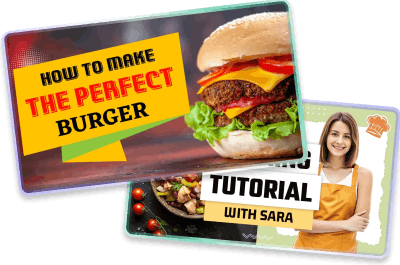
Cooking thumbnails use delicious food photography, vibrant ingredients, and colorful backgrounds to make recipes look irresistible. Large food images, recipe names, and minimal text help viewers instantly recognize the featured dish.

Fitness thumbnails inspire motivation by showcasing workouts, transformations, trainers, gym equipment, or healthy lifestyles. Bright colors, energetic poses, and bold typography encourage viewers to explore workout routines and wellness tips.
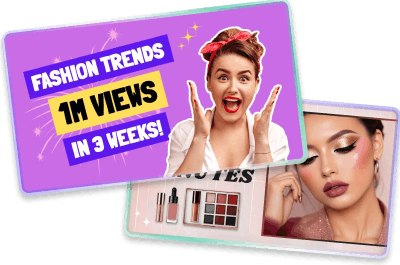
Beauty and fashion thumbnails highlight makeup looks, skincare routines, hairstyles, outfits, or accessories. Elegant typography, soft lighting, vibrant colors, and polished visuals help attract audiences interested in beauty trends and fashion inspiration.

Travel thumbnails feature breathtaking landscapes, famous landmarks, beaches, mountains, or cityscapes. Combining scenic photography with expressive reactions and destination names helps create curiosity and encourages viewers to explore new places.

Reaction thumbnails rely heavily on emotional facial expressions, exaggerated reactions, and contrasting visuals. Split-screen layouts showing the creator alongside the subject being reacted to instantly communicate excitement, surprise, or curiosity.

Vlog thumbnails give viewers a glimpse into everyday experiences. They often feature the creator in real-life settings with bright colors, lifestyle photography, and simple text that reflects the story or activity featured in the video.
Bold visuals and clear typography help your videos stand out among competing content.
High-quality thumbnails attract more clicks, leading to increased watch time and audience engagement.
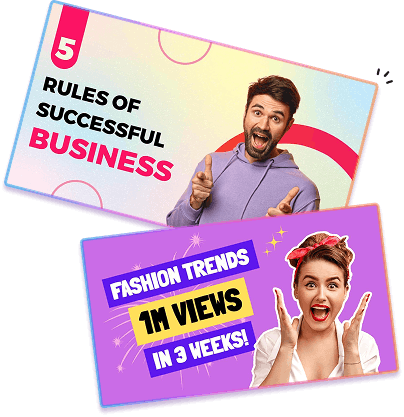
Consistent thumbnail designs create a recognizable visual identity across your YouTube channel.
Professional templates and editing tools make it easier to create attractive thumbnails without starting from scratch.
Think about who will watch your video and design a thumbnail that appeals to their interests.
Keep text concise and easy to read at small sizes.
Choose sharp photos or screenshots that clearly represent your video.
High-contrast color combinations make thumbnails more noticeable.
Use the same fonts, colors, and logo placement across all videos.
Arrange images, text, and graphics so viewers know where to look first.
Facial expressions and dramatic visuals often attract more clicks.
Preview your thumbnail on desktop and mobile devices before uploading it.
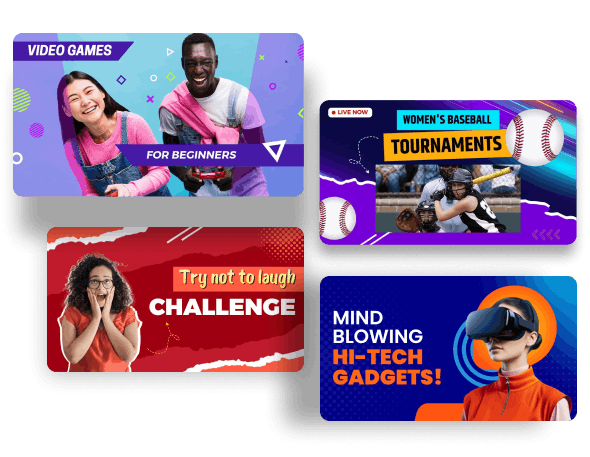
Creating thumbnails in the correct size ensures they appear sharp across every device
These dimensions ensure your thumbnail displays correctly on desktop, mobile devices, tablets, and smart TVs.