


Fair Flyer Templates
DesignWiz fair flyer templates help community organizers and school committees promote fairs and carnivals fast with bright festive layouts for attractions, vendors, and event schedules.



How to customize a fair flyer
No design skills needed. Choose a bright festive layout, add attractions and event details, adjust colors for your fair theme, then export a file you can print or share online in minutes.

1. Pick a fair layout
Pick a fair flyer layout for trade events, school carnivals, or county fairs. Set the page size first, then add the event name in bold festive typography that sets the celebratory tone.
2. Add attractions and event details
Add event name, dates, hours, venue, admission pricing, featured attractions, and vendor highlights. Keep wording bright and clear so families quickly find activity schedules and ticket info.
3. Use bright festive colors
Use classic carnival red, yellow, and blue or seasonal tones for your theme. Add ride and crowd photos and keep text readable so admission prices and schedules are easy to spot.
4. Check print layout
Check margins and safe area, keep event dates and admission prices away from edges, and export at print quality. Preview at full size so attraction photos look sharp and details are clearly readable.
5. Export and share
Export a print ready PDF for community boards and storefronts plus a square digital version for Facebook and Instagram. Share with local groups and include the date and ticket link in all posts.
Trusted by Thousands
 Tata Consultancy Services
 Boston Consulting
 AT&T
AT&T
 Avelo Airlines
 Procter & Gamble
 Ministry Of Health, Malaysia
 Veterans Affairs
 Detroit Government
 New York University
 Texas A&M University
 Decathlon America
 Warby Parker
Tata Consultancy Services
Boston Consulting
AT&T
Avelo Airlines
Procter & Gamble
Ministry Of Health, Malaysia
Veterans Affairs
Detroit Government
New York University
Texas A&M University
Decathlon America
Warby Parker
Warby Parker
Tata Consultancy Services
Boston Consulting
AT&T
Avelo Airlines
Procter & Gamble
Ministry Of Health, Malaysia
Veterans Affairs
Detroit Government
New York University
Texas A&M University
Decathlon America
Warby Parker



Other Flyer templates
Fair Flyer Templates Design Ideas and Examples
Customize colors, attraction photos, and event details to match your fair theme, then keep the layout bright and clear so visitors find dates, activities, and vendor info in seconds. DesignWiz offers fair flyers across trade events, school carnivals, and county celebrations, so you can start from a ready-made layout and tailor it for your event. Use these ideas to decide visual style, attraction highlights, and what to emphasize for your audience, then browse flyer templates when you want more options beyond your first pick.
Trade and business fair flyers
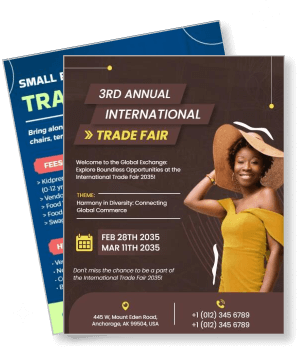
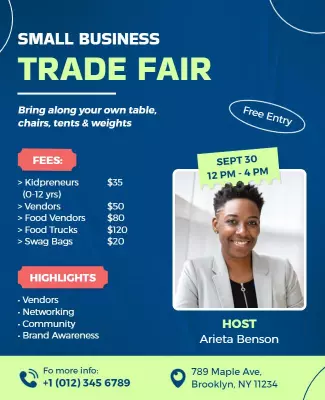
Use professional clean layouts with bold headlines, sponsor logo sections, and clear details for booth pricing, networking events, and speaker schedules. For a trade fair example, start from annual international trade fair event flyer template and swap the event theme and exhibitor details. The small business trade fair variant works well for local vendor markets with booth registration and community brand awareness details prominently featured.
School and community fair flyers
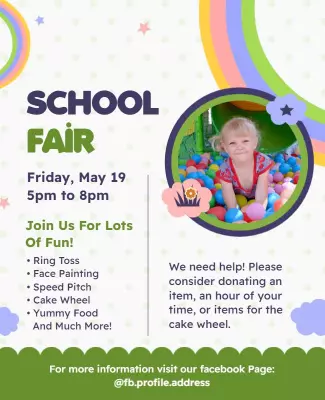
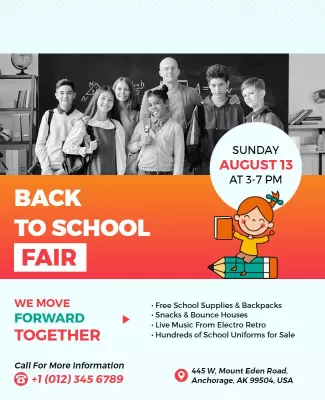
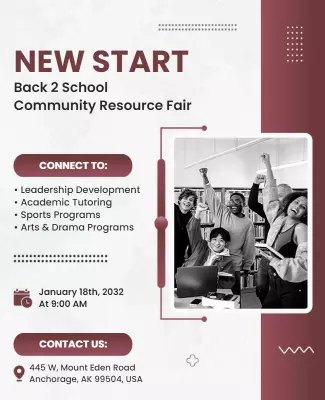
Use bright playful colors, kid-friendly illustrations, and clear sections for activity booths, food stalls, and ticket pricing. For a school fair layout, adapt fun school fair event invitation flyer template and update the date and activity highlights. The back to school community resource fair variant works for supply drives with free uniform distribution and live music entertainment details included.
County and family fair flyers
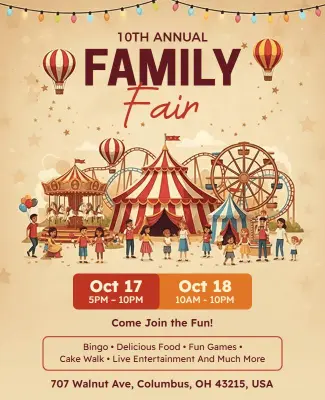
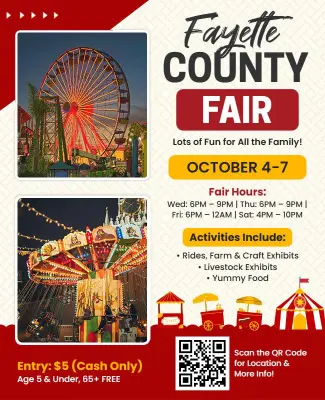
Use classic carnival colors like red, yellow, and blue with ride photography, entertainment schedules, and admission pricing sections. For a county fair layout, start from family county fair event flyer template and replace the date and attraction lineup. The annual family fair festival celebration variant works for multi-day events with amusement rides and food vendor maps prominently featured.