


Gaming Logos
Gaming Logo Templates built for streamers, teams, and clans. Customize gaming logo designs for avatars, overlays, and merch.




How to design a gaming logo
Follow these focused steps to plan, build, and ship a logo that stays crisp on streams, socials, and merch.
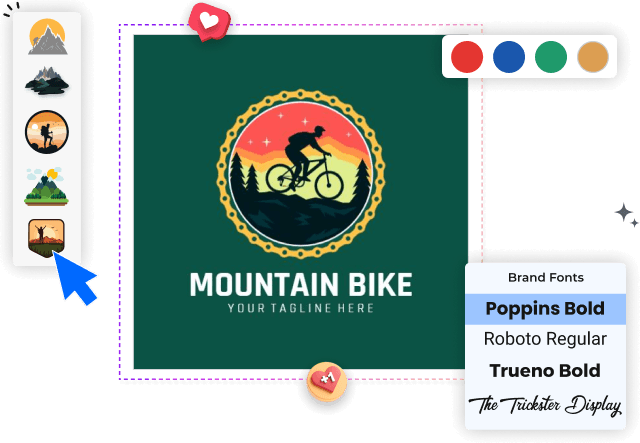
1. Set up your canvas
Start by opening a square artboard (at least 1024×1024). Enable grid or guides, and drop a rough mascot or monogram placeholder so spacing, balance, and safe areas are easy to judge.
2. Define structure and concept
Decide on a style—mascot, monogram, or emblem—and sketch the main shapes. Lock a clear hierarchy: icon first, name second, optional tagline last for small-size readability.
3. Shape typography and icon
Pair a bold, condensed typeface with tight tracking, then outline it for crisp scaling. Build the icon from simple forms, and test legibility at 64–128 px on dark and light backdrops.
4. Style for dark mode and motion
Choose a high-contrast palette, add a 2–4 px stroke or glow, and build light/dark variants. Save a flat version plus a subtle animated layer friendly to stream overlays.
5. Export for avatars, overlays, and merch
Export transparent PNGs for avatars (512–2048 px), vector SVG/PDF for scaling, and 300 dpi CMYK for print. Keep a 1920×1080 banner and a tiny 32–64 px mark for badges.
Trusted by Thousands
 Tata Consultancy Services
 Boston Consulting
 AT&T
AT&T
 Avelo Airlines
 Procter & Gamble
 Ministry Of Health, Malaysia
 Veterans Affairs
 Detroit Government
 New York University
 Texas A&M University
 Decathlon America
 Warby Parker
Tata Consultancy Services
Boston Consulting
AT&T
Avelo Airlines
Procter & Gamble
Ministry Of Health, Malaysia
Veterans Affairs
Detroit Government
New York University
Texas A&M University
Decathlon America
Warby Parker
Warby Parker
Tata Consultancy Services
Boston Consulting
AT&T
Avelo Airlines
Procter & Gamble
Ministry Of Health, Malaysia
Veterans Affairs
Detroit Government
New York University
Texas A&M University
Decathlon America
Warby Parker



Other Logo templates
Build Recognition with a Gaming Logo That Dominates Every Platform
In gaming, your logo is the banner players rally behind—a fast visual that communicates skill, attitude, and genre in a split second. Whether you’re an esports team, streamer, indie studio, or gaming café, a strong Gaming Logo builds recognition across Twitch thumbnails, Discord servers, jerseys, and storefronts. Common cues include sharp angles, shields or crests, sleek monograms, and bold mascots; colors lean dark with high-contrast hits like neon green, electric blue, or crimson. Futuristic sans-serifs, pixel-inspired letterforms, and motion lines suggest speed and precision, while glitch or chrome textures add edge. With DesignWiz, the logo maker built for brand clarity, you can dial in a mark that scales cleanly from avatar to merch, keeps detail readable at small sizes, and tells your squad’s story in a single, unforgettable icon.
Create a standout logo with our intuitive logo maker. Customize high-quality logo designs to build a memorable and professional brand.
Design Elements of a High-Impact Gaming Logo
Start with a distinct symbol: a stylized controller, headset, mythic beast, or initial-based crest. Pair it with a confident, modern typeface—chunky techno sans for dominance, angular display for aggression, or minimalist geometrics for strategy-led brands. Color sets the mood: neon on black for energy, purple and cyan for sci‑fi, amber and steel for tactical realism. Keep shapes compact for avatar crops, and use negative space or outline strokes to protect legibility at micro sizes. In DesignWiz, you can quickly test colorways, swap icons, fine-tune kerning, and explore stacked or horizontal layouts so your Gaming Logo stays consistent across streams, socials, and sponsorship assets.