


Security Logos
Our security logo templates are designed to help you create a distinctive brand identity. These designs are perfect for any security business looking to establish a professional image.


















How to Create a Professional Security Logo
Follow these steps to design a professional and impactful security logo for your business.
1. Step 1: Define Your Brand Identity
Start by considering what elements best represent your business values and security focus. Choose symbols and colors that evoke trust.
2. Step 2: Select a Template
Browse through the collection of security logo templates and select one that closely matches your brands identity and message.
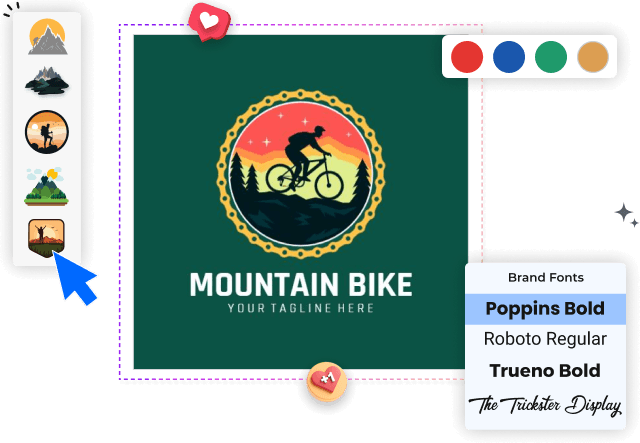
3. Step 3: Customize Your Design
Use the editing tools to change colors, adjust fonts, and incorporate symbols that align with your brand image and style.
4. Step 4: Finalize Your Logo
Review your design to ensure all elements are in place. Adjust any details for balance and cohesion before finalizing.
5. Step 5: Export and Use Your Logo
Export your logo in the desired formats. Implement it across marketing materials, business cards, and digital platforms for consistent branding.
Trusted by Thousands
 Tata Consultancy Services
 Boston Consulting
 AT&T
AT&T
 Avelo Airlines
 Procter & Gamble
 Ministry Of Health, Malaysia
 Veterans Affairs
 Detroit Government
 New York University
 Texas A&M University
 Decathlon America
 Warby Parker
Tata Consultancy Services
Boston Consulting
AT&T
Avelo Airlines
Procter & Gamble
Ministry Of Health, Malaysia
Veterans Affairs
Detroit Government
New York University
Texas A&M University
Decathlon America
Warby Parker
Warby Parker
Tata Consultancy Services
Boston Consulting
AT&T
Avelo Airlines
Procter & Gamble
Ministry Of Health, Malaysia
Veterans Affairs
Detroit Government
New York University
Texas A&M University
Decathlon America
Warby Parker



Other Logo templates
Enhance Your Brand with a Security Logo
In the world of security, perception and trust are paramount. Having a strong Security Logo not only establishes credibility but also communicates reliability and protection to your clients. With DesignWiz, crafting a distinctive logo that captures the essence of your security business becomes an easy yet impactful experience. Typical design elements in this realm include shields, locks, and eyes, often combined with bold colors like blue or black to signify strength and trust. Customizing your Security Logo with specific fonts, icons, and layouts allows you to carve out a unique identity that resonates with your target audience, ensuring that your brand stands head and shoulders above the competition.
Get started with our logo maker and create a professional logo in minutes. Customize logo templates with your preferred style and branding.
Crafting an Impactful Security Logo
An effective Security Logo goes beyond aesthetics; it encapsulates your brand's core principals and the sense of safety you promise to your clients. Incorporating elements like arrows and locks can succinctly convey protection and vigilance. The ability to customize color palettes and layout on DesignWiz empowers you to highlight different facets of your brand personality, whether it's modern and sleek or traditional and robust. This personalized approach ensures your logo not only catches the eye but also builds trust with potential customers.