


Daycare Poster Templates
Daycare Poster Templates help childcare centers, preschools, nurseries, and care providers create clear promotions, announcements, and parent communications for print and digital use.
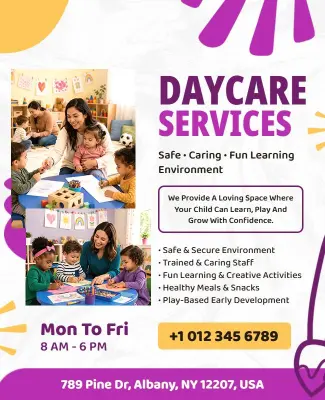

How to create a daycare poster
Start with the exact message your daycare needs to communicate, then customize the layout so families can understand the details and next step at a glance.

1. Choose the poster goal
Decide whether the poster will promote enrollment, announce an open day, explain services, or share a closure notice. A clear purpose keeps every detail focused.
2. Add essential daycare details
Replace the sample text with your center name, age groups, hours, address, contact details, and next step. Keep the most important information near the top.
3. Match the design to families
Use friendly colors, readable type, and images that reflect your care environment. Balance warmth with clarity so parents can understand the message quickly.
4. Check privacy and accuracy
Review names, dates, phone numbers, and service details before publishing. Use child photos only when you have appropriate permission and avoid sensitive information.
5. Export for print and digital use
Download a print-ready version for noticeboards and handouts, plus a digital version for social media, email, or parent groups. Check readability at both sizes.
Trusted by Thousands
 Tata Consultancy Services
 Boston Consulting
 AT&T
AT&T
 Avelo Airlines
 Procter & Gamble
 Ministry Of Health, Malaysia
 Veterans Affairs
 Detroit Government
 New York University
 Texas A&M University
 Decathlon America
 Warby Parker
Tata Consultancy Services
Boston Consulting
AT&T
Avelo Airlines
Procter & Gamble
Ministry Of Health, Malaysia
Veterans Affairs
Detroit Government
New York University
Texas A&M University
Decathlon America
Warby Parker
Warby Parker
Tata Consultancy Services
Boston Consulting
AT&T
Avelo Airlines
Procter & Gamble
Ministry Of Health, Malaysia
Veterans Affairs
Detroit Government
New York University
Texas A&M University
Decathlon America
Warby Parker



Other Poster templates
Daycare posters for attracting families and sharing clear updates
Daycare poster templates give childcare providers a practical starting point for promoting services, announcing events, and keeping families informed. Instead of building every design from a blank page, you can customize a structured layout with your center name, age groups, hours, contact details, and next step.
Choose friendly visuals that reflect a welcoming care environment, but keep important information easy to scan. Parents should be able to identify the purpose of the poster, understand who it is for, and know how to contact your center without searching through crowded text.
Promote daycare services and enrollment
Service posters can introduce your programs, learning activities, operating hours, and available age groups to local families. The Fun Loving Daycare Services Poster Template provides space for a clear service message, supporting details, and contact information.
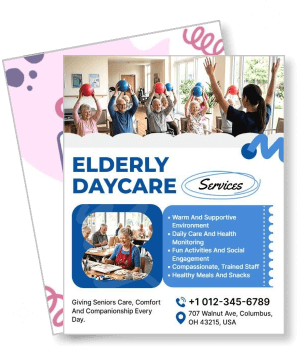
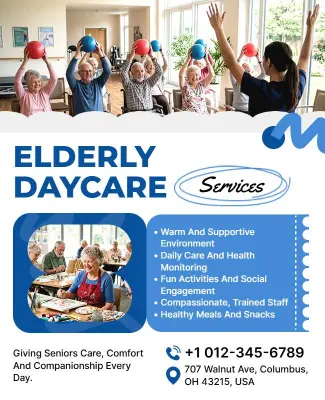
For care programs serving older adults, the Elderly Daycare Services Informational Poster Template can be adapted to explain available support, activities, schedules, and enquiry details in a more informative format.
Announce openings and family events
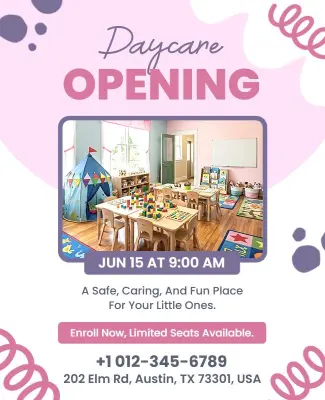
A grand opening or open day poster should quickly communicate the event date, location, visiting hours, and reason to attend. Use the Daycare Center Grand Opening Announcement Poster Template when launching a new center or inviting families to explore your facilities.
The Daycare Open Day Event Poster Template works well for tours, parent introductions, activity demonstrations, and enrollment events that need a warm but organized presentation.
Share operational notices with parents
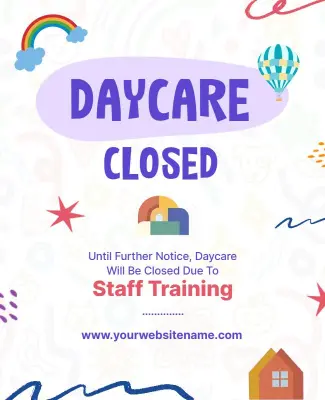
Not every daycare poster is promotional. Centers also need dependable layouts for schedule changes, staff training days, holidays, and temporary closures. The Daycare Closure Notice Poster Template keeps the closure date, reason, reopening information, and contact details visible.
For notices, prioritize accuracy over decoration. Confirm every date and phone number before sharing, and use a clear headline so parents immediately understand whether action is required.
Prepare one design for print and digital sharing
A well-structured daycare poster can be displayed near your entrance, distributed as a handout, emailed to families, or shared through social media and parent groups. Keep the type large enough for noticeboards and test the digital version on a phone before publishing.
Use photos of children only when you have appropriate permission. When suitable images are unavailable, illustrations, activity icons, classroom objects, and branded shapes can communicate a caring environment without exposing personal information.