freshchat icon chat icon loading icon

Share this template anywhere.

3d printing services brochure multiple material options austin tx template

3d Printing Flyer Templates

DesignWiz 3d Printing Flyer Templates help service providers, makerspaces, and trainers promote offers with ready-made layouts, modern visuals, and editable details that keep services, dates, and contact info easy to update.
Create your own

{"737992":{"name":"3d-printing-service-promotional-flyer-template-l6we2226273d3b.jpg","webp_name":"3d-printing-service-promotional-flyer-template-l6we2226273d3b.webp","width":325,"height":400}} 737992
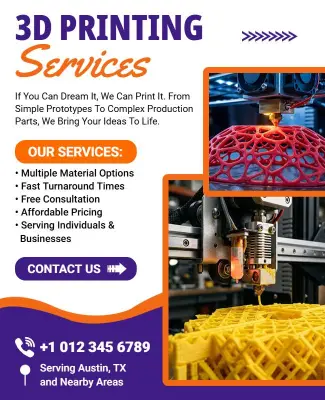
3d Printing Service Promotional Flyer Template
325 x 400 px

3d
printing
Show all keywords
3d Printing Service Promotional Flyer Template
{"404180":{"name":"3d-printing-camp-flyer-template-cq4ur21f4c04af.jpg","webp_name":"3d-printing-camp-flyer-template-cq4ur21f4c04af.webp","width":325,"height":400}} 404180
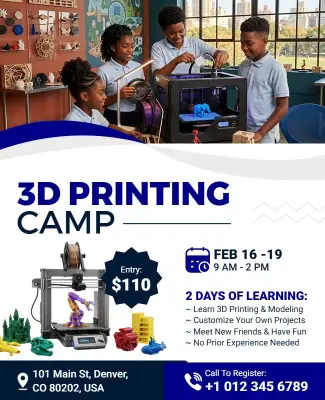
3d Printing Camp Flyer Template
325 x 400 px

3d
printing
Show all keywords
3d Printing Camp Flyer Template
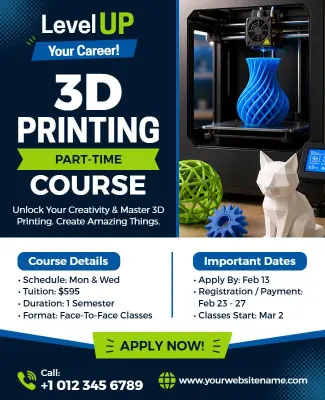
{"680009":{"name":"3d-printing-part-time-course-flyer-template-ss10nr723e44e9.jpg","webp_name":"3d-printing-part-time-course-flyer-template-ss10nr723e44e9.webp","width":325,"height":400}} 680009
3d Printing Part-Time Course Flyer Template
325 x 400 px

3d
printing
Show all keywords
3d Printing Part-Time Course Flyer Template
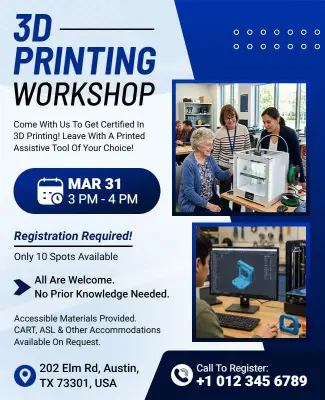
{"843773":{"name":"3d-printing-workshop-flyer-template-rvqwn11864a61f.jpg","webp_name":"3d-printing-workshop-flyer-template-rvqwn11864a61f.webp","width":325,"height":400}} 843773
3d Printing Workshop Flyer Template
325 x 400 px

3d
printing
Show all keywords
3d Printing Workshop Flyer Template
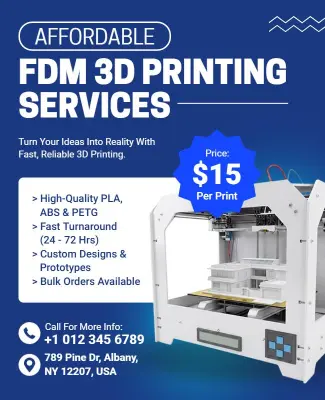
{"926758":{"name":"affordable-fdm-3d-printing-services-flyer-template-gy97zf126ffc79.jpg","webp_name":"affordable-fdm-3d-printing-services-flyer-template-gy97zf126ffc79.webp","width":325,"height":400}} 926758
Affordable FDM 3d Printing Services Flyer Template
325 x 400 px

fdm
3d
Show all keywords
Affordable FDM 3d Printing Services Flyer Template

How to edit a 3D printing flyer

Use these five steps to turn a template into a flyer for services, workshops, or courses. Keep the flow simple so edits stay fast and each update remains easy to review before you publish.

Corporate Growth Poster
1.

1. Choose a Layout

Pick a layout that leaves room for the service name, class type, date, and contact details. A clear frame helps the message stay focused and easy to scan on mobile or print.

2.

2. Add Service Copy

Replace the placeholder copy with service details, machine types, pricing, and any booking note. Short text helps people understand the offer fast and keeps the flyer direct.

3.

3. Set Visual Style

Add product renders, printer photos, or bold tech colors. Keep one strong headline so the main offer stands out when the flyer is shared online or printed for a counter display.

4.

4. Review the Layout

Check spelling, spacing, and contact details before export. A final review helps avoid awkward line breaks and keeps the flyer looking polished across every channel and screen.

5.

5. Save and Share

Save a print version and a social version. Using the same core message in both files keeps the promotion consistent when you post it online or hand it out in person later.

Trusted by Thousands

Tata Consultancy Services
Boston Consulting
AT&T
Avelo Airlines
Procter & Gamble
Ministry Of Health, Malaysia
Veterans Affairs
Detroit Government
New York University
Texas A&M University
Decathlon America
Warby Parker
Tata Consultancy Services
Boston Consulting
AT&T
Avelo Airlines
Procter & Gamble
Ministry Of Health, Malaysia
Veterans Affairs
Detroit Government
New York University
Texas A&M University
Decathlon America
Warby Parker
High performer asia
Front runners
High performer small business

Other Flyer templates

3d Printing Flyer Templates for services, workshops, camps, and courses

Use the 3d printing service promotional flyer template when you need a broad message for repairs, custom parts, or prototype work. It gives you a clean base for quick edits and clear contact details.

If price is part of the pitch, the affordable fdm 3d printing services flyer template helps you highlight value without making the layout feel busy. It is a practical choice for budget aware buyers and recurring offers.

For hands-on learning, the 3d printing workshop flyer template and 3d printing part-time course flyer template leave space for dates, signup notes, and a short value line that helps beginners understand the offer fast.

When you are promoting a camp or intro session, the 3d printing camp flyer template keeps the theme energetic while staying easy to read in print or online. It also makes repeat edits simple when the same campaign needs a new date.

Create Your 3d Printing Flyer Now!

Frequently Asked Questions (FAQs)

A 3D printing flyer should make the service and offer obvious in the first few seconds. Include the service name, machine type, price or special note, location, contact method, and any limited time message so people know exactly what you are promoting. Add one strong image, a clean headline, and enough space around the details so the flyer feels professional rather than crowded. For 3d Printing Flyer Templates, that simple structure usually works better than adding too many effects or long paragraphs. It also helps the reader decide fast whether the offer fits their needs.

To promote a 3D printing service, lead with the result people want, such as prototypes, custom parts, or fast turnaround. Then give the service name, who it is for, how it works, and how to book. Share the flyer through local business pages, maker groups, stories, and printed handouts. A ready-made layout helps because you can update the promotion quickly without rebuilding the design each time the offer changes. That speed is useful when you are testing seasonal offers, launch campaigns, or short booking windows.

Yes. These templates work well for workshops because they already leave room for class names, dates, signup notes, and a short value message. You can adapt the same design for maker events, beginner sessions, or training days by changing the headline and supporting copy. Keep the visual style aligned with the audience. A cleaner layout works well for technical training, while a brighter, more active look can suit camps or community events. That flexibility keeps the flyer clear without forcing a full redesign.

For a part-time course flyer, the most important details are the course title, schedule, start date, skill level, and the way to apply. Put those items near the top so readers do not have to search for them. If you add a line about certification, software, or machine access, keep it short and direct. That helps the flyer create interest without sounding cluttered or hard to trust. A clean course block also makes it easier for staff to answer questions consistently when people start asking for more information.

To make a 3D printing flyer look professional, use spacing, consistent fonts, and one clear visual style. Product renders, printer photos, or clean geometric accents can work well when they support the message instead of competing with it. Avoid too many colors or decorative elements. The goal is to make the promotion feel modern, technical, and easy to read so customers connect the design with a reliable service. A restrained layout usually feels more polished than one that tries to do too much.

You can include machine photos or renders if they are accurate, sharp, and easy to read at flyer size. If the images are too small or too busy, they can weaken the layout and distract from the booking message. A single strong hero image or a clean product render is often enough. Focus on the offer, the service name, and the contact details first, then add supporting visuals only when they improve clarity. When in doubt, clarity is more persuasive than extra image content.

Yes. The same layout can work for camps and workshops if the headline, imagery, and wording match the event type. Use a broad maker style when you want flexible appeal, or tailor the tone when the event is more specific. Small wording changes can make the flyer feel more relevant without changing the core structure, signup flow, or visual hierarchy. That is helpful when one campaign theme needs to support multiple event formats and lets you adjust the same design for invite cards, promos, or last minute announcements.

Use one main headline, two or three supporting points, and enough spacing between sections. Avoid crowding the flyer with too many fonts or colors. The best 3d Printing Flyer Templates use clear contrast so the service name, date, and call to action stand out immediately. When the audience can scan the layout in a few seconds, they are more likely to remember the offer and respond. A simple visual path is usually stronger than a busy layout that tries to say too much at once.

Cool, bold, and high contrast colors usually work best for a 3D printing theme because they make the design feel technical and readable. Blue, cyan, purple, gray, and orange accents can all work if the text still stands out clearly. Match the palette to the service vibe and keep it consistent across the flyer. That gives the offer a more professional and memorable feel. If the palette looks good at a distance, it is usually strong enough for both print and social use.

You can update the same flyer quickly by keeping the structure and replacing only the headline, service name, dates, and contact details. That is the fastest way to reuse a design for a new 3D printing offer without losing consistency. Make small visual changes only when needed, such as swapping one image or accent color. The simpler the update path, the faster your team can publish the next promotion. It is a practical way to handle recurring service campaigns without starting over every time.
Start Designing with AI
Can’t find the perfect design? Create instantly with AI.