Aerobics Flyer Templates
DesignWiz Aerobics Flyer Templates help fitness instructors, gyms, and community programs promote classes, workouts, and events with ready made layouts that are easy to edit and share.
How to customize an aerobics flyer
Follow these steps to build a clear aerobics flyer fast, even if you do not have design experience. Keep the class details, timing, and audience benefit easy to scan in seconds.
1. Choose Layout
Pick a template that matches the class style and gives the headline enough space. Make sure it can hold dates, times, locations, and a short class benefit without feeling crowded.
2. Add Class Details
Enter the session name, schedule, instructor, price, and contact details in one clean block. Place the most important facts near the top so readers can find them quickly.
3. Set the Energy
Use bold colors, active imagery, or calm water tones depending on the class type. Keep contrast strong so the flyer stays readable on posters, handouts, and mobile screens.
4. Refine Hierarchy
Make the headline largest, then follow with the date and main offer. Limit fonts to two styles and keep spacing consistent so the flyer feels energetic without losing clarity.
5. Export and Review
Save print and social versions from the same design, then proof every number and spelling choice. A final check keeps the flyer trustworthy across studios, counters, and feeds.
Trusted by Thousands
Tata Consultancy Services
Boston Consulting
AT&T
Avelo Airlines
Procter & Gamble
Ministry Of Health, Malaysia
Veterans Affairs
Detroit Government
New York University
Texas A&M University
Decathlon America
Warby Parker
Tata Consultancy Services
Boston Consulting
AT&T
Avelo Airlines
Procter & Gamble
Ministry Of Health, Malaysia
Veterans Affairs
Detroit Government
New York University
Texas A&M University
Decathlon America
Warby Parker
Other Flyer templates
Why Aerobics Flyer Templates Work for Fitness Classes and Events
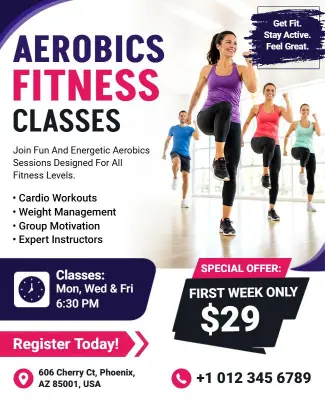
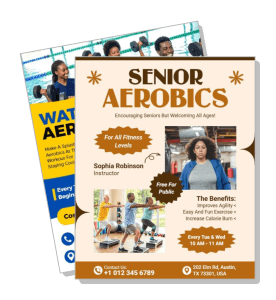
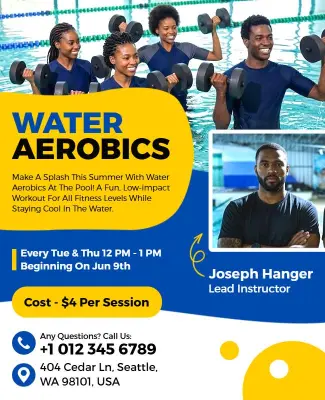
Customize aerobics flyer templates for weekly classes, senior programs, water workouts, and boot camp sessions by adjusting the headline, schedule, and visual style. Use flyer templates to start from a layout that already fits your message, then keep the copy short and the details easy to scan.
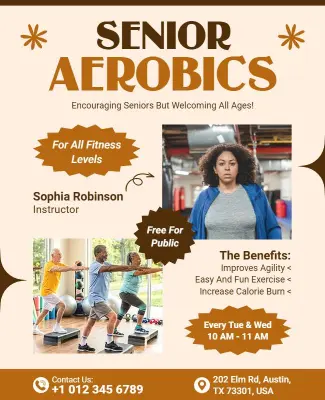
Senior classes: Senior programs need larger type, calmer spacing, and a clear promise of comfort and accessibility. The Senior Aerobics Class Promotional Flyer Template is a strong reference when you want the message to feel welcoming, readable, and easy to follow.
Water workouts: Pool sessions work best when the visuals feel cool, active, and clean rather than heavy or cluttered. The Water Aerobics Fitness Flyer Template is useful when you need to promote aquatic fitness classes with a fresh look and simple class details.
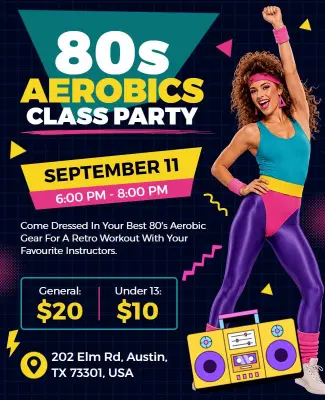
Retro aerobics: Theme classes can use brighter colors and playful energy, but the schedule still has to stay readable. The 80s Aerobics Class Party Flyer Template works well when you want a fun, nostalgic look for a special event or themed workout night.
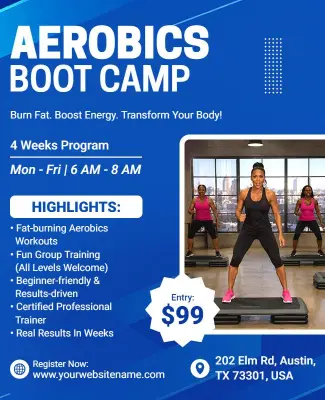
Boot camp sessions: High intensity classes benefit from strong contrast, bold text, and a layout that makes the offer feel urgent. The Aerobics Boot Camp Fitness Flyer Template helps when you need to promote a tougher workout format with a focused and energetic design.
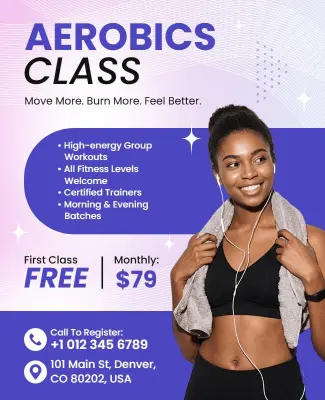
General class promos: For weekly signup campaigns, the flyer should stay flexible enough to support studio branding, schedule changes, and class updates. The Aerobics Class Promotional Flyer Template is a practical default when you want one layout for ongoing marketing, and the AI flyer generator can help draft alternate versions faster.
Designer insight: Aerobics flyers perform best when the first glance answers three questions, what class it is, when it starts, and why someone should join. A simple headline, one active image, and a short detail block usually beat crowded layouts because they help people decide quickly.
Before you print, run through this checklist:
Check the class name, date, time, and location for accuracy.
Make the headline large enough to read from a distance.
Use strong contrast so small text stays readable on busy backgrounds.
Keep the instructor name, price, and signup note together in one block.
Export print and social versions so the flyer works across channels.
Proof spelling and numbers before sharing the design publicly.