freshchat icon chat icon loading icon

Share this template anywhere.

sports equipment sale flyer football glove bat event details template

Sports Equipment Flyer Templates

DesignWiz Sports Equipment Flyer Templates help sporting goods retailers, rental shops, and sports program organizers promote sales, new arrivals, rental services, and community equipment drives with ready made layouts that are easy to customize for any campaign.
This app is amazing, it makes it so easy to Express your creativity and the options are endless. I totally love it! — Bobby Cieri
4.6/5 (From 380k reviews)

Create your own

{"340335":{"name":"sports-equipment-sale-event-flyer-template-j000lu616c7152.jpg","webp_name":"sports-equipment-sale-event-flyer-template-j000lu616c7152.webp","width":325,"height":400}} 340335
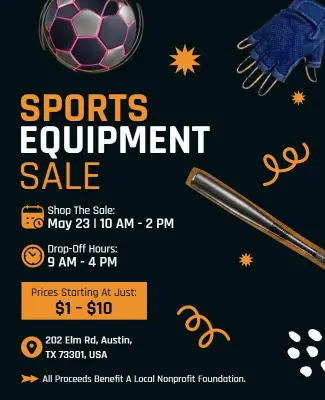
Sports Equipment Sale Event Flyer Template
325 x 400 px

sports
equipment
Show all keywords
Sports Equipment Sale Event Flyer Template
{"106996":{"name":"baseball-equipment-sale-event-flyer-template-ab3xlc53e6d275.jpg","webp_name":"baseball-equipment-sale-event-flyer-template-ab3xlc53e6d275.webp","width":325,"height":400}} 106996
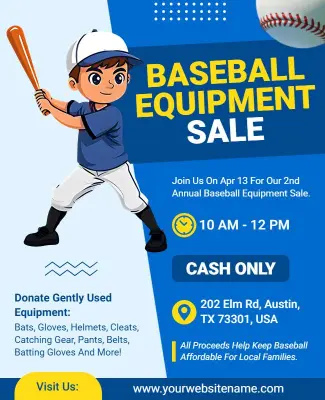
Baseball Equipment Sale Event Flyer Template
325 x 400 px

baseball
equipment
Show all keywords
Baseball Equipment Sale Event Flyer Template
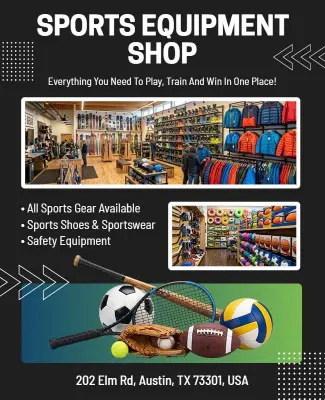
{"232028":{"name":"sports-equipment-shop-promotional-flyer-template-qvwwrre0b014a9.jpg","webp_name":"sports-equipment-shop-promotional-flyer-template-qvwwrre0b014a9.webp","width":325,"height":400}} 232028
Sports Equipment Shop Promotional Flyer Template
325 x 400 px

sports
equipment
Show all keywords
Sports Equipment Shop Promotional Flyer Template
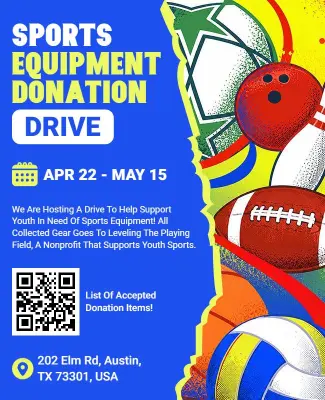
{"941310":{"name":"sports-equipment-donation-drive-flyer-template-8uknqfda0e4eaf.jpg","webp_name":"sports-equipment-donation-drive-flyer-template-8uknqfda0e4eaf.webp","width":325,"height":400}} 941310
Sports Equipment Donation Drive Flyer Template
325 x 400 px

sports
equipment
Show all keywords
Sports Equipment Donation Drive Flyer Template
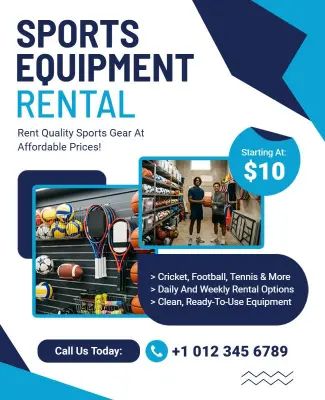
{"227239":{"name":"sports-equipment-rental-flyer-template-nu4p944dab217f.jpg","webp_name":"sports-equipment-rental-flyer-template-nu4p944dab217f.webp","width":325,"height":400}} 227239
Sports Equipment Rental Flyer Template
325 x 400 px

sports
equipment
Show all keywords
Sports Equipment Rental Flyer Template
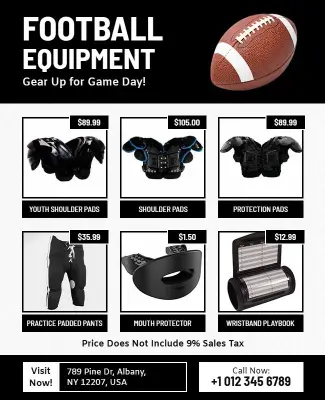
{"682691":{"name":"football-equipment-sale-promotion-flyer-template-ku0ujb792dc3dd.jpg","webp_name":"football-equipment-sale-promotion-flyer-template-ku0ujb792dc3dd.webp","width":325,"height":400}} 682691
Football Equipment Sale Promotion Flyer Template
325 x 400 px

football
equipment
Show all keywords
Football Equipment Sale Promotion Flyer Template

How to customize a sports equipment flyer

No design skills needed. Choose a retail layout, add your product photos and pricing, adjust brand colors, then export a print ready flyer in minutes.

Corporate Growth Poster
1.

1. Pick a layout

Choose a sports equipment flyer layout that matches your retail goal, whether it is a sale event, rental service, or donation drive. Set the flyer size to standard print dimensions first.

2.

2. Add key details

Add your store or organization name, product categories or equipment list, pricing or rental rates, promotion dates, and a clear call to action. Keep the offer prominent and text scannable.

3.

3. Use product photos

Select high resolution product photos that show the equipment clearly on a clean background. Use consistent lighting and angles across all images so the flyer has a polished retail store look.

4.

4. Apply colors and fonts

Apply athletic brand colors across the background, headline, and accent elements. Use bold condensed fonts for the headline and clean sans-serif fonts for body text and pricing details.

5.

5. Export for print and digital

Confirm the resolution is set to 300 DPI for print output with 3mm bleed and crop marks. Export a separate RGB digital version sized for social media to promote across your channels.

Trusted by Thousands

Tata Consultancy Services
Boston Consulting
AT&T
Avelo Airlines
Procter & Gamble
Ministry Of Health, Malaysia
Veterans Affairs
Detroit Government
New York University
Texas A&M University
Decathlon America
Warby Parker
Tata Consultancy Services
Boston Consulting
AT&T
Avelo Airlines
Procter & Gamble
Ministry Of Health, Malaysia
Veterans Affairs
Detroit Government
New York University
Texas A&M University
Decathlon America
Warby Parker
High performer asia
Front runners
High performer small business

Other Flyer templates

Sports Equipment Flyer Templates Design Ideas and Examples

Customize colors, product photos, pricing, and promotion details to match your store, then keep the layout focused so customers spot the deals or services quickly. DesignWiz offers sports equipment flyers across sale events, shop promotions, rental services, and donation drives, so you can start from a ready made layout and edit it for your business. Use these ideas to decide headline style, product placement, and what to emphasize for your audience, then browse flyer templates when you want more options beyond your first pick.

Equipment sale and discount flyers

Lead with the discount percentage or sale name, display product photos in a grid or row, and list original and sale prices clearly. Add a sale period and a call to action such as shop now or visit our store. For a sports equipment sale promotion, start from sports equipment sale event flyer template and swap the product images, headline, and pricing details.

Sports equipment rental flyers

List available rental equipment by category, include pricing by the hour, day, or week, and note deposit and age requirements. Add a reserve now or book online call to action and include a phone number and location. For a rental service promotion, adapt sports equipment rental flyer template and update the equipment list, rates, and contact details.

Equipment donation and community drive flyers

Use a warm and community focused tone, list the types of equipment accepted, and include drop off location, date, and time. Add a contact line for pickup inquiries and a brief mission statement. For a community equipment drive, customize sports equipment donation drive flyer template and replace the accepted items list, dates, and organization name.

Create Your Flyer Template Now!

Frequently Asked Questions (FAQs)

Every sports equipment sale flyer needs the discount percentage or sale name as the most prominent element, the types of equipment included such as bats, gloves, shoes, or gear, sale start and end dates, store address or website, and a clear call to action. Add your store logo at the top or bottom. If applicable, include exclusions such as excludes clearance items or while supplies last. Keep the text concise so customers can understand the offer at a glance. Use bold typography for the deal and clean fonts for the supporting details.

Standard sizes for sports retail flyers include 4x6 inches for counter displays and bag stuffers, 5.5x8.5 inches for direct mail and handouts, and 8.5x11 inches for in-store signage and bulletin boards. For digital promotion on social media, use 1080x1350 pixels for Instagram posts and 1200x628 pixels for Facebook event pages. Export print files at 300 DPI with 3mm bleed on all sides. Keep critical text and logos at least 5mm inside the trim line so nothing is cut off during production.

Use bold athletic colors that match the sport you are promoting, such as red and white for baseball, orange and black for football, or blue and silver for basketball. High contrast combinations like black text on bright yellow backgrounds make sale prices stand out in store windows. Limit the palette to three colors so the flyer does not look busy. Use team or league colors when promoting sport-specific equipment to build immediate recognition with customers looking for gear for their sport.

Use a clean white or neutral background so the equipment is the main focus. Shoot products at eye level or slightly above to show shape and details clearly. Include a size reference such as a ball next to a glove to help customers gauge dimensions. Capture multiple angles for key items. Use consistent lighting across all product photos on one flyer so the layout looks cohesive. Avoid busy backgrounds that distract from the equipment. Edit images to show the true colors of the products without heavy filters.

Yes, pricing is essential for sale and rental flyers. For sale promotions, show the original price with a strikethrough and the sale price in a larger bold font. For rental services, list hourly, daily, and weekly rates in a clear table format. For donation drives, omit pricing and use a call to action such as donate your gear today. Always format prices consistently across all flyers in the same campaign. Bundle pricing such as buy a glove and bat together for a discount can encourage larger purchases.

List each equipment category with rental periods and pricing in a clean table or grid. Include deposit requirements, age or weight restrictions, and whether reservations are required. Add a reserve now call to action with a phone number and website. Show an image of your most popular rental item as the hero visual. Include your hours of operation and any late return policies. Highlight seasonal equipment such as ski gear in winter or snorkel gear in summer so customers know what is currently available.

Use bold condensed sans-serif fonts like Barlow Condensed or Impact for headlines to convey energy and strength. Pair with a clean sans-serif font like Roboto or Open Sans for body text, pricing, and product descriptions. Keep headlines at 48pt or larger and body text at a minimum of 18pt for readability. Use bold weight for sale prices and regular weight for supporting details. Limit to two fonts per flyer to maintain a professional look. Avoid thin or script fonts that are hard to read at a distance or in low light.

Use a clean layout with warm community focused colors like blue and green. List the types of equipment accepted such as gently used bats, gloves, balls, shoes, and uniforms. Include drop off location, date and time, and a contact number for large donation pickup. Add a brief mission statement explaining where the equipment goes such as local youth leagues or underserved schools. Use a donate now or drop off your gear call to action. Keep the design simple and welcoming to encourage community participation.

Yes, but export two versions from the same design. Export a print version at 300 DPI in CMYK with 3mm bleed and crop marks. Then export a digital version in RGB at 72 DPI sized for the platform such as 1080x1350 pixels for Instagram or 1200x628 pixels for Facebook. Keep the same headline, offer, and product images in both versions for consistent branding. Adjust text size and spacing for the smaller digital format so the sale details remain readable on phone screens.

Use a single bold headline that states the sale or offer in five words or less. Make the discount or price the largest element on the page so it is visible from across the store. Use a bright accent color for the offer text against a dark or neutral background. Keep the layout simple with one or two hero product images instead of many small photos. Limit information to the essentials. Print on glossy or semi-gloss paper for in-store flyers and use the digital version for social media and email campaigns.
Start Designing with AI
Can’t find the perfect design? Create instantly with AI.