freshchat icon chat icon loading icon

Share this template anywhere.

screen printing event flyer custom tshirts pop up august 15 details atlanta template

Screen Printing Flyer Templates

DesignWiz Screen Printing Flyer Templates help print shops, instructors, and creative businesses promote services, classes, and workshops with ready made layouts that are easy to edit and share.
I have bee using this app for years to cover all my graphic design needs for my businesses. love and recommend it. — Donna Marie Williams
4.6/5 (From 380k reviews)

Create your own

{"214192":{"name":"screen-printing-pop-up-flyer-template-05v7nlda0d08c3.jpg","webp_name":"screen-printing-pop-up-flyer-template-05v7nlda0d08c3.webp","width":325,"height":400}} 214192
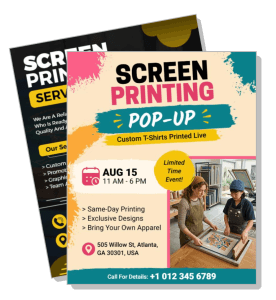
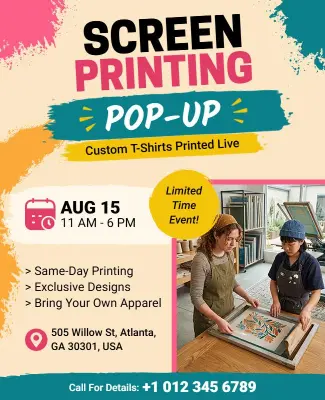
Screen Printing Pop-up Flyer Template
325 x 400 px

screen
printing
Show all keywords
Screen Printing Pop-up Flyer Template
{"577538":{"name":"screen-printing-services-flyer-template-ujj4cb156ce2b0.jpg","webp_name":"screen-printing-services-flyer-template-ujj4cb156ce2b0.webp","width":325,"height":400}} 577538
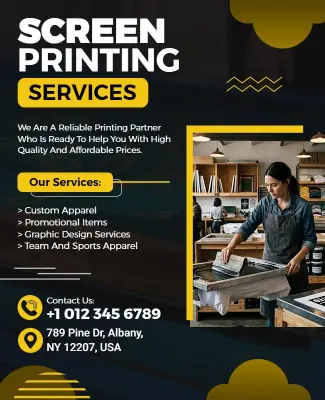
Screen Printing Services Flyer Template
325 x 400 px

screen
printing
Show all keywords
Screen Printing Services Flyer Template
{"353005":{"name":"screen-printing-class-flyer-template-xgqvp20dfc5f1b.jpg","webp_name":"screen-printing-class-flyer-template-xgqvp20dfc5f1b.webp","width":325,"height":400}} 353005
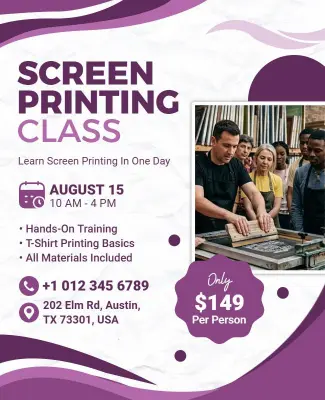
Screen Printing Class Flyer Template
325 x 400 px

screen
printing
Show all keywords
Screen Printing Class Flyer Template
{"841612":{"name":"screen-printing-training-flyer-template-fvdd4105e99925.jpg","webp_name":"screen-printing-training-flyer-template-fvdd4105e99925.webp","width":325,"height":400}} 841612
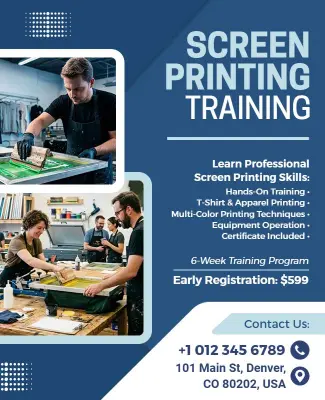
Screen Printing Training Flyer Template
325 x 400 px

screen
printing
Show all keywords
Screen Printing Training Flyer Template
{"977679":{"name":"screen-printing-workshop-flyer-template-4uwjvc003f1bc8.jpg","webp_name":"screen-printing-workshop-flyer-template-4uwjvc003f1bc8.webp","width":325,"height":400}} 977679
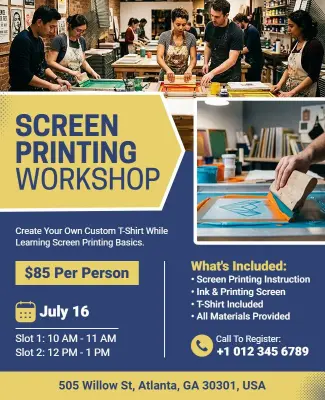
Screen Printing Workshop Flyer Template
325 x 400 px

screen
printing
Show all keywords
Screen Printing Workshop Flyer Template

How to customize a screen printing flyer

Follow these steps to build a clear screen printing flyer fast, even if you do not have design experience. Keep the service, schedule, and call to action easy to scan in seconds.

Corporate Growth Poster
1.

1. Choose Layout

Pick a template that matches the event or service and leaves room for the headline. Make sure it can hold pricing, dates, and a short benefit without feeling crowded.

2.

2. Add Main Message

Enter the service name, class title, workshop topic, or event offer in one short block. Keep the wording simple so readers understand the purpose right away.

3.

3. Add Practical Details

Include the date, time, address, contact point, and any signup or material notes in a clear block. Place the most important facts near the top so they are easy to find.

4.

4. Set Visual Style

Use bold colors, print inspired textures, or shop branding that matches the campaign. Keep contrast strong so the flyer stays readable on posters, handouts, and mobile screens.

5.

5. Export and Review

Save print and social versions from the same design, then proof every number and spelling choice. A final check helps the flyer stay trustworthy across counters, feeds, and events.

Trusted by Thousands

Tata Consultancy Services
Boston Consulting
AT&T
Avelo Airlines
Procter & Gamble
Ministry Of Health, Malaysia
Veterans Affairs
Detroit Government
New York University
Texas A&M University
Decathlon America
Warby Parker
Tata Consultancy Services
Boston Consulting
AT&T
Avelo Airlines
Procter & Gamble
Ministry Of Health, Malaysia
Veterans Affairs
Detroit Government
New York University
Texas A&M University
Decathlon America
Warby Parker
High performer asia
Front runners
High performer small business

Other Flyer templates

Why Screen Printing Flyer Templates Work for Shops, Classes, and Workshops

Customize screen printing flyer templates for pop up events, service promos, and hands on learning by adjusting the headline, pricing, and visual tone. Use flyer templates to start from a layout that already fits your message, then keep the copy short and the details easy to scan.

Pop-up events: Pop up flyers need a strong headline and a layout that makes the date, venue, and limited time message obvious right away. The Screen Printing Pop-up Flyer Template is useful when you want the design to feel energetic without losing clarity on event details.

Service promotions: Service flyers work best when the offer is easy to understand and the pricing or package details are grouped together. The Screen Printing Services Flyer Template is a practical choice when you need to present shop capabilities, specials, or custom print offers.

Classes and training: Learning focused flyers should feel approachable, organized, and simple to follow for beginners. The Screen Printing Class Flyer Template and the Screen Printing Training Flyer Template both work well when you need to explain skills, schedules, and signup steps without making the page feel heavy.

Workshop sessions: Workshops need a creative look, but the flyer still has to lead with the topic, date, and location. The Screen Printing Workshop Flyer Template is useful when you want a hands on event to feel practical, local, and easy to join. The AI flyer generator can help draft alternate versions faster.

Designer insight: Screen printing flyers work best when the first read answers three things, what is being offered, who it is for, and how to respond. A clear headline, one visual theme, and a short detail block usually outperform busy layouts because they make the next step obvious.

Before you print, run through this checklist:

Check the service name, date, time, and address for accuracy.

Make the headline large enough to read from a distance.

Use strong contrast so small text stays readable on textured backgrounds.

Keep pricing, signup notes, and contact details in one visible block.

Export print and social versions so the same flyer works everywhere.

Proof every number and spelling choice before sharing the design publicly.

Create Your Flyer Now!

Frequently Asked Questions (FAQs)

Start with the main service or event, then add the date, time, location, and any signup step the reader should take. If the flyer is for a shop promotion, lead with the offer or package type. Keep the top section simple so it can be understood at a glance on a wall or phone screen. Screen printing flyer templates work best when the key message is visible before the reader starts looking for details.

Use one strong headline, one main image, and a simple layout that makes the offer easy to scan. Bright colors can help, but they should not reduce readability. Avoid too many fonts or too much decoration that competes with the message. If the flyer is for a limited time event, make the date or deadline especially visible so people know why they should act now.

Bold colors often work well because the subject already connects to print, ink, and visual design. Black, yellow, red, blue, and white are common choices because they can create strong contrast. The safest approach is to pick a palette that matches the mood of the class, service, or workshop and still keeps the text easy to read. If the flyer uses a textured background, make sure the words remain clear.

Make the class title, date, and signup details the most visible parts of the flyer. Beginners usually need a calm and structured layout, not a busy one, so keep the copy short and practical. Explain what people will learn, who the class is for, and what they should bring if anything is required. A well structured flyer reduces confusion and makes it easier for people to commit.

Lead with the workshop topic and then show the schedule and location in a clear block. If the workshop has a hands on element, mention that early because it helps the event feel tangible. Keep the visuals creative but controlled so the flyer stays readable on social and print. Screen printing flyer templates are useful here because they let you balance artistic style with a clear event structure.

Yes, but plan two versions from the same master design. Print needs larger text, stronger margins, and a file that is ready for production. Social usually needs the key information centered more tightly so it remains readable on mobile screens. Keep the same colors and headline so the campaign feels consistent across channels. Templates make that workflow easier because the layout does not need to be rebuilt.

Group the price, package name, and offer details into one easy to scan block. Avoid hiding important numbers inside long paragraphs or decorative text. A professional service flyer usually has a clear path from headline to pricing to contact details. For screen printing businesses, a simple structure often builds more trust than a crowded one because it makes the offer feel organized and current.

The most helpful details are usually the date, time, location, price, contact information, and any supply or registration note. If the event is a class or workshop, explain whether beginners are welcome and whether materials are included. The clearer the flyer is, the fewer questions staff have to answer. Good structure helps readers understand what to expect before they contact you.
Start Designing with AI
Can’t find the perfect design? Create instantly with AI.