


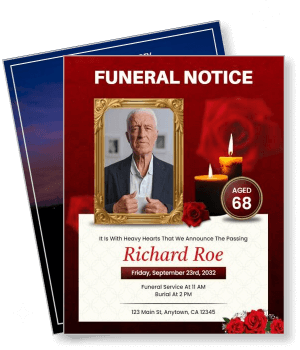
Funeral Announcement Flyer Templates
DesignWiz Funeral Announcement Flyer Templates help you share memorial service details with care and clarity. Pick a ready made layout, add the name, dates, and service information, then print or share digitally with family and friends.

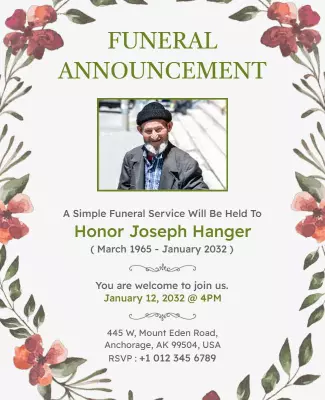
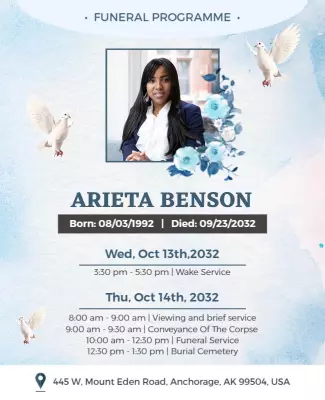


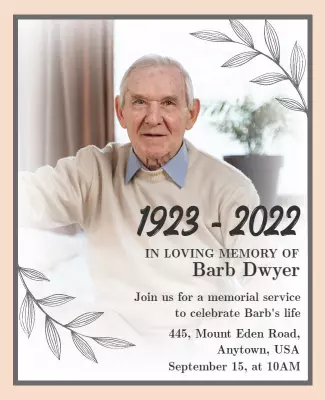


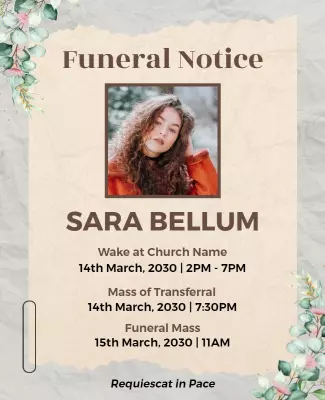


How to customize a funeral announcement flyer
No design skills needed. Choose a layout, add the service details and a photo, adjust the colors and fonts, then export a file you can print or share with family.

1. Pick a layout
Choose a funeral announcement flyer layout that matches the tone of the service. Pick a design with soft colors and clean typography so the information feels respectful and easy to read.
2. Add key details
Add the full name of the deceased, dates of birth and passing, service date, time, and location. Keep the text clear and concise so attendees can find the key details quickly without confusion.
3. Add a photo and tribute
Add a high quality photo of the deceased and a short personal tribute or verse. Choose an image that captures their personality and place it where it anchors the layout and honors their memory.
4. Check print settings
Check all text for accuracy including name spelling, dates, and service location. Confirm margins and export at print resolution so the flyer looks professional and polished for the service.
5. Export and share
Export a print ready PDF for distribution at the service and a digital version for sharing online. Send the digital file to family and friends who cannot attend so they can view the tribute.
Trusted by Thousands
 Tata Consultancy Services
 Boston Consulting
 AT&T
AT&T
 Avelo Airlines
 Procter & Gamble
 Ministry Of Health, Malaysia
 Veterans Affairs
 Detroit Government
 New York University
 Texas A&M University
 Decathlon America
 Warby Parker
Tata Consultancy Services
Boston Consulting
AT&T
Avelo Airlines
Procter & Gamble
Ministry Of Health, Malaysia
Veterans Affairs
Detroit Government
New York University
Texas A&M University
Decathlon America
Warby Parker
Warby Parker
Tata Consultancy Services
Boston Consulting
AT&T
Avelo Airlines
Procter & Gamble
Ministry Of Health, Malaysia
Veterans Affairs
Detroit Government
New York University
Texas A&M University
Decathlon America
Warby Parker



Other Flyer templates
Funeral Announcement Flyer Templates Design Ideas and Examples
Customize colors, photos, and wording to create a thoughtful tribute, then keep the layout clear so readers can find service details quickly. DesignWiz offers funeral announcement flyers for traditional services, celebration of life events, and condolence announcements, so you can start from a ready made layout and edit it for your needs. Use these ideas to decide photo placement, color palette, and what information to emphasize for your audience, then browse flyer templates when you want more options beyond your first pick.
Traditional funeral service flyers
Use a muted color palette with soft grays, blues, or creams to convey dignity and respect. Lead with the full name of the deceased, include the service date, time, and location, and add a short tribute or verse. Keep typography clean and easy to read. For a traditional funeral flyer, start from elegant funeral notice announcement flyer template and add the service details and a photo of your loved one.
Celebration of life memorial flyers
Choose warmer colors and a lighter layout that reflects a joyful tone. Include multiple photos or a collage, a brief life summary, and a personal message from the family. Focus on the positive memories and legacy of the person. For a celebration of life flyer, adapt memorial service announcement flyer template and adjust the colors, photos, and wording to fit the personality of your loved one.
Condolence and sympathy announcements
Use soft floral accents, elegant fonts, and a subdued background to create a compassionate tone. Include a heartfelt condolence message alongside the service details, phone number, and donation preferences. For sympathy announcements, browse funeral condolence announcement flyer template and customize the text and imagery to express your care and support for those who are grieving.