freshchat icon chat icon loading icon

Share this template anywhere.

online webinar growing business solution january 24th template

Webinar Flyer Templates

Webinar flyer templates for product demos, professional development sessions, and virtual summits — used by 7,900+ teams and solo coaches. Add your speaker details and share digitally the same day.


Great app. User friendly. Plentiful features. It has text with stroke option (outlines) which was what I was looking for and couldn't find on other free apps. Good range of fonts, not too many ads. Please keep it just like this! — Kerstin Read
4.6/5 (From 380k reviews)

Create your own

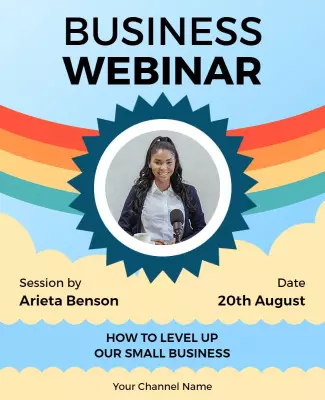
{"402401": {"name": "business-growth-online-webinar-flyer-template-qe14mj5f96ae8c.jpg", "width": 325, "height": 400, "webp_name": "business-growth-online-webinar-flyer-template-qe14mj5f96ae8c.webp"}} 402401
Business Growth Online Webinar Flyer Template
325 x 400 px

online
webinar
Show all keywords
Business Growth Online Webinar Flyer Template
{"249390": {"name": "digital-marketing-webinar-event-flyer-template-49h0pn5a878953.jpg", "width": 325, "height": 400, "webp_name": "digital-marketing-webinar-event-flyer-template-49h0pn5a878953.webp"}} 249390
Modern Red Digital Marketing Webinar Flyer Template
325 x 400 px

digital
marketing
Show all keywords
Modern Red Digital Marketing Webinar Flyer Template
{"702494": {"name": "financial-freedom-webinar-promotion-flyer-template-15fnck5fbf8872.jpg", "width": 325, "height": 400, "webp_name": "financial-freedom-webinar-promotion-flyer-template-15fnck5fbf8872.webp"}} 702494
Financial Freedom Webinar Promotion Flyer Template
325 x 400 px

webinar
financial
Show all keywords
Financial Freedom Webinar Promotion Flyer Template
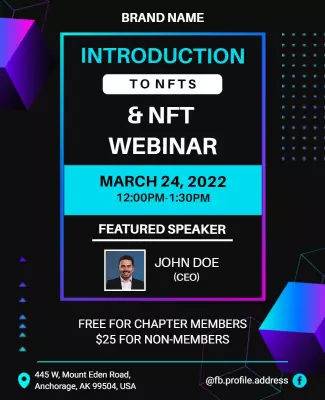
{"323239": {"name": "introduction-to-nfts-webinar-announcement-flyer-template-kb2mfg2f0f0b62.jpg", "width": 325, "height": 400, "webp_name": "introduction-to-nfts-webinar-announcement-flyer-template-kb2mfg2f0f0b62.webp"}} 323239
Introduction to Nfts Webinar Announcement Flyer Template
325 x 400 px

nft
webinar
Show all keywords
Introduction to Nfts Webinar Announcement Flyer Template
{"174305": {"name": "food-safety-and-processing-webinar-flyer-template-5722z19301ebe7.jpg", "width": 325, "height": 400, "webp_name": "food-safety-and-processing-webinar-flyer-template-5722z19301ebe7.webp"}} 174305
Food Safety and Processing Webinar Flyer Template
325 x 400 px

food
safety
Show all keywords
Food Safety and Processing Webinar Flyer Template
{"400539": {"name": "business-growth-strategies-webinar-flyer-template-xclr9p57aa920a.jpg", "width": 325, "height": 400, "webp_name": "business-growth-strategies-webinar-flyer-template-xclr9p57aa920a.webp"}} 400539
Business Growth Strategies Webinar Flyer Template
325 x 400 px

business
webinar
Show all keywords
Business Growth Strategies Webinar Flyer Template
{"642588": {"name": "small-business-growth-webinar-flyer-template-rz40se21118a50.jpg", "width": 325, "height": 400, "webp_name": "small-business-growth-webinar-flyer-template-rz40se21118a50.webp"}} 642588
Small Business Growth Webinar Flyer Template
325 x 400 px

business
webinar
Show all keywords
Small Business Growth Webinar Flyer Template
{"643346": {"name": "business-webinar-meeting-event-flyer-template-bacyqzddede20b.jpg", "width": 325, "height": 400, "webp_name": "business-webinar-meeting-event-flyer-template-bacyqzddede20b.webp"}} 643346
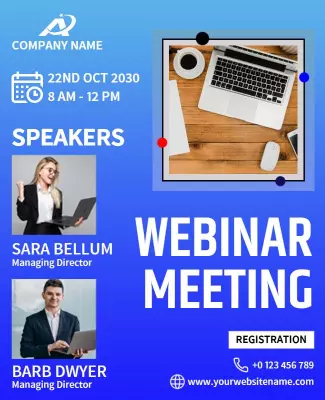
Business Webinar Meeting Event Flyer Template
325 x 400 px

webinar
meeting
Show all keywords
Business Webinar Meeting Event Flyer Template
{"719239": {"name": "online-business-webinar-event-flyer-template-e3zfjyddb398d6.jpg", "width": 325, "height": 400, "webp_name": "online-business-webinar-event-flyer-template-e3zfjyddb398d6.webp"}} 719239
Online Business Webinar Event Flyer Template
325 x 400 px

webinar
event
Show all keywords
Online Business Webinar Event Flyer Template
{"106546": {"name": "business-live-webinar-event-flyer-template-v1usv7deb37666.jpg", "width": 325, "height": 400, "webp_name": "business-live-webinar-event-flyer-template-v1usv7deb37666.webp"}} 106546
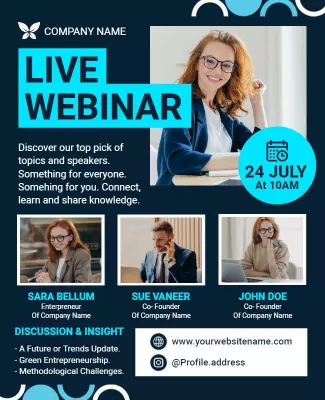
Business Live Webinar Event Flyer Template
325 x 400 px

webinar
online
Show all keywords
Business Live Webinar Event Flyer Template
{"60935": {"name": "business-marketing-webinar-strategies-flyer-template-pk9ttidfc7c617.jpg", "width": 325, "height": 400, "webp_name": "business-marketing-webinar-strategies-flyer-template-pk9ttidfc7c617.webp"}} 60935
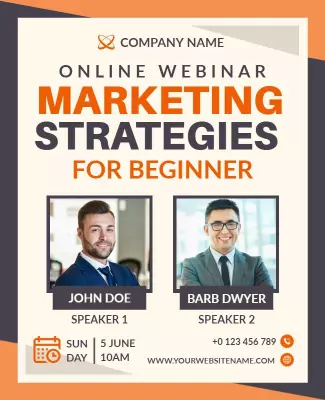
Business Marketing Webinar Strategies Flyer Template
325 x 400 px

webinar
marketing
Show all keywords
Business Marketing Webinar Strategies Flyer Template
{"499811": {"name": "online-webinar-marketing-strategies-flyer-template-dk1r605865c188.jpg", "width": 325, "height": 400, "webp_name": "online-webinar-marketing-strategies-flyer-template-dk1r605865c188.webp"}} 499811
Online Webinar Marketing Strategies Flyer Template
325 x 400 px

webinar
marketing
Show all keywords
Online Webinar Marketing Strategies Flyer Template
{"149897": {"name": "upcoming-business-webinar-event-flyer-template-kisehi5ecee1ab.jpg", "width": 325, "height": 400, "webp_name": "upcoming-business-webinar-event-flyer-template-kisehi5ecee1ab.webp"}} 149897
Upcoming Business Webinar Event Flyer Template
325 x 400 px

webinar
event
Show all keywords
Upcoming Business Webinar Event Flyer Template
{"702157": {"name": "online-business-conference-webinar-flyer-template-f9cij9571d5be0.jpg", "width": 325, "height": 400, "webp_name": "online-business-conference-webinar-flyer-template-f9cij9571d5be0.webp"}} 702157
Online Business Conference Webinar Flyer Template
325 x 400 px

webinar
business
Show all keywords
Online Business Conference Webinar Flyer Template
{"613645": {"name": "social-media-ad-webinar-flyer-template-lt4qew5d60af75.jpg", "width": 325, "height": 400, "webp_name": "social-media-ad-webinar-flyer-template-lt4qew5d60af75.webp"}} 613645
Social Media Ad Webinar Flyer Template
325 x 400 px

live
webinar
Show all keywords
Social Media Ad Webinar Flyer Template
{"180473": {"name": "finance-management-online-webinar-flyer-template-r908zdf023b6da.jpg", "width": 325, "height": 400, "webp_name": "finance-management-online-webinar-flyer-template-r908zdf023b6da.webp"}} 180473
Finance Management Online Webinar Flyer Template
325 x 400 px

finance
webinar
Show all keywords
Finance Management Online Webinar Flyer Template
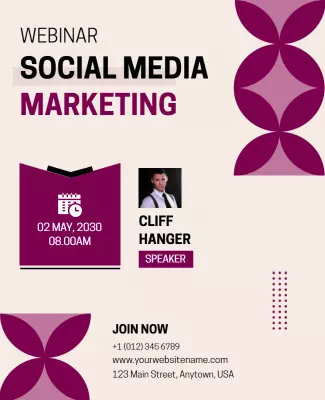
{"663146": {"name": "social-media-marketing-webinar-flyer-template-jajqidde7ccd74.jpg", "width": 325, "height": 400, "webp_name": "social-media-marketing-webinar-flyer-template-jajqidde7ccd74.webp"}} 663146
Social Media Marketing Webinar Flyer Template
325 x 400 px

social
media
Show all keywords
Social Media Marketing Webinar Flyer Template
{"952512": {"name": "periwinkle-gray-and-perfume-webinar-online-business-flyer-template-30fckoa8ed0e3d.jpg", "width": 325, "height": 400, "webp_name": "periwinkle-gray-and-perfume-webinar-online-business-flyer-template-30fckoa8ed0e3d.webp"}} 952512
Periwinkle Gray and Perfume Webinar Online Business Flyer Template
325 x 400 px

webinar
event
Show all keywords
Periwinkle Gray and Perfume Webinar Online Business Flyer Template
{"908941": {"name": "webinar-management-strategies-presentation-flyer-template-ofhnbze0fd5851.jpg", "width": 325, "height": 400, "webp_name": "webinar-management-strategies-presentation-flyer-template-ofhnbze0fd5851.webp"}} 908941
Webinar Management Strategies Presentation Flyer Template
325 x 400 px

webinar
management
Show all keywords
Webinar Management Strategies Presentation Flyer Template
{"586963": {"name": "corporate-business-webinar-event-flyer-template-qurrfve12aea4c.jpg", "width": 325, "height": 400, "webp_name": "corporate-business-webinar-event-flyer-template-qurrfve12aea4c.webp"}} 586963
Corporate Business Webinar Event Flyer Template
325 x 400 px

business
webinar
Show all keywords
Corporate Business Webinar Event Flyer Template
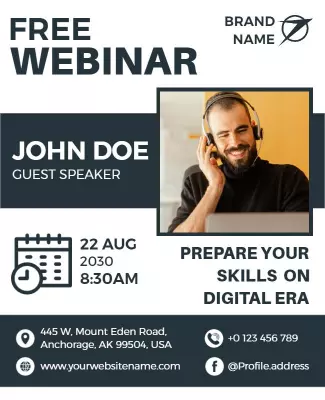
{"145994": {"name": "digital-skills-preparation-webinar-flyer-template-fw8izr595e05fd.jpg", "width": 325, "height": 400, "webp_name": "digital-skills-preparation-webinar-flyer-template-fw8izr595e05fd.webp"}} 145994
Digital Skills Preparation Webinar Flyer Template
325 x 400 px

webinar
free
Show all keywords
Digital Skills Preparation Webinar Flyer Template
{"709818": {"name": "creativepreneur-online-webinar-event-flyer-template-6vqmbpdd36d4da.jpg", "width": 325, "height": 400, "webp_name": "creativepreneur-online-webinar-event-flyer-template-6vqmbpdd36d4da.webp"}} 709818
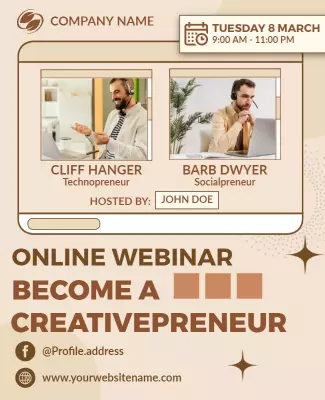
Creativepreneur Online Webinar Event Flyer Template
325 x 400 px

online
webinar
Show all keywords
Creativepreneur Online Webinar Event Flyer Template
{"157203": {"name": "personal-finance-and-investing-workshop-flyer-template-peei8c3ed5284c.jpg", "width": 325, "height": 400, "webp_name": "personal-finance-and-investing-workshop-flyer-template-peei8c3ed5284c.webp"}} 157203
Personal Finance and Investing Workshop Flyer Template
325 x 400 px

finance
workshop
Show all keywords
Personal Finance and Investing Workshop Flyer Template
{"20760": {"name": "digital-marketing-webinar-event-flyer-template-fu32jc582f6539.jpg", "width": 325, "height": 400, "webp_name": "digital-marketing-webinar-event-flyer-template-fu32jc582f6539.webp"}} 20760
Digital Marketing Webinar Event Flyer Template
325 x 400 px

digital
marketing
Show all keywords
Digital Marketing Webinar Event Flyer Template

How to make a webinar flyer

No design skills needed. Pick a layout, add your speaker details and registration link, adjust colors to match your brand, then export a shareable file in minutes.

Corporate Growth Poster
1.

1. Pick a layout

Pick a webinar flyer layout matching your session format — choose a speaker headshot placeholder for named presenters, or a bold headline layout for panel or team-hosted virtual events.

2.

2. Add event details

Add your speaker name and credentials, webinar topic, date and start time with the time zone, and the registration or platform join link so remote attendees can confirm session access.

3.

3. Upload headshot and colors

Upload your speaker headshot or organization logo, then adjust the color palette to match your brand — navy, teal, or dark backgrounds read cleanly for professional webinar audiences.

4.

4. Export and share

Export as PNG for LinkedIn and email sharing, or as PDF when embedding in a landing page, event platform confirmation email, or sponsor deliverable packet for a professional webinar series.

Trusted by Thousands

Tata Consultancy Services
Boston Consulting
AT&T
Avelo Airlines
Procter & Gamble
Ministry Of Health, Malaysia
Veterans Affairs
Detroit Government
New York University
Texas A&M University
Decathlon America
Warby Parker
Tata Consultancy Services
Boston Consulting
AT&T
Avelo Airlines
Procter & Gamble
Ministry Of Health, Malaysia
Veterans Affairs
Detroit Government
New York University
Texas A&M University
Decathlon America
Warby Parker
High performer asia
Front runners
High performer small business

Other Flyer templates

Who creates webinar flyers professionally?

Corporate trainers, SaaS marketers, and independent coaches use webinar flyer templates to announce live sessions with speaker names, registration links, and time zone details already laid out. A ready-made layout means they can update a date, swap a headshot, and share the flyer via email or LinkedIn within minutes — not hours. Most repeat this process weekly or monthly for recurring programs.

Corporate L&D teams — Use topic-specific layouts to promote internal skill-building sessions, compliance training, and leadership development webinars. They update speaker credentials, department name, and registration URL, then share via company email. Use the Business Growth Strategies Webinar Flyer Template to get started.

SaaS and tech marketers — Announce product demo webinars and feature launch walkthroughs. They swap brand colors, add a speaker headshot, and embed a registration link before distributing the flyer across LinkedIn and email. Use the Modern Red Digital Marketing Webinar Flyer Template to get started.

Independent coaches and consultants — Promote paid masterclasses, free discovery calls, and subscription webinar series. They replace the placeholder headshot, update their name and credentials, then share the finished flyer on social media. Use the Small Business Growth Webinar Flyer Template to get started.

Nonprofit and association program managers — Announce member education events, regulatory briefings, and certification webinars. They add the association logo, speaker bio, and CE credit information, then distribute to their membership via newsletter. Use the Food Safety and Processing Webinar Flyer Template to get started.

HR and people operations teams — Promote employee wellness webinars, benefits enrollment sessions, and DEI programming to internal audiences. They update the date, time zone, and platform link, then publish on company intranet and Slack. Use the Business Growth Online Webinar Flyer Template to get started.

Financial educators and advisors — Announce free financial planning sessions, investment strategy previews, and retirement workshops. They add a compliance disclaimer, firm logo, and registration CTA before emailing the flyer to their client list. Use the Financial Freedom Webinar Promotion Flyer Template to get started.

Event coordinators managing multiple speakers — Handle multi-speaker panel webinars, virtual summits, and recurring series by reusing the same layout with updated guest names, session topics, and platform join links each week. Use the Webinar Flyer Templates gallery to get started.

Over 7,932 event planners and coordinators have used DesignWiz to create webinar flyers.

Free vs paid — what event planners actually need

Free tier — covers most events

Access to webinar flyer templates at no cost — enough for individual event bookings and internal corporate webinar announcements

Drag-and-drop editor for updating speaker names, session dates, time zones, and registration links without design training

PNG and JPG export for digital distribution via email, LinkedIn, and event landing pages

Commercial use allowed — free-tier webinar flyers can promote paid client events and ticketed sessions

Client-ready plan

Remove the DesignWiz watermark — required when delivering files to clients or embedding flyers on a professional event booking page

PDF export at 300 DPI for event organizers who need print-ready files for conference packets or sponsor deliverables

Under 5 dollars per month — lower cost than a single hour of freelance design work for a repeat webinar series

Most single-event clients are covered by the free plan — upgrade to paid when a client needs watermark-free files for print production.

Create Your Webinar Flyer Now!

Frequently Asked Questions (FAQs)

A webinar flyer should include the session title, speaker name and credentials, date and time with the time zone clearly stated, and the platform or registration link. For professional development or corporate events, add a short session description of two to three sentences covering what attendees will learn. Include your organization or company logo, a speaker headshot if available, and a clear call to action directing people to register. Keep the layout uncluttered so the most critical details — date, time, and registration link — are immediately visible without scrolling or scanning.

Webinar flyers are almost exclusively distributed digitally, so pixel-based formats work best. A square 1080 by 1080 pixel format is ideal for LinkedIn posts and social media promotion, while a 1080 by 1350 pixel vertical format performs well in Instagram feeds. For email headers or embedded event page graphics, a 728 by 90 pixel horizontal banner or a 600 by 800 pixel portrait format works well. If your event platform sends a PDF confirmation, export a standard 8.5 by 11 inch PDF at 300 DPI to embed the flyer as an attachment for registrants.

DesignWiz offers webinar flyer templates through their web-based desktop platform at designwiz.com. The template library includes layouts for corporate training, product demo webinars, coaching sessions, and virtual summits. The drag-and-drop editor lets you update speaker names, session dates, time zones, and registration links in minutes. Free plan users can download PNG and JPG files with a DesignWiz watermark included. Upgrade to under 5 dollars per month for watermark-free PDF export, suitable for embedding in event confirmation emails and professional event booking pages.

Effective webinar flyer design leads with the session title in the largest text on the page, followed by the speaker name and credentials. The date, time with time zone, and registration link should occupy the next most prominent positions. Use a clean, minimal layout — webinar audiences are professional and respond to clarity over decoration. A headshot of the speaker builds trust and increases registration rates for paid or high-value sessions. Limit the color palette to two or three brand-consistent colors and avoid background patterns that reduce text legibility on digital screens.

Add your registration link as a short URL or QR code in a prominent location near the bottom of your webinar flyer. Use a URL shortener to create a compact link that is easy to read and click in digital formats. For social media sharing, add the link in both the flyer image and the caption or post body since most platforms do not make image text clickable. For email distribution, place the link as both a visible URL in the flyer and a hyperlinked CTA button in the email body so mobile recipients can tap directly to register.

Webinar flyer color schemes work best when they align with your brand or organization colors, since the flyer is a direct extension of your professional brand. For corporate or B2B webinars, dark navy, charcoal, or deep teal backgrounds with white text and a single accent color project credibility and authority. For coaching or personal development sessions, warmer tones like deep burgundy or forest green paired with gold accents perform well. Avoid bright neon palettes for professional audiences. High contrast between background and text is the most important factor for readability across desktop and mobile screens.

Including a speaker headshot on a webinar flyer significantly increases perceived credibility, especially for paid training sessions, consulting webinars, and expert-led panels. A professional headshot confirms that a real, identified expert is presenting and gives potential registrants a face to associate with the topic. For multi-speaker or panel webinars, use smaller headshots for each presenter arranged in a row. If no professional photo is available, use a clean organizational logo or a topic-relevant icon in its place rather than leaving the space blank or using a generic stock image.

Start promoting a webinar two to four weeks in advance for professional or paid sessions, and one to two weeks in advance for free internal or recurring webinars. Send the first promotional flyer as soon as your registration page is live, then schedule two to three reminder distributions — one week out, three days out, and a same-day reminder. For high-value events with guest speakers or limited seats, begin promotion four to six weeks in advance to allow time for word-of-mouth sharing and re-promotion by the speaker. Adjust the timeline based on your audience engagement patterns and email open rate history.

Webinar flyer templates are well-suited for recurring sessions because the base layout, color scheme, and branding remain constant while only the date, topic, and speaker details change. Save your customized base template after your first session, then duplicate it for each subsequent event and update only the variable fields. This approach ensures brand consistency across a recurring series and reduces production time for each new session to under ten minutes. Event coordinators managing weekly or monthly webinar programs typically maintain two or three base layouts and cycle through them to keep the visual presentation fresh.

DesignWiz offers webinar flyer templates through their web-based desktop platform at designwiz.com. The template library includes layouts for corporate training sessions, product demo webinars, coaching programs, and virtual summits. The drag-and-drop editor lets you update speaker headshots, session titles, time zone details, and registration links without design experience. Templates export as PNG or JPG for digital distribution, or as print-ready PDF at 300 DPI on the paid plan. The platform runs entirely in a desktop browser with no software installation required, making it accessible for event coordinators and marketing teams on tight timelines.

DesignWiz offers free webinar flyer templates through their web-based desktop platform. Free plan users can access layouts for corporate sessions, coaching events, and virtual summits, customize text and images using the drag-and-drop editor, and download as PNG or JPG. A DesignWiz watermark appears on all free plan downloads. To remove the watermark and export a clean, print-ready PDF at 300 DPI for client deliverables or professional event booking pages, upgrade to the paid plan for under 5 dollars per month. Creating a free account takes approximately one minute.

DesignWiz provides an AI Flyer Generator through their web-based desktop platform that creates webinar flyer designs from a text prompt. Describe your session topic, speaker credentials, date, time zone, color scheme, and distribution format, and the generator produces a fully designed flyer. You can then edit the result in the standard drag-and-drop editor to adjust speaker headshot placement, fine-tune text, or swap colors before downloading. No design experience is required for either the AI generation step or the subsequent editing step. The tool is accessible on desktop browsers at designwiz.com.

DesignWiz offers webinar flyer templates through their web-based desktop platform with a drag-and-drop editor that requires no design experience. Starting from a ready-made layout, most event coordinators complete a webinar flyer — including updating speaker details, session date, time zone, and registration link — in under 15 minutes. The platform runs in a desktop browser at designwiz.com with no software to install. Export as PNG for immediate social media and email distribution, or as PDF on the paid plan for client-ready deliverables. No design training or asset preparation is needed before starting.

A corporate training webinar flyer should include the session title prominently at the top, followed by the facilitator or speaker name and their relevant credentials or job title. Add the date, start time, and time zone in a location that is immediately visible — corporate audiences operate across multiple time zones and missing this information causes registration confusion. Include the platform name where the session takes place, the registration or join link, and any CE credit or certification information if applicable. For internal company events, add the department or sponsoring team name and the target audience to help employees quickly assess relevance.

Distribute your webinar flyer across at least three channels to maximize registration reach. Post to LinkedIn as a native image with the registration link in the first comment for professional and B2B audiences. Send via email to your existing subscriber list with the flyer embedded in the email body and the registration link as a button. Share in relevant online communities, industry Slack groups, or professional associations where your target audience is active. Ask the speaker or panelists to share the flyer with their own networks, as speaker-sourced promotion typically outperforms brand channel shares for registration volume in knowledge-based webinar categories.
Start Designing with AI
Can’t find the perfect design? Create instantly with AI.