freshchat icon chat icon loading icon

Share this template anywhere.

goodbye school hello pool whale themed party invitation template

Good Bye Poster Templates

DesignWiz layouts help party hosts, office managers, and event organizers create farewell posters fast with ready-made designs, plus simple editing for names, dates, and message details.
Create your own

{"365447":{"name":"playful-whale-themed-goodbye-school-hello-pool-poster-template-6g38j372b0db74.jpg","webp_name":"playful-whale-themed-goodbye-school-hello-pool-poster-template-6g38j372b0db74.webp","height":800,"width":650}} 365447
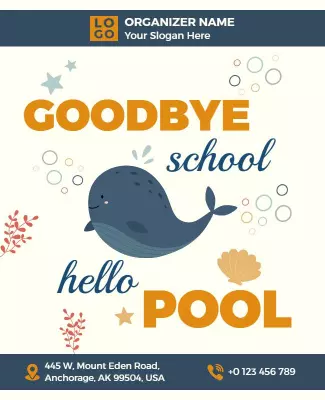
Playful Whale Themed Goodbye School Hello Pool Poster Template
650 x 800 px

pool
summer
Show all keywords
Playful Whale Themed Goodbye School Hello Pool Poster Template
{"365447":{"name":"elegant-rustic-goodbye-event-announcement-poster-template-a9xn9n72ae4c3f.jpg","webp_name":"elegant-rustic-goodbye-event-announcement-poster-template-a9xn9n72ae4c3f.webp","height":800,"width":650}} 365447
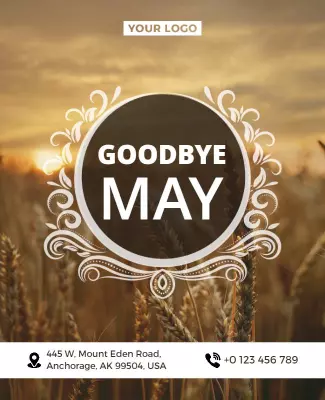
Elegant Rustic Goodbye Event Announcement Poster Template
650 x 800 px

farewell
goodbye
Show all keywords
Elegant Rustic Goodbye Event Announcement Poster Template
{"365447":{"name":"colorful-donut-themed-farewell-announcement-poster-template-ocenlx7250bbbe.jpg","webp_name":"colorful-donut-themed-farewell-announcement-poster-template-ocenlx7250bbbe.webp","height":800,"width":650}} 365447
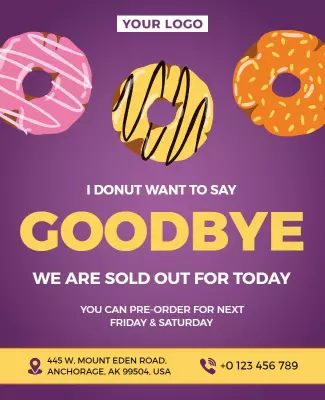
Colorful Donut-Themed Farewell Announcement Poster Template
650 x 800 px

donut
goodbye
Show all keywords
Colorful Donut-Themed Farewell Announcement Poster Template
{"365447":{"name":"modern-cartoon-hand-wave-goodbye-greeting-poster-template-hhmofh7274a4f4.jpg","webp_name":"modern-cartoon-hand-wave-goodbye-greeting-poster-template-hhmofh7274a4f4.webp","height":800,"width":650}} 365447
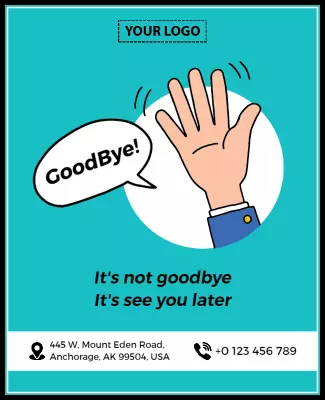
Modern Cartoon Hand Wave Goodbye Greeting Poster Template
650 x 800 px

goodbye
farewell
Show all keywords
Modern Cartoon Hand Wave Goodbye Greeting Poster Template
{"365447":{"name":"cheerful-farewell-travel-theme-goodbye-good-luck-poster-template-ci7bkp7252b680.jpg","webp_name":"cheerful-farewell-travel-theme-goodbye-good-luck-poster-template-ci7bkp7252b680.webp","height":800,"width":650}} 365447
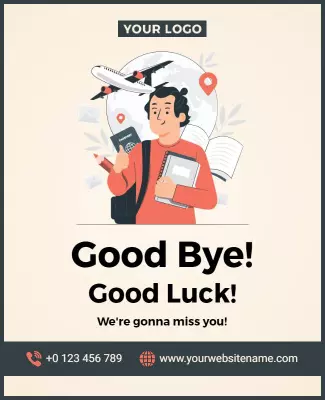
Cheerful Farewell Travel Theme Goodbye Good Luck Poster Template
650 x 800 px

farewell
goodbye
Show all keywords
Cheerful Farewell Travel Theme Goodbye Good Luck Poster Template

How to customize a farewell event poster

No design skills needed. Pick a layout, add event details, adjust colors and fonts, then export a poster you can print or share in minutes.

Corporate Growth Poster
1.

1. Pick a layout

Choose a layout that fits the occasion, then set the page size first. Add the event date and time so the hierarchy stays clear for both office display and digital sharing.

2.

2. Add event details

Add person name, event date, time, venue, RSVP info, and a warm message. Keep wording heartfelt and clear so guests scan fast, feel the sentiment, and take action today.

3.

3. Use a strong visual

Use one strong hero image of the person or a group photo, keep contrast high, and limit colors to two or three. Leave space around the headline so the poster stays readable from a distance.

4.

4. Check print settings

Confirm margins and safe area, keep key text away from edges, and export at print quality. Preview at actual size so nothing looks soft, cropped, or hard to read in office or party lighting.

5.

5. Export and share

Export a print-ready PDF for venue display plus a digital version for email and social media, then test both. Reuse the same event details in captions so posters and posts stay consistent.

Trusted by Thousands

Tata Consultancy Services
Boston Consulting
AT&T
Avelo Airlines
Procter & Gamble
Ministry Of Health, Malaysia
Veterans Affairs
Detroit Government
New York University
Texas A&M University
Decathlon America
Warby Parker
Tata Consultancy Services
Boston Consulting
AT&T
Avelo Airlines
Procter & Gamble
Ministry Of Health, Malaysia
Veterans Affairs
Detroit Government
New York University
Texas A&M University
Decathlon America
Warby Parker
High performer asia
Front runners
High performer small business

Other Poster templates

Farewell-themed Poster Layouts: Design Ideas and Examples

Customize colors, photos, and messaging to match the occasion, then keep the layout warm so readers connect with the sentiment. DesignWiz offers layouts across 3 event styles, so you can start from a ready-made design and edit it for your send-off. Use these ideas to decide visual approach, headline style, and what to emphasize for your audience, then browse poster templates when you want more options beyond your first pick.

Office farewells and retirement parties

Use a warm headline with the person name and years of service, professional yet celebratory colors, and clear details for date, time, venue, and RSVP instructions. Add photos from team events and space for colleagues to sign. For an office-ready design, start from elegant rustic goodbye event announcement poster template and swap the name and event details.

School goodbye events and end-of-year

Use a fun playful headline with grade or class name, bright kid-friendly colors, and clear details for the last day celebration, party activities, and what students should bring. Add space for well-wishes from classmates. For a school-ready layout, start from playful whale themed goodbye school hello pool poster template and adjust the grade and activity details.

Going away parties and farewell gatherings

Use a heartfelt headline with the person name and destination, travel or adventure-themed visuals, and clear details for date, time, venue, and gift or donation information. Add a message section for guests to write personal notes. For a going away-ready design, customize cheerful farewell travel theme goodbye good luck poster template with the person name and farewell message.

Create Good Bye Poster Now!

Frequently Asked Questions (FAQs)

A clear farewell event design includes the person name, reason for leaving, date and time of the party, venue address, and RSVP contact information. Add a warm message or quote, photos of the person, and space for guests to sign or write notes. Mention gift or donation preferences if applicable. Keep the headline heartfelt and place the most important details at the top so guests can scan quickly.

Choose format based on the occasion. A retirement party poster works for work-related farewells with years of service highlights, colleague messages, and professional yet warm visuals. Use elegant colors and team photos. A going away celebration flyer suits moves to new cities, travel adventures, or life changes with travel themes, destination details, and personal messages. Use bright adventure-focused visuals. Both formats benefit from a clear call to action whether it is RSVP now or leave a message.

Start with a standard 18x24 inch or A2 poster size for display in office break rooms, school hallways, and party venues where visibility from a distance matters. For digital sharing on social media or email, export a vertical 1080x1920 px version where the person name and event details remain visible without tapping. Keep key details like name, date, and venue inside safe margins for printing. When you use customizable layouts with flexible exports, you can maintain consistent messaging across print and digital formats.

Choose colors that match the tone of the farewell. For retirement parties, use warm elegant colors like gold, navy, and cream for a sophisticated feel. For school goodbyes, use bright playful colors like blue, yellow, and green. For going away parties, use adventure colors like teal, orange, and sky blue depending on the destination. High contrast between text and background is essential for readability from a distance, especially in office or party settings with varied lighting.

Use a warm headline with the person name and a heartfelt phrase like Thank You or We Will Miss You, and pair it with a strong hero image of the person or a group photo. Keep the layout simple with clear visual hierarchy: person name largest, event date and venue next, then message and RSVP details. Limit fonts to one or two warm families and use high-contrast colors. Adding decorative elements like stars, hearts, or travel icons can help the poster feel personal and celebratory.

Start with a warm headline like Celebrating Name Retirement or Thank You for the Memories. List the person name, years of service, date, time, venue, and RSVP details. Include a short message from colleagues or the team about what the person meant to the workplace. Add a call to action such as RSVP by Date with a contact number or email. Keep sentences warm and respectful and use a tone that celebrates the person achievements while inviting others to share their appreciation.

Display your farewell posters in the office break room, near the entrance, and in common areas where colleagues gather. For school events, post in classrooms, hallways, and near the main office. Place extra copies at the party venue and nearby bulletin boards in community centers. For digital sharing, post on workplace communication channels or social media. Always include a QR code or short link so guests can RSVP or leave a digital message directly from their phones.

Keep the layout structure and change the style elements. Swap the color palette, headline font, and hero image while keeping the same placement for person name, event date, venue, and RSVP. Use elegant colors for retirement, playful colors for school, and travel themes for going away. Adjust wording to match each occasion but keep the information order consistent. This approach lets you reuse one layout across different farewell events without starting from scratch, saving time while keeping the design personal.

Most unprofessional farewell designs fail on readability and clutter. Too many fonts, low-contrast text, crowded layouts, and low-resolution personal photos make the message hard to read in office or school settings. Another common issue is missing essential details like the date, venue, or RSVP information. Use consistent margins, limit colors to two or three, keep fonts to one warm family, and use high-quality photos. Always preview the design at actual size in the conditions where it will be displayed.

A free event design can still look professional when the layout is clean and the content is accurate. Use one strong hero image such as a quality photo of the person or a group shot, keep a tight color palette of 2 to 3 colors, and limit fonts to one warm family. Avoid placing text over busy images and keep the person name and event details prominent. Use consistent spacing and align elements to a simple grid. Export at print quality for venue display or at high resolution for digital sharing. Clarity and warmth matter more than decorative effects.
Start Designing with AI
Can’t find the perfect design? Create instantly with AI.