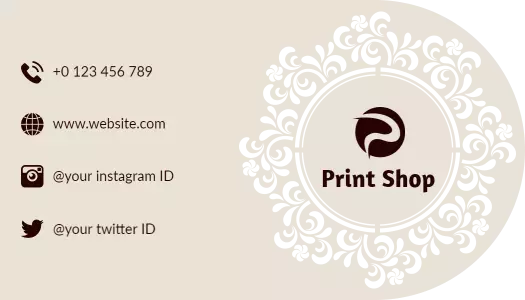
Laser Cut Business Card Templates
Explore editable laser cut business card templates designed for creative professionals, local businesses, and modern brands that want distinctive, easy-to-read contact cards.

How to create a laser cut business card
Select a profession-appropriate layout, personalize the brand details, and prepare the finished design carefully for digital sharing or specialist printing.
1. Select a suitable layout
Begin with a layout that suits your profession and the impression you want to create. Check that the cutout motif leaves enough room for your name, role, and contact details.
2. Enter accurate contact details
Replace the sample logo, name, phone number, email, website, and address with accurate details. Keep the most important contact method easy to find at a quick glance.
3. Match the design to your brand
Adjust the colors, fonts, and decorative shapes to match your identity. Use strong contrast around intricate patterns so the card remains readable after printing or digital sharing.
4. Check spacing and safe areas
Review margins, spacing, and text size before exporting. Keep essential details away from decorative edges or cutout areas so trimming and production do not affect readability.
5. Export and consult your printer
Download a print-ready version and confirm material, cutting method, and finishing requirements with your printer. Save an editable copy so future contact updates remain simple.
Trusted by Thousands

Tata Consultancy Services
Boston Consulting
AT&T
Avelo Airlines
Procter & Gamble
Ministry Of Health, Malaysia
Veterans Affairs
Detroit Government
New York University
Texas A&M University
Decathlon America
Warby Parker
Tata Consultancy Services
Boston Consulting
AT&T
Avelo Airlines
Procter & Gamble
Ministry Of Health, Malaysia
Veterans Affairs
Detroit Government
New York University
Texas A&M University
Decathlon America
Warby Parker
Other Business Card templates
Choose a laser cut business card style that fits your profession
Laser cut business card templates combine practical contact information with decorative shapes, cutout-inspired patterns, and industry-specific visuals. Start with a professionally structured layout, then personalize the logo, name, job title, phone number, email, website, colors, and typography to match your brand.
Every DesignWiz template is created and reviewed by an in-house design team. Layouts are carefully prepared for real business use, with attention to visual hierarchy, spacing, readability, and the way essential contact details appear in print and digital formats.
Distinctive cards for automotive and technical services
Automotive businesses can use bold lines, mechanical imagery, and strong color contrast to communicate reliability and technical expertise. The Sleek Turquoise Car Repair Laser Cut Business Card Template provides a structured option for mechanics, repair shops, and automotive service professionals.
Creative layouts for fashion, photography, and entertainment
Creative professionals often need a card that presents personality without making contact details difficult to find. The Vibrant Laser Cut Fashion Designer Business Card Template supports expressive fashion branding, while the Vibrant Purple Game Controller Laser Cut Business Card Template suits gaming, entertainment, and technology-focused identities.
Professional cards for healthcare and property services
Healthcare and real estate professionals generally benefit from cleaner layouts, calm colors, and an obvious contact path. The Stylish Blue Laser Cut Hospital Business Card Template keeps medical details organized, while the Sleek Blue Laser Cut Real Estate Agent Business Card Template gives agents room for their identity, property branding, and preferred contact information.
Prepare the design for printing and physical cutting
A laser-cut-inspired layout may still require preparation by a specialist printer before it becomes a physically cut card. Keep names, phone numbers, QR codes, and logos away from decorative edges, and confirm supported materials, cut paths, bleed, margins, and file requirements with your chosen print provider.