freshchat icon chat icon loading icon

Share this template anywhere.

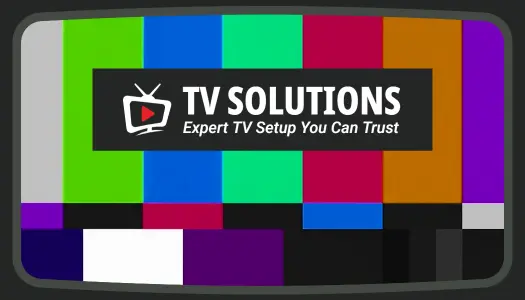
tv solutions expert tv setup service color bars display template

TV Business Card Templates

TV Business Card Templates help broadcasters, video creators, technicians, retailers, and media professionals present their services and contact details with clear, industry-relevant designs.

Create your own

{"427309":{"name":"television-setup-services-business-card-template-tgywafdcc669c2.jpg","webp_name":"television-setup-services-business-card-template-tgywafdcc669c2.webp","width":525,"height":300},"416453":{"name":"television-setup-services-business-card-template-tgywafdcc669c2-416453.jpg","webp_name":"television-setup-services-business-card-template-tgywafdcc669c2-416453.webp","width":525,"height":300}} 427309,416453
Television Setup Services Business Card Template
1 of 2
Television Setup Services Business Card Template
525 x 300 px

television
setup
Show all keywords
Television Setup Services Business Card Template
{"153603":{"name":"vibrant-retro-color-block-video-channel-brand-tv-business-card-template-63qyzx0b29d194.jpg","webp_name":"vibrant-retro-color-block-video-channel-brand-tv-business-card-template-63qyzx0b29d194.webp","height":600,"width":1050}} 153603
Vibrant Retro Color Block Video Channel Brand TV Business Card Template
1050 x 600 px

retro
colorful
Show all keywords
Vibrant Retro Color Block Video Channel Brand TV Business Card Template
{"153603":{"name":"modern-blue-tv-network-professional-business-card-template-wugtjr08d30c97.jpg","webp_name":"modern-blue-tv-network-professional-business-card-template-wugtjr08d30c97.webp","height":600,"width":1050}} 153603
Modern Blue TV Network Professional Business Card Template
1050 x 600 px

tv
network
Show all keywords
Modern Blue TV Network Professional Business Card Template
{"153603":{"name":"vibrant-purple-tropical-leaf-design-tv-business-card-template-8lgck1089c0099.jpg","webp_name":"vibrant-purple-tropical-leaf-design-tv-business-card-template-8lgck1089c0099.webp","height":600,"width":1050}} 153603
Vibrant Purple Tropical Leaf Design TV Business Card Template
1050 x 600 px

business
card
Show all keywords
Vibrant Purple Tropical Leaf Design TV Business Card Template
{"153603":{"name":"modern-red-tv-and-electronics-retailer-business-card-template-5eka4q09053950.jpg","webp_name":"modern-red-tv-and-electronics-retailer-business-card-template-5eka4q09053950.webp","height":600,"width":1050}} 153603
Modern Red TV and Electronics Retailer Business Card Template
1050 x 600 px

electronics
retail
Show all keywords
Modern Red TV and Electronics Retailer Business Card Template

How to create a TV business card

Build a clear professional card by selecting the right industry style, adding essential contact details, applying your branding, and checking the final layout for print.

Corporate Growth Poster
1.

1. Select a role-specific layout

Choose a layout that matches your role, whether you run a TV network, video channel, electronics shop, or installation service. Start with a style that fits your audience.

2.

2. Update your contact information

Replace the sample name, job title, phone number, email, website, and address. Keep the most important contact method prominent so prospects know how to reach you.

3.

3. Apply recognizable brand elements

Add your logo, brand colors, and one relevant visual, such as a screen, camera, signal, or service icon. Avoid extra graphics that compete with your contact information.

4.

4. Organize both sides clearly

Arrange the front and back so the logo, role, services, and contact details have clear spacing. Check that small text remains readable at the final printed card size.

5.

5. Review and export the card

Review spelling, alignment, margins, and contrast before export. Save a print-ready version and a digital copy you can share with clients, partners, or event contacts.

Trusted by Thousands

Tata Consultancy Services
Boston Consulting
AT&T
Avelo Airlines
Procter & Gamble
Ministry Of Health, Malaysia
Veterans Affairs
Detroit Government
New York University
Texas A&M University
Decathlon America
Warby Parker
Tata Consultancy Services
Boston Consulting
AT&T
Avelo Airlines
Procter & Gamble
Ministry Of Health, Malaysia
Veterans Affairs
Detroit Government
New York University
Texas A&M University
Decathlon America
Warby Parker
High performer asia
Front runners
High performer small business

Other Business Card templates

TV business card designs for broadcasting, retail, and technical services

TV business card templates give media professionals and television-related businesses a focused way to introduce their brand, services, and contact information. A strong card should make your role immediately clear while keeping phone numbers, websites, social profiles, and service details easy to scan.

Every DesignWiz template is created and reviewed by an in-house design team. Layouts are developed around practical networking, branding, print, and digital-sharing needs rather than relying on unreviewed marketplace submissions.

Business cards for TV installation and technical services

TV installers and home entertainment technicians need cards that explain their services without overwhelming potential customers. The Television Setup Services Business Card Template provides space for installation, mounting, repair, or home theater details alongside essential contact information.

Branding for video channels and content creators

Creators, presenters, and channel managers can use stronger color, typography, and visual personality while maintaining a professional contact structure. The Vibrant Retro Color Block Video Channel Brand TV Business Card Template supports an energetic identity for networking, collaborations, and promotional events.

Professional cards for broadcasters and TV networks

Broadcasting teams often need a more structured layout for producers, presenters, managers, sales representatives, and media contacts. The Modern Blue TV Network Professional Business Card Template balances recognizable media branding with readable professional details.

For professionals who want a more expressive identity, the Vibrant Purple Tropical Leaf Design TV Business Card Template offers a distinctive visual direction while preserving a clear hierarchy for names, roles, and contact methods.

Sales cards for television and electronics retailers

Electronics stores and television dealers can use business cards to promote product sales, installation support, repairs, delivery, or after-sales assistance. The Modern Red TV and Electronics Retailer Business Card Template helps keep store branding and customer contact details prominent.

Whichever layout you choose, limit the card to information that supports the next customer action. Clear spacing, readable type, consistent branding, and one primary contact method will usually communicate more effectively than a crowded list of services.

Create Your TV Business Card Now!

Frequently Asked Questions (FAQs)

Include your name, role, business or channel name, phone number, email, website, and primary service. Add a logo or relevant visual only when it supports quick recognition.

They are suitable for broadcasters, presenters, producers, video creators, TV installers, repair technicians, electronics retailers, media agencies, and entertainment professionals.

Yes. Update the colors, fonts, logo, text, and graphics to match your business identity. Keep strong contrast so contact details remain readable after printing.

No. Prioritize your main services and strongest customer benefit. A short list such as installation, repair, broadcasting, production, or retail is easier to understand.

Yes. A QR code can direct people to a portfolio, channel, booking page, service list, or contact form. Test the code before printing and leave enough space around it.

Yes. Save a digital version for email, messaging apps, online portfolios, and networking follow-ups. Confirm that text remains clear when the card is viewed on a phone.

Check the final dimensions, margins, text size, alignment, image quality, and contrast. Keep important content away from the edges and review both sides before export.
Start Designing with AI
Can’t find the perfect design? Create instantly with AI.