



Accounting Brochure Templates
DesignWiz Accounting Brochure Templates help you present services, team expertise, and client information clearly with a trusted library of ready made layouts, plus simple editing for photos, service lists, and contact details.


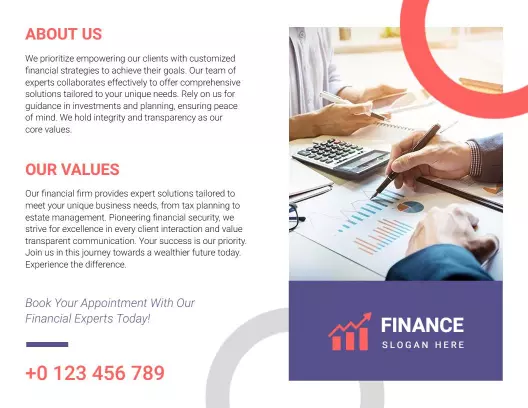


How to customize an accounting brochure
No design skills needed. Choose a layout, add your service list and team info, adjust colors and photos, then export a file you can print or share in minutes.

1. Pick a layout
Pick an accounting brochure layout for your firm type and full service list, set page size to 8.5 x 11 inches. Place your main services on the front panel for quick client review and access.
2. Add key details
Add your firm name, service list with short descriptions, team credentials, address, phone, email, and website. Keep descriptions clear so clients understand your expertise and how you can help.
3. Use professional visuals
Use professional photos of your team and office on the cover, match your brand colors, and group services by category. Keep contrast high and use clean fonts for a polished business look.
4. Check print settings
Confirm all text is within safe margins, check that service names and contact details are large enough to read, and export at 300 DPI for print. Preview the brochure at full size before ordering.
5. Export and share
Export a print ready PDF plus a flat digital version for your website and email. Reuse the same service descriptions in your online profile so potential clients see consistent information.
Trusted by Thousands
 Tata Consultancy Services
 Boston Consulting
 AT&T
AT&T
 Avelo Airlines
 Procter & Gamble
 Ministry Of Health, Malaysia
 Veterans Affairs
 Detroit Government
 New York University
 Texas A&M University
 Decathlon America
 Warby Parker
Tata Consultancy Services
Boston Consulting
AT&T
Avelo Airlines
Procter & Gamble
Ministry Of Health, Malaysia
Veterans Affairs
Detroit Government
New York University
Texas A&M University
Decathlon America
Warby Parker
Warby Parker
Tata Consultancy Services
Boston Consulting
AT&T
Avelo Airlines
Procter & Gamble
Ministry Of Health, Malaysia
Veterans Affairs
Detroit Government
New York University
Texas A&M University
Decathlon America
Warby Parker



Other Brochure templates
Accounting Brochure Templates Design Ideas and Examples
Customize colors, photos, and service lists to match your firm, then keep the layout consistent so potential clients can find the information they need quickly. DesignWiz offers 50+ accounting brochures across 5 layout styles and firm types, so you can start from a ready made layout and edit it for your practice. Use these ideas to decide headline style, photo placement, and what to emphasize for your audience, then browse brochure templates when you want more options beyond your first pick.
Service menu layout
Lead with your core service lines such as tax preparation, bookkeeping, payroll, audit, and advisory, and use icons or color coding so clients find what they need fast. Add a short description for each service and highlight any industry specializations or certifications. For accounting brochure examples with clear service sections, start from modern financial services consultation and support brochure template and swap the service names and descriptions.
Trust and credentials section
Use a dedicated panel for team bios, CPA certifications, years of experience, and professional affiliations so clients feel confident in your expertise. Include testimonials from current clients and any awards or recognitions. For an accounting brochure that emphasizes trust and credibility, adapt professional financial services and accounting solutions brochure template and add your team credentials and client testimonials.
Client focused approach
Use a warm professional tone, include a brief section on your client philosophy and communication style, and highlight what makes your firm different such as personalized service, industry focus, or technology driven solutions. For a client focused accounting brochure, customize professional accounting services and financial advisory brochure template and adjust the content to reflect your firm values.