freshchat icon chat icon loading icon

Share this template anywhere.

supermarket flyer discount chicken broccoli home delivery contact info template

Product Brochure Templates

DesignWiz Product Brochure Templates help you present your products and services with a trusted library of ready made layouts, plus simple editing for catalogs, features, and pricing details.
Create your own

{"774170":{"name":"fresh-grocery-products-discount-and-sale-brochure-template-rz32gn7b57dfa3.jpg","webp_name":"fresh-grocery-products-discount-and-sale-brochure-template-rz32gn7b57dfa3.webp","height":816,"width":1056},"26446":{"name":"fresh-grocery-products-discount-and-sale-brochure-template-rz32gn7b57dfa3-26446.jpg","webp_name":"fresh-grocery-products-discount-and-sale-brochure-template-rz32gn7b57dfa3-26446.webp","height":816,"width":1056}} 774170,26446
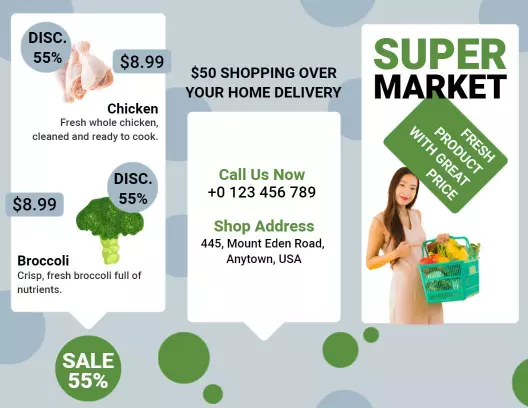
Fresh Grocery Products Discount and Sale Brochure Template
1 of 2
Fresh Grocery Products Discount and Sale Brochure Template
1056 x 816 px

supermarket
discount
Show all keywords
Fresh Grocery Products Discount and Sale Brochure Template
{"350637":{"name":"stylish-bag-shop-product-catalog-and-sale-brochure-template-ziect05f605de9.jpg","webp_name":"stylish-bag-shop-product-catalog-and-sale-brochure-template-ziect05f605de9.webp","height":816,"width":1056},"866115":{"name":"stylish-bag-shop-product-catalog-and-sale-brochure-template-ziect05f605de9-866115.jpg","webp_name":"stylish-bag-shop-product-catalog-and-sale-brochure-template-ziect05f605de9-866115.webp","height":816,"width":1056}} 350637,866115
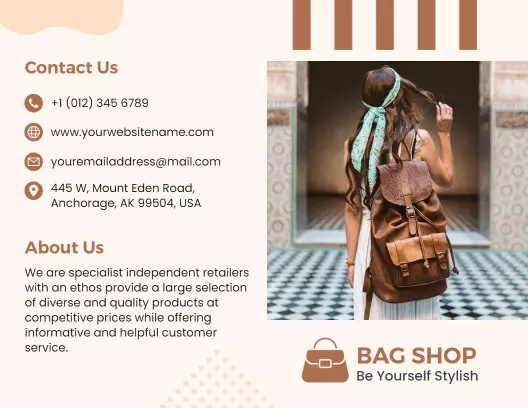
Stylish Bag Shop Product Catalog and Sale Brochure Template
1 of 2
Stylish Bag Shop Product Catalog and Sale Brochure Template
1056 x 816 px

bag
shop
Show all keywords
Stylish Bag Shop Product Catalog and Sale Brochure Template
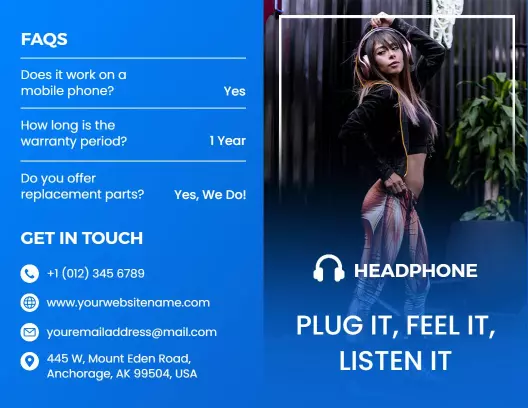
{"350637":{"name":"dynamic-headphone-product-features-and-faqs-brochure-template-fqd82i5d5c9ca2.jpg","webp_name":"dynamic-headphone-product-features-and-faqs-brochure-template-fqd82i5d5c9ca2.webp","height":816,"width":1056},"866115":{"name":"dynamic-headphone-product-features-and-faqs-brochure-template-fqd82i5d5c9ca2-866115.jpg","webp_name":"dynamic-headphone-product-features-and-faqs-brochure-template-fqd82i5d5c9ca2-866115.webp","height":816,"width":1056}} 350637,866115
Dynamic Headphone Product Features and FAQs Brochure Template
1 of 2
Dynamic Headphone Product Features and FAQs Brochure Template
1056 x 816 px

headphone
audio
Show all keywords
Dynamic Headphone Product Features and FAQs Brochure Template
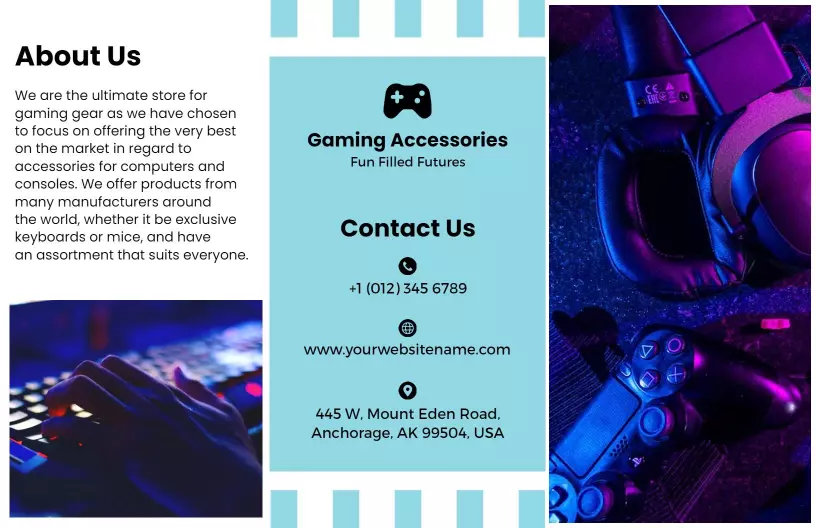
{"125713":{"name":"modern-gaming-accessories-and-tech-products-brochure-template-186res5d680de2.jpg","webp_name":"modern-gaming-accessories-and-tech-products-brochure-template-186res5d680de2.webp","height":1056,"width":1632},"356658":{"name":"modern-gaming-accessories-and-tech-products-brochure-template-186res5d680de2-356658.jpg","webp_name":"modern-gaming-accessories-and-tech-products-brochure-template-186res5d680de2-356658.webp","height":1056,"width":1632}} 125713,356658
Modern Gaming Accessories and Tech Products Brochure Template
1 of 2
Modern Gaming Accessories and Tech Products Brochure Template
1632 x 1056 px

gaming
accessories
Show all keywords
Modern Gaming Accessories and Tech Products Brochure Template
{"123771":{"name":"elegant-dark-blue-decorative-hardware-products-brochure-template-q7azki5daf473d.jpg","webp_name":"elegant-dark-blue-decorative-hardware-products-brochure-template-q7azki5daf473d.webp","height":1056,"width":1632},"176618":{"name":"elegant-dark-blue-decorative-hardware-products-brochure-template-q7azki5daf473d-176618.jpg","webp_name":"elegant-dark-blue-decorative-hardware-products-brochure-template-q7azki5daf473d-176618.webp","height":1056,"width":1632}} 123771,176618
Elegant Dark Blue Decorative Hardware Products Brochure Template
1 of 2
Elegant Dark Blue Decorative Hardware Products Brochure Template
1632 x 1056 px

hardware
products
Show all keywords
Elegant Dark Blue Decorative Hardware Products Brochure Template

How to customize a product brochure

No design skills needed. Choose a layout, add your product catalog and pricing, adjust colors and photos, then export a file you can print or share in minutes.

Corporate Growth Poster
1.

1. Pick a layout

Pick a product brochure layout that fits your catalog style, then set page size to 8.5 x 11 inches. Place top selling products and key features on the front panel for buyer attention.

2.

2. Add key details

Add product names, benefit focused feature lists, pricing tiers, customer testimonials, and contact info. Keep descriptions short so buyers quickly understand the value of each product.

3.

3. Use product visuals

Use strong product photos on the cover and inside panels, match your brand colors, and group products by category. Keep contrast high and use clean fonts for a professional catalog look.

4.

4. Check print settings

Check that all text is within safe margins, ensure product names and pricing are easy to read, and export at 300 DPI for print. Preview the brochure at full size before ordering copies.

5.

5. Export and share

Export a print ready PDF plus a flat digital version for your website and social media. Use the same product descriptions in your online store for consistent information across channels.

Trusted by Thousands

Tata Consultancy Services
Boston Consulting
AT&T
Avelo Airlines
Procter & Gamble
Ministry Of Health, Malaysia
Veterans Affairs
Detroit Government
New York University
Texas A&M University
Decathlon America
Warby Parker
Tata Consultancy Services
Boston Consulting
AT&T
Avelo Airlines
Procter & Gamble
Ministry Of Health, Malaysia
Veterans Affairs
Detroit Government
New York University
Texas A&M University
Decathlon America
Warby Parker
High performer asia
Front runners
High performer small business

Other Brochure templates

Product Brochure Templates Design Ideas and Examples

Customize colors, product photos, and pricing sections to match your brand, then keep the layout consistent so buyers can find the information they need quickly. DesignWiz offers 20+ product brochures across retail and industry categories, so you can start from a ready made layout and edit it for your catalog. Use these ideas to decide headline style, photo placement, and what to emphasize for your audience, then browse brochure templates when you want more options beyond your first pick.

Grocery and retail product sales

Feature discount prices, product bundles, and seasonal specials on the front panel so shoppers see the deals immediately. Use high quality food photography and clear pricing sections to drive quick purchase decisions. For retail and grocery product brochure examples with strong sales layouts, start from fresh grocery products discount and sale brochure template and customize the product images and pricing details.

Fashion and accessories catalog

Showcase product collections with consistent photography, category tabs, and a clean grid layout that makes browsing easy. Add size guides, material details, and care instructions for each item. For a fashion focused product catalog brochure, adapt stylish bag shop product catalog and sale brochure template and adjust the product categories and brand colors.

Tech and electronics features

Lead with product specifications, compatibility details, and warranty information so buyers can compare options and make informed decisions. Add feature icons, technical diagrams, and customer support contact details. For a tech product brochure with detailed feature sections, use dynamic headphone product features and faqs brochure template and update the product specs and support information.

Create Your Brochure Template Now!

Frequently Asked Questions (FAQs)

A product brochure should include product names, feature lists with benefits, pricing or package options, high quality product images, customer testimonials or reviews, and contact information. Add your value proposition, key differentiators, and a call to action such as shop now or learn more. Include specifications and dimensions when relevant to help buyers make informed purchasing decisions.

Standard tri fold brochure size of 8.5 by 11 inches works well for product brochures because it gives you six panels for product categories, features, pricing, and contact details. This size fits in retail bags, direct mail pieces, and trade show kits. For digital sharing, export a flat version optimized for email attachments and website downloads.

Group products by category such as seasonal, best selling, and new arrivals or by type such as hardware, accessories, and consumables. List your most popular products first and use a short description for each including key benefits and target customers. Use icons or color coding to separate categories and keep font sizes consistent for a professional look.

Include pricing or starting price ranges when your products have standard price points because it helps customers compare options and make purchase decisions. For custom products where pricing varies by configuration, include a clear call to action such as request a quote or contact us for details. For sales, show original and discounted prices to highlight savings.

Feature 6 to 12 products on a standard tri fold brochure to keep the layout clean and focused. List your best selling or highest margin products first, then secondary items. If you offer more than 12 products, use a QR code linking to a full product catalog on your website. Highlight 3 to 5 core products with brief feature descriptions.

Use high resolution product photos with clean backgrounds, consistent lighting, and multiple angles when possible. Show products in use or in lifestyle settings to help customers visualize the benefits. Include close up shots for detail oriented products such as hardware, electronics, and accessories. Keep image styles consistent across all products for a professional catalog look.

Write short benefit focused product descriptions that explain what the product does, who it is for, and why it is better than alternatives. Start with the most important feature, then list two to three supporting details. Use consistent formatting across all descriptions and avoid jargon unless your target audience understands it. End each description with a call to action.

Start with a print layout at 300 DPI and create a second digital version optimized for screens and social media. Share the front panel as a standalone image for Instagram or your website and the full brochure as a PDF for email attachments or downloads. Keep the same product information, colors, and branding across both versions for consistency.

Use a clean layout with consistent margins, high quality product images, and a color scheme that matches your brand. Limit fonts to two and keep product descriptions concise and benefit focused. Include your logo prominently on the cover, proofread all content for accuracy, and include trust signals such as customer reviews or quality certifications.

Your brand name and logo, a strong headline such as new arrivals or seasonal specials, and a compelling product image or hero shot. Include a call to action like shop now or browse our catalog. The front cover is your first impression so make it visually striking, clear, and on brand. Add a date or edition label for time sensitive catalogs.
Start Designing with AI
Can’t find the perfect design? Create instantly with AI.